The iPhone 15 Plus and Galaxy S23 Ultra take different paths through price, hardware, camera priorities, and ecosystem extras.
This comparison breaks down price, design, display, performance, camera, battery, software, storage, transfer, and final buyer value so you can see where each phone actually leads.
TL;DR: This is a close matchup. Pick the iPhone 15 Plus if you want the iPhone route, or the Galaxy S23 Ultra if the Galaxy route fits your priorities better.
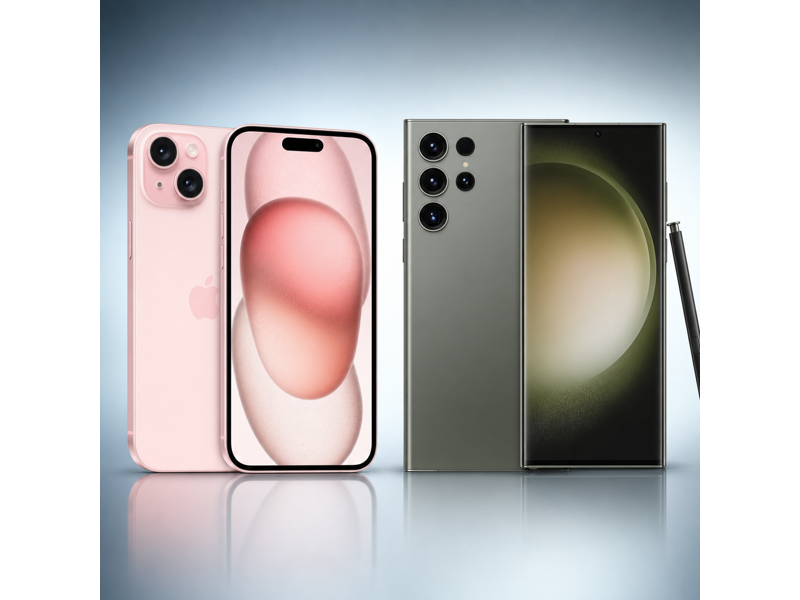
iPhone 15 Plus vs Galaxy S23 Ultra Specs Table
The specs table below highlights the exact launch-price, size, display, chip, camera, battery, USB, and connectivity differences between iPhone 15 Plus and Galaxy S23 Ultra before the section-by-section breakdown.
| Specifications | iPhone 15 Plus | Galaxy S23 Ultra |
|---|---|---|
| Starting Price | $899 | $1,199.99 |
| Dimensions | 6.33 x 3.06 x 0.31 in | 6.43 x 3.07 x 0.35 in |
| Weight | 201 g | 234 g |
| Processor | A16 Bionic | Snapdragon 8 Gen 2 for Galaxy |
| Storage | 128GB, 256GB, 512GB | 256GB / 512GB / 1TB |
| Display | 6.7 in (Super Retina XDR OLED) | 6.8 in (Dynamic AMOLED 2X) |
| Resolution | 2796 x 1290 | 3088 x 1440 |
| Connectivity | 5G, Wi-Fi 6, Bluetooth 5.3, NFC, Ultra Wideband | 5G, LTE, Wi-Fi 6E, Bluetooth 5.3, NFC, UWB |
| Rear Cameras | 48MP main + 12MP ultrawide | 200MP main + 12MP ultrawide + 10MP 3x telephoto + 10MP 10x telephoto |
| Front Camera | 12MP TrueDepth | 12MP |
| Battery | Up to 26 hours video playback | Up to 26 hours video playback |
| USB | USB 2 | USB-C, USB 3.2 Gen 1 |
| Colors | Black, Blue, Green, Yellow, Pink | Phantom Black, Cream, Green, Lavender, Graphite, Sky Blue, Lime, Red |
iPhone 15 Plus vs Galaxy S23 Ultra: Price
The iPhone 15 Plus starts at $899, while the Galaxy S23 Ultra starts at $1,199.99. That creates a launch-price gap of $300.99.
iPhone 15 Plus gets the cleaner value edge on price because it asks for less money up front. Although the Galaxy S23 Ultra still offers S Pen, storage up to 1TB, its faster wired transfer support, and its quicker wired media workflow, that extra premium is not automatically worth paying.
 Winner: iPhone 15 Plus
iPhone 15 Plus vs Galaxy S23 Ultra: Design
The iPhone 15 Plus measures 6.33 x 3.06 x 0.31 in and weighs 201 g, while the Galaxy S23 Ultra comes in at 6.43 x 3.07 x 0.35 in and 234 g.
iPhone 15 Plus wins on design because it feels smaller footprint.
Winner: iPhone 15 PlusiPhone 15 Plus vs Galaxy S23 Ultra: Display
The iPhone 15 Plus offers 6.7 in, 2796 x 1290, and 60Hz, while the Galaxy S23 Ultra counters with 6.8 in, 3088 x 1440, and 1-120Hz adaptive.
Galaxy S23 Ultra takes the display section because it delivers a larger 6.8 in screen, higher pixel density, and a smoother 120Hz-class panel.
Winner: Galaxy S23 UltraiPhone 15 Plus vs Galaxy S23 Ultra: Performance
On paper, the iPhone 15 Plus runs A16 Bionic, while the Galaxy S23 Ultra runs Snapdragon 8 Gen 2 for Galaxy. Transfer support also matters: iPhone 15 Plus uses USB 2, and Galaxy S23 Ultra uses USB-C, USB 3.2 Gen 1.
Galaxy S23 Ultra wins performance because it gives you a faster Snapdragon 8 Gen 2 for Galaxy platform, quicker USB 3 file moves, and more room with storage up to 1TB.
Winner: Galaxy S23 UltraiPhone 15 Plus vs Galaxy S23 Ultra: Camera
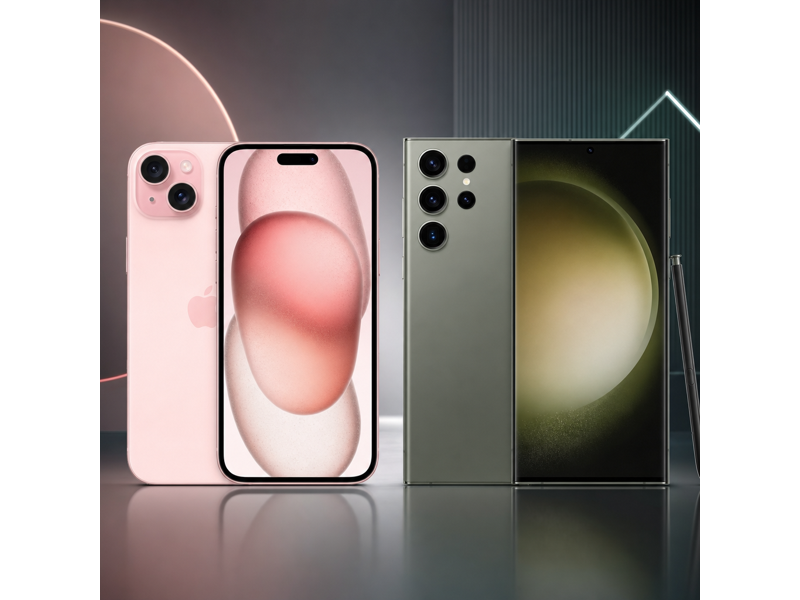
The iPhone 15 Plus uses 48MP main + 12MP ultrawide on the back plus a 12MP TrueDepth front camera. The Galaxy S23 Ultra counters with 200MP main + 12MP ultrawide + 10MP 3x telephoto + 10MP 10x telephoto and a 12MP selfie camera.
The Galaxy S23 Ultra has the stronger rear camera setup because of its telephoto lens and broader focal-length flexibility. The iPhone 15 Plus has the upgraded 12MP TrueDepth front camera. The Galaxy S23 Ultra also has the better video-workflow angle because it offers USB-C, USB 3.2 Gen 1. That creates a real tradeoff rather than a total camera sweep from one side. Overall, the Galaxy S23 Ultra finishes with the more convincing camera balance once rear-camera range, selfie hardware, and video workflow are considered together.
 Winner: Galaxy S23 Ultra
iPhone 15 Plus vs Galaxy S23 Ultra: Battery
Apple lists the iPhone 15 Plus at Up to 26 hours video playback. Samsung lists the Galaxy S23 Ultra at Up to 26 hours video playback.
Because both quoted video-playback figures are the same, battery stays a true tie on paper here.
Winner: TieiPhone 15 Plus vs Galaxy S23 Ultra: Software, Storage, and Features
The iPhone 15 Plus offers storage up to 512GB, plus 5G, Wi-Fi 6, Bluetooth 5.3, NFC, Ultra Wideband. The Galaxy S23 Ultra reaches up to 1TB, plus 5G, LTE, Wi-Fi 6E, Bluetooth 5.3, NFC, UWB.
Galaxy S23 Ultra wins this section with more headroom with storage up to 1TB, faster USB 3 support, reverse wireless charging, and built-in S Pen functionality.
Winner: Galaxy S23 UltraSwitching to a New Phone? Use MobileTrans to Transfer Your Data
If you are moving between the iPhone 15 Plus and Galaxy S23 Ultra , the practical challenge is not just choosing a winner. It is also making sure your photos, videos, messages, contacts, and app data move over cleanly without wasting time.
That is where MobileTrans - Phone Transfer can help. It is useful whether you are jumping from iPhone to Samsung, Samsung to iPhone, or just setting up a second device while keeping your files organized.


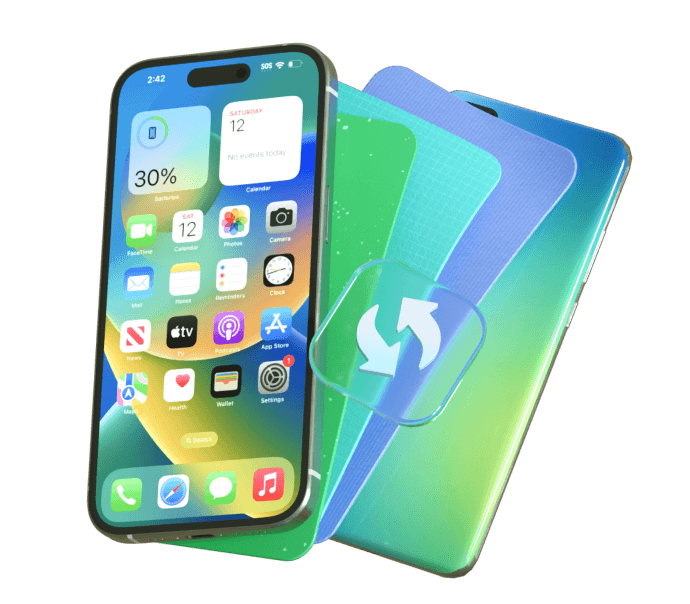


How to transfer data using MobileTrans
If you decide to upgrade to either model, moving your data can be quick and simple with MobileTrans.
Step 01
Connect Your Phones
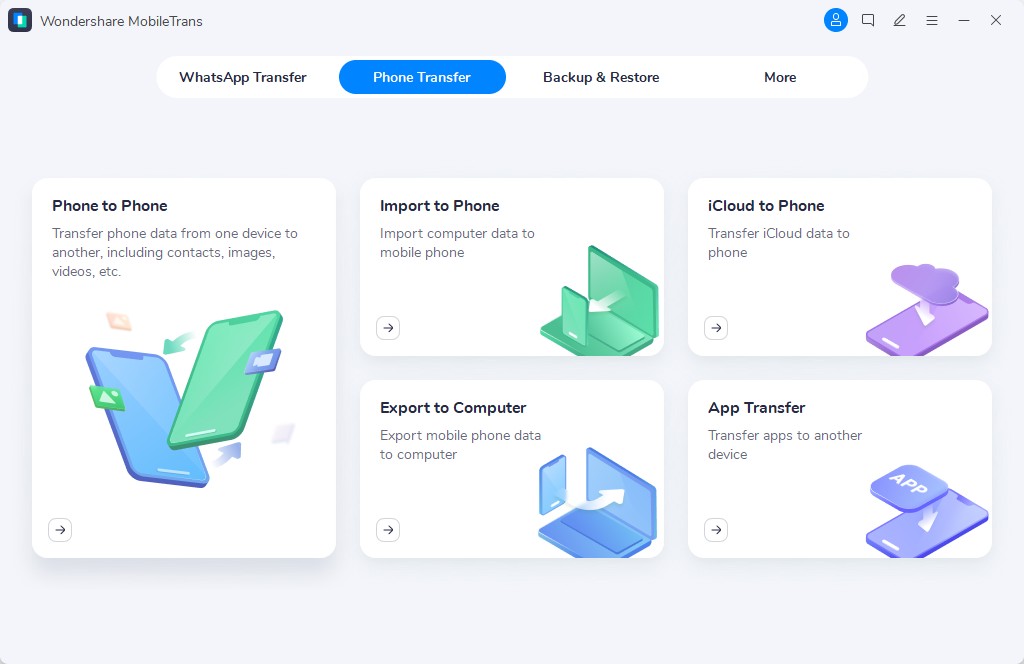
Install MobileTrans on your computer, then click the Phone to Phone tab and connect both Phones via USB.
Step 02
Choose What to Transfer
Select the data you want to move, such as contacts, photos, messages, videos, and other important files.
Step 03
Start the Transfer
Click the transfer button and wait for the process to finish. Once done, check your new phone to make sure everything has been copied successfully.


iPhone 15 Plus vs Galaxy S23 Ultra: Which One Should You Buy?
The iPhone 15 Plus and Galaxy S23 Ultra are both defensible buys. Choose the iPhone 15 Plus if you specifically want lower starting price of $899, 12MP TrueDepth front camera, smaller footprint, and MagSafe/Qi2. Choose the Galaxy S23 Ultra if you specifically want telephoto flexibility, stronger Snapdragon 8 Gen 2 for Galaxy performance, larger display, and smoother 120Hz display.
This matchup is better decided by feature fit than by forcing one overall winner.
Winner: TieFinal Verdict
Final verdict: the iPhone 15 Plus and Galaxy S23 Ultra stay close enough that neither one earns a clean value win on paper.
The safer call is to buy based on whether the specific Apple-side or Samsung-side advantages matter more to you.