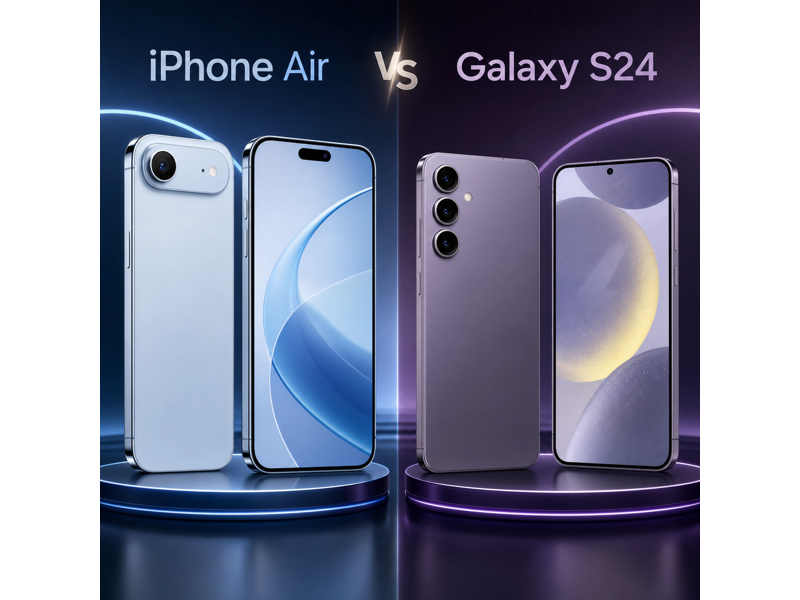
The iPhone Air and Galaxy S24 target buyers who want a premium phone, but they do it in very different ways. The iPhone Air leans into an ultra-thin design, a sharper always-on ProMotion display, and a higher storage ceiling, while the Galaxy S24 focuses on delivering a more affordable compact flagship with a more versatile rear-camera system and faster wired transfer.
This comparison breaks down the key differences in price, design, display, performance, cameras, battery life, software features, and overall practicality so you can see which tradeoff makes more sense for you.
TL;DR: The Galaxy S24 is the value pick, while the iPhone Air makes the stronger case if you care most about thinness, screen quality, and premium positioning.
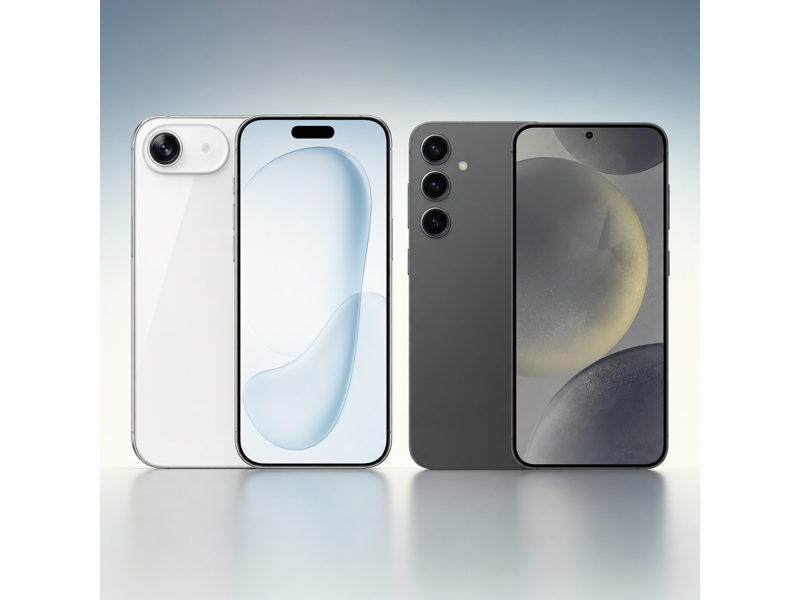
iPhone Air vs Galaxy S24 Specs Table
The table below makes the core tradeoff easy to see. The Galaxy S24 is much cheaper and gives you a more versatile rear-camera setup plus faster wired transfer, while the iPhone Air answers with a thinner body, a sharper always-on display, and more storage headroom.
| Specifications | iPhone Air | Galaxy S24 |
|---|---|---|
| Starting Price | $999 | $799.99 |
| Dimensions | 6.15 x 2.94 x 0.22 in | 5.79 x 2.78 x 0.30 in |
| Weight | 165 g | 167 g |
| Processor | A19 Pro | Snapdragon 8 Gen 3 for Galaxy (US) / Exynos 2400 (global) |
| Storage | 256GB, 512GB, 1TB | 128GB / 256GB |
| Display | 6.5 in (Super Retina XDR OLED, ProMotion, Always-On) | 6.2 in (Dynamic AMOLED 2X) |
| Resolution | 2736 x 1260 | 2340 x 1080 |
| Connectivity | 5G, Wi-Fi 7, Bluetooth 6, Thread, NFC, Ultra Wideband | 5G, LTE, Wi-Fi 6E, Bluetooth 5.3, NFC |
| Rear Cameras | Single 48MP Fusion camera | Triple rear camera |
| Front Camera | 18MP Center Stage | 12MP |
| Battery Life | Up to 27 hours video playback | Up to 29 hours video playback |
| Colors | Space Black, Cloud White, Light Gold, Sky Blue | Cobalt Violet, Amber Yellow, Onyx Black, Marble Gray, Sapphire Blue, Jade Green, Sandstone Orange |
iPhone Air vs Galaxy S24: Price
The iPhone Air starts at $999, while the Galaxy S24 starts at $799.99. That means Samsung undercuts Apple by about $199 at launch. If price is one of your top filters, that gap matters. The extra spend on the iPhone Air mainly buys you the much thinner design, a sharper always-on ProMotion display, and a higher 1TB storage ceiling.
The Galaxy S24 has the clearer value argument because the price gap is large enough to matter. The iPhone Air only makes sense if you specifically want its thinner build and more premium display package.
 Winner: Galaxy S24
iPhone Air vs Galaxy S24: Design
The iPhone Air measures 6.15 x 2.94 x 0.22 in and weighs 165 g, while the Galaxy S24 measures 5.79 x 2.78 x 0.30 and weighs 167 g. That means this section is not just about looks. It is about footprint, thickness, and how heavy the phone feels over a full day.
The iPhone Air takes this section because its defining advantage is how thin and light it feels for a premium phone. The Galaxy S24 is more compact overall, but the Air still stands out with its dramatically slimmer 5.64 mm profile and slightly lower weight.
Winner: iPhone AiriPhone Air vs Galaxy S24: Display
The iPhone Air has a 6.5 in Super Retina XDR OLED, ProMotion, Always-On panel at 2736 x 1260, while the Galaxy S24 has a 6.2 in Dynamic AMOLED 2X panel at 2340 x 1080. Apple gives you slightly more screen area, a sharper panel on paper, and the fuller always-on ProMotion package, while Samsung gives you the smaller, easier-to-manage form factor. That makes this section close enough to call a tie.
Winner: TieiPhone Air vs Galaxy S24: Performance
The iPhone Air uses the A19 Pro, while the Galaxy S24 uses the Snapdragon 8 Gen 3 for Galaxy (US) / Exynos 2400 (global). Both are flagship chips designed for top-tier performance on their own platforms. For most buyers, that means you should expect fast everyday use, strong gaming headroom, and enough power for demanding camera and editing workflows. Because this is a cross-platform comparison and both phones already sit at the top end of their ecosystems, there is no clean verified reason to force a winner here from the listed specs alone.
Winner: TieiPhone Air vs Galaxy S24: Camera
The Galaxy S24 has the more versatile rear-camera setup. The iPhone Air uses a single 48MP Fusion camera, while the Galaxy S24 uses a triple rear camera with a 50MP main, 12MP ultrawide, and 10MP 3x telephoto. That dedicated telephoto lens and extra focal flexibility give Samsung the clearer camera edge.
 Winner: Galaxy S24
iPhone Air vs Galaxy S24: Battery
The iPhone Air is rated for up to 27 hours of video playback, while the Galaxy S24 is rated for up to 29 hours. That gives the iPhone a -2-hour advantage on the listed video playback claims. Even against the smaller Samsung phone, the iPhone still claims the better playback result. If you want the better battery promise from the published specs, the iPhone Air is the safer choice.
Winner: Galaxy S24iPhone Air vs Galaxy S24: Software, Storage, and Features
The Galaxy S24 has the stronger practical features sheet. The iPhone Air goes up to 1TB, while the Galaxy S24 tops out at 256GB. But Samsung lists USB-C, USB 3.2 Gen 1 (typically up to 5Gb/s), while the iPhone Air only lists USB 2. If you care about faster wired file movement, the Galaxy has the clearer edge.
Winner: Galaxy S24Switching to a New Phone? Use MobileTrans to Transfer Your Data
If you are moving between the iPhone Air and Galaxy S24, the practical challenge is not just choosing a winner. It is also making sure your photos, videos, messages, contacts, and app data move over cleanly without wasting time.
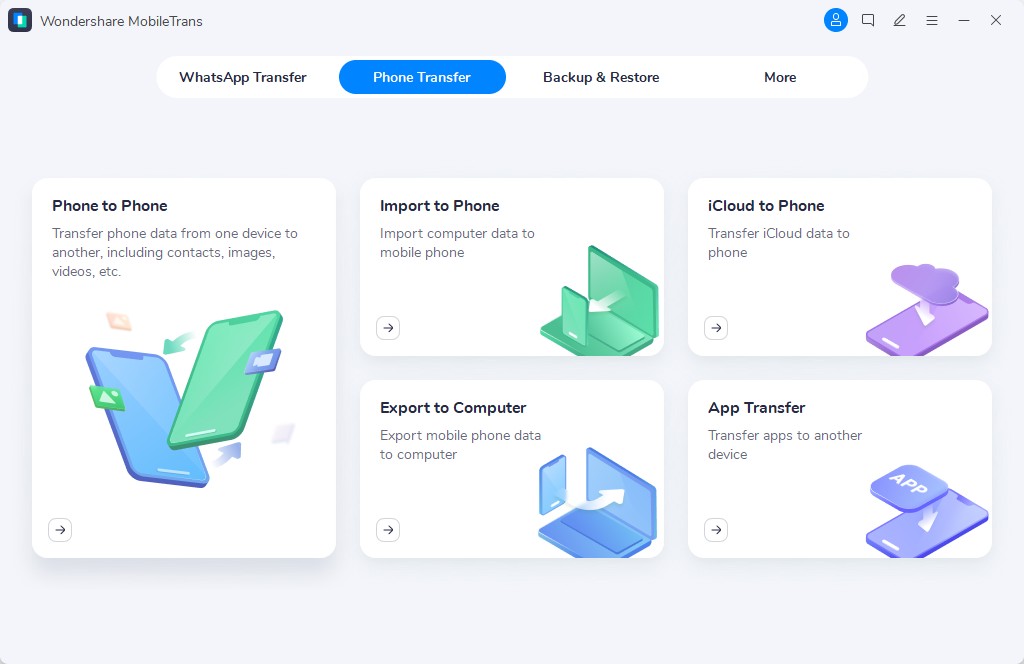
That is where MobileTrans - Phone Transfer can help. It is useful whether you are jumping from iPhone to Samsung, Samsung to iPhone, or just setting up a second device while keeping your files organized.




How to transfer data using MobileTrans
If you decide to upgrade to either model, moving your data can be quick and simple with MobileTrans.
Step 01
Connect Your Phones
Install MobileTrans on your computer, then click the Phone to Phone tab and connect both Phones via USB.
Step 02
Choose What to Transfer
Select the data you want to move, such as contacts, photos, messages, videos, and other important files.
Step 03
Start the Transfer
Click the transfer button and wait for the process to finish. Once done, check your new phone to make sure everything has been copied successfully.


iPhone Air vs Galaxy S24: Which One Should You Buy?
Choose the Galaxy S24 if you want the compact flagship that costs much less and still gives you a more versatile rear-camera system plus faster wired transfer. Choose the iPhone Air if you are willing to pay more for the dramatically thinner design, sharper always-on ProMotion display, and higher storage ceiling.
The Galaxy is the value choice, while the iPhone Air is the more style-and-screen-driven premium pick.
Winner: TieFinal Verdict
Overall, this matchup is close because the iPhone Air and Galaxy S24 emphasize different strengths. The iPhone Air stands out for its dramatically thinner design and more premium display package, while the Galaxy S24 answers with a lower price, a more versatile camera system, faster wired transfer, and a slightly stronger battery claim.
That makes the Galaxy S24 the easier value recommendation, while the iPhone Air still has a clear case for buyers who care most about thinness and screen polish.