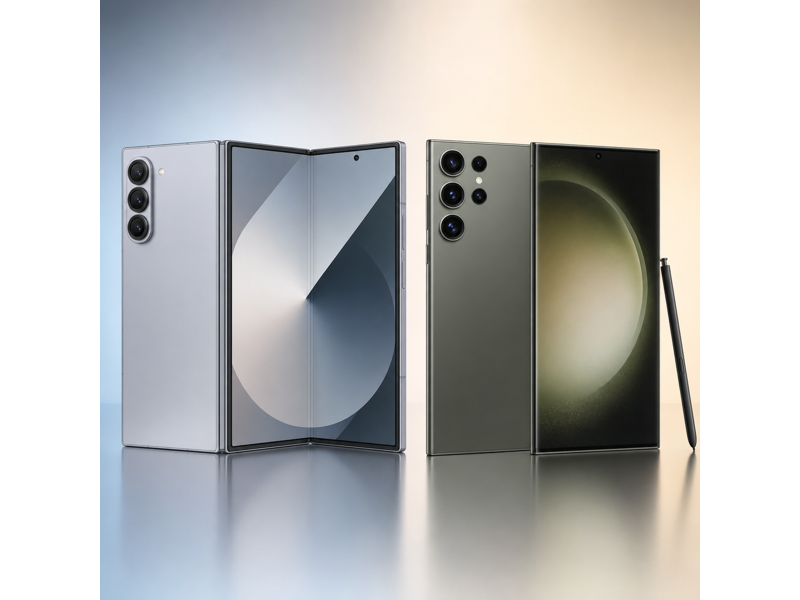
The Galaxy Z Fold6 is the book-style foldable built for multitasking and flagship-level hardware, while the Galaxy S23 Ultra is the top-tier flagship focused on maximum camera, display, and feature headroom. The Galaxy Z Fold6 is the foldable option here, with a book-style design that opens into a tablet-like main display, while the Galaxy S23 Ultra keeps the more familiar slab-style phone design. This comparison focuses on which one makes more sense for your budget, camera needs, display preferences, software extras, and real day-to-day use.
TL;DR: The Galaxy S23 Ultra is the better value pick if you want lower price, more optical zoom flexibility, and longer battery life (26h vs 23h). The Galaxy Z Fold6 is for buyers who want larger display and newer chip.
Galaxy Z Fold6 vs Galaxy S23 Ultra Specs Table
If you want a quick overview before diving into the details, the table below highlights the most important differences between the Galaxy Z Fold6 and Galaxy S23 Ultra. The main tradeoff is between the lower-price value case of the Galaxy S23 Ultra and the premium hardware package of the Galaxy Z Fold6.
| Specifications | Galaxy Z Fold6 | Galaxy S23 Ultra |
|---|---|---|
| Starting Price | $1,900 | $1,200 |
| Dimensions | Unfolded 6.04 x 5.22 x 0.22; Folded 6.04 x 2.68 x 0.48 | 6.43 x 3.07 x 0.35 |
| Weight | 239 g | 234 g |
| Processor | Snapdragon 8 Gen 3 for Galaxy | Snapdragon 8 Gen 2 for Galaxy |
| Storage | 256GB / 512GB / 1TB | 256GB / 512GB / 1TB |
| Display | 7.6 in main; 6.3 in cover (Foldable Dynamic AMOLED 2X main; Dynamic AMOLED 2X cover) | 6.8 in (Dynamic AMOLED 2X) |
| Resolution | 2160 x 1856 main; 2376 x 968 cover | 3088 x 1440 |
| Connectivity | 5G, LTE, Wi-Fi 6E, Bluetooth 5.3, NFC, UWB | 5G, LTE, Wi-Fi 6E, Bluetooth 5.3, NFC, UWB |
| Rear Cameras | Triple rear camera | Quad rear camera |
| Front Camera | 10MP cover + 4MP under-display | 12MP |
| Battery | Up to 23 hours video playback | Up to 26 hours video playback |
| USB | USB-C, USB 3.2 | USB-C, USB 3.2 Gen 1 |
| Colors | Navy, Silver Shadow, Pink, Crafted Black, White | Phantom Black, Cream, Green, Lavender, Graphite, Sky Blue, Lime, Red |
Galaxy Z Fold6 vs Galaxy S23 Ultra: Price
The Galaxy Z Fold6 starts at $1,900, while the Galaxy S23 Ultra starts at $1,200. That means the launch-price gap is $700 before any storage upgrades. The extra spend buys a larger display and newer performance. It does not mainly buy a smaller footprint.
If those extra upgrades are central to how you use your phone, the premium can make sense. If not, the cheaper model is the easier value recommendation.
 Winner: Galaxy S23 Ultra
Galaxy Z Fold6 vs Galaxy S23 Ultra: Design
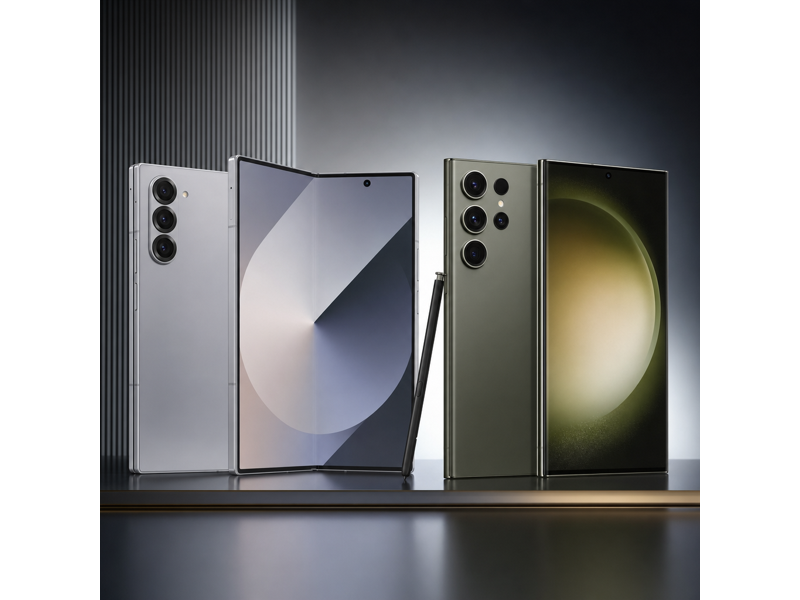
The Galaxy Z Fold6 measures Unfolded 6.04 x 5.22 x 0.22; Folded 6.04 x 2.68 x 0.48 and weighs 239 g, while the Galaxy S23 Ultra comes in at 6.43 x 3.07 x 0.35 and 234 g. The Galaxy Z Fold6 is the more distinctive design because it opens into a larger inner workspace, but that usually comes with a bulkier folded shape and a different ergonomic tradeoff. The Galaxy S23 Ultra is easier to manage as a normal everyday phone, while the Galaxy Z Fold6 is for buyers who specifically want a foldable productivity device.
Winner: Galaxy S23 UltraGalaxy Z Fold6 vs Galaxy S23 Ultra: Display
The Galaxy Z Fold6 uses 7.6 in main; 6.3 in cover with 2160 x 1856 main; 2376 x 968 cover, while the Galaxy S23 Ultra uses 6.8 in with 3088 x 1440. The Galaxy Z Fold6 wins on screen experience because its larger inner display is built for multitasking and document-heavy use in a way a normal slab phone is not.
Winner: Galaxy Z Fold6Galaxy Z Fold6 vs Galaxy S23 Ultra: Performance
The Galaxy Z Fold6 uses Snapdragon 8 Gen 3 for Galaxy, while the Galaxy S23 Ultra uses Snapdragon 8 Gen 2 for Galaxy. On paper, the Galaxy Z Fold6 has the newer or stronger chip, so it should offer more headroom for gaming, multitasking, and long-term performance than the Galaxy S23 Ultra. If performance matters a lot to you, this is one of the clearer reasons to step up to the Galaxy Z Fold6.
Winner: Galaxy Z Fold6Galaxy Z Fold6 vs Galaxy S23 Ultra: Camera
The Galaxy Z Fold6 has a 50MP main camera, a 12MP ultra-wide camera, and a 10MP 3x telephoto lens. It uses a 10MP front camera. The Galaxy S23 Ultra has a 200MP main camera, a 12MP ultra-wide camera, and a 10MP 3x telephoto and 10MP 10x telephoto lens. It uses a 12MP front camera. The biggest camera difference is optical zoom. The Galaxy S23 Ultra has the stronger telephoto system, while the Galaxy Z Fold6 has a less flexible zoom setup. The Galaxy S23 Ultra also has the higher-resolution main camera at 200MP. For selfies and video calls, the Galaxy S23 Ultra has the stronger front-camera spec on paper. Overall, the Galaxy S23 Ultra takes the camera section because its strengths are more useful for the kind of shooting this matchup rewards.
 Winner: Galaxy S23 Ultra
Galaxy Z Fold6 vs Galaxy S23 Ultra: Battery
Samsung rates the Galaxy Z Fold6 at 23 hours video playback, and it rates the Galaxy S23 Ultra at 26 hours video playback. That gives the Galaxy S23 Ultra the battery win on paper, with a 3-hour difference in quoted video playback.
Winner: Galaxy S23 UltraGalaxy Z Fold6 vs Galaxy S23 Ultra: Software, Storage, and Features
Core One UI experience is similar on both phones, but the higher-end extras are not. The Galaxy Z Fold6 offers 256GB / 512GB / 1TB storage, USB-C, USB 3.2, and 5G, LTE, Wi-Fi 6E, Bluetooth 5.3, NFC, UWB. The Galaxy S23 Ultra offers 256GB / 512GB / 1TB storage, USB-C, USB 3.2 Gen 1, and 5G, LTE, Wi-Fi 6E, Bluetooth 5.3, NFC, UWB. Because those workflow-oriented extras are effectively balanced here, this section should not decide the matchup on its own.
Winner: TieSwitching to a New Phone? Use MobileTrans to Transfer Your Data ⭐
If you are upgrading between Galaxy Z Fold6 and Galaxy S23 Ultra, a common concern is how to move photos, videos, messages, contacts, and apps safely without wasting time. This becomes even more relevant when you are moving between generations, changing storage size, or setting up a second phone for work or family use.
This is where MobileTrans – Phone Transfer can help. MobileTrans is designed to move data between phones quickly and safely, including contacts, photos, videos, messages, and other common file types.




How to transfer data using MobileTrans
If you decide to upgrade to either model, moving your data can be quick and simple with MobileTrans.
Step 01
Connect Your Phones
Install MobileTrans on your computer, then click the Phone to Phone tab and connect both Phones via USB.
Step 02
Choose What to Transfer
Select the data you want to move, such as contacts, photos, messages, videos, and other important files.
Step 03
Start the Transfer
Click the transfer button and wait for the process to finish. Once done, check your new phone to make sure everything has been copied successfully.



Galaxy Z Fold6 vs Galaxy S23 Ultra: Which One Should You Buy?
Choose the Galaxy S23 Ultra if you want lower price, more optical zoom flexibility, and longer battery life (26h vs 23h). Choose the Galaxy Z Fold6 if you specifically want larger display and newer chip.
In short, the Galaxy S23 Ultra is the value pick, while the Galaxy Z Fold6 is the better fit for buyers who care more about those premium upgrades.
Winner: Galaxy S23 UltraFinal Verdict
For most buyers, the Galaxy S23 Ultra is the value pick because it gives you lower price, more optical zoom flexibility, and longer battery life (26h vs 23h) without paying the higher launch price.
The Galaxy Z Fold6 is the premium alternative because it brings larger display and newer chip. That premium is worth paying for only if you will actually use those upgrades.