


 TL;DR:
To customize and retain Halloween WhatsApp updates, generate animated statuses using the Filmora App and discreetly save contacts' media using built-in screen capture, Android's hidden directory, or the WeLastseen tracking tool.
● Android and iOS users can create custom animated statuses by uploading photos into the Filmora App Image to Video tool and applying theme-based audio, templates, and effects before exporting the file as a Live Photo or video.
● The WeLastseen application bypasses the 24-hour disappearance limit by saving end-to-end encrypted media from standard and WhatsApp Business accounts to a local folder, though iOS users lack a dedicated app and are restricted to browser-based tracking.
● To save media manually without extra software, Android users can copy offline files directly from the internal storage WhatsApp > Media > .Statuses folder, while utilizing the native Forward or Reshare functions requires the original poster to first enable the Allow Sharing setting.
Ask AI for a summary
 ChatGPT
 Perplexity
 Gemini
 Claude
 Grok
Grok
2025 Halloween brings a fresh wave of spooky fun and digital tricks. This is the season when chat turns eerie and statuses become a doorway to haunted imagination. No matter if you love ghostly humor or dark magic, you can cast a perfect spell on your friends with unique Halloween WhatsApp status ideas.
If you're running short of ideas, this guide introduces you to some clever words and eerie vibes. You will also learn how to create a status on your own, with the option to save others.
In this article

Part 1. Creative Halloween WhatsApp Status Text-Based Ideas
If you want to try a text-based Halloween WhatsApp status, here are some ideas for you:
1. 5 Spooky Status Texts
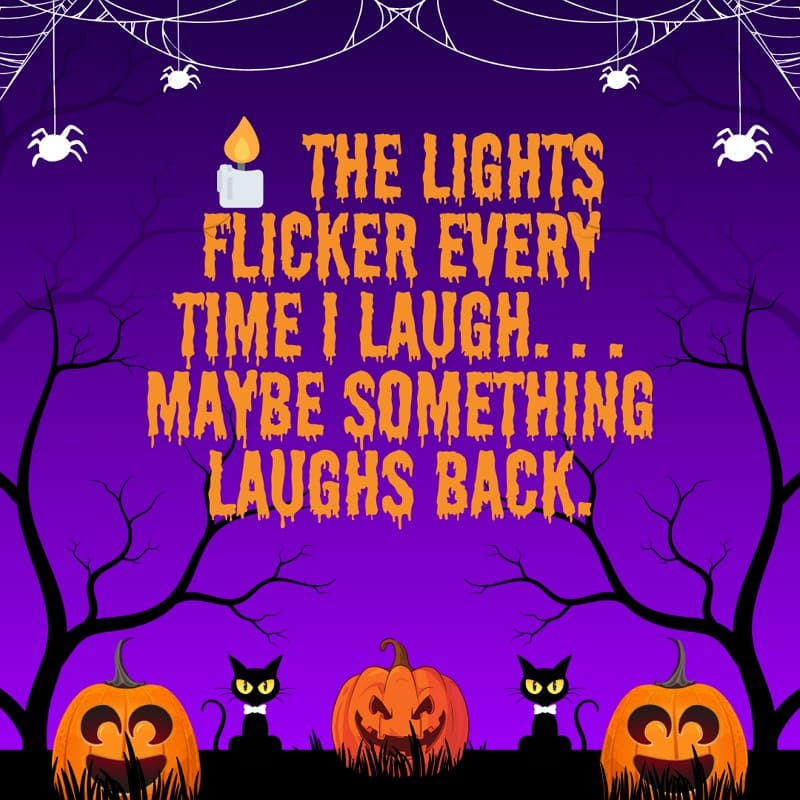
Example 1
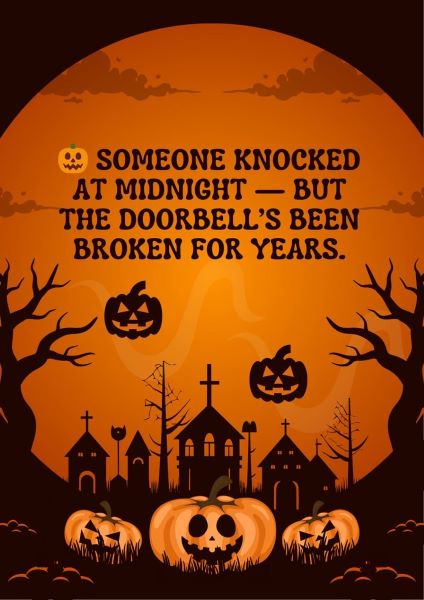
Example 2
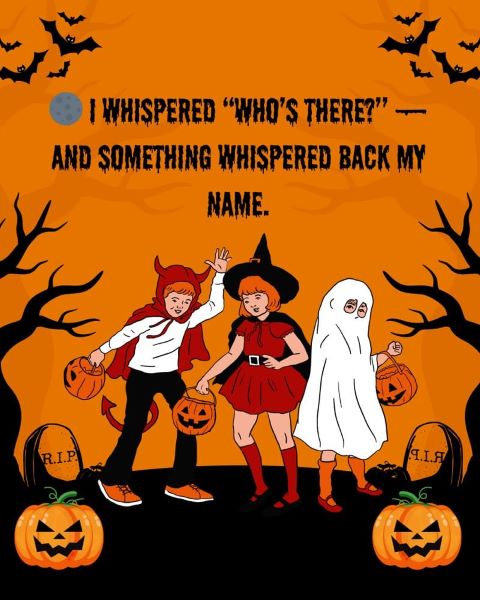
Example 3
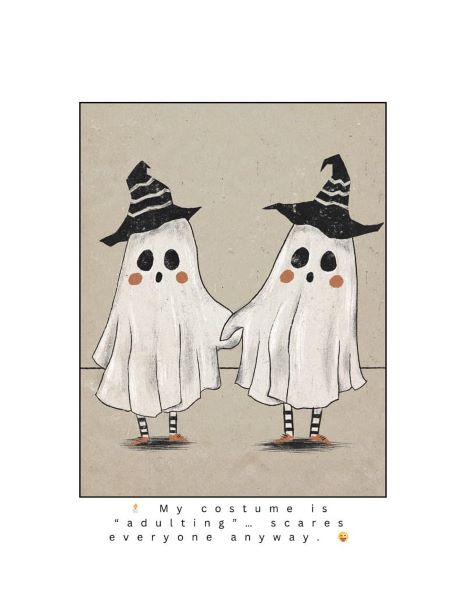
Example 4

Example 5

2. 5 Funny Status Texts
Example 1

Example 2

Example 3

Example 4

Example 5
3. 5 Festive Emoji Status
Example 1

Example 2
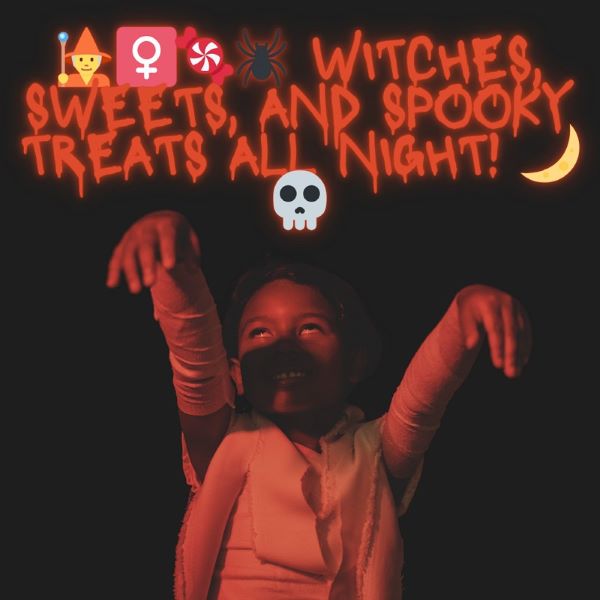
Example 3

Example 4

Example 5






Part 2. How to Craft a Unique Halloween WhatsApp Status
For those who prefer to create a visually appealing, fun Halloween WhatsApp status, use the Filmora App Image to Video tool. This application is designed for Android and iOS users and enables you to convert an image into compelling art while trying various templates.
After getting the desired video, you can further edit it using tools like Effects, Filters, and Sounds. To save your Halloween status as a video or Live Photo, review the given steps:
Step 1. Open the "Image to Video" tool, then tap the "Upload Photo" icon to import the sample image from the phone. After that, insert a detailed prompt or head to the "Select a Template" section to pick one. Once all settings are complete, choose the "Generate" button and wait for the application to create a video.
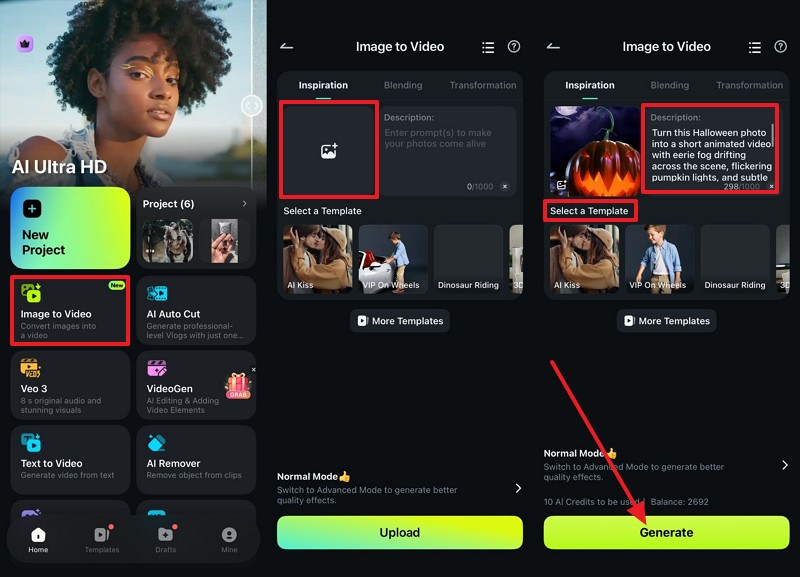
Step 2. As the video is being created, press the "Project Edit" button, then head to the "Audio" section to insert theme-based sound using the provided tools.
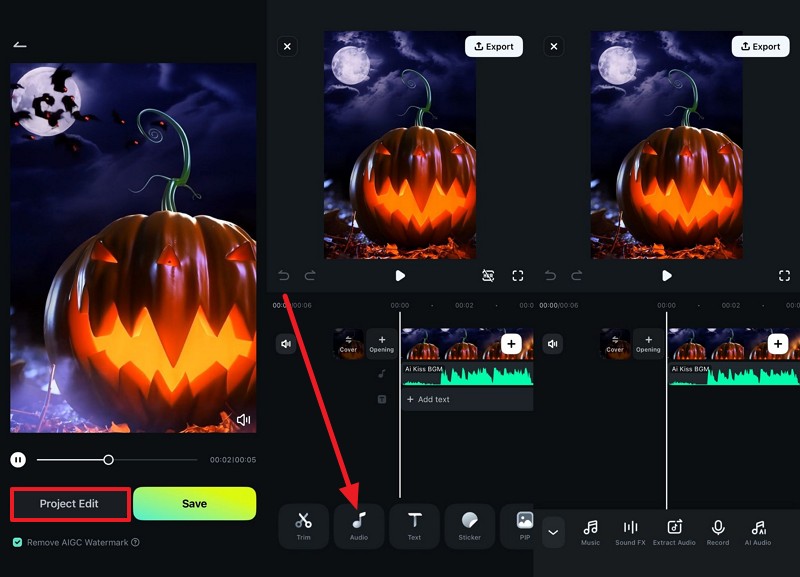
Step 3. Now, go to the "Effects" tab, choose the desired effect, and press the "Tick" icon to apply it. Preview the video, then select the "Export" option in the top-right corner of the screen.
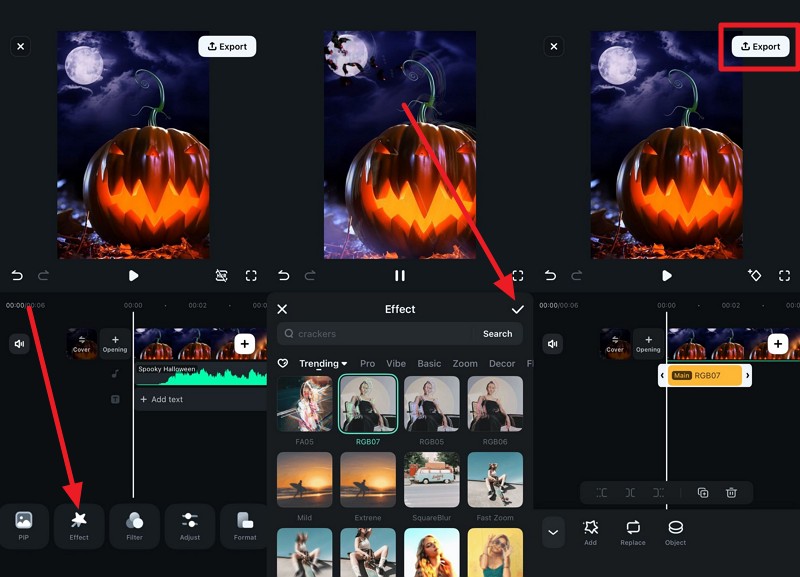
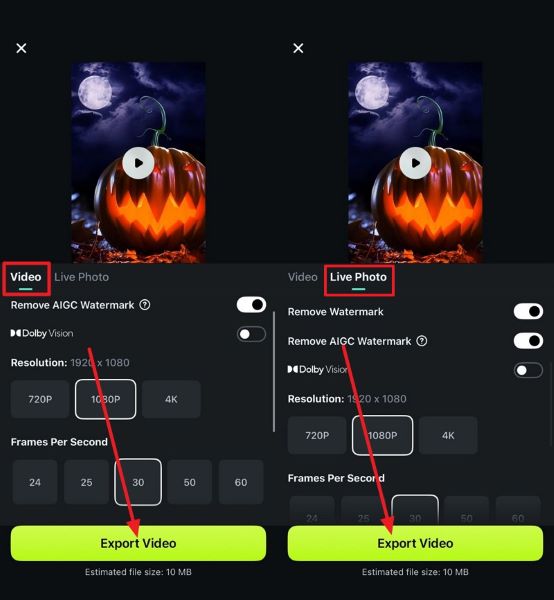
Step 4. There, head to the "Video" section, choose the desired resolution and frame rate, then click the "Export Video" button. To save it as an image, go to the "Live Photo" section, select your preferred settings, press the "Export Video" button again, and share it as a Halloween WhatsApp status.
Part 3. 5 Ways to Save Halloween WhatsApp Status [Tested]
For some reason, if you have liked another person's Halloween WhatsApp status or want to save your own, review this section to find out how you can do it. Here, you will learn five simple and effective ways, along with a detailed guide and a tracking tool, to never miss status updates.
Method 1: Use One-Click Status Saver Apps
As a versatile solution, you can use WeLastseen, which is best known as a WhatsApp tracker. This application includes a dedicated Status Saver feature that lets you save status after proper authorization. You can choose between WhatsApp and WhatsApp Business, then extract the status updates to save them to your device. Upon accessing the desired status, users can choose to save with just one tap, making it ideal for beginners.
Additionally, it allows you to delete them to save space shared across multiple platforms. The process of accessing WhatsApp's internal data is so secure that it eliminates the fear of losing personal details, unlike other applications. Above all, this app ensures that all the user's data is end-to-end encrypted, and the state-of-the-art security encryption system keeps classified information safe.



Detailed Guide to Save the Halloween WhatsApp Status with WeLastseen
To know how you can use this intuitive application to save the Halloween WhatsApp status, review the given guide:
Step 1. Access the Application and Status Saver Tool
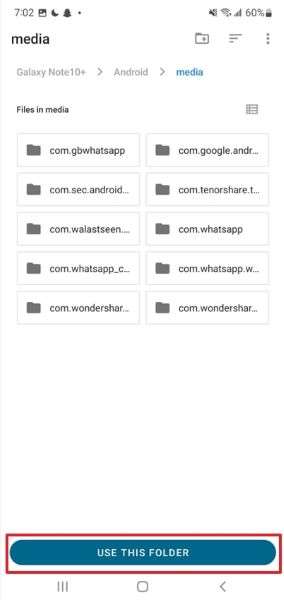
In the toolbox, select the "Status Saver" tool and grant the required permissions if you are using the application for the first time. As you access the "Android 11 Permission Guide" screen, press the "Use This Folder" option, and as you choose the "Allow" button, hit the "Authorize" button at the bottom.

Step 2. Locate the File Manager Directory on the Android
This will open the mobile's File Manager so you can choose the location for WhatsApp statuses. When you opt for one, click the "Use This Folder" button, then tap "Allow".
Step 3. Choose the Halloween Status and Save or Share
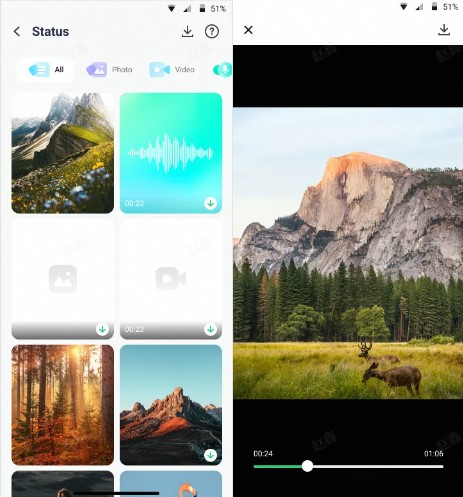
From the top menu, choose between "WhatsApp" and "WhatsApp Business" and choose the Halloween WhatsApp status you want to save. There, select either "Save" or "Share and Delete," depending on your preferences.

You can also use WeLastseen to track WhatsApp status updates in real time, with support for photos, videos, and voice notes.
Method 2: Try File Manager to Locate Hidden Halloween Statuses
Users can also try the File Manager manually to save the Halloween WhatsApp status, as Android devices store viewed photos and videos in a hidden folder called .Statuses. You can easily open it to copy or move statuses to your gallery, and it needs no extra app, and keeps every file in its original quality. It also works offline, so you can see your favorite Halloween updates anytime, as guided below:
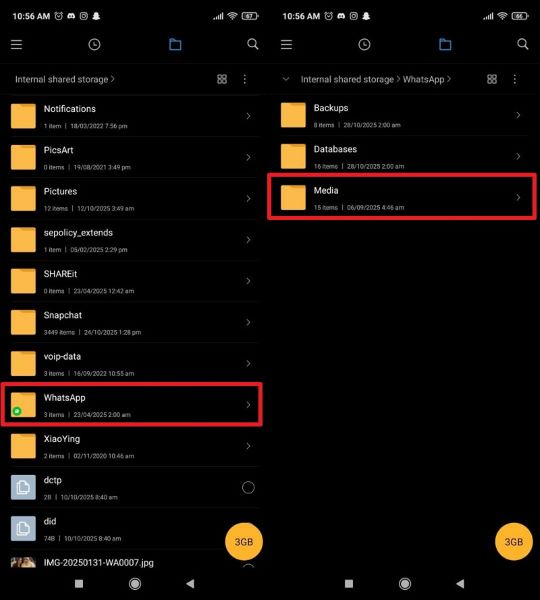
Instructions: In the File Manager application, head to internal storage and select the "WhatsApp" option. After that, head to the "Media" section and find the ".Statuses" files to save the Halloween status.
Method 3: Take Screenshots or Use Screen Recording
Now save Halloween WhatsApp statuses easily with screenshots or screen recordings. This method needs no extra app or setup and works on Android and iPhone. Additionally, WhatsApp does not notify the status owner, so your privacy stays safe. You can capture photos, videos, or music effects from any visible status and access them right away in your gallery by following the given instructions for Android and iOS:
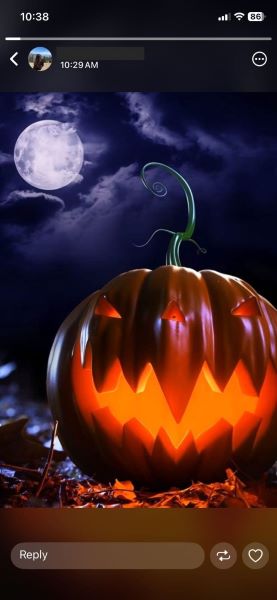
Take a Screenshot on Android: Press the "Power" and "Volume Down" buttons together after opening a specific WhatsApp Status to capture a screenshot.

Take a Screenshot on iOS: Go to the "Updates" tab, choose the status you want to save, and press the "Power" and "Volume Up" buttons together to capture a screenshot.
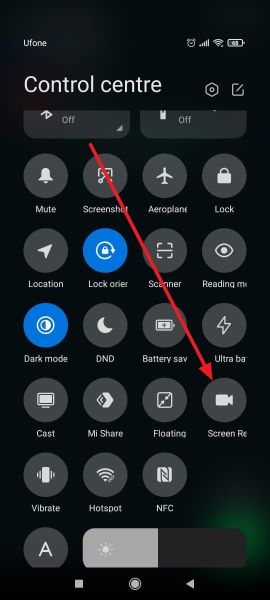
Screen Record on Android: Swipe down from the top of the screen to open the "Quick Settings" panel and tap the "Screen record" icon as you open the Halloween WhatsApp status of another person.
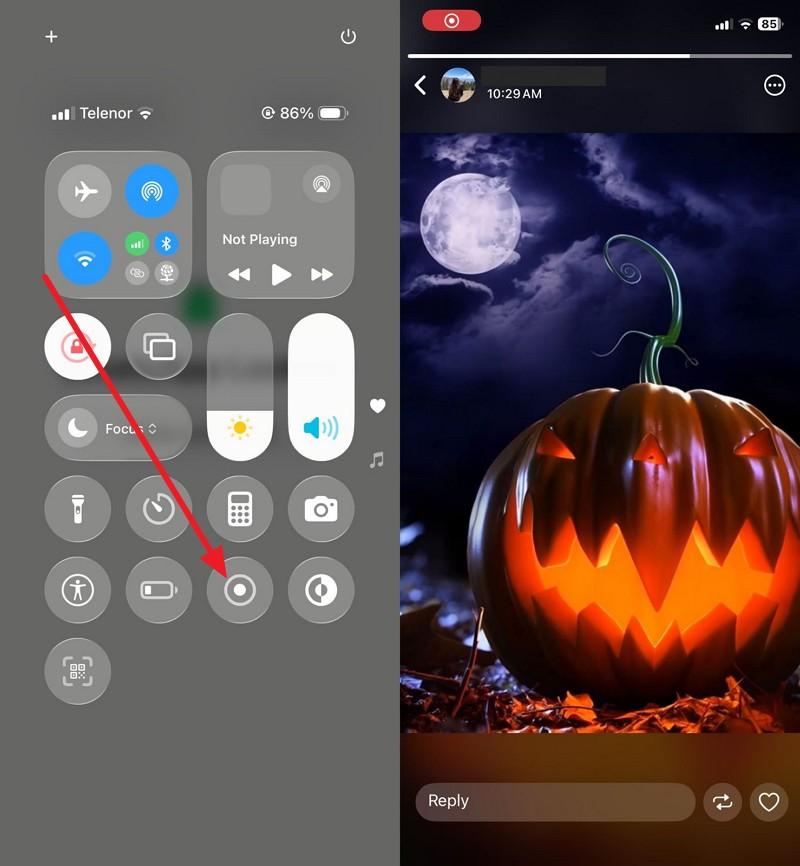
Screen Record on iOS: Open "Control Center" by swiping down from the top-right corner of your screen as you open the status of another person. After that, press the "Record" icon and as you see the "Red" icon on top of the screen, screen record the status.
Method 4: Forward the Halloween Status and Save
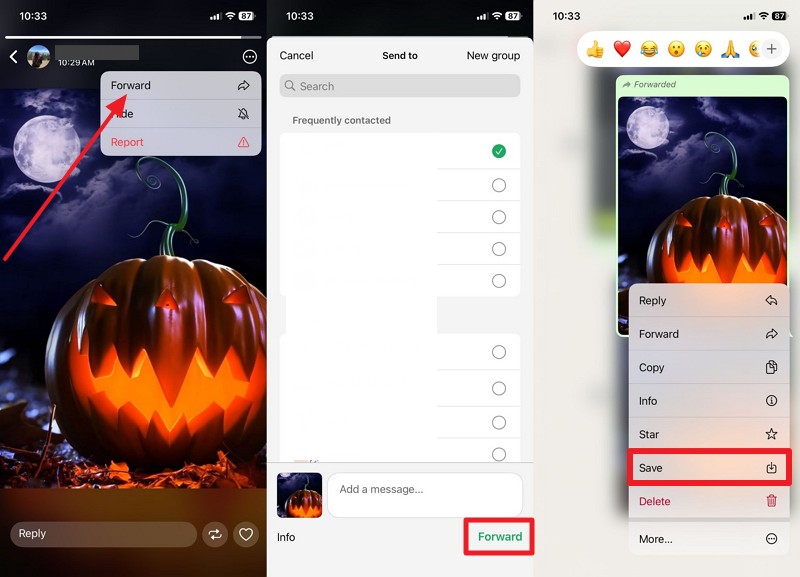
You can quickly share and save Halloween WhatsApp status by forwarding photos, videos, stickers, or messages to friends, groups, or your own chat for safekeeping. This built-in feature needs no extra app and keeps every file in full quality without loss. It also helps you organize and save Halloween memories by sending them to a private chat or family group where they stay after the original post disappears, as shown:
On Android
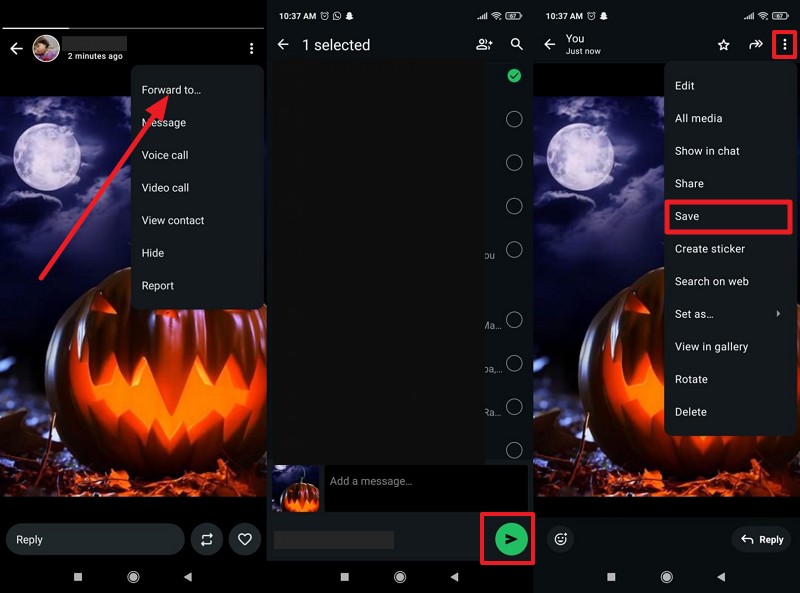
Instructions: Tap the "Three Dots" icon on the person's status, then choose the "Forward To..." option from the menu. After that, select the contact you want to share it with, then tap the "Send" icon to forward. Now, open their chat, tap the status, then tap the "Three Dots" icon, and choose "Save" from the list.
On iOS
Instructions: As you open a certain Halloween WhatsApp Status with allowed sharing, tap the "Three Dots" icon to pick the "Forward" option. From the contact list, select the person you want to share the status with, then tap the "Forward" button at the bottom. Now, head to their chat, long-press the status, and pick the "Save" button.
Method 5: Reshare the Halloween Status
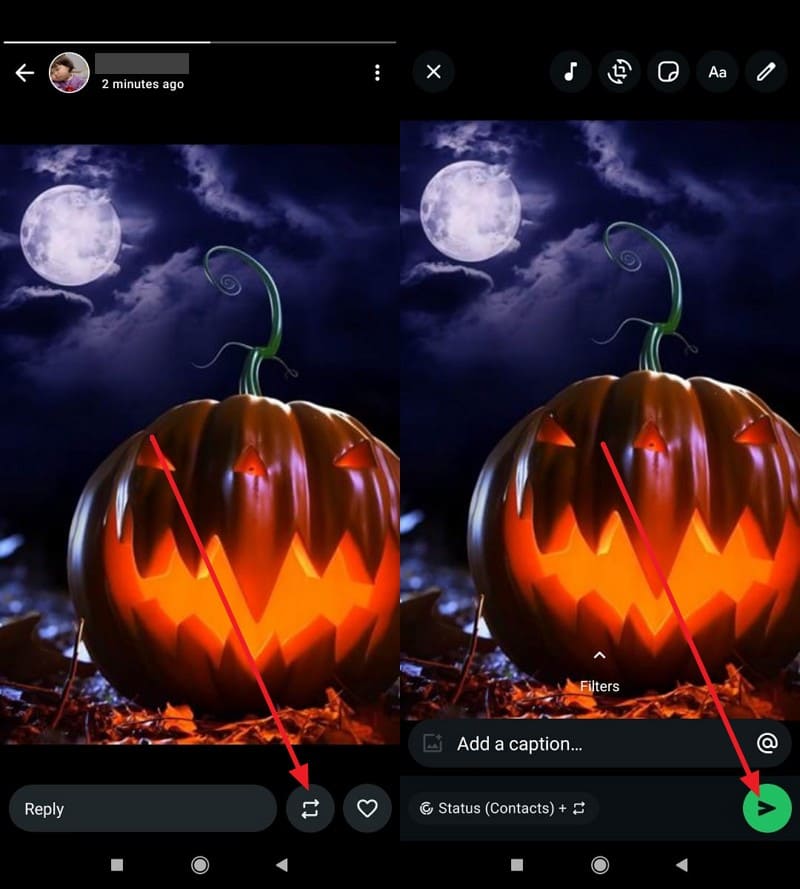
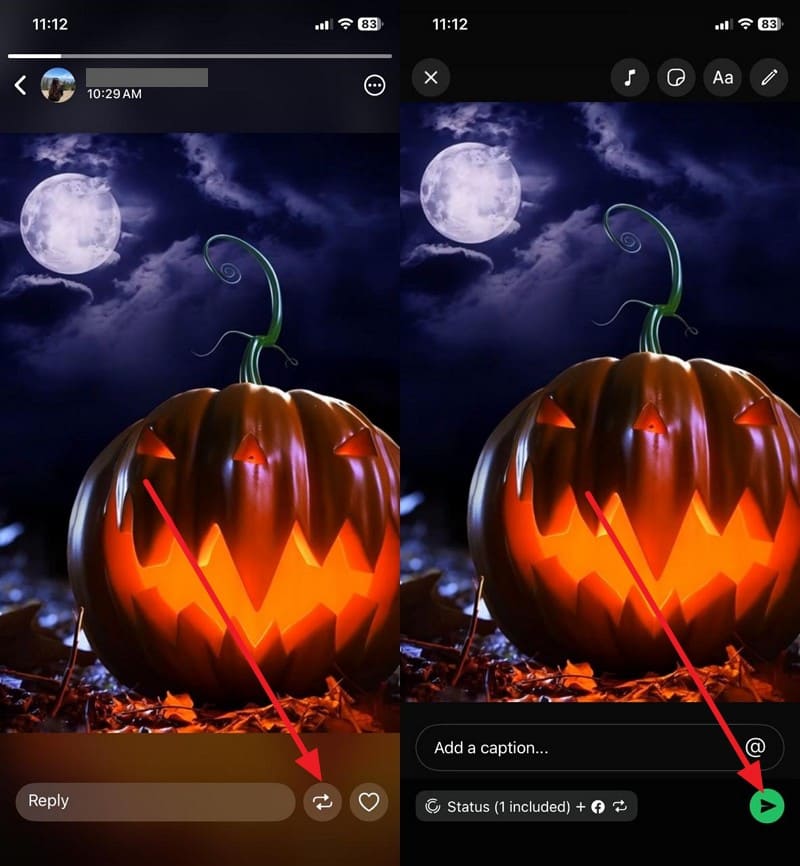
Spread Halloween fun on WhatsApp with the Reshare feature, which lets you repost someone else's status on your own with one tap. The reshared photo or video keeps its full quality and shows who created it, so credit stays clear. It helps your favorite Halloween updates reach more people and keeps celebrations lively in chats and groups. To know how you can reshare anyone's Halloween WhatsApp Status, review the given guide:
On Android
Instructions: First, ask the person whose status you want to save to enable the "Allow Sharing" feature in settings. On the targeted WhatsApp status, tap the "Reshare" icon, then tap "Send" to upload it.
On iOS
Instructions: Open the Halloween status of a particular person with allowed sharing and press the "Reshare" icon at the bottom. In the new interface, tap the "Send" icon to upload it.
Part 4. Tips to Choose the Best Halloween WhatsApp Status Every Year
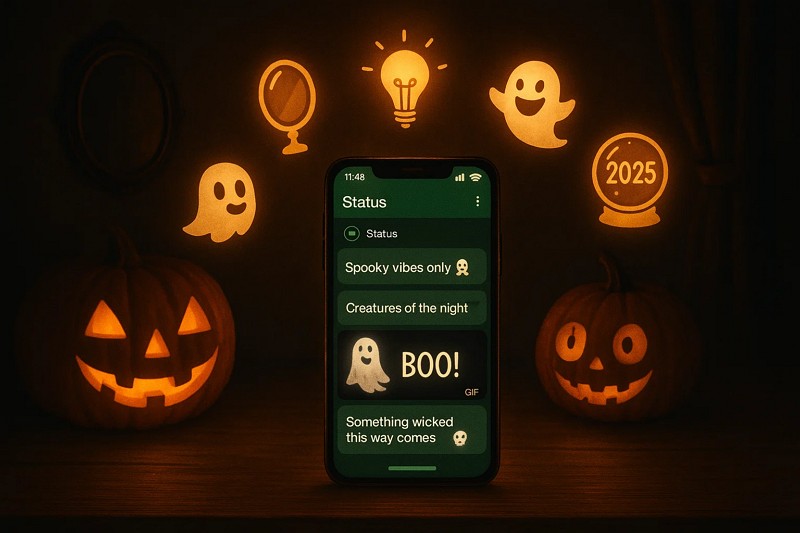
When you run out of creative ideas for Halloween WhatsApp Status, adhere to the given tips in this section to choose compelling statuses every year:
- Match Your Mood and Theme: Pick a status that mirrors your current vibe and Halloween energy this season. Besides, choose between scary or mysterious tones to reflect how you want others to feel tonight.
- Focus on Creativity Over Clichés: Avoid the same Halloween lines everyone uses and make your status stand out instead. It's better to use fresh, spooky words or unique expressions that add personality and charm to your WhatsApp updates.
- Add a Touch of Humor or Mystery: Blend subtle jokes or eerie hints to keep your Halloween status interesting for your contacts. Also, let curiosity or laughter guide how people react and engage with your spooky messages tonight.
- Keep It Short Yet Impactful: Use short words that still create an intense Halloween atmosphere and visual image for readers. A brief status captures attention more quickly and leaves a lasting impression on your friend's mind.
- Reflect the Year's Halloween Trend: Look for trending Halloween phrases or themes that fit 2025's digital spooky vibe across chats. Additionally, stay updated on viral references or meme energy to boost your status's seasonal relevance online.
Conclusion
In summary, if you want ideas for Halloween WhatsApp Status, this article has shown you how to create one. As you generate text and visual-based status, learn how to save others' status after reviewing the detailed steps. Among all options, we suggest using the ideal tracking application, WeLastseen, which lets you save status in a few taps without posing a data loss threat.
FAQs
-
Can I use AI or filter tools to design Halloween-themed WhatsApp status images?
Yes, you can use AI or filter tools to create spooky Halloween photos for your WhatsApp status. They help add eerie lighting and creative themes that perfectly match the Halloween spirit. -
How do I make my Halloween WhatsApp status visible only to specific contacts?
Open the privacy settings and select "My Contacts Except" or "Only Share With" to control who can view your Halloween WhatsApp status. Choose trusted friends or family only so your Halloween posts stay private and reach the right audience. -
Can I use GIFs or short videos as my Halloween WhatsApp status updates?
This platform supports GIFs and short videos, so you can post moving Halloween clips or fun animations. For that, record creative Halloween moments or download GIFs that express your mood and share them on your status.