
 TL;DR:
WhatsApp automatically deletes status files from its servers after a 24-hour window, requiring users to rely on proactive archiving or specialized third-party tools to access expired content.
● The WeLastseen online tracker exports contact status updates to local storage, but it only captures media uploaded after the specific target contact is added to your monitoring list.
● GBWhatsApp provides an automated workaround via the Anti-Delete Status toggle located in its Privacy and Security settings, which retains disappeared updates without requiring manual screenshots.
● Bypassing the temporary status design using modified clients or unverified third-party applications carries personal data risks and potential violations of WhatsApp policies.
Ask AI for a summary
 ChatGPT
 Perplexity
 Gemini
 Claude
 Grok
Grok

A full day of commitments can leave you little time to check your phone, and by the time you do, WhatsApp statuses have already expired. Your contacts' important event updates or professional announcements have disappeared, leaving you feeling uninformed or excluded. This is where you can view WhatsApp status after 24 hours for a quick revisit of content at your convenience.
To experience this flexible way of communication, continue reading the guide and enjoy unrestricted access to updates. Below, you'll find tips and methods to view WhatsApp status even after 24 hours, with ease.
In this article

Part 1. Can You View WhatsApp Status After 24 Hours?
No, you cannot view WhatsApp status after 24 hours, because the app automatically deletes them after this period. WhatsApp systematically deletes the status file from its server and hides it from the app, meaning viewers lose access to both content and viewing history. Technically, this messaging app uses a combination of local device storage and secure server transmission to handle statuses.
When a contact posts a status, it is encrypted, and access controls ensure only permitted contacts can view it within a 24-hour window. This not only safeguards user privacy but also maintains data management on WhatsApp's infrastructure.
For viewers, this status expiration means that any missed updates or expired statuses cannot be revisited. Finally, your view of someone's status and their ability to see who viewed it is restricted to the initial 24 hours.
Part 2. 3 Methods to View WhatsApp Status After 24 Hours
Naturally, you can't catch every update within WhatsApp's 24-hour window, but that doesn't mean you have to miss out entirely. Through the provided workarounds, you can still view WhatsApp status after 24 hours and revisit overlooked updates:
Method 1. Innovative Way to Monitor WhatsApp Status Updates | WeLastseen
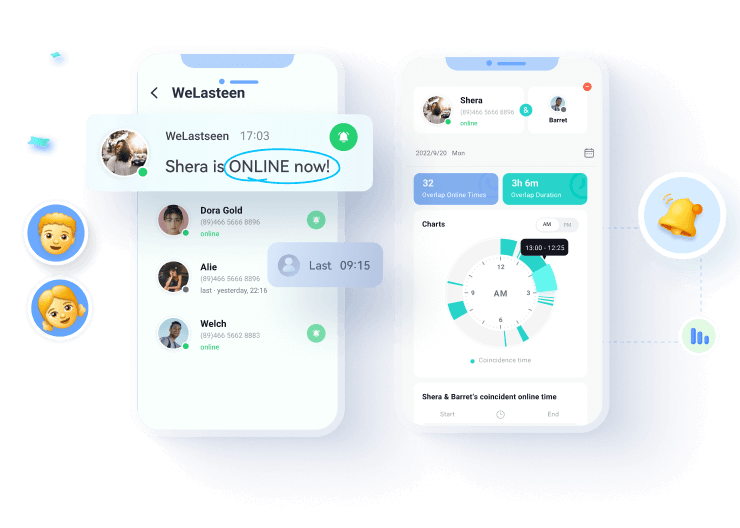
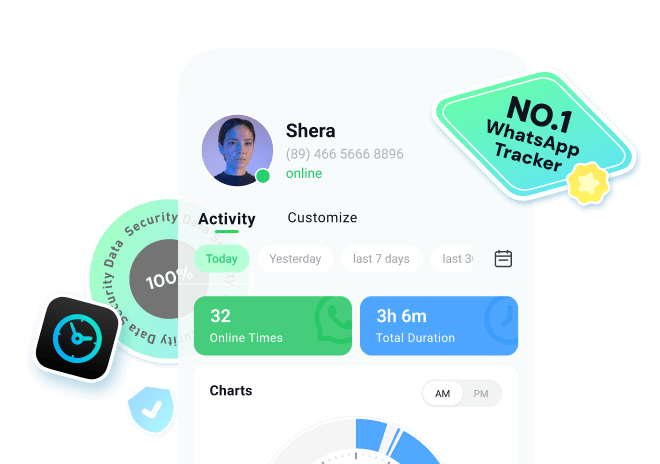
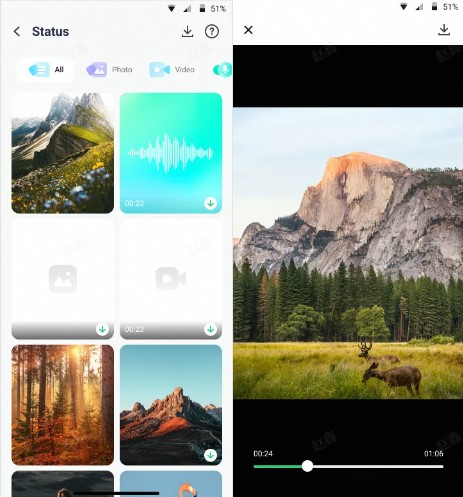
WeLastseen is a third-party online status tracker that helps you monitor WhatsApp statuses beyond the standard time. It allows you to track and view the statuses of all contacts without their knowledge. The tracker facilitates users to preview images, listen to voice notes, and even play videos directly on the Status Tracker. You can download and save essential statuses by exporting them to your local storage.
The platform's high success rate ensures that you receive all WhatsApp activity and status updates from the contacts you've added. It's lag-free, and our experience guarantees unlimited access, even when your contacts are offline. Besides this, all your data is end-to-end encrypted, and state-of-the-art security encryption keeps your identity and information safe. In addition, WeLastseen lets you spy on someone's WhatsApp activity to track their online/offline times.





Comprehensive Guide to View Statuses After 24-Hour
Following these guidelines will help you navigate how to view WhatsApp status after 24 hours without any technicalities:
Step 1. Access the Status Tracker Tool and Add Contacts


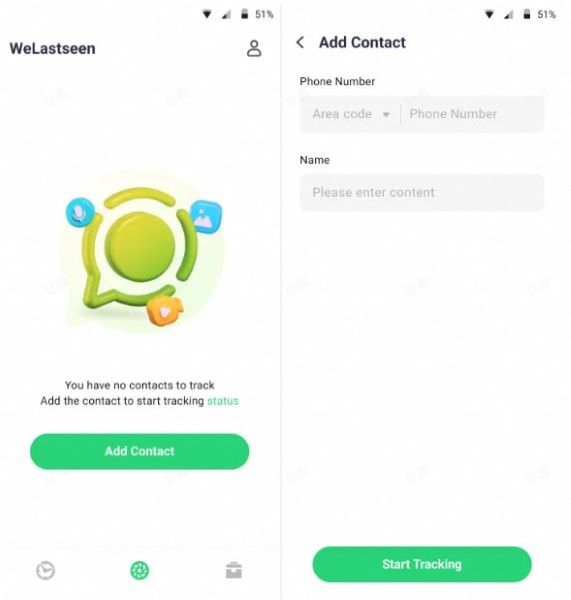
Enter the Status Tracker tab and press the "Add Contacts" button to enter other details, including phone number and name. Once done, tap the "Start Tracking" button to add the target and view the status.
Step 2. Link Your WhatsApp Account
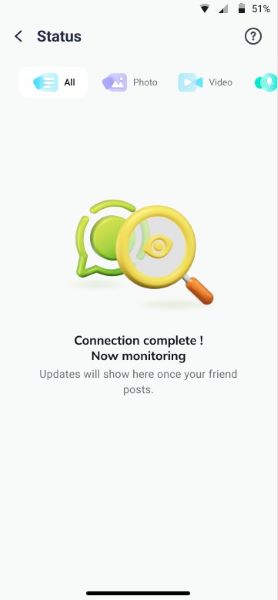
When the contact appears on your monitoring list, hit "Link" to connect your WhatsApp account. After connecting, please tap on the target contact to view their status timeline on the monitoring dashboard.
Step 3. Preview and Save Accessed Statuses Files
Now, you can preview all the statuses uploaded by the target after adding it to the monitoring list. Later, press the "Download" icon to save selected statuses on your device.
Method 2. Using Archived Screenshots or Saved Media
This approach is simple yet effective because it means manually saving statuses before they disappear. It provides complete control over what to keep, eliminating the need for third-party apps and protecting your privacy.
By capturing the content yourself, you create a personal archive of information or photos that would otherwise be lost after 24 hours. Users can save media in their galleries or cloud storage and view WhatsApp statuses after a 24-hour restriction.
Method 3. Via GBWhatsApp
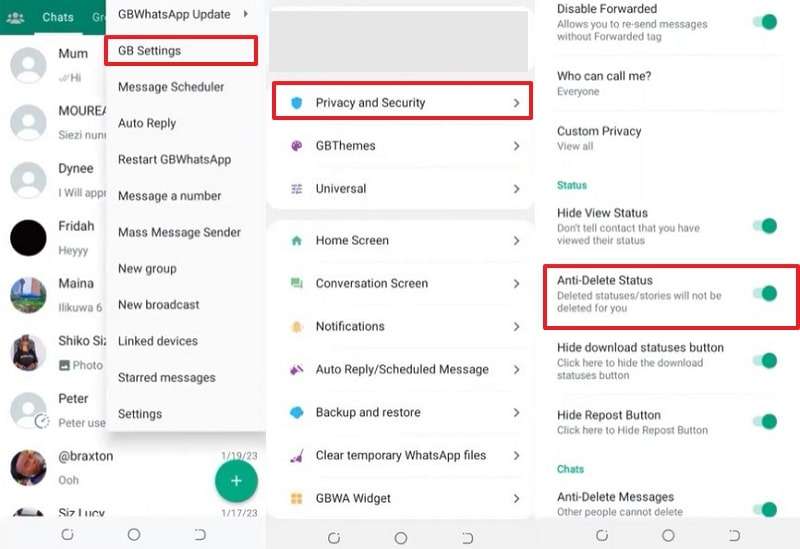
GBWhatsApp is a modified version of the official WhatsApp application that unveils additional features unavailable in the standard app. To view WhatsApp statuses after 23 hours, the Anti-Delete Status option is available, allowing you to view deleted or disappeared statuses.
This way, users can benefit from extended access to content without needing to take screenshots or use dedicated tools manually. Follow the instructions and view disappeared statuses via GB WhatsApp:
Instructions. To begin, press the "Three Dots" icon and choose the "GB Settings" option from the menu. From the settings, select the "Privacy and Security" option to toggle the "Anti-Delete Status" option and view statuses after being deleted.
Part 3. Privacy Awareness and the Future of WhatsApp Status
While exploring different ways to view WhatsApp Status after 24 hours can be helpful, it's just as important to understand the privacy boundaries and future possibilities behind this feature.
- Respect the 24-Hour Design
- Stay Cautious with Third-Party Tools
- Expect Smarter, Safer Status Options Ahead
The temporary nature of WhatsApp Status isn't accidental — it's meant to keep sharing spontaneous, private, and time-limited content. Trying to bypass the 24-hour rule with unverified apps or tools may violate WhatsApp's policy or compromise your personal data. If you genuinely need to keep a status, always ask for permission before saving or sharing it.
Many "status viewer" or "recovery" apps claim to let you see expired updates, but they often request unnecessary access to contacts, files, or even messages. Use only official methods or trusted software like WeLastseen, and avoid anything that could risk your privacy or account security.
WhatsApp, under Meta's ecosystem, continues to refine its short-lived content features. We may soon see:
- Longer or customizable durations for statuses — similar to Instagram Highlights.
- Cross-platform sharing, allowing users to sync stories between WhatsApp, Facebook, and Threads.
- Enhanced viewer controls, where users can decide exactly who can see a status and for how long.
- Built-in analytics for creators and businesses to understand engagement and reach.
These potential updates could transform Status from a temporary sharing space into a more flexible, privacy-conscious tool for both personal expression and digital marketing.
In short, while it's possible to revisit WhatsApp Status after 24 hours, the more brilliant move is to balance convenience with respect for privacy — and stay tuned for what's next in WhatsApp's evolving story-sharing world.
Conclusion
In conclusion, with life moving at such a fast pace, it's easy to miss important updates, mainly due to WhatsApp's status limitations. With a few smart habits, such as saving media ahead of time or using a modified version of WhatsApp, users can view WhatsApp status after 24 hours. For more control, consider using platforms like WeLastseen to help you monitor and revisit statuses even after they disappear from the app.
FAQs
-
Are there features involving audio or voice in Status updates?
The app already implements, and is working on, several audio-based features for Status updates. Voice Status is one of the most prominent features, as it allows users to share short voice notes as their status instead of photos or videos. Besides this, WhatsApp is also exploring audio integration features, such as music stickers and music status posts. -
Can I share someone else's WhatsApp Status to my own Status?
Definitely, WhatsApp now provides a direct post option, like other apps, which allows users to repost someone else's status. With its new Repost feature, you can select anyone's status, add your own caption, and share it as your own status. Therefore, to view WhatsApp status after 24 hours, the app's Repost option also allows users to reshare and secure the status. -
What new creative tools are being added to WhatsApp Status?
WhatsApp is also slowly introducing a range of creative features that allow making Status updates more expressive and interactive. With its Collage layout tool, you can select six photos at a time, place them on an inbuilt collage grid, and then post. It eliminates the need for third-party collage apps, allowing you to create a visual story in a single status update.