


 TL;DR:
iOS 27 is expected to launch in September 2026 alongside the iPhone 18 lineup to deliver a context-aware Siri, third-party AI model integration, and advanced Visual Intelligence, though full Apple Intelligence capabilities will strictly require an iPhone 15 Pro or newer.
● Users operating an iPhone 11 series or second-generation iPhone SE may lose operating system support entirely, making a local data backup via MobileTrans highly recommended before installing the July 2026 public beta or the official release.
● Siri is rumored to evolve into a standalone chatbot app featuring a system-wide "Search or Ask" interface accessible from the Dynamic Island, with the option for users to route specific prompts through external AI models like Google Gemini, ChatGPT, or Claude.
● The Camera app will reportedly add a dedicated Siri Mode for scanning real-world information directly into system applications, while generative photo editing features like Extend and Reframe are currently unstable and may be delayed until the iOS 27.1 update.
Ask AI for a summary
 ChatGPT
 Perplexity
 Gemini
 Claude
 Grok
Grok
The countdown to WWDC 2026 has officially begun, and the tech world is already buzzing with anticipation for iOS 27. Positioned as a major step forward in Apple’s AI strategy, this update is expected to bring deeper intelligence, smarter personalization, and a more proactive iPhone experience.
Instead of focusing only on small software improvements, iOS 27 is rumored to push the iPhone closer to an AI-driven ecosystem. From a smarter Siri to enhanced Visual Intelligence and more flexible AI model options, this update could become one of Apple’s most important software releases in years. In this article, we will cover the expected iOS 27 release date, rumored features, compatibility, and how to prepare your iPhone data before upgrading.
In this article

Part 1. iOS 27 Release Schedule: Mark Your Calendars
Apple’s next major software update is expected to be introduced during WWDC 2026. Based on Apple’s traditional release pattern, iOS 27 will likely follow a familiar rollout timeline, starting with a developer beta, followed by a public beta, and then an official release alongside the next iPhone lineup.
Although Apple has not officially confirmed every detail of iOS 27, the expected timeline is as follows:
- Developer Beta: The first iOS 27 developer beta is expected to be released shortly after the WWDC 2026 keynote.
- Public Beta: A public beta is likely to become available in July 2026 for users who want to test new features early.
- Official Public Release: The stable version of iOS 27 is expected to arrive in September 2026, likely alongside the iPhone 18 series and other new Apple hardware.
As with any major iOS release, early beta versions may include bugs, app compatibility issues, or unexpected performance problems. Therefore, users who plan to test iOS 27 early should back up their iPhone before installing the beta.
Part 2. The Crown Jewel: Siri’s Transformation into an AI Agent
One of the biggest rumored highlights of iOS 27 is a major Siri upgrade. Instead of functioning mainly as a basic voice assistant, Siri is expected to become a more capable AI agent that can understand context, complete tasks, and provide more useful answers across the system.
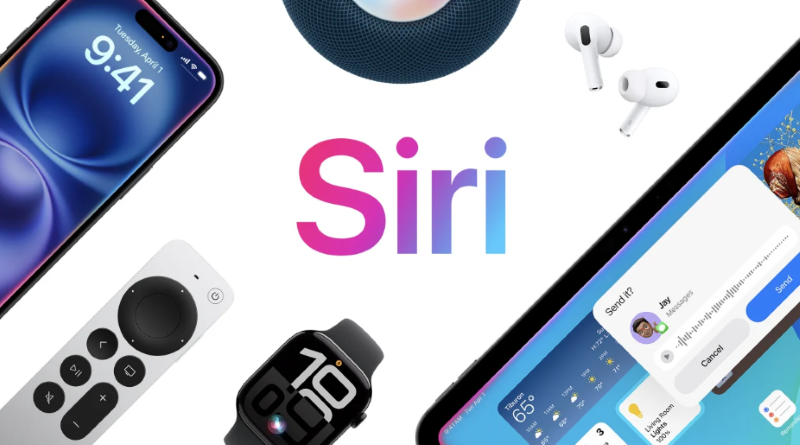
Contextual Awareness
The new Siri may be able to understand personal context from emails, calendars, notes, messages, and on-screen content. This could allow Siri to provide more intelligent suggestions and take action based on what is happening on your device.
For example, Siri may help identify calendar conflicts, suggest alternative meeting times, summarize information from apps, or draft emails based on both web information and your personal schedule.
Standalone Siri App
Apple is also rumored to be developing a dedicated Siri app with a chatbot-style interface. Similar to modern AI assistants, this app may support text input, voice conversations, and file attachments for analysis.
If introduced, this could make Siri easier to use for long-form questions, productivity tasks, writing assistance, and personal organization.
System-Wide Search or Ask
Another rumored feature is a system-wide “Search or Ask” interface. This interface may be accessible by swiping down from the top center of the screen and could provide rich result cards that appear directly from the Dynamic Island area.
This would make AI assistance feel more integrated into everyday iPhone use, allowing users to search, ask, summarize, or act without opening a separate app every time.
Part 3. A Pragmatic Shift: Choosing Your Preferred AI Model
One of the most interesting rumors surrounding iOS 27 is Apple’s possible shift toward a more open AI ecosystem. Instead of relying only on Apple’s own AI models, iOS 27 may allow users to choose third-party AI models for certain Apple Intelligence features.
These external models could include options such as Google Gemini, OpenAI’s ChatGPT, or Anthropic’s Claude. If this happens, users may be able to select which AI model powers tools like Siri or Writing Tools.
This would mark a major change in Apple’s software strategy. Apple has traditionally preferred a tightly controlled ecosystem, but allowing users to choose from different AI models could make Apple Intelligence more flexible and competitive.
There may also be clear indicators when a third-party AI model is responding, helping users understand whether the answer is generated by Apple’s own system or by an external model.
Part 4. Visual Intelligence & Creative Tools
iOS 27 is also expected to expand Apple’s Visual Intelligence and creative AI tools. These features could make the Camera app, Photos app, and other system tools much smarter and more useful.
Siri Mode in Camera
A new dedicated mode in the Camera app may feature an Apple Intelligence logo and provide Visual Intelligence tasks directly through the camera. For example, users may be able to scan food nutrition labels and log information into the Health app or scan business cards and save details directly into Contacts.
This would turn the Camera app into a more practical tool for real-world recognition and productivity.
AI-Powered Photo Editing
The Photos app is rumored to receive new AI editing tools, including features like “Reframe” and “Extend.” Reframe may be designed for spatial photos, while Extend could work like a generative fill tool that expands backgrounds or adjusts image framing.
However, some reports suggest that these features may still be unstable and could arrive later in an iOS 27.1 update instead of the initial iOS 27 release.
Customizable Camera Interface
The Camera app interface may also become more customizable. Users could be able to rearrange controls through a transparent widget tray, making the camera layout better suited to personal shooting habits.
This would be especially useful for users who frequently capture videos, photos, social media content, or spatial media.
Part 5. Under-the-Hood Updates & Global Compliance
Beyond headline AI features, iOS 27 is expected to include several quality-of-life improvements and regulatory updates. These changes may not be as flashy, but they could improve daily usability and help Apple meet global compliance requirements.
- AI Grammar Checker: iOS 27 may introduce a Grammarly-style grammar and syntax checker across apps like Messages and Mail. This would help users write more clearly and professionally.
- EU Compliance: To meet Digital Markets Act requirements, Apple may add support for third-party AirPlay alternatives such as Google Cast.
- VoiceOver Image Explorer: This accessibility feature may use AI to describe images and scanned documents in greater detail for users with visual impairments.
- Vision Pro Accessibility: Apple Vision Pro may gain enhanced accessibility support, including power wheelchair control through eye-tracking technology.
These updates show that iOS 27 may not only focus on AI innovation but also on accessibility, communication, and platform openness.
Part 6. iOS 27 Compatibility: The Apple Intelligence Gap
While iOS 27 is expected to bring major upgrades, not every iPhone will be able to enjoy the full experience. Older devices may lose support, and many advanced AI features will likely require newer chips with stronger on-device processing power.
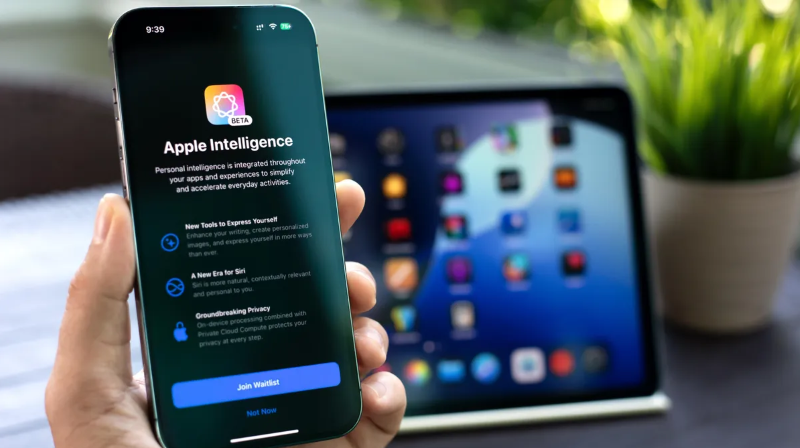
Devices That May Lose Support
Support may be dropped for older iPhone models, including the iPhone 11 series and the second-generation iPhone SE. If this happens, users with these devices may need to upgrade to a newer iPhone in order to install iOS 27.
AI Feature Requirements
Even if some older devices can install iOS 27, the most advanced Apple Intelligence features may only work on newer hardware. Features such as the redesigned Siri, advanced Visual Intelligence, and on-device AI processing may require an iPhone 15 Pro, iPhone 16, or newer.
This means iOS 27 may create a wider gap between devices that can run the operating system and devices that can fully support its AI capabilities.
Part 7. MobileTrans Tip: Prepare Your iPhone Before Updating to iOS 27
Upgrading to a major AI-focused system like iOS 27 can be exciting, but it also comes with risks. Beta versions may contain bugs, and even official releases can sometimes cause data syncing issues, app crashes, or unexpected data loss. Therefore, it is important to back up your iPhone before installing iOS 27 or switching to a new iPhone.
MobileTrans can help you back up important iPhone data to your computer before the update. Instead of depending only on cloud storage, MobileTrans lets you create a local backup and restore selected data when needed. This is especially useful if you plan to join the iOS 27 public beta, move to a new iPhone 18, or prepare for a future iPhone Fold.
Why Use MobileTrans Before Updating to iOS 27?
- Local Backup: Back up your important phone data to a computer without relying completely on cloud storage.
- Flexible Restore: Restore selected files when needed instead of restoring everything at once.
- Cross-Device Transfer: Move data between iPhone and Android devices when switching phones.
- WhatsApp Support: Back up and transfer WhatsApp data before upgrading or changing devices.
- Safer Beta Testing: Keep a backup before installing early iOS 27 beta versions.




How to Back Up Your iPhone with MobileTrans Before iOS 27
Before installing iOS 27, follow the steps below to create a backup of your iPhone data with MobileTrans:
Install and open Wondershare MobileTrans on your computer. Then, connect your iPhone to the computer using a USB cable and trust the computer on your iPhone if prompted.
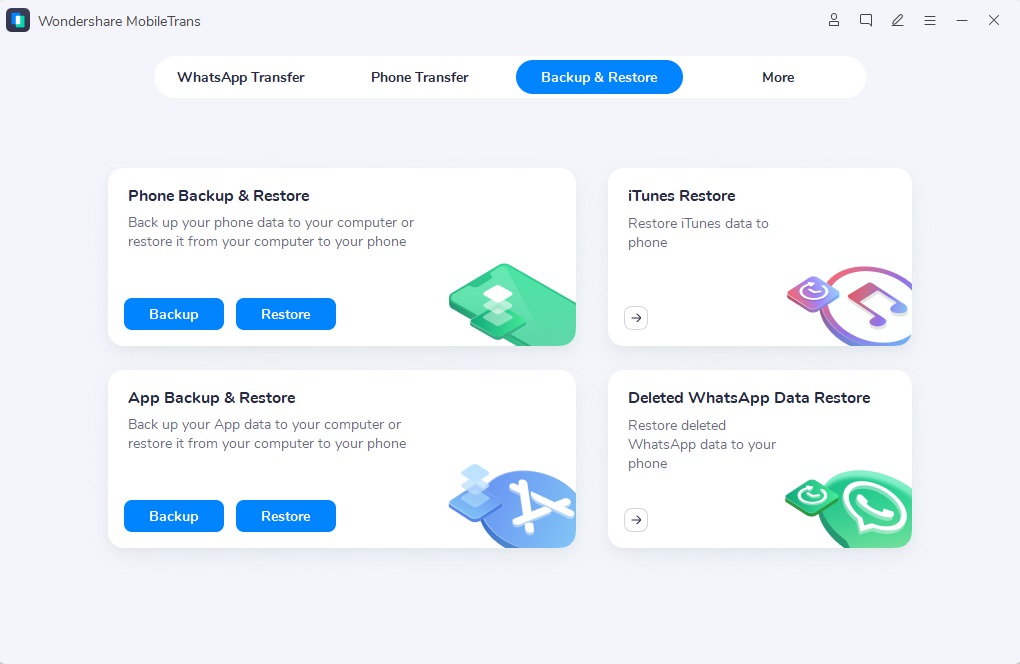
From the main interface, select the “Backup & Restore” module and choose the phone backup option. MobileTrans will detect your iPhone and display the available data types.
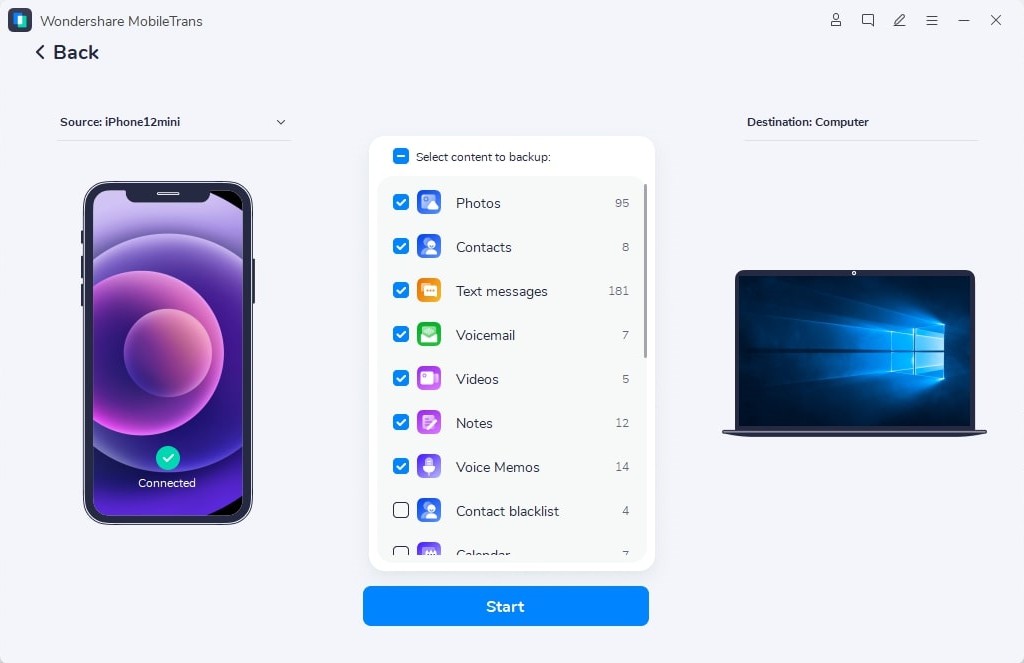
Choose the file types you want to back up, such as photos, videos, contacts, messages, and other supported data. After selecting the data, click the “Start” button to begin the backup process.
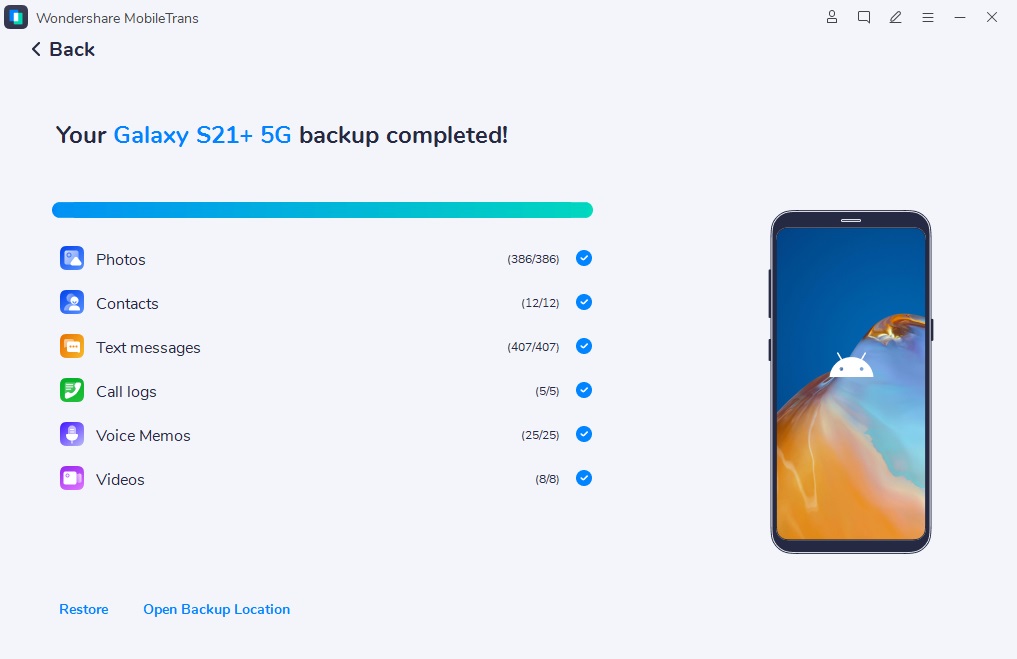
Keep your iPhone connected until the backup is finished. Once the process is complete, you can disconnect your device or open the backup location on your computer to check the saved files.
How to Update to iOS 27 After Backing Up Your Data
Once your iPhone data has been backed up, you can prepare for the iOS 27 update. The exact steps may vary depending on whether you are installing a developer beta, public beta, or official release.
Go to “Settings” on your iPhone, tap “General,” and then enter the “Software Update” section.
If the iOS 27 beta or official version is available for your device, select the update option and follow the on-screen instructions to download and install it.
If you experience data loss, transfer issues, or device switching needs after the update, open MobileTrans again and use the restore function to bring selected data back to your iPhone.
Conclusion
iOS 27 could become one of Apple’s most important software updates, especially if the rumored AI-powered Siri, Visual Intelligence tools, third-party AI model options, and accessibility improvements arrive as expected. It may also mark a major turning point in how Apple integrates AI into the iPhone experience.
However, users should remember that major iOS updates, especially beta versions, can involve risks. Before upgrading to iOS 27 or switching to a new iPhone, it is a smart idea to back up your important data first. With MobileTrans, you can create a local backup, restore selected files, and prepare your iPhone data for a safer update experience.










