


 TL;DR:
Releasing globally on July 25, 2025, the Samsung Galaxy Z Flip 7 ($1,099) upgrades the foldable experience with a larger 4.1-inch FlexWindow, an Exynos 2500 processor, and 7 years of OS updates, targeting users who prioritize flagship AI capabilities and multitasking in a pocket-sized form.
● The standard Z Flip 7 is ideal for power users requiring Samsung DeX, a 50MP main camera, and 12GB of RAM, whereas the rumored Z Flip 7 FE (expected July 31 for $899) is best for budget-conscious buyers willing to accept a downgraded Exynos 2400 chip, 8GB of RAM, and a smaller 3.4-inch cover screen.
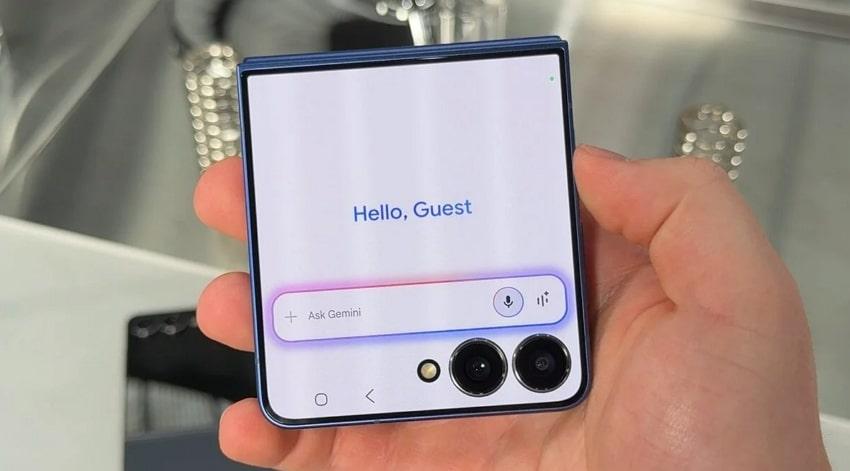
● The new 4.1-inch FlexWindow allows users to directly access Google Gemini Live, use AI-powered translation, and run full third-party applications like WhatsApp via Good Lock without needing to unfold the device.
● Buyers must purchase a compatible 25W USB-PD charger separately, note that continuous heavy gaming can drain the upgraded 4300mAh battery in under 5 hours, and avoid operating the phone in extreme cold (around -20°C) to prevent display cracks and hinge stiffness.
Ask AI for a summary
 ChatGPT
 Perplexity
 Gemini
 Claude
 Grok
Grok
Finding a smartphone that merges portability and exceptional performance can be quite difficult. Numerous users are annoyed with large phones that are not pocketable or lack the uniqueness to be noticeable. Simultaneously, smaller phones frequently compromise on battery performance or sophisticated features, causing users who appreciate both style and practicality to seek a superior alternative. This is the reason Samsung Galaxy Z Flip 7 is designed to meet the evolving needs of users.
As the newest model in the Flip series, it features a portable body and foldable design, offering a unique blend of style and practicality. In this detailed review, we'll walk you through everything this model has to offer, from its specifications and display to performance. Let's break it all down to help you decide if this foldable is the upgrade you have been waiting for.
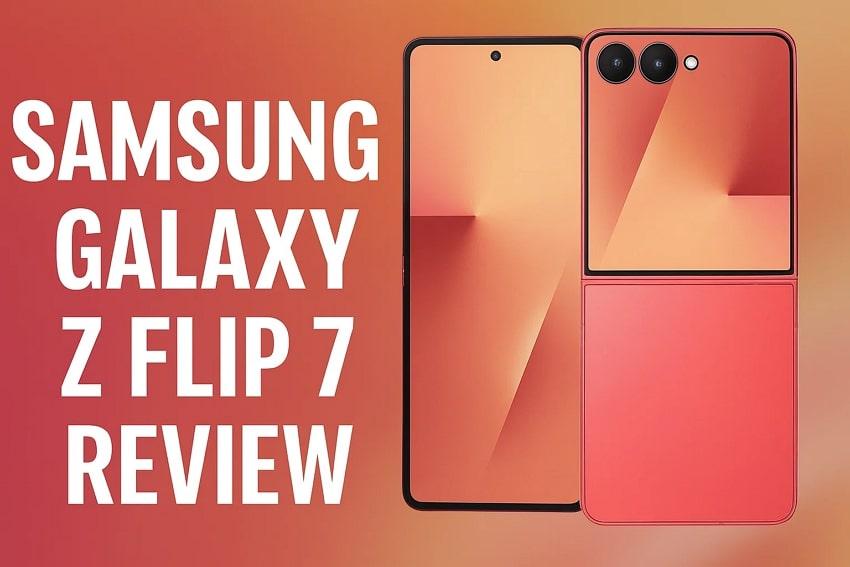
In this article
Part 1. Samsung Galaxy Z Flip 7: A New Addition to the Galaxy Z Flip Series
This model is announced on July 9, 2025, and is available globally from July 25, marking a significant evolution in Samsung's iconic foldable lineup. Designed to be slimmer and more powerful, it introduced the largest cover display ever seen on the Galaxy Z Flip. This model is crafted for users who want a blend of possibility and advanced technology in a pocket-sized form factor.
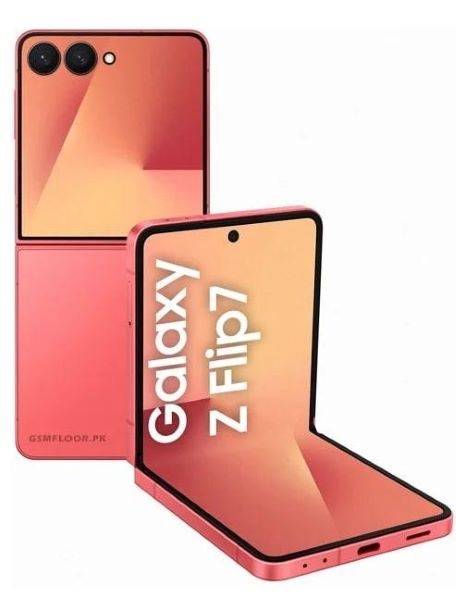
Part 2. Design, Colors, and Main Display
To fully appreciate what sets the Samsung Galaxy Z Flip 7 apart in the foldable market, let's take a closer look at its standout design:
1. Portable Design
Compared to the Z Flip 5, the Galaxy Z Flip 7 stands out with a slimmer 13.7mm profile and notable 188 grams, offering improved portability for users on the go. The upgraded Advanced Armor Aluminum frame, Gorilla Glass Victus 2 (Back), and Gorilla Glass Ceramic 2 (Cover) offer better resistance to scratches, giving you an extra piece of mind.
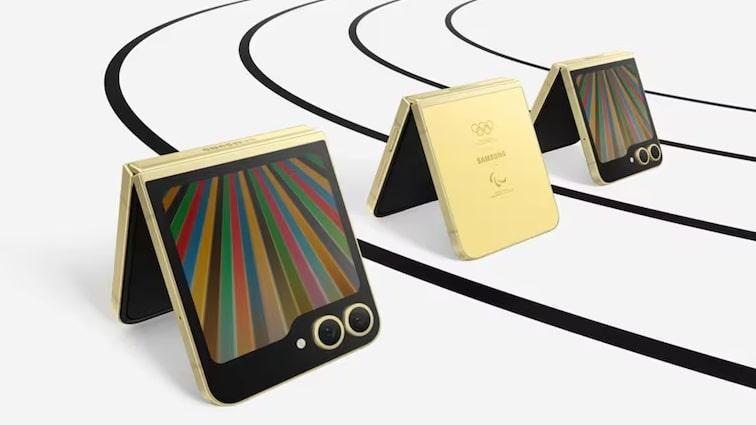
The new Armor FlexHinge is built to handle thousands of flips and daily use, ensuring long-lasting durability. Its overall silhouette is sleek and modern, fitting easily into your small pockets or bags. Thanks to the IP48 rating, you'll have extra protection against dust and water, providing additional protection against elements.
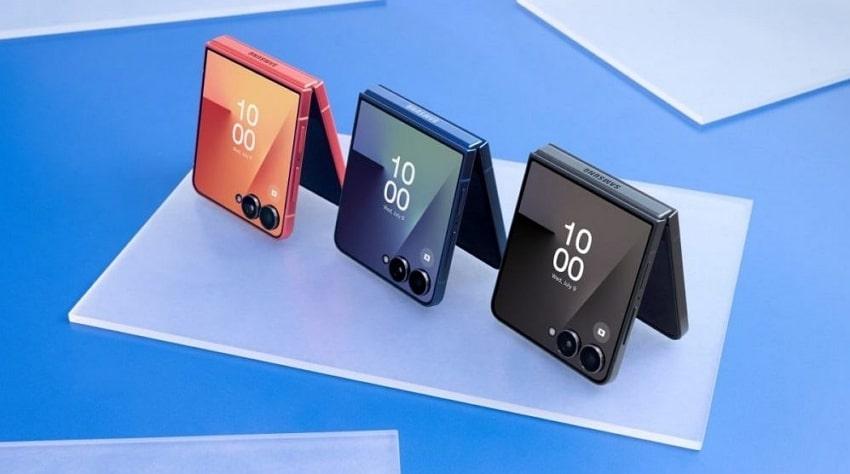
2. Colors
You can get the Galaxy Z Flip in a vibrant and stylish color palette:
- Blue Shadow
- Jet Black
- Colar Red
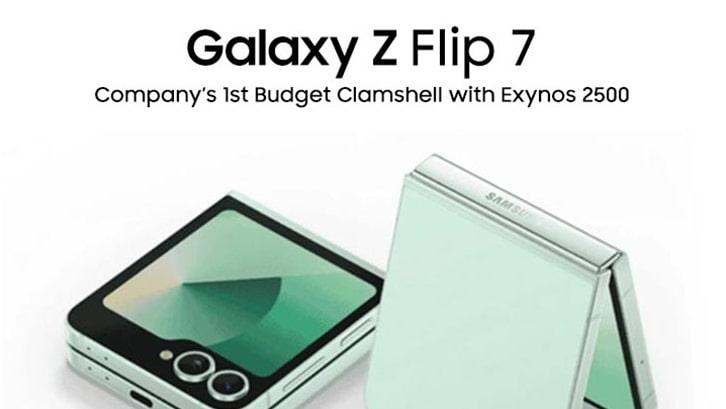
- Mint (Exclusive to Samsung.com in some regions)
You can choose a color that matches your style, and if you go with Mint, you'll enjoy a fresh and unique look that really stands out.
3. Main Display
When it comes to the display, you'll notice a major leap with the Samsung Galaxy Z Flip 7's 6.9-inch Dynamic AMOLED 2X panel, which is bigger and brighter than before. With a 120Hz refresh rate, scrolling feels ultra-smooth compared to previous Flip models. The 2600 nits brightness means you can easily use your phone outdoors without struggling to see the screen, and a 21:9 aspect ratio gives you more space for multitasking.
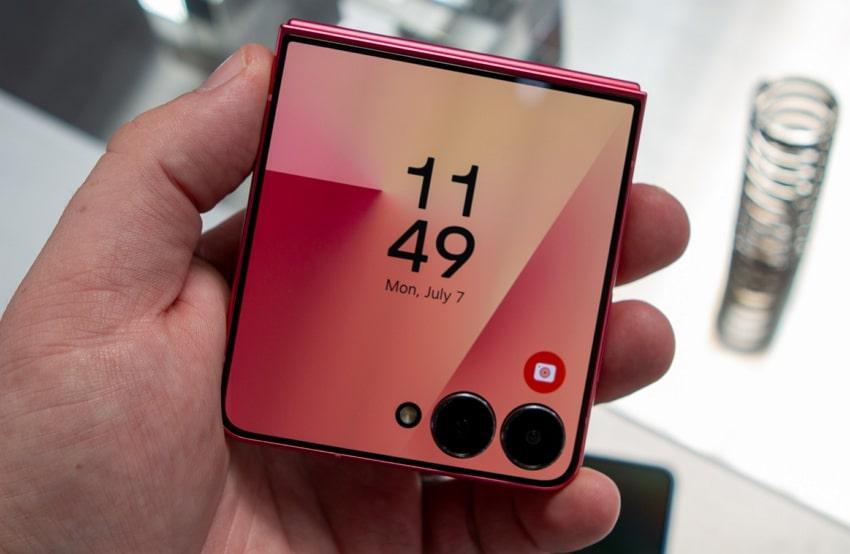
With Vision Booster technology, you'll get even better visibility as it boosts contrast and color accuracy. The display is engineered for both immersive media consumption and practical multitasking, with minimal bezels and a nearly seamless fold.
Part 3. The CoverScreen and FlexWindow of the Galaxy Z Flip 7
Now that we have covered the main display of the Galaxy Z Flip 7, it's time to shift focus to one of its most distinctive features:
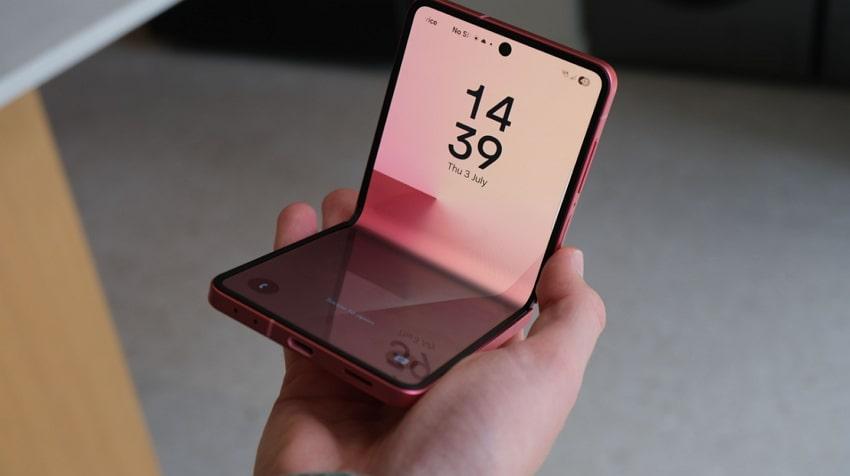
- Functionality and Usability: You can manage notifications, reply to messages, and check your schedule all without opening the phone. It even lets you type quick replies, take selfies, and enjoy clear visibility outdoors, thanks to its Vision Booster, which enhances color and contrast in bright light.
- AI and Smart Features: With the new FlexWindow, you can get full integration with the Samsung Galaxy AI and Google Gemini right on your cover screen. This means you can do voice searches, real-time translation, and AI-powered updates like Now Bar and Now Brief, all without opening your phone, saving your time.
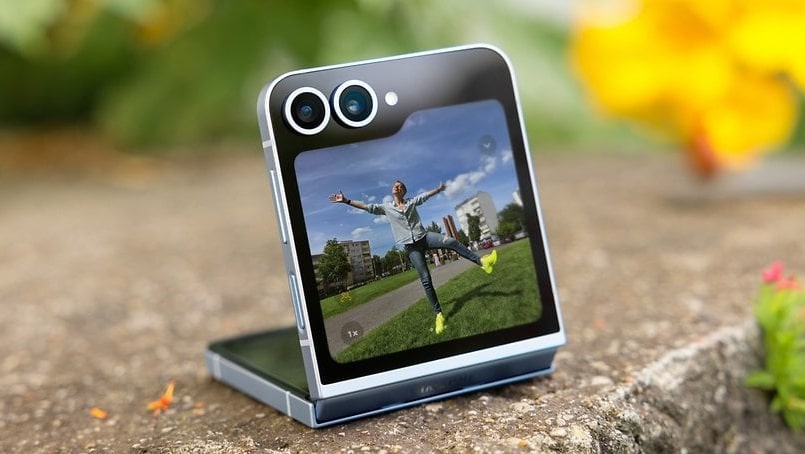
- Camera Integration: Use the cover screen as a full-fledged viewfinder for selfies and group shots with instant access to filters and AI enhancements. You can get instant access to features like Auto Framing and live filters to try out different styles, making it easy to capture the perfect photo all from the cover screen.
- Third-Party Support: Users can utilize even more third-party apps and have quick access to tools and features from the FlexWindow, allowing them to get things done faster. For example, using Good Lock or CoverScreen OS app, you can run WhatsApp to keep the conversation flowing on the go.
Part 4. Camera and Its Performance
The Samsung Z Flip 7 brings a notable camera upgrade that features a 50MP main sensor with OIS and Dual Pixel autofocus, a 12MP ultra-wide lens, and a 10MP front-facing camera, all capable of shooting 4K videos at 60fps. Let's discuss the key features and real-world photography that make this foldable a capable companion:
- Smarter Scene Recognition: Samsung's new ProVisual Engine combines smart scenes with AI-powered 2x zoom, instantly optimizing color, detail, and clarity in every shot, even in low light. Compared to previous models, you'll notice more lifelike colors and sharper portrait backgrounds with reduced noise and better focus, making your photos look crisp and vibrant.
- Camera Preview and Lowlight Enhancements: With the upgraded 4.1-inch FlexWindow cover screen, you can preview and snap high-resolution selfies using the main camera over the smaller display of the Z Flip 5. Paired with enhanced Nightography and larger pixels, measuring 1.8µm each compared to the Z Flip 5's 1.12µm pixels, which is perfect to shoot at night.
- Video Quality and Smart Framing: Unlike the 8-bit basic framing of the Z Flip 5, it features 10-bit HDR support and auto framing, delivering video and photos with richer color and perfectly centered subjects. Plus, the new AI-powered live filters let you instantly preview and apply creative styles on both FlexWindow and the main screen, making content creation more vibrant than before.
- Instant AI Editing: With built-in AI, your phone instantly selects your best photos, removes background noise from videos (like traffic or background chatter), and lets you enhance everything with just one tap, hassle-free.
- Wide-Angle and Video: The Z Flip 7's improved portrait mode and 12MP ultra-wide lens capture group shots and landscapes with sharper edges, true-to-life skin tones, and reduced distortion. Plus, 4K at 60fps recording gives your video a smoother and more professional look, which is perfect for social sharing.
Part 5. Battery, Charging, and Connectivity
Based on user tests, the Galaxy Z Flip 7 charges up to 50% in 30 minutes and recharges fully in 75-90 minutes with its 25W wired fast-charging. However, a charger is not included in the box, so you will need to purchase a compatible USB-PD charger to increase the speeds. For those who prefer cable-free convenience, the phone also provides 10W fast wireless charging.
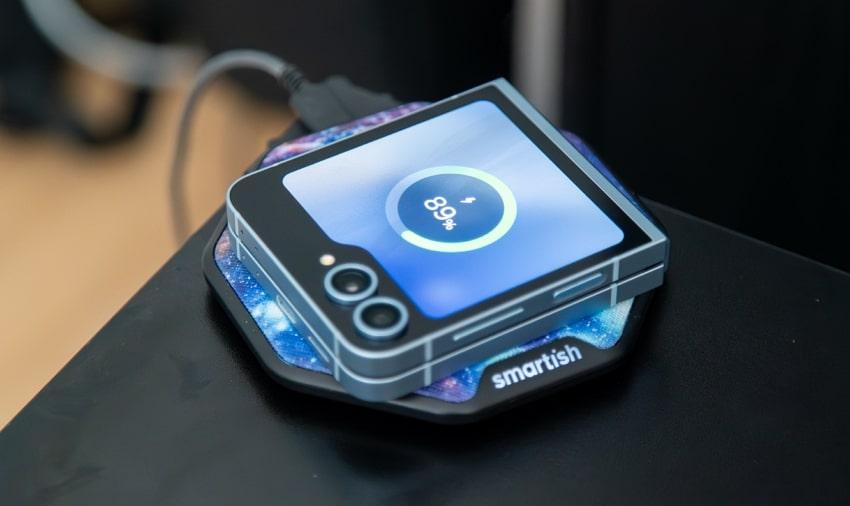
It is the largest battery ever in the Galaxy Z Flip, equipped with a 4300 mAh cell unit, an upgrade from 4,000 mAh on last year's Flip 6. This is a tangible upgrade from the previous model, allowing users to enjoy 31 hours of video playback time on a single charge, as the official has stated.
However, based on a 1-week review of Tech Spurt, the device handles switching between apps, managing split screen, and multitasking effectively, delivering 5-6 hours of screen-on time. According to a YouTuber, Booredatwork.com, playing games like Asphalt Legends can cause the battery to drain significantly faster. For example, 30 minutes of playing uses around 10%, meaning continuous gaming could yield 5 hours or less before needing a charge.
Moreover, 4.5W reverse wireless charging and Wireless PowerShare let you power compatible accessories like earbuds and smartwatches from the back of the device. It features a USB 3.2 Type-C port, offering data transfer speeds of 5 Gbps, which is around 10 times faster than USB 2.0. Additionally, Samsung Knox ensures your information remains secure at all times.
Part 6. Software and AI in the Galaxy Z Flip 7: The Increase in Performance
After exploring the camera capabilities and battery, it's time to look at how Samsung Z Flip 7's software and AI features work to make everyday tasks smarter:
1. Smarter Phone with AI
With Galaxy AI, your Z Flip 7 feels truly smart, combining on-device and cloud intelligence to make daily tasks easier and faster. You'll benefit from real-time call transcripts, AI-powered note summaries, and handy tools like Note Transcript Assist, which help you stay organized. Besides, Google's Gemini Live assistant is available right on the FlexWindow, so you can use voice search to get instant translations without even opening your phone.
The new Circle to Search feature lets you instantly look up anyone you see on your screen with a simple gesture, saving you time and taps. With its powerful Intelligent NPU delivering 59 TOPS, the device smoothly supports real-time features, ensuring fast, efficient performance that enhances your productivity whether working, studying, or managing daily tasks.
2. Long-Term Value and Security
With Android 16 and Samsung's One UI 8 out of the box, Samsung Galaxy Z Flip 7 gives you the freshest look and most intuitive foldable experience. You can run apps on the split screen, use desktop-style windows, and quickly customize your workflow with flexible tools like the Now Bar, all enhanced for convenience.
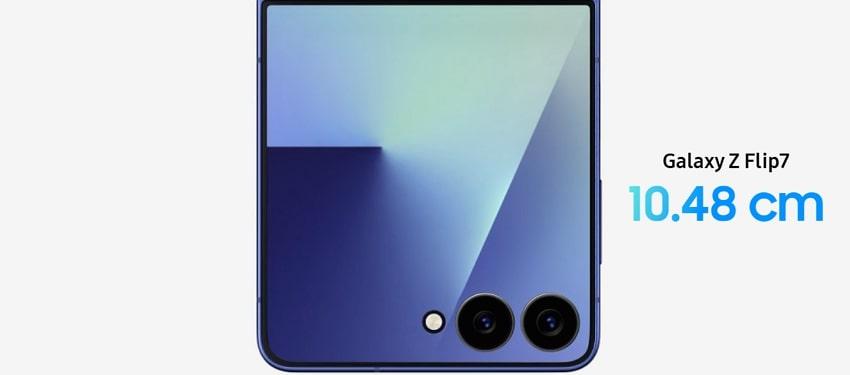
Moreover, Samsung's commitment to 7 years of OS (Till Android 23) and security updates will keep it updated till July 2032, eliminating the need for upgrade and offering long-term value.
3. Refined Foldable Experience
Compared to Flip 6's One UI 6.1 (Android 14), the Galaxy Z Flip 7's One UI 8 brings significant software enhancements. It introduces context-aware AI that proactively learns your habits, offering smart suggestions for apps, whereas Flip 6's routines are more manual and less adaptive.
The all-new 90:10 split screen lets you keep the main app in focus with another minimized, versus Flip 6's more rigid 50:50 or 70:30 splits.
4. Blazing Fast Performance and Efficiency
Powered by Exynos 2500 processor, with 3nm tech, a 10-core CPU (Cortex-X925 at 3.3GHz), and 12GB LPDDR5X RAM, the Galaxy Z Flip 7 offers fast, smooth performance and effortless multitasking. The new Xclipse 950 GPU, utilizing AMD's RDNA 3.5 architecture, enhances from 6 to 8 Work Group Processors (WGPs), providing 28% quicker ray tracing in graphics-intensive applications.
Early benchmark results reported by NotebookCheck and Android Authority show the Exynos 2500 scoring 2,093 in Geekbench 6 single-core tests. Moreover, it scored 7,498 in multi-core, putting it in line with other leading flagship chipsets for 2024-2025. For users, this means faster app launch, smoother multitasking, and reliable performance for greater productivity.
To keep everything cool, the Flip 7 introduces a bigger vapor chamber cooling system, an upgrade over earlier models, which helps reduce heat buildup during intensive tasks like gaming. Thanks to these combined upgrades, you'll find the Z Flip 7 handles slit screen work, frequent app switching, and multitasks confidently.
Pro Tip. One-Click Data Transfer to Your New Samsung Z Flip 7: MobileTrans
For those planning to switch to the Samsung Z Flip 7 or FE, one of the biggest concerns is safely transferring all their data. MobileTrans moves data quickly and supports up to 6,000 Android and iOS devices, ensuring a wide range of compatibility regardless of the previous phone brand. Unlike usual methods that involve multiple data-moving applications and Bluetooth, it offers direct and phone-to-phone transfer.
Key Features
- Quick transfer: MobileTrans transfers data quickly and safely via USB or QR code, without relying on Wi-Fi or cloud services.
- Supported Data: It allows you to transfer data from 18 types of photos and videos to contacts and applications. You can also transfer apps with data like WhatsApp, ensuring your chats and media move to your new Galaxy Z Flip 7.
- Cross-platform Transfer: It can transfer data between Android (Samsung) and iPhone.
- Selective Feature: You can selectively choose the data you want to move so that your new phone stays organized.
- Secure Process: Data transferred is offline and encrypted, keeping your information private.






Guide to Transfer Data from Old Device to Galaxy Z Flip 7
After understanding the key features of this tool, follow the given guide if you want to know how to transfer data to the Samsung Galaxy Z Flip 7:
Step 1. Access MobileTrans and go to the "Photo to Phone" area located in the "Phone to Transfer" tab. Connect your devices by choosing the "Source" and "Destination" choices.

Step 2. Pick the desired data from the "Select Content to Copy" section and click the "Start" button. Stay there until the transfer procedure is complete.

Part 7. Samsung Z Flip 7: The Detailed Specification Table
Now that you know how MobileTrans transfers your data seamlessly, let's see a quick overview of the specifications of Samsung Z Flip 7 in detail:
| Feature | Details |
| Form Factor | Clamshell foldable smartphone |
| Weight | 188g |
| Dimensions | Folded: 85.5 x 75.2 x 13.7 mm Unfolded: 166.7 x 75.2 x 6.5 mm |
| Main Display | 6.9" Dynamic AMOLED 2X 2520 x 1080 pixels (FHD+), 120Hz, up to 2,600 nits, HDR10+ |
| Cover Display | 4.1" Super AMOLED FlexWindow 1048 x 948 pixels, 60/120Hz, Vision Booster |
| Processor | Samsung Exynos 2500 (3nm, octa-core) |
| GPU | Xclipse 950 |
| RAM | 12GB LPDDR5X |
| Internat Storage | 256GB or 512GB UFS 4.0 (no microSD support) |
| Operating System | Android 16, One UI 8 |
| Rear Cameras | 50MP wide (f/1.8, OIS, Dual Pixel AF, 2x optical-quality zoom) 12MP ultra-wide (f/2.2) |
| Front Cameras | 10MP (f/2.4) |
| Video Recording | Rear: Up to 8K at 30fps, 4K, 60fps at HDR10+ Front: Up to 4K at 30fps |
| Battery | 4,300mAh dual-cell |
| Charging | 25W wired (USB PD 3.0), 10W wireless (Qi), 4.5W reverse wireless (PowerShare) |
| Connectivity | 5G (SA/NSA, Sub-6, mmWave), Wi-Fi 7, Bluetooth 5.4, NFC, USB-C 3.2 |
| Security | Side-mounted fingerprint sensor, Face unlock |
| Water/Dust Resistance | IP48 |
| Colors | Blue Shadow, Jet Black, Silver Shadow, Mint (online exclusive) |
| Hinge | Armor FlexHinge, enhanced durability |
Part 8. Galaxy Z Flip 7 vs Z Flip 7 FE? What is the Difference?
After reviewing the core features of the Galaxy Z Flip 7, it's equally important to examine how it compares to its more budget-friendly counterpart. The following table provides a detailed comparison of the Samsung Galaxy Z Flip 7 FE to determine which device aligns with your needs:
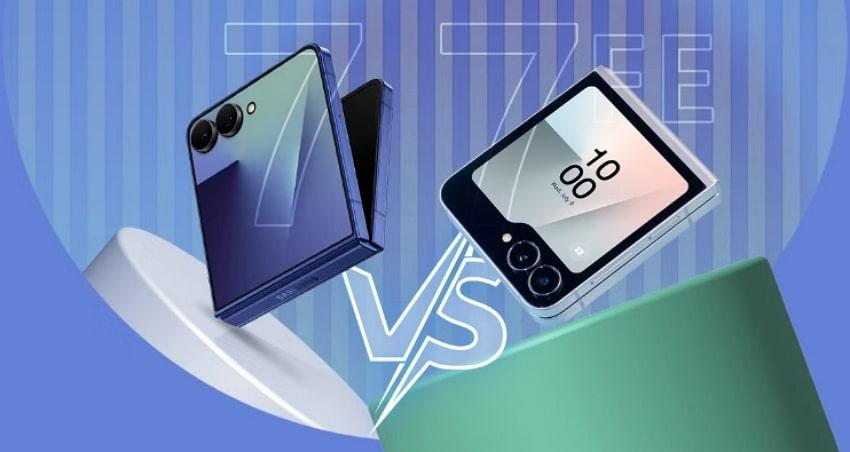
| Features | Samsung Galaxy Z Flip 7 | Samsung Galaxy Z Flip 7 FE |
| Release Date | Announced July 9, 2025; Available July 25, 2025 | Expected July 31, 2025 (rumored) |
| Starting Price | $1,099 (256GB) | $899 (estimated) |
| Processor | Exynos 2500 (3nm, 10-core, up to 3.3GHz) | Exynos 2400 (4nm, 10-core) |
| RAM | 12GB | 8GB |
| Storage Options | 256GB, 512GB (UFS 4.0) | 128GB, 256GB (UFS 3.1) |
| Main Display | 6.9-inch Dynamic AMOLED 2X, 2520x1080, 120Hz, 2600 nits, 21:9 ratio | 6.7-inch Dynamic AMOLED 2X, 2640x1080, 120Hz, 2600 nits, 22:9 ratio |
| Cover Display | 4.1-inch AMOLED FlexWindow, 120Hz | 3.4-inch Super AMOLED, 60Hz |
| Battery Capacity | 4300mAh | 4000mAh |
| Weight | 188g | 187g |
| Dimensions (Folded) | 85.5 x 75.2 x 13.7 mm | 85.1 x 71.9x 14.9 mm |
| Dimensions (Unfolded) | 166.7 x 75.2 x 6.5 mm | 165.1 x 71.9 x 14.9 mm |
| Samsung DeX (Desktop Mode) | Yes | No |
| Color Options | Blue Shadow, Jet Black, Coral Red, and Mint (Exclusive in some regions) | Yellow, Silver. Shadow Mint. Blue, Black, White, and Peach (Some are region-specific) |
Conclusion
In conclusion, the Galaxy Z Flip 7 stands out as one of Samsung's most refined foldable phones yet, combining powerful AI features. From its upgraded camera system to its optimized software experience, it's designed to meet the needs of both productivity seekers and creative users. If you are ready to make the switch to this next-gen device, don't forget to use it for smooth and secure data transfer.
FAQ
-
Q: Does the folding mechanism develop a visible crease over time?
A: Early hands-on reports indicate that the Galaxy Z Flip 7 features a nearly visible crease thanks to a reinforced hinge and new display materials. At the same time, long-term performance remains to be confirmed as Samsung asserts that the hinge is designed to endure a hundred thousand folds with minimal noticeable damage.
-
Q: Does it support Samsung's S Pen or any stylus input?
A: No, it does not support the S Pen or any stylus input, and it follows the trend set by the Fold 7, which also dropped stylus support. Samsung confirmed that removing the stylus digitizer allows for a thinner device, and no standard or fold-specific stylus is supported.
-
Q: How does the device hold up in cold or very hot weather?
A: Previous Samsung foldables experienced issues in extreme cold, with reports of display cracks and hinge stiffness at temperatures around -20 °C. Samsung advises users to keep devices within normal operating temperature ranges to prevent performance degradation or damage.
-
Q: What is Samsung's warranty policy for foldables like the Z Flip 7?
A: It includes a standard 12-month manufacturer's warranty for Galaxy Z Flip 7, covering defects but excluding accidental damage such as drops or screen cracks. In some regions, extended plans like Samsung Care+ offer additional coverage options, including zero-dollar screen repair and screen protection for an extra fee.










