


 TL;DR:
Switching to the iPhone 17 is a highly recommended hardware and storage upgrade over previous generations, provided users bypass Apple's default migration tools in favor of dedicated transfer software to securely move legacy data and unsupported app files.
● The iPhone 17 hardware outperforms the iPhone 16 and Galaxy S25 with a 6.3-inch Super Retina XDR display featuring 120Hz ProMotion and 1Hz always-on scaling, alongside a heat-forged aluminum frame, vapor chamber cooling, and Ceramic Shield 2 glass for triple the drop resistance.
● To execute the data migration, users operating on Android 16 or iOS 26 Beta/Official should utilize the MobileTrans app to securely transfer complex files like WhatsApp chats via a local hotspot at speeds up to 30MB/s, entirely avoiding the slow speeds and connection errors of Move to iOS.
● The upgraded camera and memory systems are specifically optimized for content creators, offering an A19-powered dual 48MP rear setup, an 18MP Center Stage front camera with wind-noise reduction, and a doubled minimum storage of 256GB to eliminate reliance on cloud storage.
Ask AI for a summary
 ChatGPT
 Perplexity
 Gemini
 Claude
 Grok
Grok
The excitement of unboxing a new phone comes with the worry of starting over. Many users feel nervous about losing chats, photos, or contacts during the process. That's why finding an effortless way to shift data matters before enjoying the new device. In this iPhone 17 review, I'll share my personal journey, from moving data easily with MobileTrans to exploring the latest features.
In this article
The First Step: A Pain-Free Move to iPhone 17 with MobileTrans
Switching to a new iPhone often begins with Apple's default "Move to iOS" tool. While it promises an easy transfer, many users end up frustrated. The process can feel slow, limited, and unreliable, leaving people worried before even enjoying their new iPhone 17. Below, you will find a few main pain points that you can also face while using Move to iOS:
- Slow Speed: Transfers take hours to finish, making the excitement of upgrading fade.
- Frequent Errors: The app also stops midway, forcing users to restart the process.
- Limited Support: It cannot transfer all app data and leaves gaps for all users.
- Compatibility Issues: Older devices sometimes fail to connect, resulting in unsuccessful data migration.
To cater to these needs, MobileTrans changes the experience of switching phones. Unlike limited default tools, it offers a phone-to-phone feature to make upgrades effortless. This dedicated program allows you to transfer data to iPhone 17 without losing any files. The software works across platforms, ensuring Android-to-iPhone, vice versa, and even iOS-to-iOS transfers. You can choose exactly what to move and keep your data organized to never lose essential files.
Key Features
- Fast Speed: Ensures transfers happen significantly faster than Bluetooth or native operating tools.
- Device Support: Compatible with the latest iOS 26 Beta/Official and Android 16.
- App Transfer: Even moves supported apps and their data securely from the old phone to the new iPhone 17.






After exploring the features of MobileTrans, you can easily use it to move your desired data. So, adhere to the following steps to find out how you can use this tool to migrate data to your new iPhone 17:
Step 1. After launching MobileTrans and connecting both phones to the PC, head to the Phone to Phone tab.

Step 2. Select the files you want to transfer and click the Start button. Once the transfer finishes, confirm all chosen files are now on your iPhone 17.

Beyond software, the MobileTrans App is another reliable option for transfers without computers. It lets users move everything to iPhone 17, including multimedia and WhatsApp chats. With zero mobile data consumption, it uses a secure local hotspot for fast transfers.
Moreover, this data transfer app offers transfer speeds up to 30MB/s, enabling large video files to be migrated within seconds. So, install either the MobileTrans software or app today for effortless phone switching.
iPhone 17 Review: The Upgrade That Matters
After completing a smooth transfer, it's time to focus on what makes upgrading worthwhile. This section covers the key upgrades that justify the decision to switch to iPhone 17:
1. Stunning Visuals: The Display & Design
The iPhone 17 introduced a 6.3-inch Super Retina XDR display with thinner bezels. It ultimately gives more viewing area, which makes movies and games feel richer. Its resolution of 1206×2622 pixels delivers sharp and vibrant colors across content. Thus, this ensures text and media appear sharper and much easier to read for you. Compared to the iPhone 16, brightness has improved, making outdoor visibility clearer.
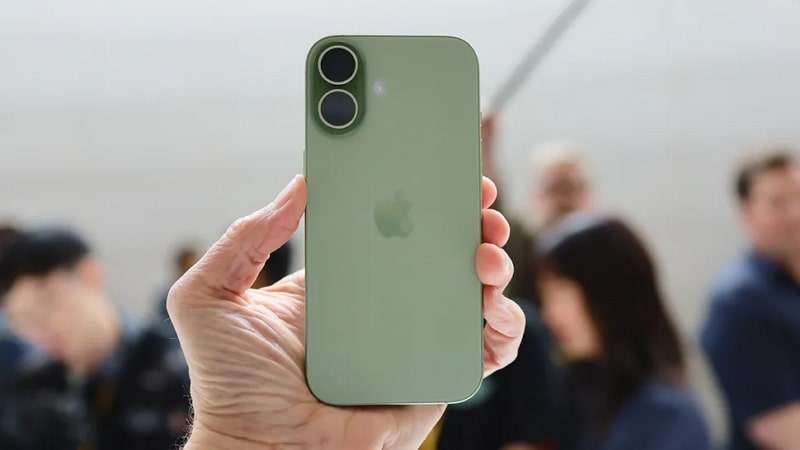
The ProMotion technology refresh rate up to 120Hz ensures responsive interactions throughout usage. So, a faster refresh rate makes gaming, browsing, and everyday swipes feel more fluid. Plus, watching movies feels more cinematic with superior color accuracy over the Galaxy S25 competitor. Apple also brings an always-on display to the base model, scaling efficiently down to 1Hz. As highlighted in this review, enjoying display upgrades matters more.
2. Next-Gen Photography: The Camera & AI Capabilities
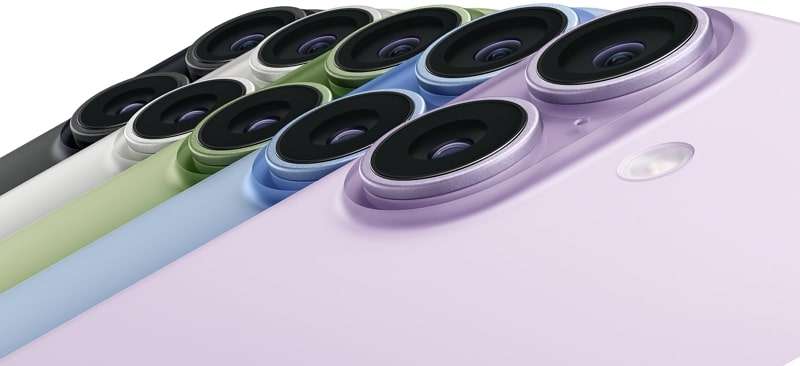
It transforms photography with dual 48MP rear cameras: Main and Ultra-Wide. These powerful lenses capture every detail, from sweeping landscapes to close portraits. Therefore, advanced fusion technology and improved low-light performance make every shot vibrant for you. Its Main camera now introduces a 2x Telephoto option with optical-quality results, giving you flexible framing without compromise. Clearer zoom ensures subjects remain sharp and detailed, even at a distance.
For selfies, an 18MP Center Stage front camera ensures wide landscape or portrait shots easily. Thus, you can take selfies easily while keeping everyone fully in frame with perfect focus. Besides, HD selfies provide group clarity and personal detail in every frame. Its wind-noise reduction produces clearer audio recordings compared to the iPhone 16.
This ensures your recordings sound crisp, professional, and free from distracting environmental noise issues. The A19 processor powers live editing, brightening eyes, smoothing skin, and enhancing portraits. Moreover, your recordings with iPhone 17's enhanced capabilities will sound more natural, unlike iPhone 16 recordings in the wind. Altogether, this iPhone 17 camera review confirms unmatched power for everyone.
3. Durability & Colors of the Latest iPhone 17
The durability standards with Ceramic Shield 2 glass offer 3 times better resistance. This ensures that any bumps or drops cause less harm compared with earlier iPhones. A heat-forged aluminum frame replaces titanium to enhance recyclability and battery capacity. Thus, you can benefit from a lighter device that is easier to carry comfortably every day. Besides, it introduces vapor chamber cooling to ensure optimal performance even under 4K recording.
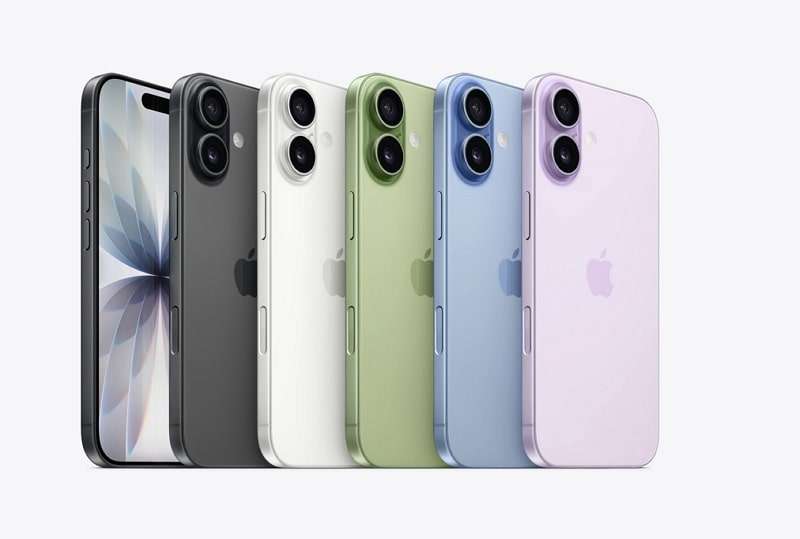
Compared to the iPhone 16, you can experience cooler, smoother performance under heavy app or gaming loads. You can also gain higher durability and use the phone confidently outdoors or near water. Color choices also add appeal, with standard models offering black, lavender, mist blue, sage, and white.
These colors keep the design fashionable while maintaining a lightweight everyday feel. For upgrading, transferring data to iPhone 17 with MT ensures continuity alongside durability. Secure transfers mean new owners enjoy durability benefits without risking essential data.
4. Battery and Storage of the iPhone 17 Series
The standard iPhone 17 has a 3,692 mAh battery, larger than the iPhone 16's previous capacity. This provides longer screen time for gaming and daily usage without frequent charging interruptions. In addition, fast charging enables the battery to reach 50% in just 20 to 30 minutes. So, you can benefit from minimal downtime, staying powered during busy schedules or while traveling on the go.
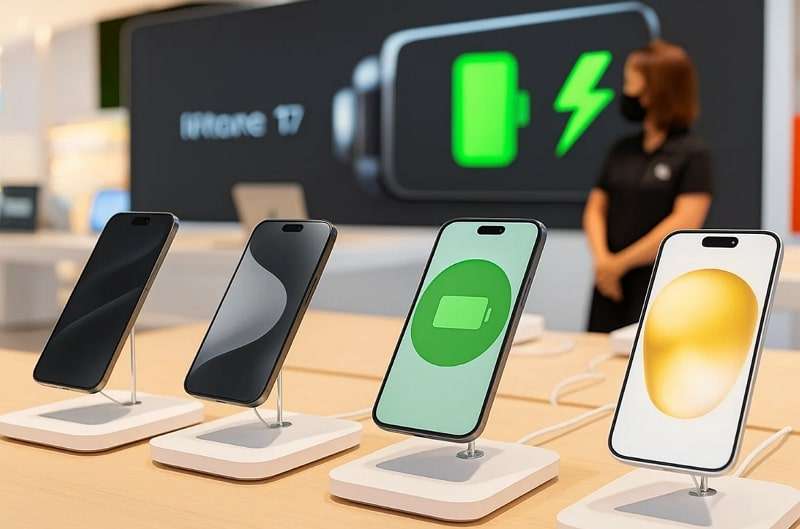
Comparing its storage with that of the previous iPhone 16, it now starts with a minimum of 256GB, which is double that of the previous model. You can now store more media, apps, and files without relying heavily on cloud storage. The larger storage also supports handling professional projects directly on the phone efficiently. This allows users to work, create, and save content without needing extra drives or devices.
Why I Switched to the New iPhone 17
After exploring the features, it's clear that the iPhone 17 is more than an upgrade. The following are the primary reasons that made me finally decide to convert:
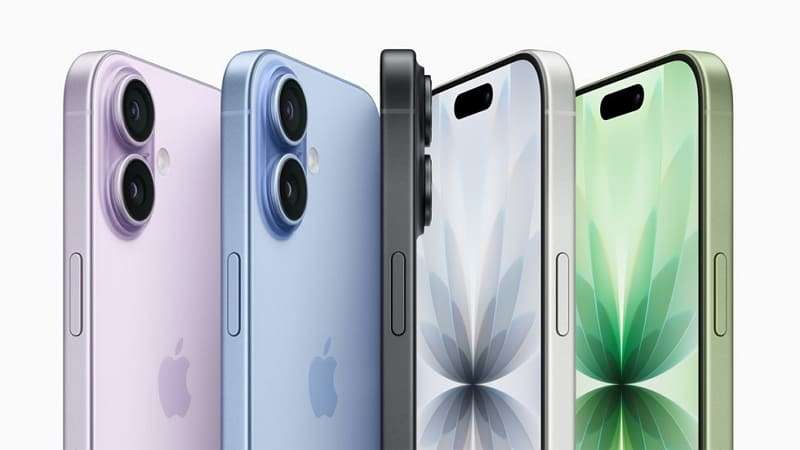
- Display Brilliance: The Super Retina XDR with 120Hz refresh ensures brighter visuals. Plus, its always-on display makes daily use easier and provides quick glances at the time.
- AI Enhancements: On-device AI editing provides instant enhancements and natural beautification. It also improves translations and voice commands, which makes everyday interactions smarter.
- Camera Power: Dual 48MP rear lens featuring incredible clarity and low-light shooting. The new 18MP Center Stage front camera enables sharper selfies and wider group shots.
- Storage Upgrade: Every iPhone 17 now begins with 256GB, doubling previous base storage. Pro Max even offers 2TB, which supports creators and professionals needing massive capacity.
- Durable Build: Ceramic Shield 2 glass ensures better scratch resistance and durability daily. Moreover, the heat-forged aluminum frame also improves recyclability, durability, and lightweight handling.
When planning to upgrade, ensuring an effortless start is also important. That's where MobileTrans became essential to ensure all data moved without issues. Unlike Apple's limited Move to iOS, MobileTrans ensures fast transfers without errors. With support for 6000+ devices, it ensures a seamless transition to iPhone 17.
Conclusion
In this iPhone 17 review, the device proves to be a worthy upgrade. From its brighter display to smarter AI, Apple focused on real upgrades that matter. The bigger battery and expanded storage also give extra comfort for long-term use. Still, the journey only feels complete when your old data moves safely. That's why using MobileTrans makes upgrading effortless and keeps everything important intact.










