


 TL;DR:
The Cosmic Orange iPhone 17 Pro Max is likely fading to a Rose Gold hue because UV light, oxidation of the protective clearcoat, and accidental electrical exposure during charging degrade the underlying pigments.
● Halt further color degradation by using a dark, opaque case to block UV rays, avoiding heat hotspots like car dashboards, and placing the phone on non-conductive surfaces while charging.
● Apple typically categorizes discoloration as uncovered cosmetic damage, meaning successful warranty claims require explicitly arguing that the fading is a PVD coating manufacturing defect rather than user misuse.
● If pursuing a repair claim, completely backing up the device using iCloud or MobileTrans is a mandatory precondition to prevent permanent data loss from required service wipes.
Ask AI for a summary
 ChatGPT
 Perplexity
 Gemini
 Claude
 Grok
Grok
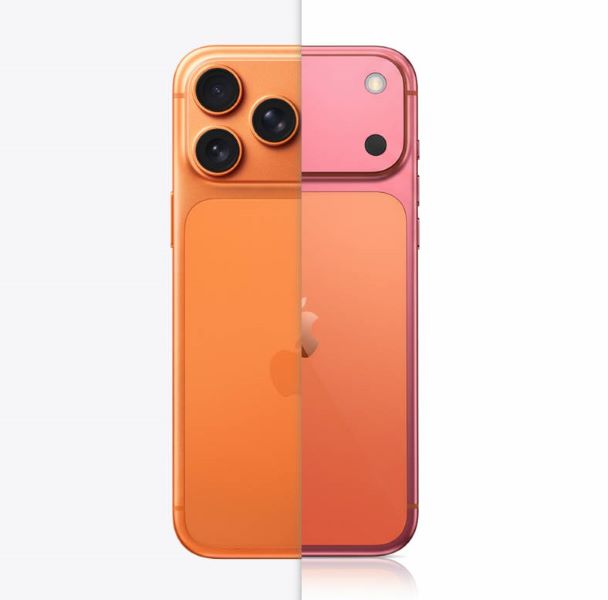
If you chose the stunning Cosmic Orange iPhone 17 Pro Max, you might be experiencing a surprising and frustrating change: your vibrant orange is slowly turning into a soft, pinkish hue—a shade many are calling Rose Gold. This isn't just a slight change; we're hearing from some users that their brand-new, expensive phones are simply fading. Seeing your striking Cosmic Orange iPhone 17 Pro Max turning Rose Gold can feel like a sudden downgrade. We understand the frustration, and we're here to explain why your phone is fading from Cosmic Orange to Rose Gold and, more importantly, what you can do about it.
In this article
Is Your iPhone 17 Pro Max Fading from Cosmic Orange to Rose Gold?
The color degradation on the latest Pro Max model has become a hot topic in the tech community. While Apple uses highly durable PVD (Physical Vapor Deposition) or similar coating processes for its colors, the intense, saturated tones—like Cosmic Orange—appear to be more susceptible to environmental factors. The latest news confirms that this is not an isolated incident; rather, it's a systemic issue tied to specific environmental exposure.
What is Causing the Color Change? (The Technical Bit)
The root cause of your iPhone 17 Pro Max fading is likely a combination of two things: UV exposure and oxidation, affecting the color layer beneath the outer protective coating.
- UV Light (The Main Culprit): Sunlight contains ultraviolet (UV) radiation. This radiation is powerful enough to break down the chemical bonds in the pigments used to create that rich Cosmic Orange color. Think of it like a bright T-shirt left in a sunny window—over time, the dyes fade. On your phone, this fading shifts the color spectrum away from deep orange and toward lighter, pinker tones.
- Oxidation and Protective Coating Issues: Tiny scratches or microscopic imperfections in the phone's outermost protective clearcoat can allow oxygen and environmental pollutants to reach the color layer, causing minor oxidation. While the phone remains structurally sound, this chemical reaction accelerates the lightening and yellowing of the pigment, pushing the color toward Rose Gold.
- Anodization or Exposed to Electrical Environment: Anodization uses an electric current to apply and infuse inks, as well as control the color hue. The phone might be exposed to an electrical charge or some special environment. Leaving it on something conductive while charging might cause it to be anodized. This might be the reason for the color change.
What Are Other Owners Saying? (Community Buzz)
From Reddit threads to specialized tech forums, the community buzz around the topic of "iPhone 17 Pro Max fading from Cosmic Orange to Rose Gold" is undeniable. Users have shared similar summaries of their experience and thoughts:
- There's some spots around my power button that have turned pink too..
- Wish mine would do that…any idea how it turned pink? It's such a cool looking color!!
- I used to mange the demos at an Apple Store and the rose gold devices would be super pink compared to fresh ones after a year of display.
- Three times in my years of working at the Genius Bar, I've had appointments for wildly discolouring aluminium products. They were all MacBooks, but similar thing. Space grey, midnight (the newer blue colour) and an older rose gold MacBook. They all completely discoloured and the only the trackpads didn't as they're a different material. They were all a few years old…
— from Reddit comments.
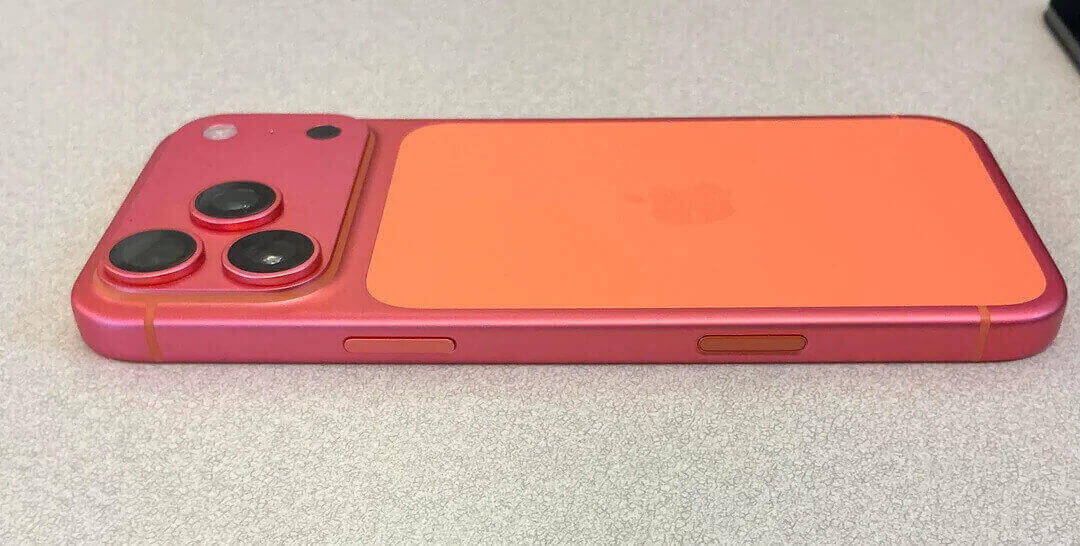
Urgent Steps to Prevent Cosmic Orange iPhone 17 Pro Turning Pink
Fortunately, since the primary cause is environmental, there are several urgent, actionable steps you can take to halt or slow down the fading process.
Tip 1: The 'Sunscreen' for Your iPhone (Get a Good Case)
The single best defense against UV-induced color change is an opaque, high-quality case.
- Actionable Step: Immediately swap any clear case for an opaque, UV-resistant case. Choose a dark color (like black or deep blue) that physically blocks sunlight from reaching the phone's back and edges. Look for cases made of durable TPU or hard polycarbonate with full coverage.
Tip 2: Simple Storage Habits (Avoid the Hotspots)
Heat and direct light are catalysts for color degradation. Treat your phone like a bottle of fine wine—keep it cool and out of the light.
- Actionable Step: Never leave your phone in "hotspots." This includes car dashboards (even briefly), sunny window sills at home or work, or next to high-heat electronics. If you're at the beach or pool, keep it tucked away in a bag and under a towel or umbrella.
Tip 3: Cleaning with Care (Chemical Safety)
Harsh chemicals can strip the phone's microscopic protective layers, exposing the pigment beneath.
- Actionable Step: Use only a mild, recommended cleaner for your iPhone. Apple recommends simply using a soft, slightly damp, lint-free cloth. Absolutely avoid abrasive materials, aerosol sprays, solvents, or ammonia-based cleaners, as these can easily break down the finish.
Tip 4: Mind Your Charging Surface (Electrical Safety)
Since the color on the frame may rely on an anodization process, accidental electrical exposure—even minor stray current during charging—might slightly alter the chemical composition of the dye if the phone is resting on a highly conductive surface.
- Actionable Step: When charging, especially using fast chargers or MagSafe, ensure your iPhone rests on a non-conductive, insulating surface. Use a wooden nightstand, a soft fabric/leather charging pad, or a plastic mat. Avoid placing the phone directly on exposed metal desks, aluminum laptop casings, or other conductive materials that might accidentally complete a minor electrical circuit with the phone's metallic elements.
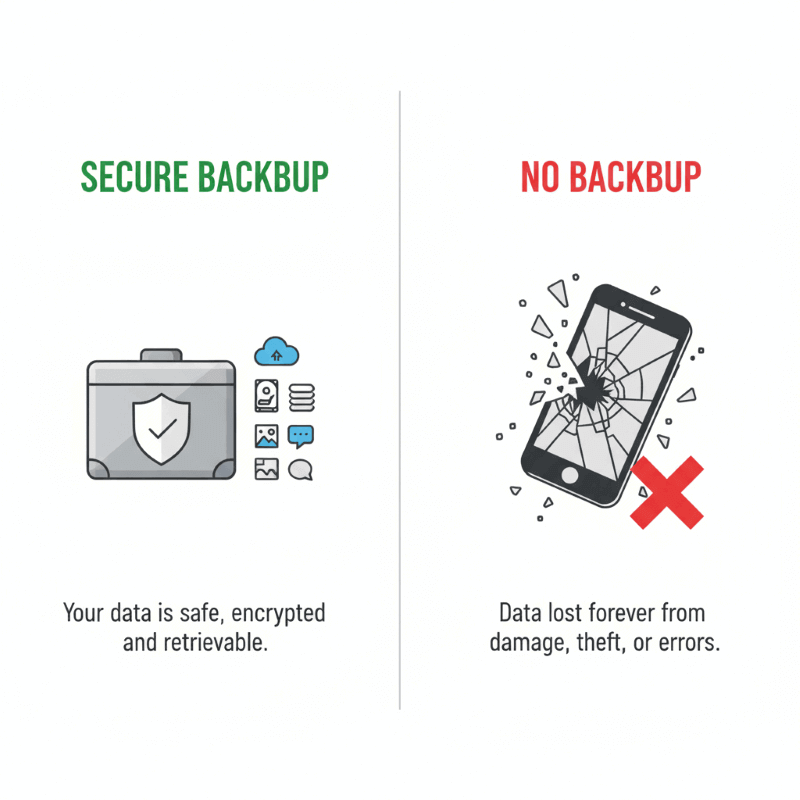
Planning a Repair? Secure Your Precious Memories First
If the fading is severe enough that you decide to pursue a repair or replacement, you must back up your phone data first. Any major service or replacement may require wiping your device.
Why Backup Is Crucial Before Any Repair
Imagine your phone holds years of important correspondence, photos, and unique memories, like your most crucial work emails and all your group chats. Backing up is like putting all your valuable mail, photos, and documents into a safe, secure drawer. You can hand over the empty phone for service, knowing you won't lose your life's data.
The Easiest Way to Back up Your Phone Data
While iCloud is a good option, dedicated third-party tools like MobileTrans are often easier for quick, complete backups, especially of complex data like WhatsApp chat history—a data type Apple's standard backup can sometimes be tricky with.


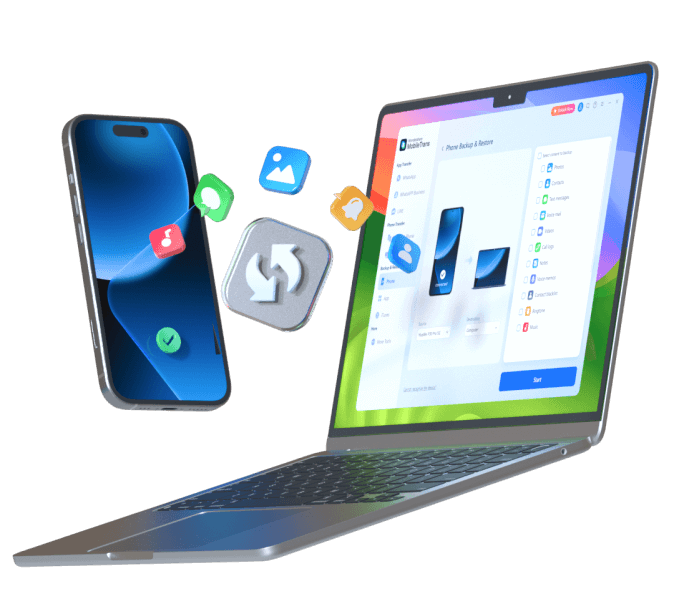
Instructions: Open the tool. Go to Backup & Restore > Phone > Backup. Link your phone to the computer with a cable. Select the content you want to back up and click Start. Wait till the backup process is complete.
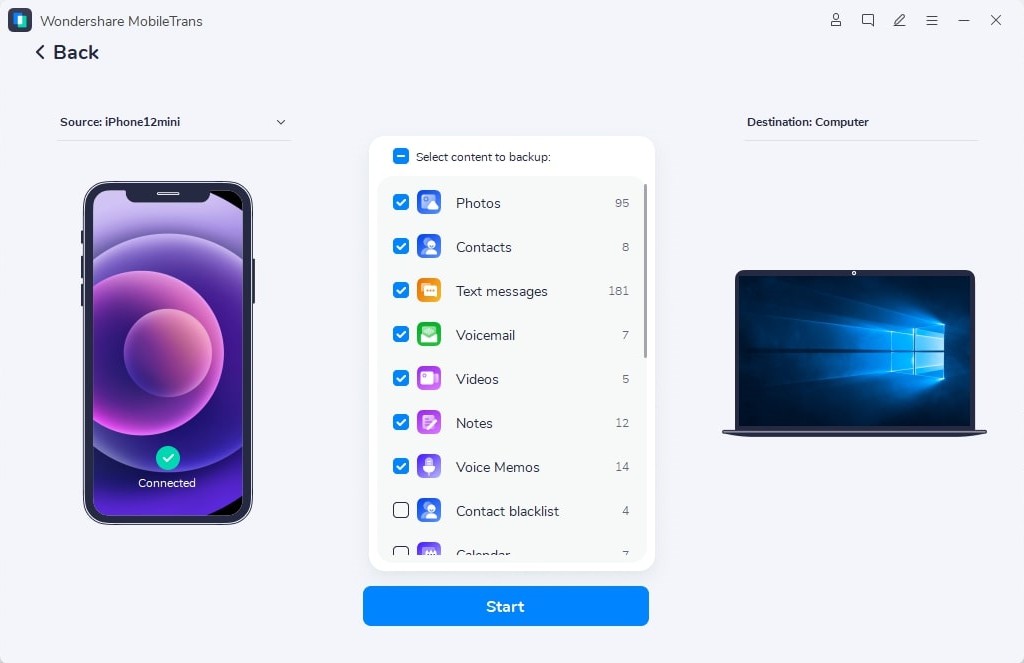
This process is straightforward, secure, and ensures that all your memories are safe before the phone goes off for service.
Cosmic Orange IPhone 17 Pro Max Warranty Claim for Discoloration
One of the biggest questions facing owners is whether this kind of color issue is covered by Apple.
Is This Fading Covered by Apple?
The answer is nuanced. While Apple's standard limited warranty covers defects in materials and workmanship, cosmetic damage and discoloration are often categorized as environmental or accidental damage, which may not be covered.
- Brief Advice: Your best approach is to contact Apple Support directly and be clear that the color change is a result of a potential defect in the coating process, not due to physical damage or misuse. Provide clear photos showing the discoloration compared to the original color. If the fading is widespread and not confined to a single spot of impact, you have a better chance of arguing it is a manufacturing inconsistency.
Conclusion (Summary & Call to Action)
The transformation of your Cosmic Orange iPhone 17 Pro Max Turned Rose Gold is a frustrating issue caused primarily by UV exposure and oxidation. The key takeaway is simple: prevention is critical. Get an opaque case, keep your phone cool, and clean it gently. If you do pursue a repair, use a tool like MobileTrans to secure your data first. We hope these steps help you protect your investment! Share your experience—did your Cosmic Orange phone fade, and what steps did you take?













