


 TL;DR:
Using AI-driven tools like MobileTrans-WhatsApp Transfer prevents the data loss and system conflicts common in traditional manual migrations by running intelligent pre-checks to identify storage limits and corrupted files before moving any data.
● Unlike blind one-click backups that frequently stall at 99% upon hitting a corrupted file, the AI pre-migration scan locally assesses both the source and target devices for version mismatches and hardware bottlenecks without uploading private data to external servers.
● The tool's content awareness utilizes pixel-level recognition and semantic analysis to identify hidden duplicate photos or low-value generic media, allowing users to selectively exclude digital junk or keep specific files up to 500MB based on a detailed preview.
● During cross-platform transfers like Android to iOS, the process requires users to connect both devices, wait for the AI categorization scan, manually deselect unwanted files from the optimization report, and approve the action to trigger an adaptive restore that operates 50% faster.
Ask AI for a summary
 ChatGPT
 Perplexity
 Gemini
 Claude
 Grok
Grok
When switching to a new phone, the primary concern is often the potential loss of years of irreplaceable WhatsApp messages and media. Conventional methods frequently fail because they lack the intelligence to handle system conflicts and corrupted data. This is why AI-driven transfer is becoming essential, as it proactively identifies issues such as low storage or corrupted files before the process begins.
If you need some reliable options, this simple guide explains how tools like MobileTrans-WhatsApp Transfer help boost the speed with pre-migration intelligence. Learn how these AI tools function and how the quest for an AI WhatsApp transfer has evolved over the past few years.
In this article

Part 1. Evolution of Data Transfer: From Manual Backup to AI Intelligence
The evolution toward safely transferring WhatsApp chats reflects a significant shift from a risky manual process to an intelligent AI system. Ideally, the process is categorized by 3 distinct areas, and this section has explained them in detail:
Manual Backups: Slow, Risky, and Error-Prone
Traditional manual backup involves the user manually copying the WhatsApp database folder from internal storage to a PC or swapping SD cards between devices. Since it requires hassle, many Reddit users have also shared some concerns, stating that:
I’ve seen so many WhatsApp transfer methods, but they all seem confusing and unreliable. I’ve even delayed using my new phone for months because I’m afraid of losing my chats and files. - r/whatsapp
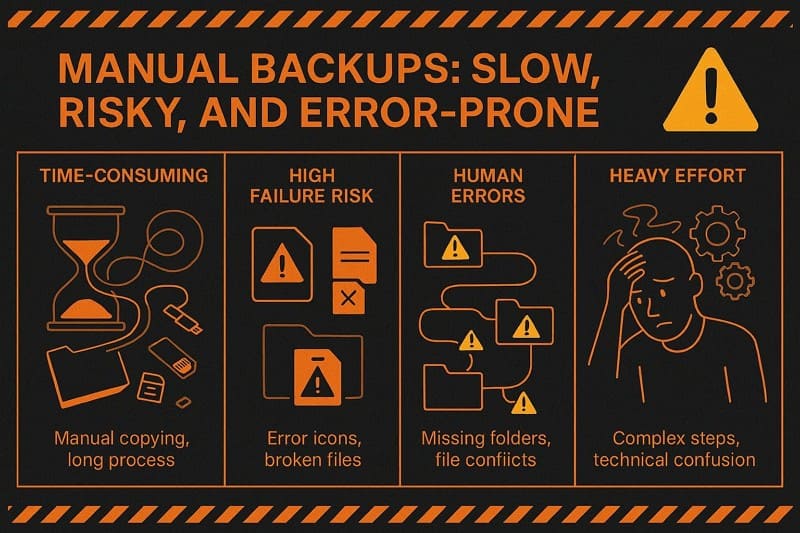
- Time Sensitive: It requires constant human intervention and operates systemically, unable to multitask.
- High Risk of Failure: Since it relies solely on human effort, the method is prone to data loss due to human error. Additionally, missing a single hidden subfolder or encountering a file-naming conflict often results in the complete loss of chat history.
- The Effort: It requires significant technical knowledge and constant human intervention, making it the highest-risk area of migration.
One-Click Tools: Easier but Still Failure-Prone
Before the AI WhatsApp data transfer, basic software was used to transfer the data in a single go, offering a "One-Click" option for convenience.
- The Weakness: These tools are often less innovative and more prone to failure because they unthinkingly transfer everything. In addition, they frequently stall when encountering corrupted files or storage mismatches.
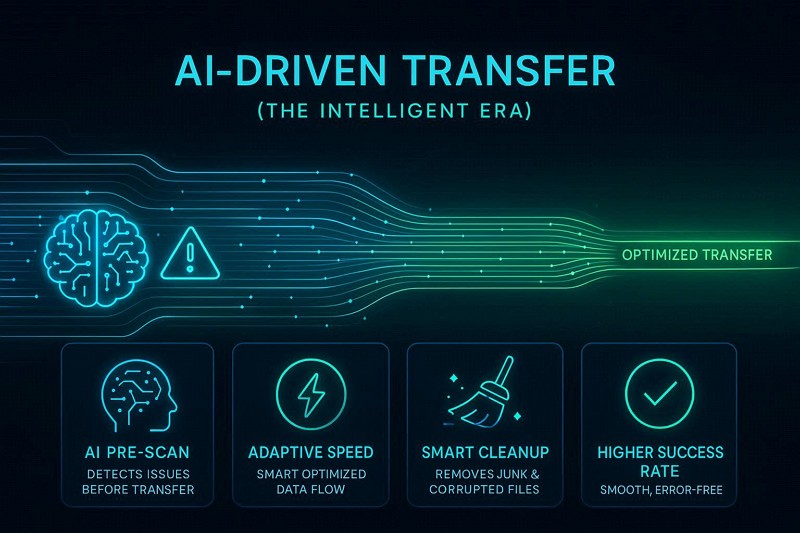
AI-Driven Transfer (The Intelligent Era)
According to Forbes, WhatsApp may let users skip traditional Google Drive backups by offering encrypted cloud backups of its own. It gives more control, flexibility, and dedicated space for chat data.
Based on this claim, users are wondering whether some chat transfer option can be the right option, saying that:
If I use the chat transfer feature instead of Google backup, can I still use Google backup later, or will I be stuck with this method? I also want to know if there are any downsides, apart from possibly missing messages during the transfer. - r/whatsapp
Having these concerns, it might not outshine AI solutions, as it employs predictive, adaptive intelligent migration.
- The Strength: By using pre-migration intelligence and adaptive acceleration, it identifies potential system errors and bottlenecks before the transfer scene starts. To put it simply, all data, such as junk, low media, or corrupted files, is separated via an AI scan to ensure a higher success rate in WhatsApp transfers.
Part 2. Inside AI Transfer: Three Pillars Driving Smarter Data Movement
The modern approach in the WhatsApp migration tool is built on the three core technological pillars that ensure a seamless transition between devices. Rather than relying on simple copying, these pillars focus on reducing transfer failures and improving overall reliability, as explained below:
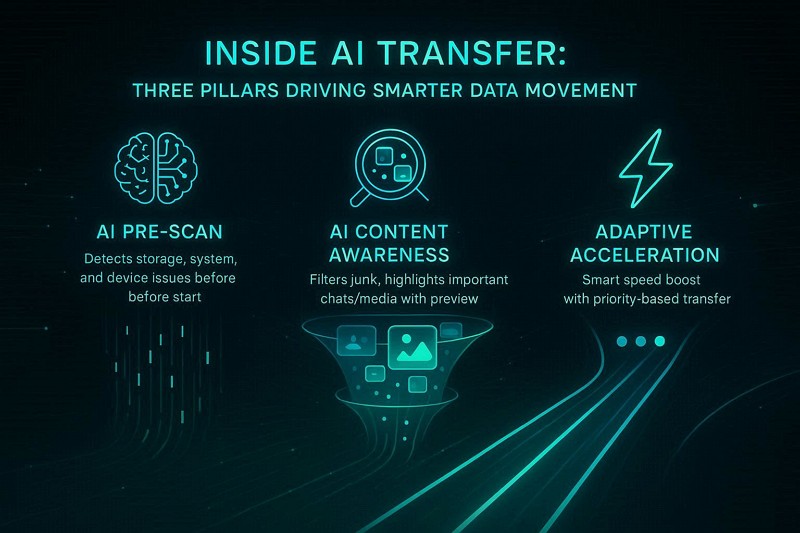
AI Pre-Migration Intelligence
Before a single byte is moved, the AI acts as a safety net to ensure the environment is ready. In this regard, it scans both the source and target devices as one taps the "Start" button. This identifies bottlenecks such as storage issues, version mismatches, and hardware errors.
AI Content Awareness
This stage/pillar involves a deep analysis of WhatsApp's structure to ensure that only valuable information is migrated to the new device. Here, AI categorizes junk, broken, low-, and high-value data files and displays the category and overall file storage usage. A quick preview lets users decide whether to move the trash to a new device, a feature not offered by traditional methods.
Adaptive Acceleration (Smart Speed Boost)
While supporting AI-powered data transfer, the AI tools also ensure the transfer is as quick as possible. To do this, the system uses a “Fast Lane” approach to manage the data flow when you press the “Start Restore” button.
Moreover, the AI continuously monitors the transfer and adjusts the data stream to match the hardware capabilities, providing a detailed report. After scanning, AI prioritizes the most important chats and media files, followed by large files.
Part 3. Why Traditional “Dumb” Transfers Fail and Cause Data Loss Issues
Now that you know how AI optimizes WhatsApp transfer speed, it's crucial to understand where the traditional method falls short. The most common reason is that they lack the intelligence to navigate system complexities. In fact, this issue is explained by many users on platforms like Reddit, explaining that:
My WhatsApp backup hasn’t worked for a long time, and even chat transfer keeps failing near the end despite trying everything. Now I’m stuck in repeated errors and verification cooldowns, and I’m worried something like corrupted data is blocking the process. - r/whatsapp
Nonetheless, to further know why AI is the best option and why old methods fail, review the mentioned 5 reasons:
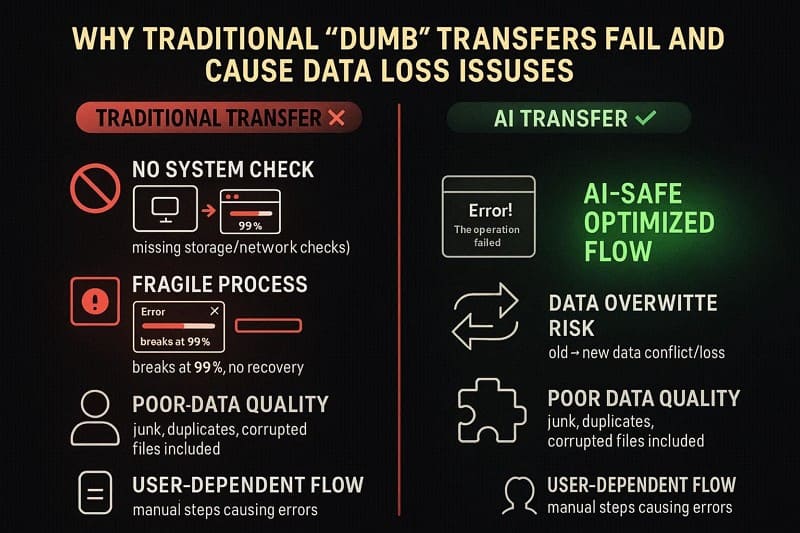
- No Health Check Before Start: Traditional transfers start blindly, without checking storage, versions, the network, or the battery. Thus, this often causes mid-transfer crashes, compatibility issues, or incomplete chat/media migration.
- Fragile Process That Breaks Easily: These transfers follow a fixed flow with no retry or recovery if something fails. Even small issues like disconnects or glitches can stop progress at 99% and force a full restart.
- Risk of Overwriting Data: Many methods overwrite existing chats instead of safely migrating them. Additionally, if the transfer fails, you may lose both old and new data on the updated phone.
- No Check on Data Quality: Data is copied unthinkingly, including duplicates, junk, and corrupted files. Hence, this slows the process, increases the risk of failure, and can result in missing or corrupted data.
- Highly User-Dependent: The process relies on users to do everything manually, including granting permission, taking backups, and performing steps. So, any mistake, like missing permissions or low storage, can cause silent failures or data loss.
Part 4. WhatsApp AI Transfer in MobileTrans Explained: Simple View of Key Features
Since AI WhatsApp transfer is the reliable choice, you can use tools like MobileTrans that support AI Data Optimization in its WhatsApp transfer feature. Through this, the AI can scan the system health and files and categorize them in separate tabs, making it easier for users to preview. Additionally, its AI provides a detailed report after the “AI Pre-Check” is completed for the source and target devices.
Key Features
- AI Smart Cleanup: Use the Trash Filter option; the AI analyzes the WhatsApp backup to identify and exclude junk files, such as duplicate or low-value media. In addition, it detects corrupted files that would crash the transfer, making the backup smaller and easier to move.
- AI Speed Boost: This option optimizes data movement between phones to create an efficient migration path. All scanning is done locally, and when the AI ensures users' data is secure, the transfer runs 50% faster than traditional methods.
- AI Data Optimization: Using this option, you can get a detailed breakdown of the backup, including file size details for categories and individual files. With the detailed preview and selective selection option, users can remove or keep important files, large or small, up to 500MB.
- Pixel-Level Recognition: The AI also uses advanced scanning to detect duplicate photos even if they have different file names. It also performs semantic analysis to identify low-value images, memes, and generic text, such as “Good Morning” greetings.






Simple Guide to Use the WhatsApp AI for Data Optimization
Unlike traditional methods, if you want to know how WhatsApp data transfer works with AI tools like MobileTrans, this section is for you. Here, this tool is tested for Android to iOS WhatsApp migration to determine how efficient its AI can be:
- Step 1. Go to the WhatsApp tab. Connect Android and iOS and use the Flip icon to categorize. Press Start.

- Step 2. The AI will start the scan. Deselect the data you don’t want to keep, then choose Start Restore.
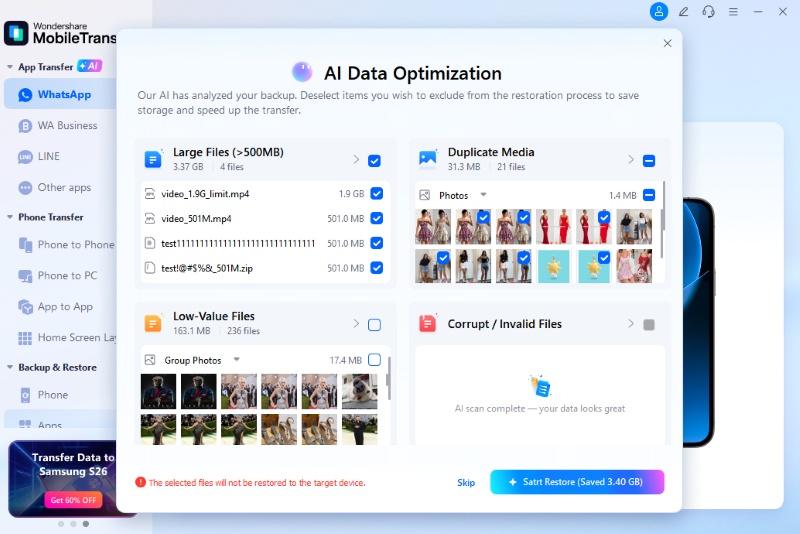
- Step 3. Review the AI Data Optimization report and click Start Restore.
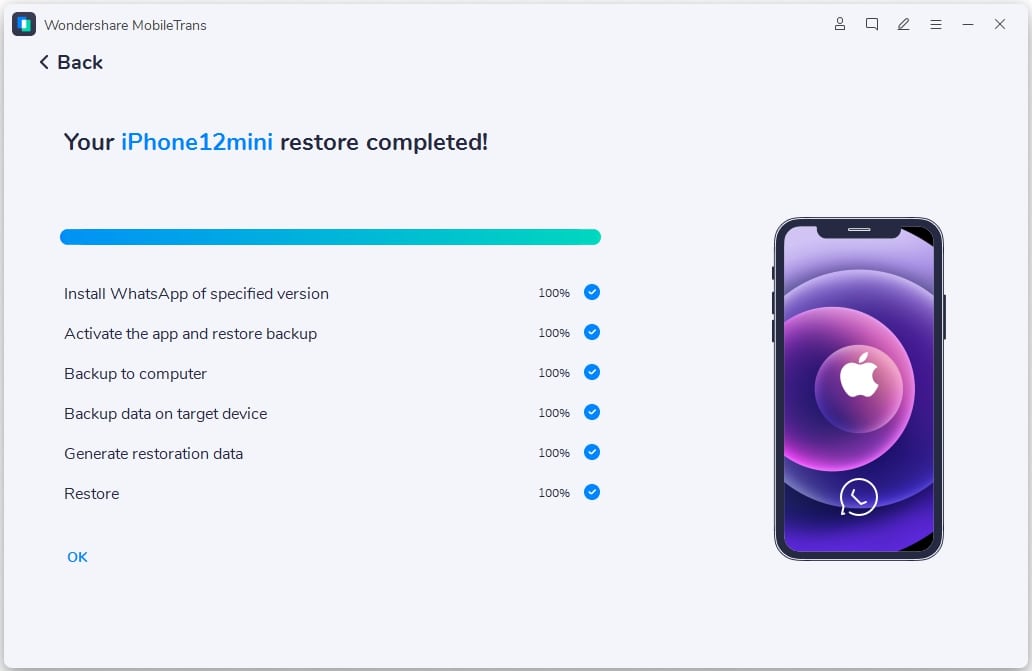
- Step 4. Wait for the AI to optimize the data. Choose Cancel if needed.
Conclusion
AI WhatsApp transfer has transitioned from high-risk manual methods to an era of intelligent, failure-proof migration. By leveraging pre-migration intelligence and content-aware scanning, modern tools like MobileTrans eliminate the “stuck at 99%” issue and provide a selective data-migration option. Hence, these systems ensure a seamless WhatsApp migration by prioritizing essential chats and filtering out digital junk.
FAQs
-
Does AI transfer delete my original WhatsApp photos?
The AI scan is designed to identify and filter digital junk, but it does not automatically delete your original photo without permission. In fact, tools like MobileTrans-WhatsApp Transfer offer a preview option that lets you further filter valuable data after a deep AI scan.
-
Is my private data safe during the AI scanning process?
Yes, all the scanning and data optimization is performed locally on the device after WhatsApp AI tools are installed. Additionally, no private information is uploaded to external servers, ensuring your data remains secure throughout the migration.
-
Can the AI detect duplicates if they have different filenames?
The tool uses pixel-level recognition to identify duplicate photos even if the filenames have been changed. Furthermore, it uses semantic analysis to detect low-value images, such as generic memes or texts.










