


 TL;DR:
Mutsapper is the top recommended application for merging and transferring WhatsApp, WhatsApp Business, and GBWhatsApp data from Android 7.0+ to iPhone 17 without overwriting existing device chats.
● Apple's native Move to iOS app transfers WhatsApp data and browser history over a private Wi-Fi network, but it strictly functions only during the initial setup phase of a new iPhone.
● Dr.Fone and Backuptrans offer PC-based transfers requiring connected devices; Dr.Fone supports additional apps like LINE and WeChat at a higher cost, while Backuptrans allows exporting chats to formats like PDF and CSV.
● Chatrans provides a direct, PC-free phone-to-phone migration using an OTG cable, but it lacks cloud backup integration and requires manual WhatsApp login steps.
Ask AI for a summary
 ChatGPT
 Perplexity
 Gemini
 Claude
 Grok
Grok
The switch from one phone to another usually creates trouble when moving WhatsApp chats and memories. Many users are concerned about the loss of important messages and media files during the transfer. The process can be confusing without the right tools designed to make it smooth. Therefore, this article will help you discover the best app to transfer WhatsApp from Android to iPhone 17.
In this article
Part 1: Why You Need the Best App to Transfer WhatsApp from Android to iPhone 17?
Switching from one phone to another usually feels confusing, especially with important WhatsApp data involved. Before using the app to transfer WhatsApp from Android to iPhone 17, this section covers a few reasons why you need them:
- Data Safety: Keeping chats safe is important because losing them creates lasting issues during the transfer. A reliable tool guarantees complete preservation to ensure every chat remains intact forever.
- Full Transfer: Some tools copy partial chats, leaving gaps in history and missing conversations. The correct app ensures complete migration and transfers the entire chat history without losing any files.
- Wide Support: Different Android versions and iPhone updates often complicate transfers across platforms. So, you should pick the app that ensures effortless transfers regardless of device model or system version.
- Media Security: Chats usually include photos, videos, or voice recordings that matter for personal or work life. A dependable app keeps these items safe and delivers complete media without missing a single file.
- Time Saving: Manual transfers consume time and create unnecessary stress for non-technical people. The right software speeds up everything by finishing transfers quickly while reducing confusion.
Part 2: Best Apps to Transfer WhatsApp from Android to iPhone 17
Upon exploring some key points, finding the best app to transfer WhatsApp from Android to iPhone 17 can feel overwhelming. So, the following parts explore effortless options that make migration simple and safe for everyone:
1. Mutsapper App
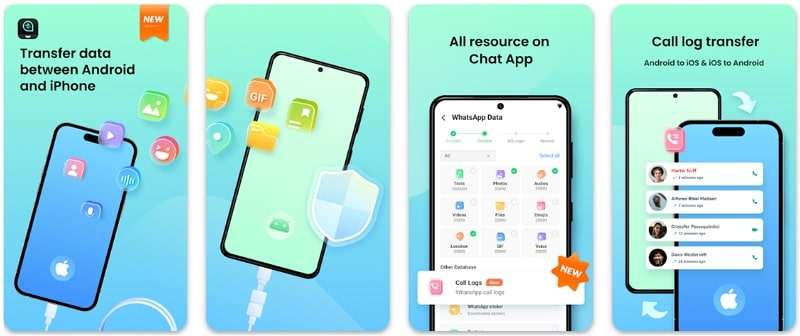
Mutsapper is the best app to transfer WhatsApp from Android to iPhone 17, which helps users move their WhatsApp data across devices. It allows you to transfer multiple types of WhatsApp data between 2 phones, including chats and stickers. You can also restore WhatsApp backup directly from Google Drive to your iPhone device. Apart from that, it even supports Business WhatsApp and GBWhatsApp data for effortless migration.
Key Features
- Data Merge: Merges WhatsApp data from two phones without deleting existing chats or media content.
- Version Support: Compatible with Android 7.0+ and iOS 9.0+, including the latest iPhone 17 models.
- Large Files: Handles large file transfers without size limits or quality loss during migration.





For a complete solution beyond WhatsApp transfer, we recommend using either the MobileTrans app or software. It offers a fast and reliable phone-to-phone data transfer solution. They support transferring over 18 types of data, including messages and contacts, between Android and iOS devices. It even ensures effortless WhatsApp transfer, including chat history and stickers, without using mobile data.
The platform works with 6,000+ Android and iOS devices and transfers data at speeds up to 30MB/s. The app uses a local hotspot for data exchange, which means no internet or data plan is consumed during transfers. Hence, MobileTrans simplifies phone switching with quick, secure, and complete data migration.
2. Move to iOS (Android)
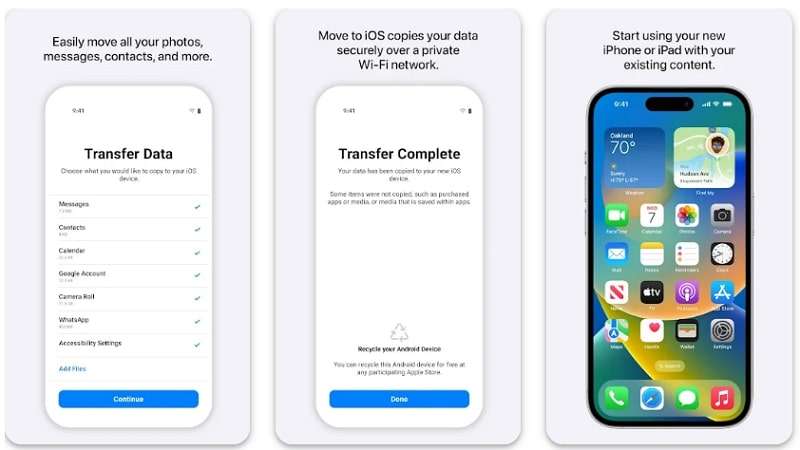
It is a native app for Apple users to transfer data from Android to iPhone 17 smoothly. Move to iOS securely moves your WhatsApp app’s data, including previous chats and multimedia files. Alongside that, you can even migrate your other phone’s data to your iPhone 17, like contacts, calendars, and bookmarks. The app provides a private Wi-Fi network to connect devices and allows for safe data transfer from external access.
Key Features
- Automatically reorganizes transferred files, ensuring users find their data easily.
- Ensures transferred data goes to the appropriate places in iPhone apps without errors.
- Supports migration of mail accounts, including Gmail, Yahoo, and Outlook.
3. Dr.Fone - WhatsApp Transfer
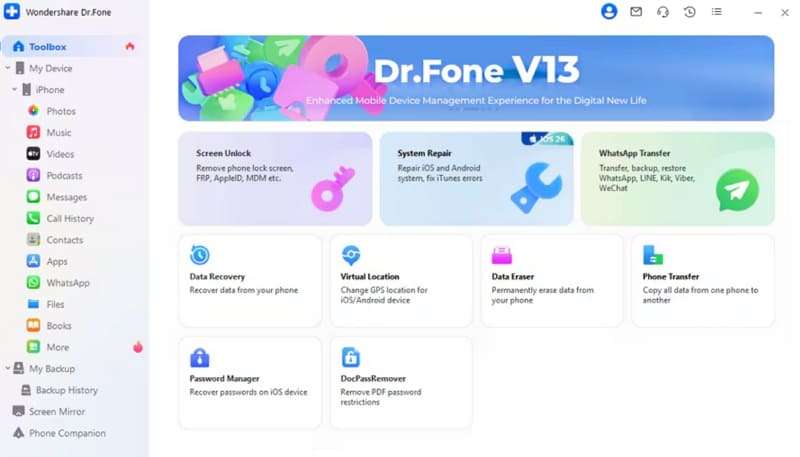
Another app to transfer WhatsApp from Android to iPhone 17 that supports migration of WhatsApp chats and attachments between Android and iOS. In addition, the app handles WhatsApp Business chats as well without data loss. Besides, it lets users back up WhatsApp history on PC and restore it whenever needed. Users can benefit from its ultra-fast performance and deliver higher efficiency for even the largest WhatsApp data transfers.
Key Features
- Offers the option to merge WhatsApp data from old and new phones without overwriting.
- Allows transfer between any device combination, including iOS to iOS or Android to Android.
- Also backs up and restores chat history for LINE, Kik, Viber, and WeChat.
4. Chatrans
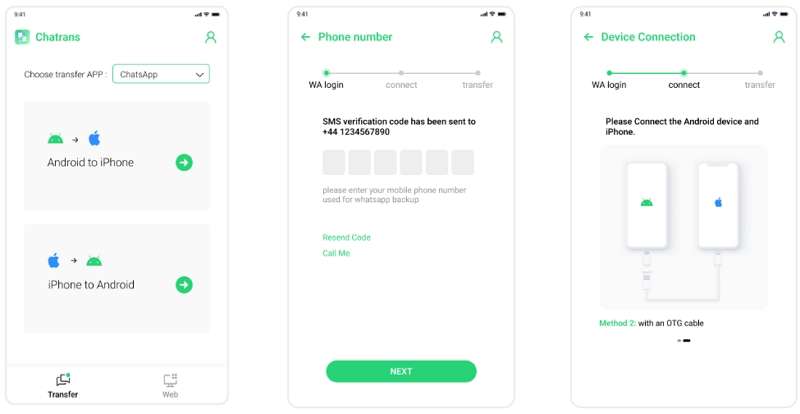
It is also one of the best apps to transfer WhatsApp from Android to iPhone 17 without a PC. Chatrans supports both WhatsApp and WhatsApp Business for smooth data migration. The app works with 6000+ iOS and Android models, ensuring wide compatibility. It transfers WhatsApp chats directly between smartphones using a single USB-C or OTG cable for speed. Chatrans transfers all WhatsApp data, such as messages, videos, images, emojis, and attachments, securely.
Key Features
- Automatically detects connected devices for easy and error-free WhatsApp migration.
- Does not erase any unrelated data on either smartphone during migration.
- Supports transfer from Android to iPhone and iPhone to Android easily.
5. Backuptrans
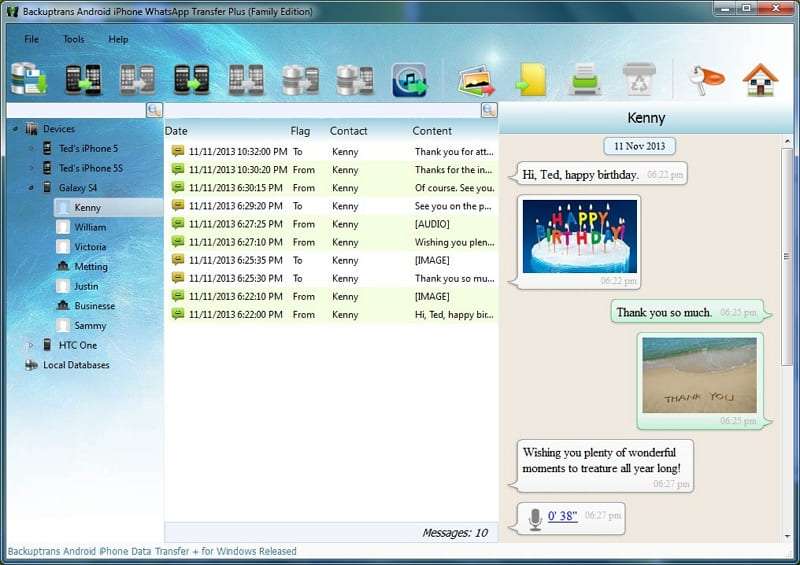
Backuptrans is a reliable app to transfer WhatsApp from Android to iPhone 17 via computer easily. It manages WhatsApp chat history smoothly between Android, iPhone, and PC. Besides, Backuptrans allows you to back up and restore WhatsApp messages, including photos and attachments, on your computer. You can also export WhatsApp chats in formats such as TXT, CSV, Word, HTML, or PDF files to print or back up.
Key Features
- Allows preview and selection of individual chats before transferring to a new device.
- Restores WhatsApp chat history from computer backup to any Android or iPhone.
- Capable of restoring WhatsApp data from iTunes backups without the original device.
Conclusion
In conclusion, transferring WhatsApp chats from Android to iPhone 17 may not be straightforward. Choosing a dedicated app secures the safety of all the data and offers high speed for transferring chats or media. The apps reviewed offer different features and compatibility, but vary in ease of use and cost. For users seeking an effortless experience, the Mutsapper App is the best app to transfer WhatsApp from Android to iPhone 17.











