


 TL;DR:
You cannot directly restore a WhatsApp Business backup from iCloud to Android due to incompatible file structures and Apple ID encryption, requiring third-party transfer tools to complete the migration.
● MobileTrans facilitates direct iCloud to Android restoration via a PC connection without overwriting existing smartphone data, allowing you to selectively migrate specific files or full backups.
● Mutsapper transfers data directly between devices via USB cable without a computer and merges incoming messages with existing ones, but it requires restoring the iCloud backup to an iPhone first and restricts full capabilities behind paid features.
● Exporting conversations via email bypasses compatibility issues by generating readable records, but this method cannot integrate the data into the Android application and demands manual extraction for each individual customer chat.
Ask AI for a summary
 ChatGPT
 Perplexity
 Gemini
 Claude
 Grok
Grok
It becomes confusing when you switch from iPhone to Android and lose chats. Many shop owners or professionals feel stressed about restoring previous messages and contacts. Although there is no direct method to move data, you can still restore it using different approaches. This guide helps you restore WhatsApp Business backup from iCloud to Android without much hassle.
In this article
Part 1: Understanding How iCloud and Android Store WhatsApp Business Backups
iCloud and Android use different systems to store and secure WhatsApp Business data. iCloud keeps your chats on Apple's cloud, linked to your Apple ID. Android, however, uses Google Drive or local phone storage for backups.
These systems use different rules and formats, making direct transfer difficult sometimes. That is why users cannot simply move chats between both devices easily. Thus, people look for tools that help restore WhatsApp Business backup from iCloud.
Why You Cannot Directly Restore WhatsApp Business Backup from iCloud to Android
- File Format: iCloud uses Apple's file structure, which Android cannot identify or decode properly. Android needs a readable backup file, but iCloud encrypts all stored WhatsApp data.
- Encryption Type: Apple encrypts backup files for safety and ties them to the Apple account. Android's security system differs, so it cannot unlock or open those coded backups.
- Account Linking: iCloud connects backups only to your Apple ID to protect private user data. Android needs Gmail for linking WhatsApp backups, creating incompatibility issues.
Part 2: How to Restore WhatsApp Business Backup from iCloud to Android Using MobileTrans
MobileTrans is a powerful tool to restore WhatsApp Business backup from iCloud to Android. It lets users migrate 18+ types of data, including attachments and multimedia, effortlessly. The program supports the latest Android 17 and iOS 27 versions, including iPhone 17 compatibility. While restoring, it ensures no data overwrites to keep your existing phone data safe. Besides, users can even restore only selective WhatsApp Business data to their smartphones.
Key Features
- Cloud Restore: Supports restore WhatsApp and WhatsApp Business from iCloud to Android or from Google Drive to iCloud.
- Computer Backup: Lets you move phone content to a PC for additional storage or recovery options.
- Export Option: Exports chats to PDF or HTML formats for reports or professional recordkeeping.
- Fast Speed: Uses high-speed transfer protocols for a stable and instant data movement process.
- Data Preview: Allows you to preview the chosen files before starting any process.




Adhere to the following steps to restore WhatsApp Business backup from iCloud to Android for free using MobileTrans:
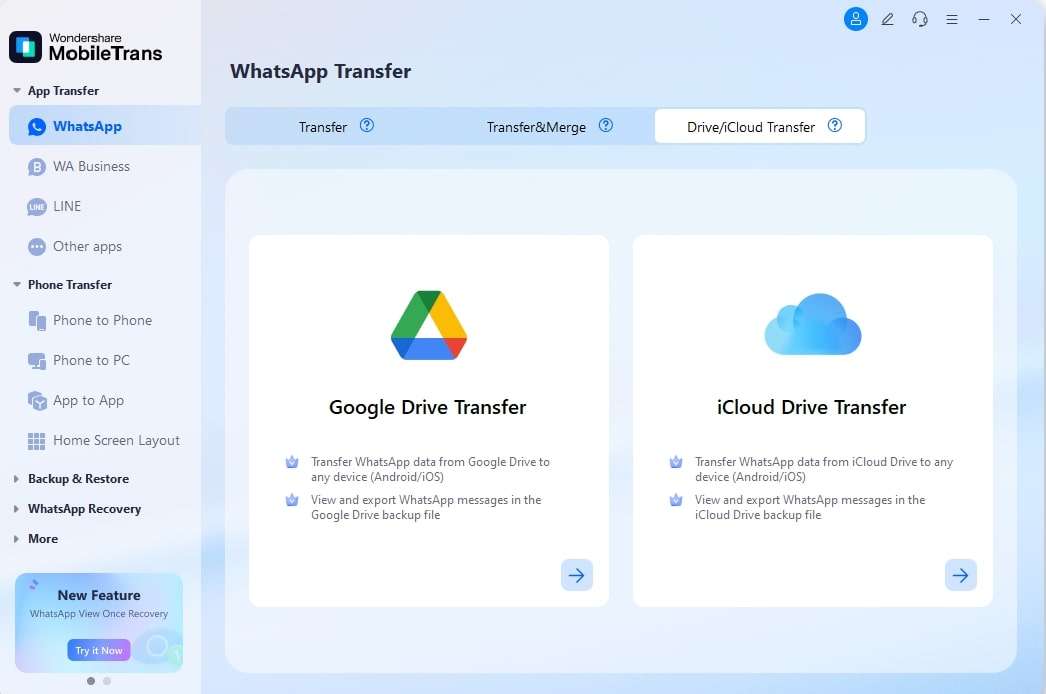
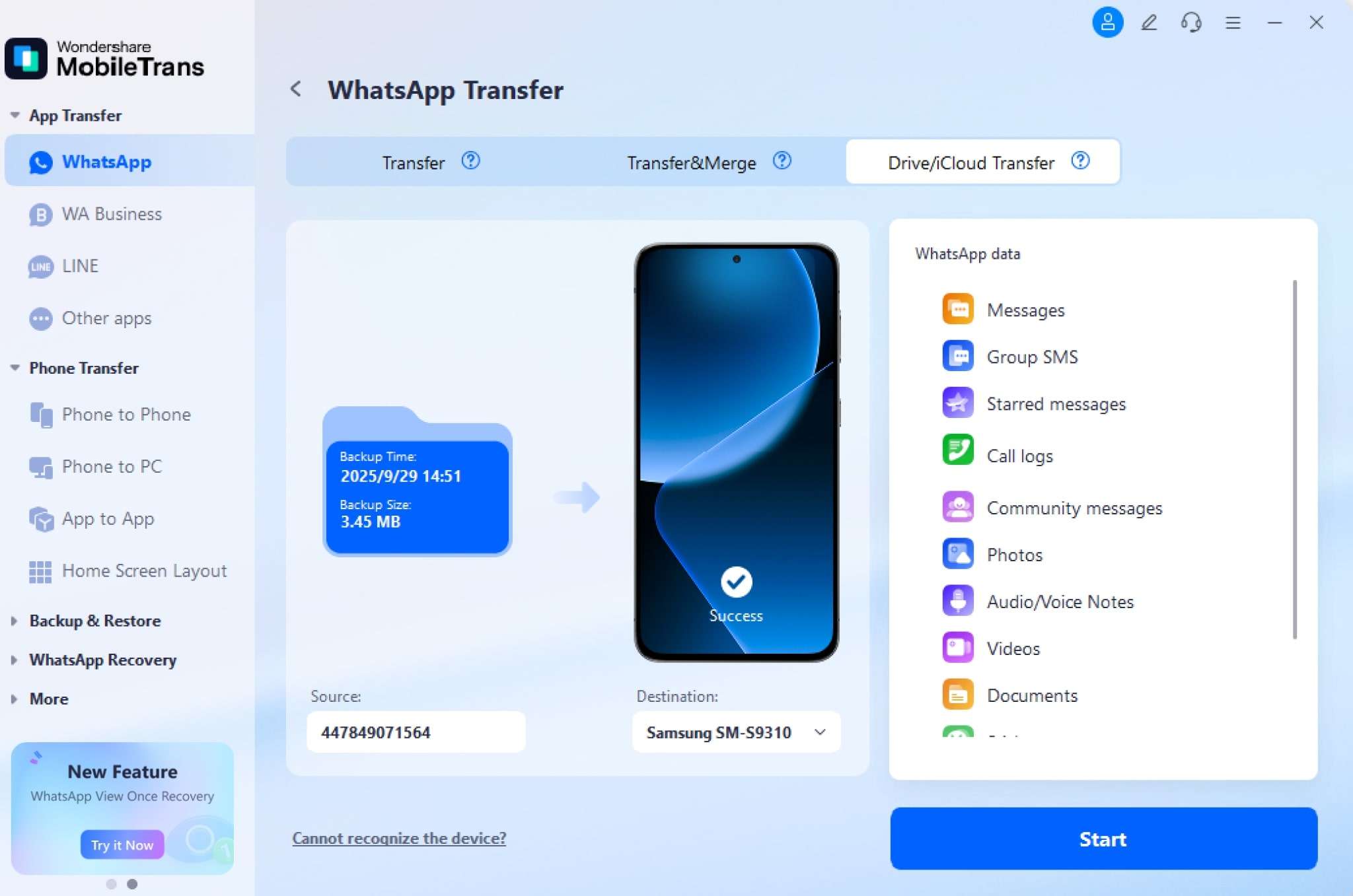
Step 1. Access MobileTrans > App Transfer > WA Business > Choose Drive/iCloud Transfer > iCloud Data Transfer > Sign in.
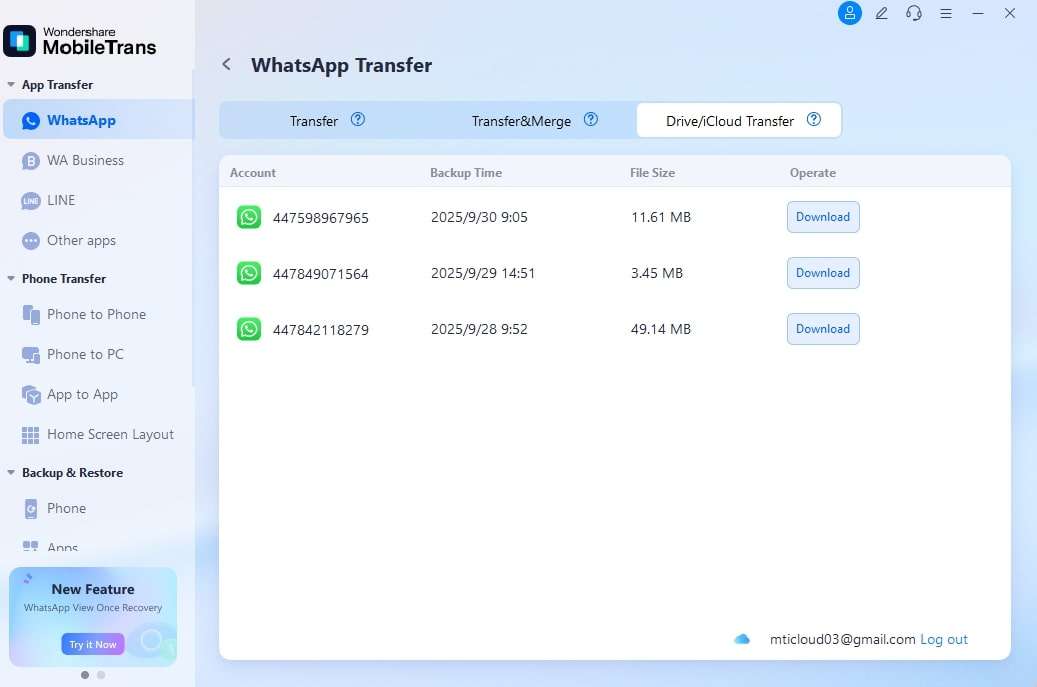
Step 2. Select the needed backup > Confirm account login > Load WhatsApp Business backup contents.
Step 3. Connect the Android device via the original USB cable > Click Start to transfer the WhatsApp Business data.
Part 3: Alternative Ways to Restore WhatsApp Business Backup from iCloud to Android
Apart from the above dedicated tool, you can also use some other alternatives. So, this section covers 2 more ways to restore WhatsApp Business backup from iCloud:
1. Mutsapper App (No PC Needed)
Mutsapper helps restore WhatsApp Business backup from iCloud to Android without a computer. It supports transferring 10 data types, including messages and voice notes. Users even merge WhatsApp chats without deleting past messages when switching devices anytime. Plus, it supports text and call log transfers that even the native transfer method does not support. So, review the given steps below to find out how you can restore chats using this app:
Step 1. Restore WhatsApp Backup from iCloud on iPhone. Launch Mutsapper and choose the iPhone to Android transfer option.
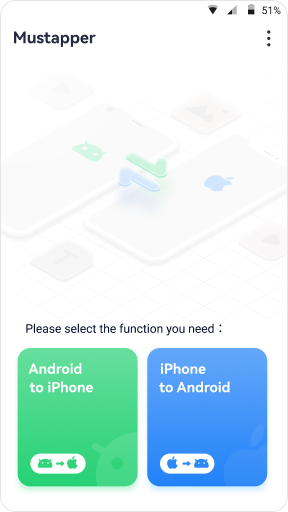
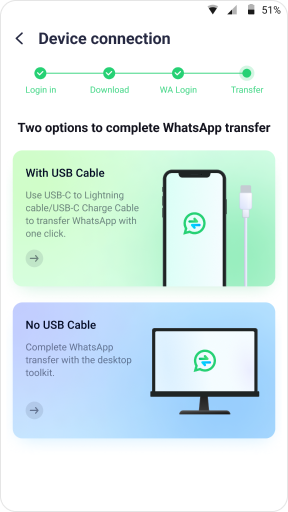
Step 2. Attach both phones with USB cables and allow permissions when prompted.
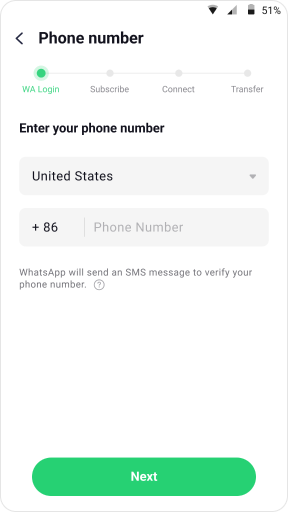
Step 3. Sign in to WhatsApp Business on the Android phone and tap Next to proceed. Follow the given prompts to move your WhatsApp Business data successfully.





2. Email Your WhatsApp Business Chats
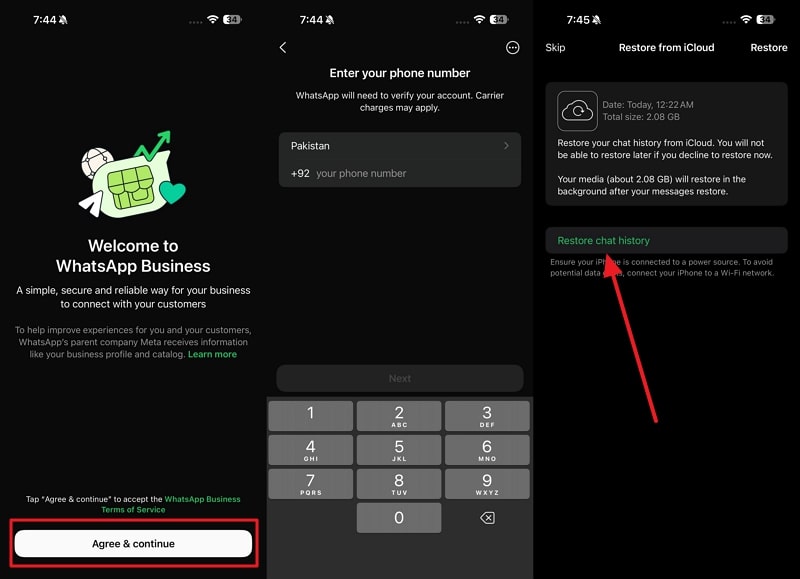
Email is a simple option to move selected conversations when switching phones. It helps users view important chats even if apps do not support direct transfer. Yet, you must first restore the backup on your iPhone and then export chats using email. This method lets users restore WhatsApp Business backup from iCloud and keep messages readable. Take guidance from the steps below to understand how to export chats through email:
Step 1. Launch WhatsApp Business on iPhone > tap Agree and Continue > Enter Number > Next > Follow Prompts > Restore.
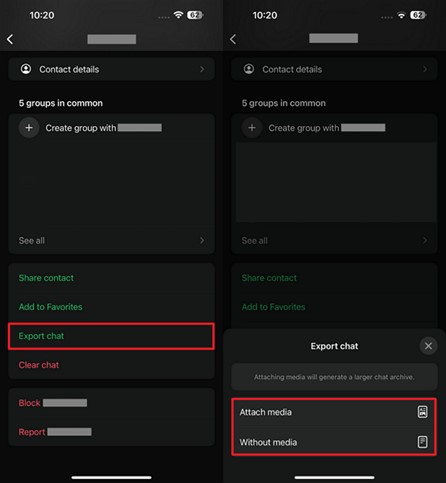
Step 2. Open specific customer chat > Contact Info > Export > Include Media/Without Media.
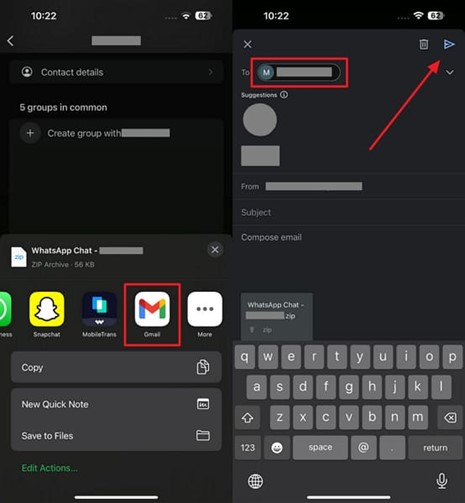
Step 3. Select Gmail as a platform > Add the Email Address > Press Send.
Conclusion
To sum up, switching from iPhone to Android should not mean losing valuable business chats forever. Different backup systems make data transfer confusing and stressful for many users today. However, there are several ways to move messages, media, and important records.
Whether using MobileTrans, Mutsapper, or email, your chats can stay safe and readable. To easily restore WhatsApp Business backup from iCloud to Android, MobileTrans is the most reliable choice.










