



 TL;DR:
Replacing manual WhatsApp storage management with AI-enhanced tools like MobileTrans reduces a 10-to-20-hour manual review into a 5-to-10-minute automated scan that identifies duplicates, memes, and hidden files with 95-99% accuracy.
● Manual cleanup restricts users to size-based sorting and isolated chat-by-chat deletion that fails to detect hidden system data, while AI executes cross-chat bulk selection and automatic identical file detection.
● The MobileTrans AI performs all semantic and pixel-level media recognition locally on the device to maintain privacy and strictly requires manual user confirmation before any pre-categorized junk or duplicate files are deleted.
● Executing the AI Pre-Check prior to a device-to-device WhatsApp transfer isolates corrupted files that cause transfer crashes and removes unnecessary media, which accelerates the overall migration speed by up to 50%.
Ask AI for a summary
 ChatGPT
 Perplexity
 Gemini
 Claude
 Grok
Grok
Have you ever felt like your phone is asking for space just because your WhatsApp storage is full? You start deleting photos one by one, but after an hour of scrolling, you’ve only cleared a measly 100MB. Here, you’re left wondering if you should spend your weekend sorting through memes or if there’s a smarter way.
While manual cleaning feels safe, it’s a race you’re losing, and it's never-ending. Therefore, this guide explores the difference between manual vs AI WhatsApp cleanup and uncovers why letting AI handle the heavy lifting is a better option for data management.
In this article

Why WhatsApp’s Storage System Isn’t Enough for Cleanup
WhatsApp mainly fills storage with auto-downloaded photos, videos, and large files, but built-in tools and settings can help you clean it up and control it. Even though there is a built-in option, it can fall short, and the following reasons explain why, raising the need for AI WhatsApp storage management options:
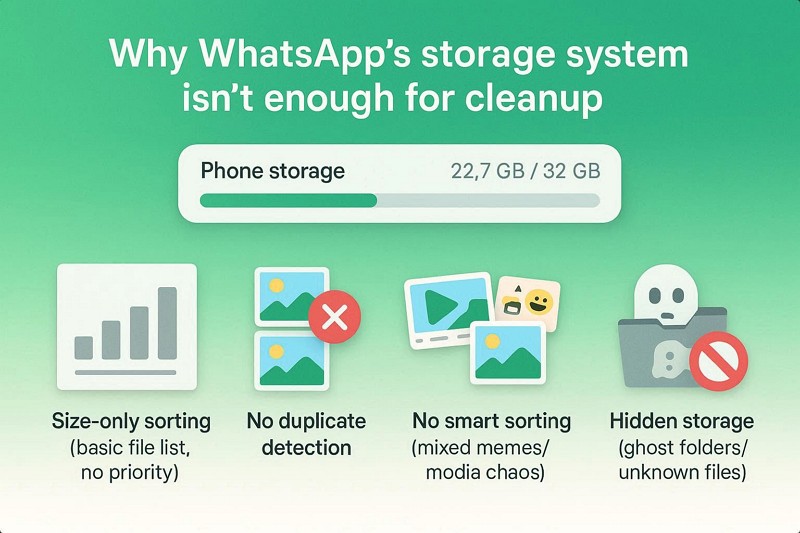
- Size Only: WhatsApp sorts files only by size, not by their importance or real value to you. Hence, you must open and manually check each file, which slows cleanup and makes it confusing.
- No Duplicate Check: It cannot detect or group duplicate photos and videos saved across different chats. In fact, the same file appears multiple times, taking up extra space with no easy way to remove all copies.
- No Smart Sorting: The manual method cannot automatically identify low-value content such as memes, greetings, or spam images. All the files are combined, forcing users to review them one by one manually.
- Hidden Storage: It does not clearly show temporary files, backups, or hidden duplicate media folders. So, this means actual storage usage can be much higher than what WhatsApp reports inside the app.
- No Bulk Delete: There are no advanced filters, such as date range, file type, or smart category selection. Users must delete files individually or chat by chat, which takes a lot of time and effort.
Why Manual Cleanup Takes Too Much Time and Effort
WhatsApp storage is the major issue in 2026, as most users say that:
I’m frustrated with how WhatsApp keeps filling my phone with media like videos, photos, and voice notes, taking up huge amounts of storage. I rely on it for work, but unlike other apps, it lacks a flexible cloud system, so everything stays on my device. - r/whatsapp
Given this, users wonder why the manual built-in method is time-consuming, especially given that “Time is Money.” To answer this query, review the 5 mentioned reasons in this detailed WhatsApp storage cleanup comparison to choose the right cleanup method:
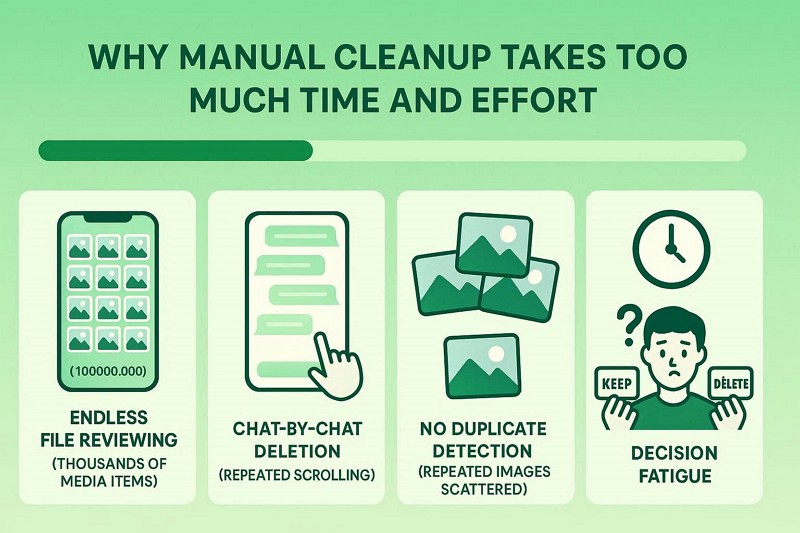
- Reviewing Thousands of Files: Manual cleanup means checking every photo, video, and document one at a time. Users may spend 10-20 hours scrolling through 5000+ media files to decide what to keep and what to delete.
- Chat-by-Chat Cleanup: You must open each chat to find and delete the media within it. With many groups and contacts, this repeated navigation takes hours and becomes very frustrating.
- No Duplicate Detection: Humans must manually notice repeated images or videos across different chat threads. However, with thousands of files, it’s easy to miss duplicates that keep wasting storage space.
- Decision Fatigue Risk: Constantly making keep-or-delete decisions can cause mental fatigue and slow cleanup. As a result, users often keep junk to avoid mistakes or accidentally delete important memories.
- Hidden Storage Issues: Manual cleanup cannot remove hidden files, backups, or system-level WhatsApp data. Even after deleting visible files, the device's storage usage may remain high.
The Real Cost of Time: AI vs Manual WhatsApp Cleanup
WhatsApp is improving storage cleanup, AI features, and cross-platform transfers to make chats easier to manage and reduce phone storage use. This is all because modern transfer tools use the AI Data Optimization option in their WhatsApp Transfer features, and MobileTrans is one of them. To know how these AI options can be better than manual methods, here is a detailed comparison of the AI storage cleaner vs the manual method:
|
Criteria |
Manual/Official |
AI-Enhanced |
|
Deduplication |
Impossible - relies on visual memory |
Automatic - detects identical files instantly |
|
Meme Detection |
Manual review of each image |
Auto-categorizes low-value content |
|
Corrupt File Handling |
Requires technical knowledge |
Auto-identifies and flags broken files |
|
Speed (10GB cleanup) |
10-20 hours |
5-10 minutes |
|
Accuracy |
60-70% (human error) |
95-99% (pattern recognition) |
|
Batch Operations |
Chat-by-chat only |
Cross-chat bulk selection |
|
Hidden Storage |
Cannot detect |
Scans all WhatsApp folders |
|
Screenshot Sorting |
Manual identification |
Auto-detects UI patterns |
|
Large File Flagging |
Size-only sorting |
Size + context analysis |
|
Decision Fatigue |
High - thousands of choices |
Low - pre-categorized options |
|
Preview Required |
Yes - every single file |
Only for uncertain items |
|
Forwarded Content |
No context provided |
Shows forwarding frequency + type |
|
Learning Curve |
None |
Minimal (one-click scan) |
|
Risk of Loss |
High (accidental deletion) |
Low (preview before delete) |
Why MobileTrans WhatsApp AI Cleanup Delivers Better Results Overall
For those who prefer AI cleanup, several options, such as MobileTrans AI cleanup, are now available. Such a tool includes an AI Data Optimization feature that enables AI to scan WhatsApp data in under 5 minutes. Alternatively, large, small, junk, or invalid files are categorized so users can select the ones they want to keep or delete with just one tap.
Key Features
- AI Pre-Check: Designed primarily for WhatsApp migration, the AI scans both source and target devices to detect potential roadblocks. Thus, this feature provides an all-in-one, clear report, after which you can continue the WhatsApp transfer, with no trash moved to the new device.
- AI Smart Cleanup: Such tools offer a “Filter” option that lets users locate unnecessary files. The AI targets duplicates, junk images, large files, and corrupted files that could make the backup larger or crash the transfer.
- AI Speed Boost: The AI optimizes data packet movement between phones. This method is advertised as being 50% faster than older transfer methods.
- Local AI Processing: For user privacy, all AI scanning and analysis of media (including pixel-level and semantic recognition) happens locally on the device. So, rather than uploading to the external servers, all the data is analyzed directly, keeping your data private.
- Content Optimization: By filtering out junk and large, unnecessary files, the AI reduces the size of the WhatsApp backup. Hence, this speeds up the transfer and makes cloud backups to iCloud or Google Drive more efficient.






Detailed Guide to Use the AI-Enhanced Clean-up Solutions
This WhatsApp storage manager AI was tested among all options to determine whether it is actually helpful. So, if you don't want to use manual methods and see an AI data management option, review the mentioned guide:
- Step 1. Connect both devices. In the WhatsApp tab under the App Transfer section, tap Start.

- Step 2. AI will start the scan. Find the data you want to keep after the restore. Choose Start Restore.
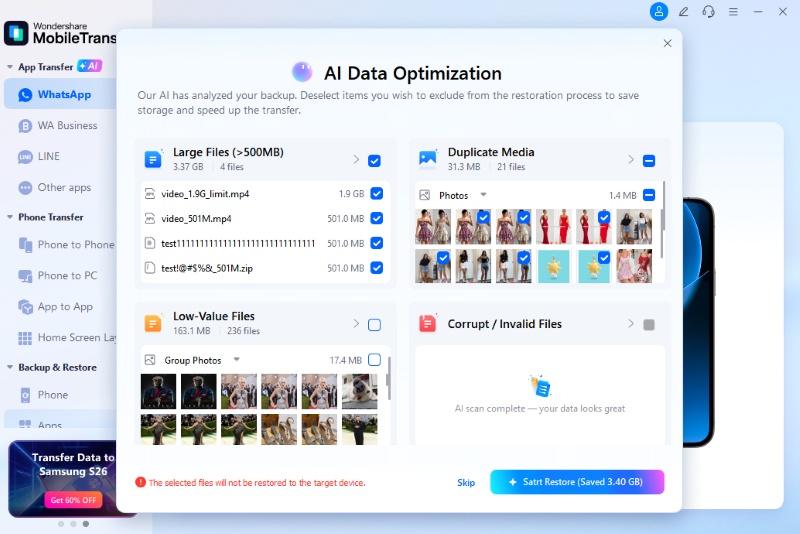
- Step 3. All selected data will be removed and retained for clean migration. Press Start Restore to continue.
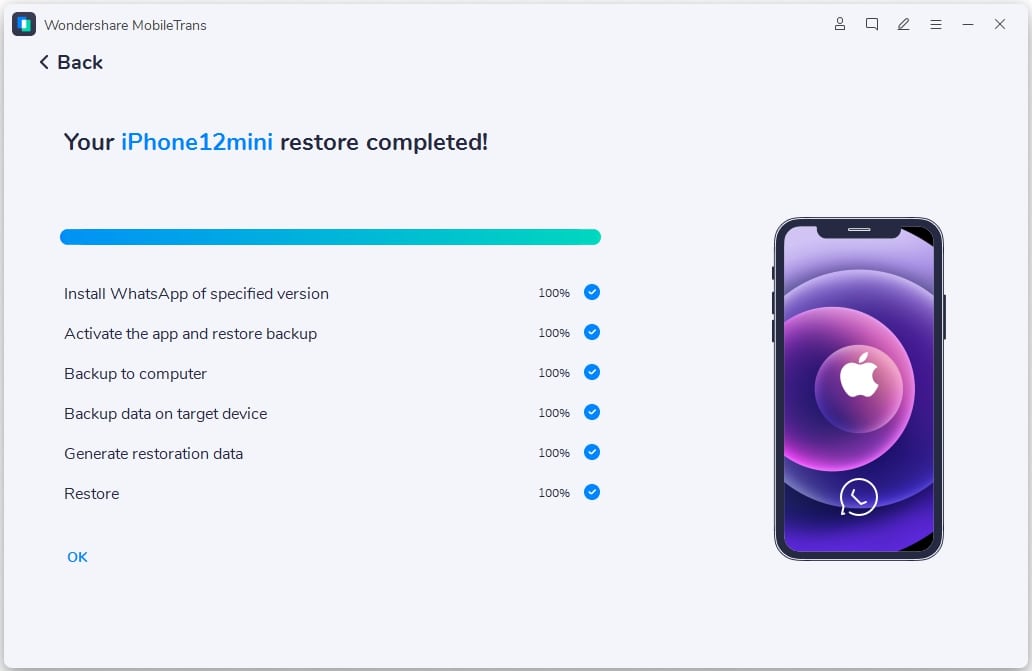
- Step 4. Monitor the progress bar, or press the Cancel button if you prefer.
Conclusion
Right now, manual vs AI WhatsApp cleanup is at its peak as WhatsApp storage is a major concern for Android and iOS users alike. To answer this, this guide has compared the two options, highlighting WhatsApp's storage limitations. Choosing an AI WhatsApp storage management strategy is the only way to beat the "Full Storage" trap effectively.
Using a smart WhatsApp storage cleanup tool like MobileTrans-WhatsApp Transfer shows that automated tools identify junk that manual methods miss. For a fast, optimized, and clutter-free device, such solutions truly outshine the manual WhatsApp storage management options.
FAQs
-
Can AI automatically delete my WhatsApp photos?
No, the AI tool only scans and groups your media into categories like junk or duplicates for your view. Consequently, you maintain full control and must confirm any deletions before they happen. -
How does AI speed up WhatsApp transfer?
The AI, like MobileTrans-WhatsApp Transfer, optimizes how data packets move between phones and removes heavy junk that slows the process. As a result, the transfer can be up to 50% faster than traditional, non-intelligent methods. -
Does the AI pre-check guarantee a successful transfer?
The AI scans for common roadblocks, such as low storage or system bugs, before you even start. By doing so, it identifies potential issues early, preventing the progress bar from getting stuck at 99%.










