



 TL;DR:
Resolve WhatsApp storage bloat by using the MobileTrans AI Data Optimization tool to safely categorize and delete duplicate or low-value media locally before device transfers.
● The AI specifically targets five junk categories by detecting identical or compressed duplicates, videos exceeding 5MB, pattern-recognized greeting images, corrupted spam files, and screenshots identified by UI elements.
● All scanning and categorization occur strictly offline on your local device, ensuring that your media is never uploaded to external servers and WhatsApp's end-to-end encryption remains fully intact.
● Running this scan prior to device migration allows you to manually preview and approve deletions, ultimately reducing the total backup size for faster cloud syncs and quicker data transfers to a new phone.
Ask AI for a summary
 ChatGPT
 Perplexity
 Gemini
 Claude
 Grok
Grok
Imagine you are in the middle of capturing a once-in-a-lifetime video when the screen suddenly freezes. You immediately check the settings and find the problem: WhatsApp is using up 20GB of your space. Your phone is running out of space because of all the photos you keep sending in your family group chats. Manually deleting thousands of files feels like a part-time job you didn't sign up for.
However, what if you had a digital assistant that could distinguish between a precious memory and a blurry meme when you have a full WhatsApp storage issue? This guide shows how AI, especially through tools like MobileTrans-WhatsApp Transfer, can change the game of your phone's storage.
In this article

Part 1. WhatsApp’s Silent Storage Problem You Never Notice
It is said that WhatsApp can fill phone storage with media and cache. Nevertheless, you can fix it by managing storage settings and turning off auto-download. Before the detailed WhatsApp storage cleanup, review the mentioned points and why and what type of WhatsApp data can bloat the space:
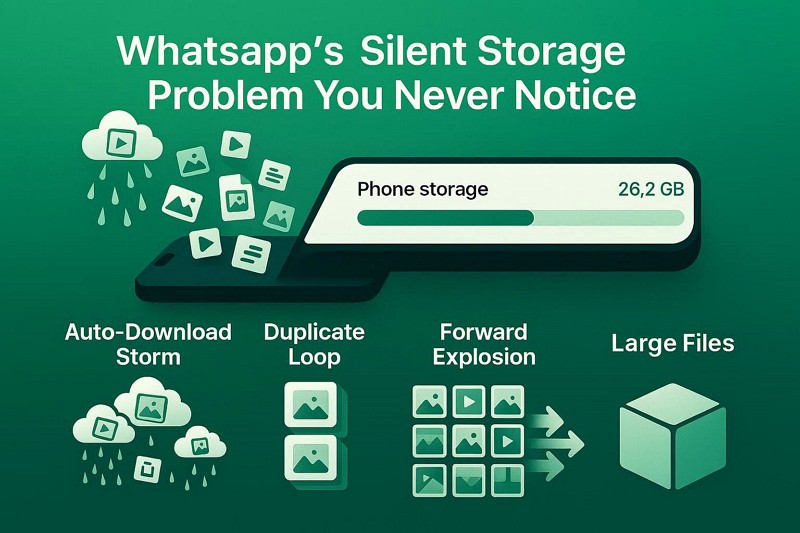
- Auto Downloads: WhatsApp automatically downloads all media and files the moment they arrive in chats and groups. This constant background downloading quality fills the phone with a large amount of media you may never actually open or need.
- Sent Duplicates: Every file you send or forward is saved again inside WhatsApp’s internal storage system as a separate copy. Over time, these hidden duplicates build up, especially if you frequently share videos or forward content in groups.
- Forwarded Files: Popular memes, videos, and messages get forwarded across multiple chats, and WhatsApp stores each version separately. This leads to repeated copies of the same content consuming storage without users realizing how quickly it accumulates.
- Gallery Clutter: As mentioned, WhatsApp automatically saves received images and videos directly into your phone’s camera roll by default. This mixes personal photos with random group media, making your gallery messy and taking up extra storage space.
- Large Files: High-quality videos, long voice notes, and documents can consume huge amounts of storage, often exceeding gigabytes. These large files quietly accumulate in the background and can fill your device without showing obvious warning signs.
Part 2. From Clutter to Chaos: Why WhatsApp Gets So Heavy
When it comes to WhatsApp data optimization, many users face storage issues due to automatic downloads that duplicate files and save large files in the background. In fact, many users have reported this issue on platforms like Reddit, stating that:
I’m facing a serious WhatsApp storage issue where my phone shows 58.24GB used as “data,” even though WhatsApp itself shows almost no storage usage. I’ve tried deleting chats, media, reinstalling the app, and restoring backups, but the storage always jumps back to 58GB, and support hasn’t helped. - r/whatsapp
Hence, over time, this content clogs your storage and slows your phone. With this issue, users seek a solution that lets them free up space without any manual effort.
Part 3. How MobileTrans AI Understands and Categorizes Your WhatsApp Media
To address clogged WhatsApp storage, AI WhatsApp cleaner tools can save the day. Many platforms, such as MobileTrans, include an "AI Data Optimization" tool that initiates the AI scan during the WhatsApp transfer. This is done for both the target and resource devices to ensure safe cleaning and smarter storage management during the transfer.
How AI “Understands” Media
- Detects duplicate photos even when they have different names or sizes.
- Identifies memes, greetings, and low-value images and finds spam and frequently forwarded content.
- Flags large videos and heavy files quickly and recognizes screenshots using screen patterns.
Part 4. 5 Types of WhatsApp Junk AI Can Help You Delete
To simplify duplicate and messy WhatsApp storage, the platform will now support smarter storage tools. These will ensure users selectively clean chats, messages, and media to free up space more precisely. So, to get the most out of these AI cleaners, like MobileTrans WhatsApp AI, know what types of data they can remove using AI-powered scans:
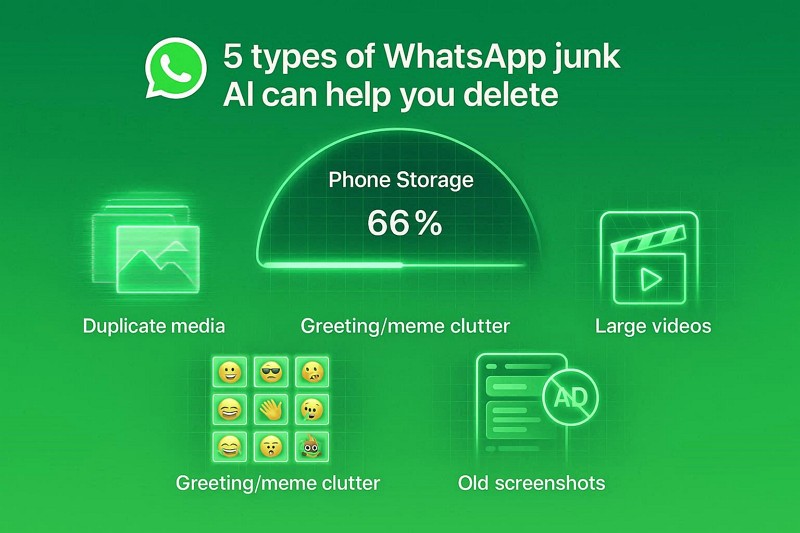
- Duplicate Media: AI detects identical photos as you press the “Start” button, even with different names, sizes, or compression. The scan will also highlight multiple time-saving photos and videos so you can choose what to keep or delete.
- Greeting Images: It identifies Good Morning quotes, memes, and “Junk” festival images using pattern recognition. Thus, these low-value images will be displayed in a separate tab, along with storage details, for bulk deletion without affecting personal photos.
- Large Videos: These AI cleaners also scan and separate large media files, with overall storage details and per-file details provided. This implies that the AI can flag videos over 5MB and sort them by size to highlight storage-heavy files, which you can preview and remove with complete control.
- Old Screenshots: It recognizes screenshots by their UI elements, such as status bars and interface layouts. Thus, making your WhatsApp backup smaller: all the screenshots are grouped, so you can remove all or filter them from WhatsApp and the gallery.
- Spam Content: AI also detects the corrupted, forwarded ads, promotions, and chain messages using visual and forwarding patterns. Instead of moving trash to a new phone, the “Corrupt or Invalid Files” section helps you quickly and safely remove broken data.
Part 5. Slimming Effect: How MobileTrans WhatsApp AI Cleanup Improves Transfer Speed and Size
After the review, if you prefer to use such AI tools to reduce WhatsApp storage, this section has got you sorted. Among all the options, the AI WhatsApp cleaner in MobileTrans was tested to determine how it can save the hassle of manual deletion.
Using this tool, clearing before the transfer reduces backup size, speeds up cloud uploads, and makes it easier to manage on your new phone. Since the tool improved the level of how data moves between phones, here is how you can use it:
- Step 1. Open the WhatsApp tab in the App Transfer section, then connect both devices. Press the Start button.

- Step 2. The AI will start scanning and display the junk and duplicates in separate tabs. Tap the Start Restore button.
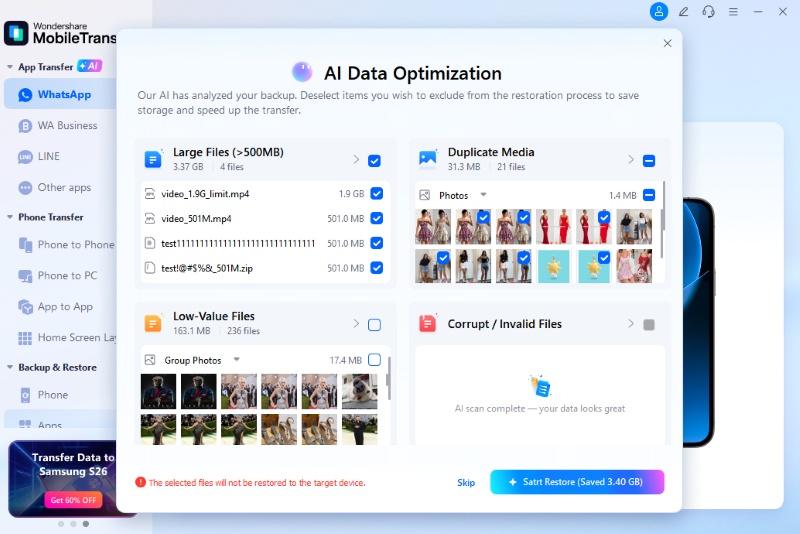
- Step 3. After filtering the data, AI will separate the files you want to move. Choose the Start Restore button to continue.
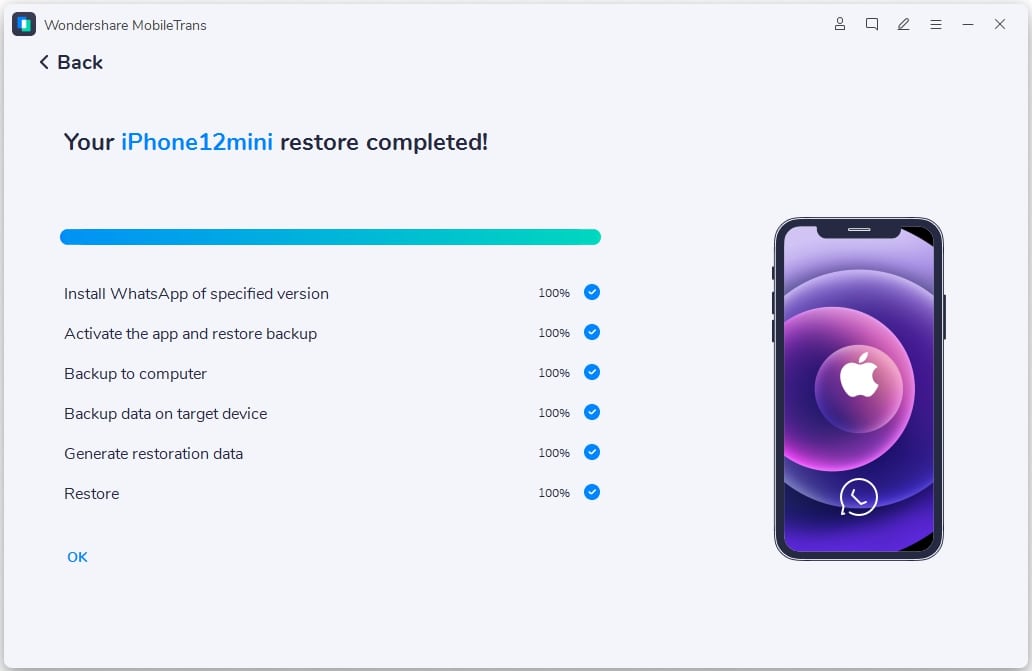
- Step 4. Monitor the data optimization and press Cancel when needed.
Part 6. Privacy First: How AI Protects Your Data During Cleanup
WhatsApp now tests a tool that lets users selectively delete chats, messages, and media while clearly showing the storage impact. So, once done with the WhatsApp media cleanup, know how AI can be the best option, unlike other ways, via the mentioned points:
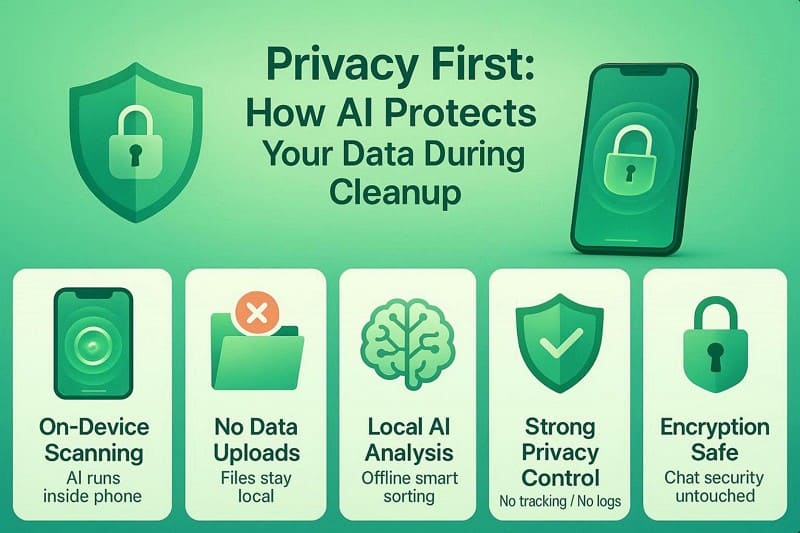
- On-Device Scanning: AI runs directly on your device when tools like MobileTrans are installed, requiring no active internet connection or cloud processing. Additionally, all WhatsApp data stays on your device during the analysis and clearing process.
- No Data Uploads: No photos, videos, or fuck files (Including Junk) are sent to external servers at any time. Instead, everything stays in local storage, preventing leaks, breaches, or unauthorized access.
- Local AI Analysis: AI also uses preinstalled models to detect duplicates and categorize files into separate tabs offline. Furthermore, it analyses patterns and metadata locally without learning from or sharing your data.
- Strong Privacy: App uses minimal permissions and does not track usage or store activity data. All actions stay private, and even developers cannot see your files or behavior.
- Encryption Safe: AI works after WhatsApp decrypts files already stored on your device. Thus, end-to-end encryption stays intact, and cleanup does not affect chat security.
Conclusion
To sum up, WhatsApp storage full is a common issue that many users face in 2026. By using an AI WhatsApp cleaner like MobileTrans, you can reduce storage usage while retaining complete control over what to keep or delete. Use such tools rather than manually deleting them, as they use smart WhatsApp media cleanup to identify junk while keeping your memories safe.






FAQs
-
Will using an AI cleanup tool affect my WhatsApp end-to-end encryption?
No, the cleanup tools happen on the physical media files already stored on your device's memory. Furthermore, since the process is local and offline, using tools like MobileTrans, the encryption protecting your active message stream remains intact. -
What happens if I accidentally delete a file through the AI categorization?
Most tools, such as MobileTrans, provide a preview screen that lets you confirm your selection before any permanent deletion. As a result, you maintain full control over the media and can easily uncheck any precious images or files that the AI accidentally grouped as junk. -
Does cleaning my storage with AI help speed up my Google Drive or iCloud backups?
Yes, by removing gigabytes of duplicates and memes, your total backup size becomes much smaller. Thus, your phone finishes its cloud sync much faster and uses less of your limited online storage plan.










