
 TL;DR:
You can monitor daily WhatsApp usage, online history, and hidden last-seen statuses by utilizing third-party tracker applications since the native app does not currently offer a built-in time-tracking feature.
● WeLastseen provides secure, encrypted usage charts and hidden last-seen detection for mobile and PC users, but it requires users to create an account and grant contact list permissions before tracking begins.
● TrackWapp is specifically designed for PC and macOS users needing CSV data exports and multiple contact tracking, functioning solely as a Google Chrome extension that requires an active WhatsApp Web login.
● Whats Tracker offers specialized features for Android devices like location tracking and profile visitor monitoring, but it comes with critical limitations including potential data security risks and misleading results.
Ask AI for a summary
 ChatGPT
 Perplexity
 Gemini
 Claude
 Grok
Grok
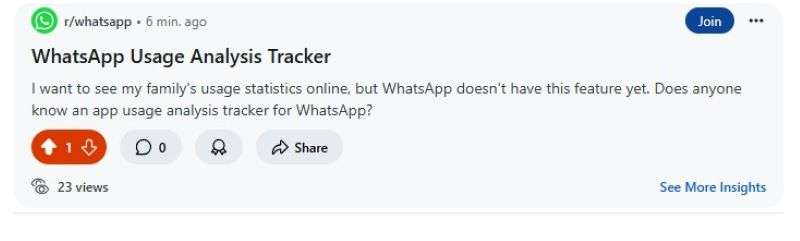
Have you ever tried to track how much time you spend on WhatsApp? Everyone should know how much time they spend online every day to make the best out of their daily schedules. App usage analysis trackers for WhatsApp APK are third-party tools that provide detailed insights into your WhatsApp online activity and usage timeline.
Do you want to know how to track your usage statistics on WhatsApp? Would you also like to see how much time your kids spend online on WhatsApp? If yes, then keep reading.
In this guide, you'll discover:
- The best app usage analysis tracker for WhatsApp
- How to monitor your WhatsApp timeline
- Easy ways to improve your WhatsApp usage.
Let's dive in.
In this article

Part 1: Can you Track WhatsApp Usage Statistics? Direct Answer
Yes, you can track WhatsApp usage statistics by using a usage analysis tracker app for WhatsApp. These apps allow you to monitor how much time you or someone else spends online on WhatsApp daily.
You can also get other usage statistics, such as your daily time log, last seen information, and the number of messages received in a chat.
You should know that the usage stats available to you depend on the type of usage analysis tracker app that you are using. A WhatsApp usage analysis tracker like the WeLastseen app even allows you to compare usage statistics from different users to understand chat patterns and track online availability fully.
Part 2: Top 3 App Usage Analysis Trackers for WhatsApp
Do you want to see how much time you spend online daily? Or you could wish to record the time points when one or more of your WhatsApp contacts go offline and online.
In this case, here are the top 3 app usage analysis trackers for WhatsApp in 2025:
1. WeLastseen App Usage Analysis Tracker
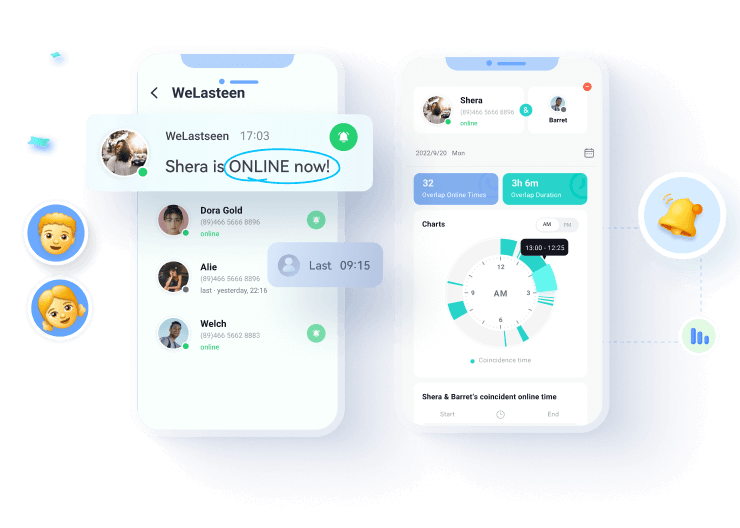
The WeLastseen app usage analysis tracker is a user-friendly online tracking tool that provides a chart summary of your WhatsApp usage and online activity. The app is linked to your WhatsApp account via a QR code, and it works on all mobile devices.
Advanced Features of the WeLastseen App
- Time Usage Analysis: The WeLastseen app can show you how much time you and your contacts spend online daily.
- Last Seen Checker: The app also shows you the real last seen for all WhatsApp contacts, including users who have hidden their last seen from you.
- Usage Chart: WeLastseen offers multiple forms of data representation, including charts, clocks, and graphs, so you can easily find the data you need quickly.
- Online Timeline Comparison: You can compare your online usage chart with other users on WhatsApp to see who uses WhatsApp the most.
- Instant Notifications: Receive instant online notifications when your favorite contacts are online on WhatsApp.
How to Monitor WhatsApp Usage via WeLastseen
Here is how to download the WeLastseen app usage analysis tracker for WhatsApp mod apk:




Step 1: Download WeLastseen
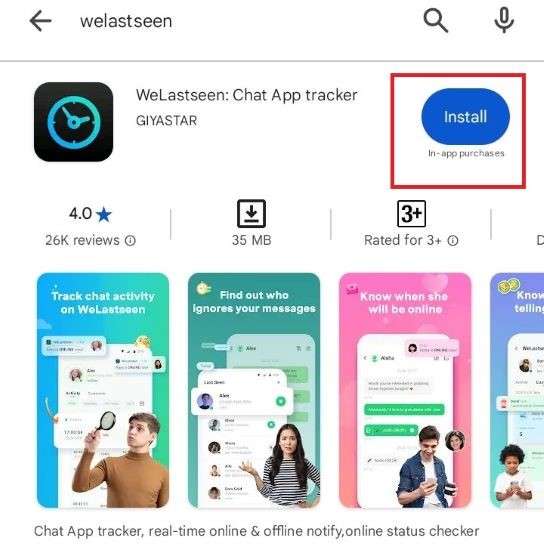
Go to the Google Play Store app on your Android phone and search for the "WeLastseen: Chat App Tracker". Then tap on Install.
Step 2: Add Target Contact
Tap on Add Contact > Allow to grant permission to the app to scan your WhatsApp contact list.
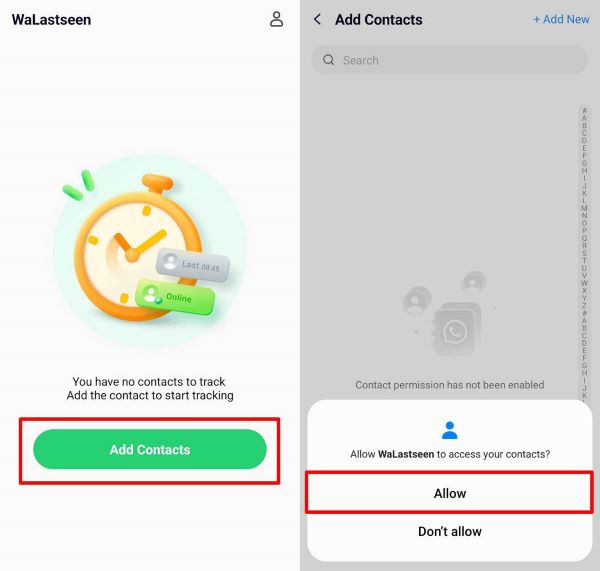
Tap on the Add button next to the contact you want to track, or add your number manually if you want to track yourself.
Step 3: Track WhatsApp Usage
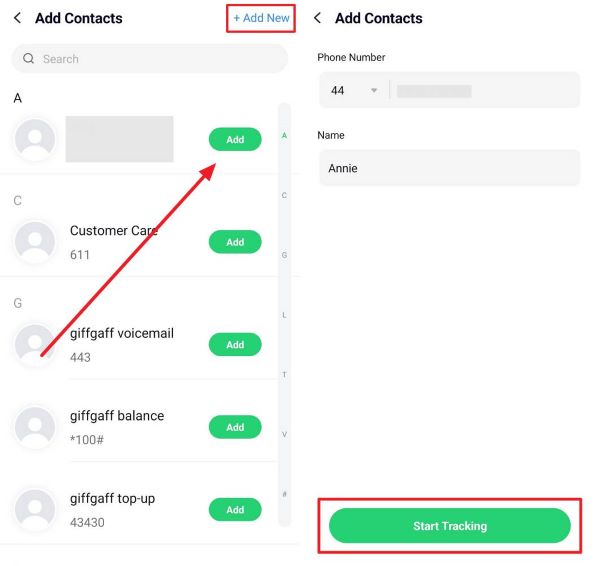
Tap on the Start Tracking icon at the bottom of your screen to track your WhatsApp usage timeline.
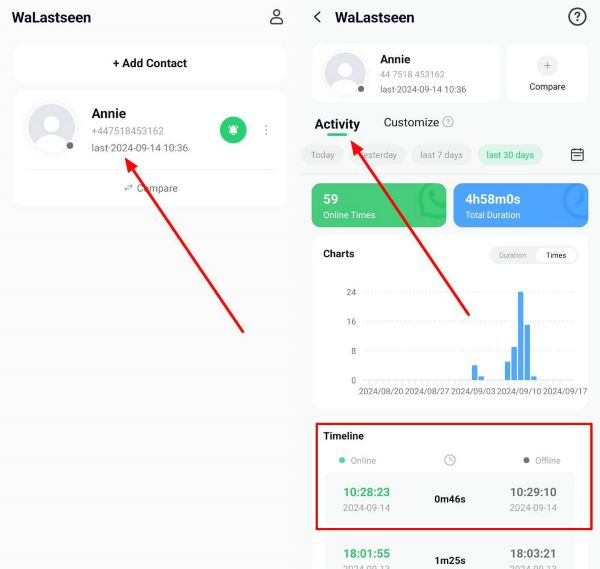
Within seconds, the WeLastseen app will display a chart analysis of the target contact's WhatsApp usage and online presence under the Activity tab.

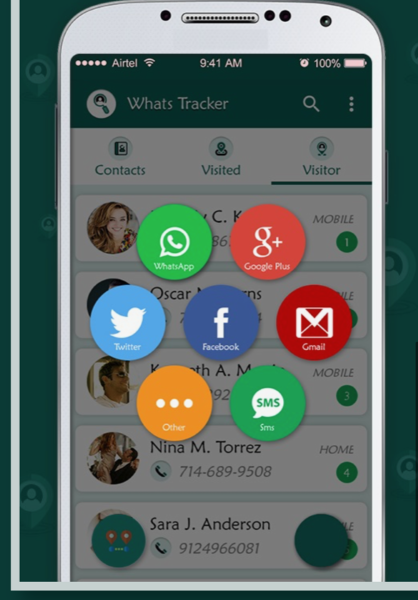
2. Whats Tracker Usage Monitor
The Whats Tracker app is another app usage analysis tracker for WhatsApp APK that you can use to monitor your online timeline and WhatsApp usage.
Advanced Features of Whats Tracker
- Location Tracker: Track WhatsApp location for any user and stay connected.
- Usage Analysis Tracker: Monitor how many hours you spend on WhatsApp every day.
- Check WhatsApp Profile Visits: See who has been spying on your WhatsApp profile.
How to Use Whats Tracker app usage analysis tracker for Android
- Visit the Whats Tracker download website to install the app on your phone.
- Link your WhatsApp account to the app and tap on Contacts.
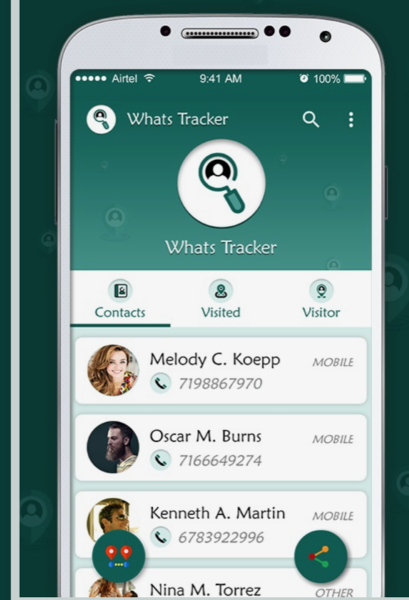
- Follow the onscreen instructions to check your WhatsApp usage and export your findings via any of your social media platforms.
3. TrackWapp Online Tracker (Chrome Extension)
The TrackWapp usage analysis tracker for WhatsApp is designed for PC and tablet users who want to analyze their WhatsApp usage and online history. If you wish to gain insights into your WhatsApp timeline from your computer, follow this guide:
How to Track WhatsApp Usage via TrackWapp
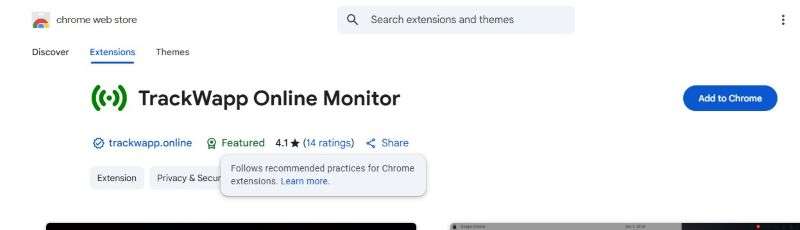
- Launch the Google Chrome browser on your laptop and visit the Chrome Web Store.
- Search for the “TrackWapp Usage Analysis” Chrome extension and tap on Add to Chrome.
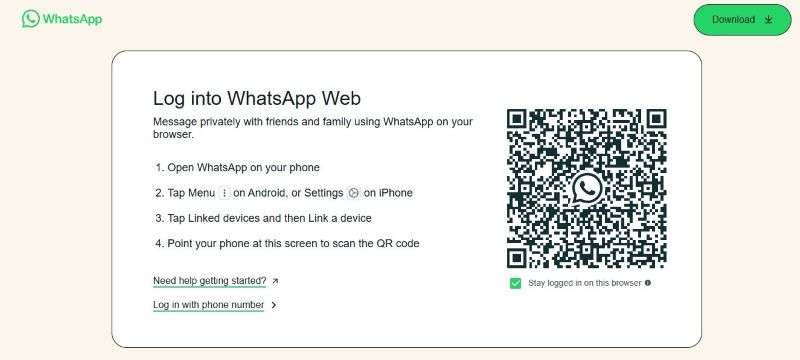
- Sign in to WhatsApp Web on your computer by scanning the QR code on the screen.
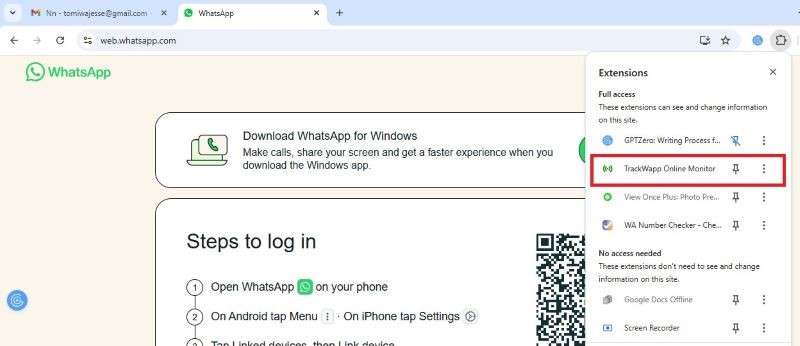
- Tap on Extensions at the top-right corner of your Google Chrome window and select TrackWapp.
- Follow the onscreen instructions to track your WhatsApp usage and online presence on your PC.
Advanced Features of TrackWapp
- Online History: Check your online history to see how often you use WhatsApp and download your results in CSV format.
- Sound Alert: Receive instant sound notifications when someone comes online on WhatsApp.
- Track Multiple Contacts at Once: You can now track the usage timeline and online activities of multiple WhatsApp accounts simultaneously.
Now that you are familiar with the download and usage guide for the top 3 app usage analysis trackers for WhatsApp, let's check out pro tips to improve your WhatsApp usage and online presence.
Part 3: Tips to Improve WhatsApp Usage
Here are pro tips to make the best out of your WhatsApp usage:
- Use the custom time tracker feature on the WeLastseen app to monitor your daily routine and online schedule.
- Set time limits for WhatsApp usage via the clock or alarm app on your phone.
- Set a screen time limit for WhatsApp via settings. Your device will automatically close WhatsApp once the set time has expired.
- Pause or uninstall WhatsApp to control your usage.
- Turn off Lock Screen Notifications for WhatsApp, so you don't get distracted by new or incoming notifications.
- Disable auto downloads for WhatsApp.
- Turn on DND mode on your iPhone, so new WhatsApp notifications are blocked.
Final Words - What's the Safest Way to Track WhatsApp Usage Analysis?
Is it okay to download the app usage analysis tracker for WhatsApp APK?
You can download and use app usage analysis trackers for WhatsApp. These apps help you uncover the data hiding in your WhatsApp usage history. With WhatsApp usage analysis tracking apps, you can now understand your chatting patterns and online behavior better.
You can also monitor your app usage on WhatsApp to ensure you are making the best out of the app without violating its community guidelines. Finally, remember to use WeLastseen to monitor WhatsApp usage. The app is user-friendly, effective, and secure.
FAQ
-
Is it okay to check someone's usage analysis on WhatsApp?
Yes, you can use app usage analysis trackers for WhatsApp to check someone else's usage on the app as long as you don't misuse the information provided.As a parent or guardian, you can use these apps to monitor the online presence of your child, spouse, or ward, but remember to respect other users' privacy and security. -
Can you track the time spent on WhatsApp on the app?
No, you can't track time spent on WhatsApp via the app because there isn't a feature for this yet. The best way to check how much time you spend online daily is to use a WhatsApp usage analysis tracker app.You can also track time spent on WhatsApp manually by using the clock or screen time feature on your phone. -
How much time should you spend on WhatsApp daily?
This depends on your daily schedule and online routine. On average, you should spend between 2 and 4 hours on WhatsApp daily.There isn't a consensus about how much time you should spend on WhatsApp as long as you can achieve your daily goals. If you are an entrepreneur who uses WhatsApp Business, you can spend more time online.