

 TL;DR:
You can investigate potential WhatsApp infidelity by manually checking her device for hidden chats and linked sessions, or by using a tracking app like WeLastseen to secretly monitor her online activity timestamps.
● You can link her WhatsApp account to your own phone using the "Link as Companion Device" feature (which supports up to 4 devices), provided her phone remains active and logged in every 14 days to maintain the connection.
● Manually inspect her device for Disappearing Messages (which automatically delete conversations after 24 hours, 7 days, or 90 days) and check the Archived Chats folder located at the top of the main screen where hidden chats are stored without triggering standard notifications.
● The WeLastseen tracking app bypasses hidden privacy settings to provide real-time online/offline notifications, but it requires purchasing a plan and only records activity timestamps without accessing the actual message content.
Ask AI for a summary
 ChatGPT
 Perplexity
 Gemini
 Claude
 Grok

Worried that your wife might be hiding something on WhatsApp? Changes in phone habits can raise questions, but they do not necessarily mean someone is cheating. WhatsApp also offers privacy features that many people use for ordinary reasons.
In this guide, we'll walk you through what WhatsApp activity and privacy settings can actually tell you, which signs can be misleading, and how to discuss concerns without jumping to conclusions.
In this article

Part 1: Understanding WhatsApp Privacy Features
WhatsApp includes privacy features such as disappearing messages, archived chats, and last seen controls. These tools are useful for many everyday reasons. None of them can tell you on its own whether someone is cheating.
- Encrypted Messages: WhatsApp protects personal conversations with end-to-end encryption. This is a standard privacy feature, not a sign of dishonesty.
- Disappearing Messages: Messages can disappear after a chosen period. People may use this to reduce clutter or manage privacy; it does not prove they are hiding an affair.
- Last Seen and Online Status: Users can control who sees when they are online. A hidden status does not show who they are talking to or why they changed their settings.
- Archived Chats: Archiving moves a conversation out of the main chat list without deleting it. It is commonly used to organize messages.
- Privacy Settings: People can limit profile photo visibility, last seen, and other details. These settings protect personal boundaries and do not indicate infidelity.
Part 2: 5 Things to Know About WhatsApp Activity and Privacy
If WhatsApp activity is making you uneasy, understanding these features can help you avoid misreading normal behavior. Review another person’s private account, chats, or photos only with their clear permission.
1. Understand WhatsApp Linked Devices
WhatsApp Linked Devices lets account owners use their own WhatsApp account on additional devices. It is not a way to secretly read a partner’s messages. If you both agree to review linked devices together, use the account owner’s phone and follow the steps below.
For Android
Step 1. With the account owner present and consenting, open WhatsApp on their Android phone, then go to the menu and select "Linked Devices."

Step 2. If the owner wants to link a companion device, select "Link a Device" and scan the companion device’s QR code. The owner should check and manage connected devices afterward.

For iPhone
Step 1. With permission, open WhatsApp on the account owner’s iPhone, go to Settings, then choose "Linked Devices."

Step 2. If the owner agrees to connect another device, tap "Link a Device" and scan the QR code displayed on that device.

For Web
For WhatsApp Web: Open WhatsApp Web on the computer, then ask the account owner to link it from their phone. Linked devices can be reviewed and removed in WhatsApp settings.

2. Understand Disappearing Messages
Disappearing messages are designed to remove messages after a set time, such as 24 hours, 7 days, or 90 days. Using this feature is not evidence of cheating. If your partner wants to show you how it works, the default timer can be found in WhatsApp Privacy settings.
On Android: With the account owner’s consent, open WhatsApp, go to Settings > Privacy, and look for "Default Message Timer."

On iPhone: With consent, open WhatsApp Settings > Privacy and review the disappearing-message options. The setting alone does not reveal a person’s intentions.

3. Understand Archived Chats
Archived chats are moved out of the main chat list, but they are not deleted. People often archive conversations to keep their inbox organized. If you have questions about an archived chat, discuss them openly rather than accessing someone else’s conversations without permission.

4. Talk About Unfamiliar Contacts
An unfamiliar name in a contact list does not prove infidelity. People save work contacts, acquaintances, and new friends for many reasons. If a particular relationship concerns you, talk about it directly and respectfully instead of searching someone’s contacts in secret.

5. Discuss Shared Photos and Media
Photos and videos are not always saved automatically from WhatsApp; behavior depends on device and app settings. A picture in a gallery also does not explain the context in which it was received. If you want clarity about shared media, ask your partner to discuss it with you rather than checking their gallery without consent.

Part 3: What Can WhatsApp Online Activity Tell You?
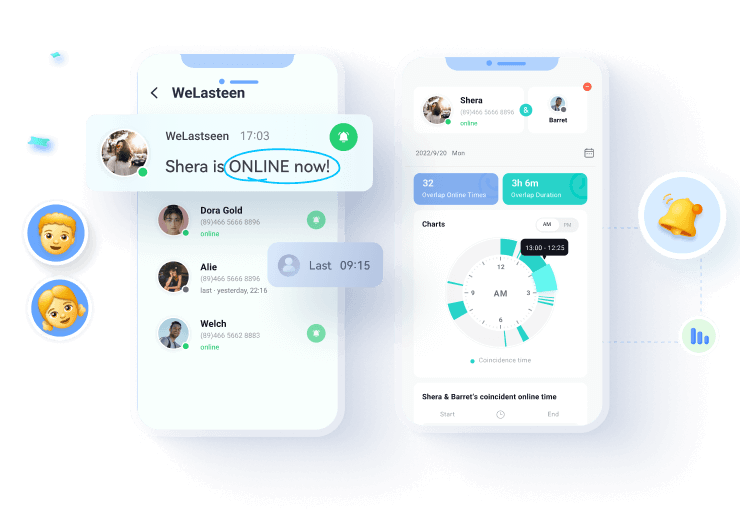
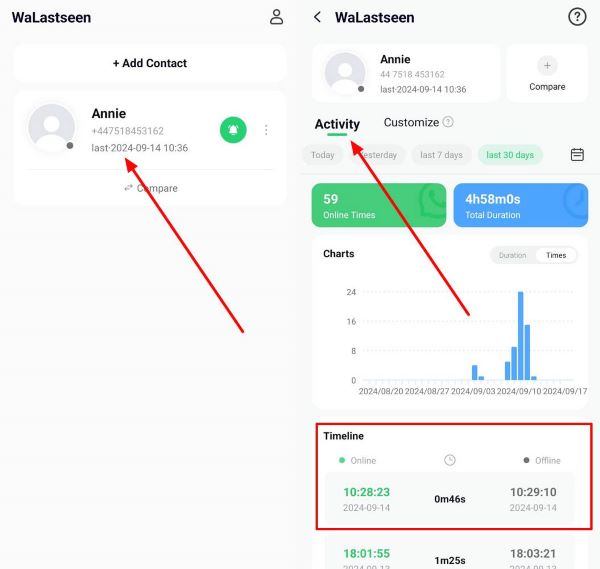
WhatsApp online activity can show when an account appears active, but not who the person is messaging or what they are saying. WeLastseen offers activity timelines and alerts for supported setups. These patterns cannot confirm whether a partner is cheating; respect other people’s privacy when using tracking tools.


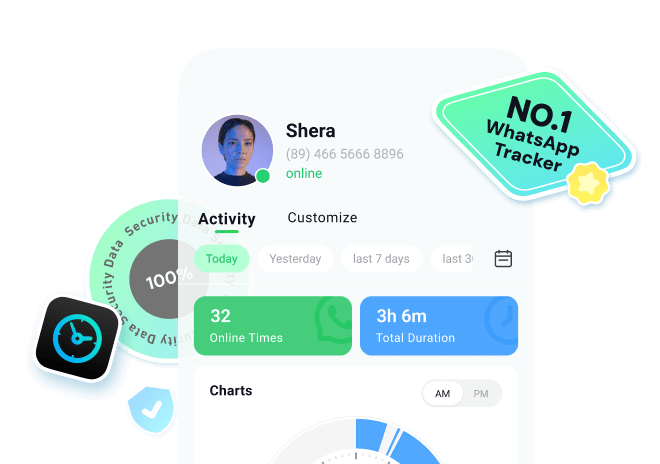



Depending on the available features and setup, WeLastseen can show online and offline activity and send alerts. An activity record does not reveal message content, prove a conversation between two people, or establish why someone was online.
Key Features
- Compare Contact: You can compare someone's activity with your wife's using the WeLastseen app.
- Tag Specific Times: It even enables you to track activity for specific hours, such as late at night or in the afternoon, to see if your wife is online or not.
- History Logs: WeLastseen provides a comprehensive history of your wife's WhatsApp activity, including the duration and frequency of her online sessions.
Guide to Catch a Cheating Wife on WhatsApp by Monitoring Her Activity


Here is how the WeLastseen activity interface works for supported accounts. Use monitoring features transparently and with appropriate permission.
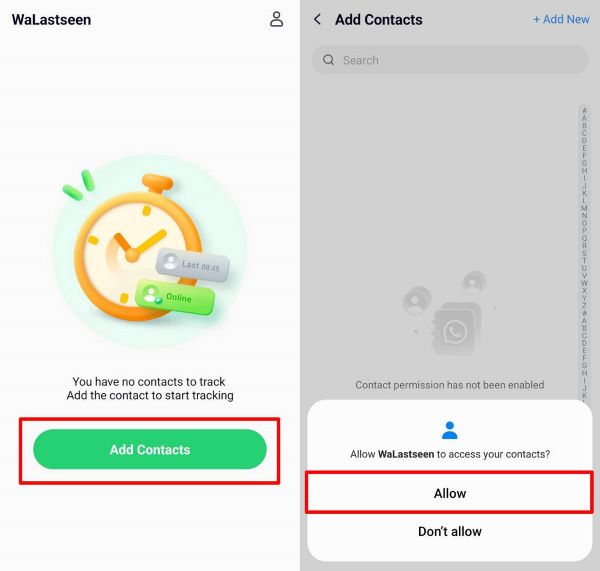
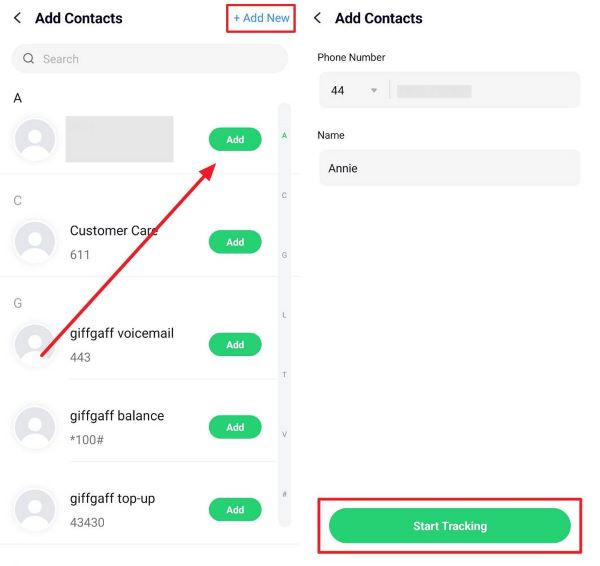
Step 1. Access WeLastseen to Track Your Wife's Activity
Open WeLastseen and select "Add Contacts." If prompted, review the permission request before granting access to contacts.
Step 2. Add Your Wife's Number to Start Tracking
Add a contact whose activity you are authorized to review. Follow the on-screen setup steps, noting that availability and results can vary.
Step 3. Check and Monitor Your Wife's WhatsApp Activity
If a plan is required, review its features and pricing before choosing it. Open the Activity section to see the available timeline. It cannot show the content or recipient of messages.
Part 4: Changes in Behavior and What They May Mean
Changes in communication, schedules, or phone habits can leave you feeling uncertain. These changes may also be related to work, stress, or personal boundaries. None is proof of infidelity by itself.
- Emotional Distance: Feeling less connected can be difficult, but stress or other changes may explain it. Ask how your partner is feeling.
- Phone Privacy: Protecting a phone or choosing private settings is a normal personal boundary and does not prove a secret relationship.
- Schedule Changes: Late arrivals or a different routine can have many explanations. Discuss practical concerns without making assumptions.
- Appearance Changes: New clothes or a different style are personal choices, not reliable indicators of infidelity.
- Defensive Reactions: Someone may feel defensive for many reasons, including feeling accused. Focus on a respectful conversation rather than treating their reaction as proof.

Conclusion
If you are worried about cheating on WhatsApp, start by understanding what the app’s privacy and activity features actually show. Disappearing messages, archived chats, and online status do not prove infidelity.
WeLastseen can help review available activity patterns, but it cannot reveal message content or confirm someone’s intentions. When trust is an issue, a direct conversation is more useful than interpreting online activity alone.
FAQs
-
Can WeLastseen access message content?
No. WeLastseen does not show WhatsApp message content or who someone is talking to. It may display available online and offline activity patterns, depending on the setup. -
What should I do if I suspect infidelity?
Start by identifying what concerns you and talk openly with your partner. Do not treat online activity, archived chats, or changes in phone habits as proof. If trust remains difficult, consider discussing boundaries or seeking relationship counseling. -
Do I get notifications for archived chats?
By default, archived chats may stay archived when new messages arrive. If Keep Chats Archived is turned off, a chat may return to the main list after a new message. Notification behavior depends on your settings.

He Sent a View Once Message to Another Girl on Valentine's Day

Creative WhatsApp AI-Generated Backgrounds for Chats and Calls