
 TL;DR:
You can verify a WhatsApp account without sharing your real phone number by acquiring a cloud-based virtual number from third-party services that route verification codes and messages through dedicated mobile apps or desktop browsers.
● Talkatone offers the only free, ad-supported numbers restricted to the US and Canada, whereas KrispCall ($15/month) and Grasshopper ($18/month) suit international or toll-free needs, and MightyCall or VirtualPBX are best for business teams requiring CRM or AWS integrations.
● Virtual numbers do not use physical SIM cards and strictly require a stable internet connection to function; furthermore, you do not permanently own the number, as platforms will revoke it if your paid subscription lapses or if you remain inactive on a free plan.
● For users looking to monitor WhatsApp activity, the WeLastseen tracking app can bypass hidden "last seen" statuses and compare contact habits, provided you manually input the target's exact country code and upgrade to a paid subscription after the 3-day free trial expires.
Ask AI for a summary
 ChatGPT
 Perplexity
 Gemini
 Claude
 Grok
Grok

Many want to use messaging apps without sharing their numbers to protect their privacy. This could be for reasons like keeping their number private when connecting with new people or using the app temporarily. Yet, these apps require a phone number for verification, which is a serious issue when creating accounts.
This problem is resolved by many online services that provide a virtual phone to verify and access new accounts. Thus, this article will explain how to get a virtual WhatsApp number using various platforms and services. In addition to that, you will learn about a professional activity tracker that keeps you informed about your contacts' online appearances.
In this article

Part 1. What Is a WhatsApp Virtual Number?
These virtual phone numbers are not tied to a physical card or device. Instead, they are hosted online and can be accessed through websites without any obligations. Like regular SIM cards, these numbers can receive calls and help verify accounts on messaging apps without revealing personal details.
Additionally, since these numbers can be from various countries, they give flexibility in choosing one that suits your needs.
Part 2. Why Should You Use a Virtual WhatsApp Number?
As said above, these numbers can serve various purposes besides verifying your accounts on messaging apps. Before learning how to create a virtual number for WhatsApp, make sure to understand the reasons to do so below:
- Privacy Protection: You can use such phone numbers to hide your number. This reduces the risk of unwanted contacts or spam messages and maintains your privacy online.
- Separate Communications: A virtual number allows you to separate different aspects of your life. Hence, you can use one number for personal contacts and another for other activities.
- International Accessibility: Since these numbers can be from different countries, they are helpful if you need to communicate with people in other regions. Using one such number can also help access services requiring a local number in a different country.
- Cost-Effective: Many such services are affordable, which makes them accessible to a wide range of users. Unlike physical SIMs, you can get the benefits without a significant investment.
- Easy Setup and Use: These numbers are straightforward, as most services provide clear instructions. Therefore, you can start using your new virtual number quickly and easily.
Part 3. How to Get a Virtual WhatsApp Number
Now that the above section clarifies the reasons for using such phone numbers let's see where you can get them. Thus, learn how to get a WhatsApp virtual number by using the following platforms:
1. KrispCall
KrispCall offers virtual phone numbers from various countries and allows you to choose a number that suits your needs. A standout feature is its ability to get multiple virtual numbers, which can be helpful if you need to manage different online presences. It also provides a dedicated app for easily receiving messages and verification codes from your virtual number.
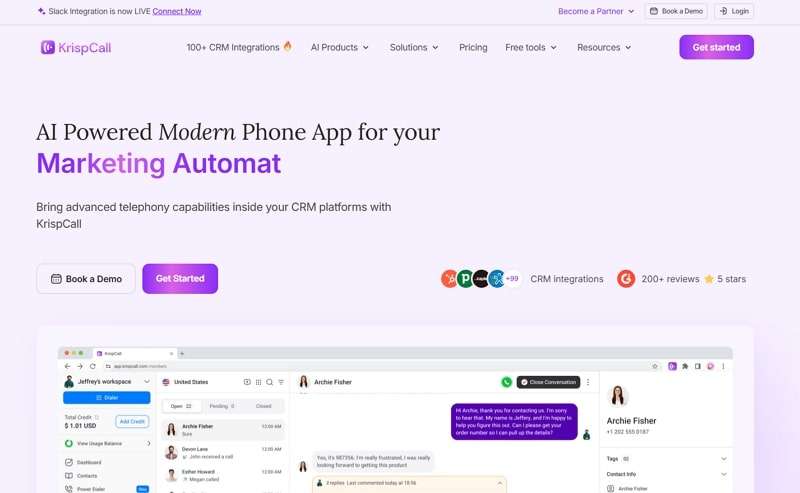
- The platform has a Unified CallBox where you can access the history of your calls and other messages.
- This platform provides access to a phone number that allows you to make calls in over 100 countries.
- Users can port their existing number into this service and receive enhanced analytics features that work in over 25 countries.
- Essential: $15/month
- Standard: $40/month
2. Grasshopper
The platform is known for providing virtual phone numbers with features like call forwarding and voicemail. These features can be helpful even if you primarily use the number for messaging app verification. A unique aspect is that it allows you to choose a toll-free number, which provides a more professional appearance. Its mobile app makes it easy to manage and learn how to make a virtual number for WhatsApp.
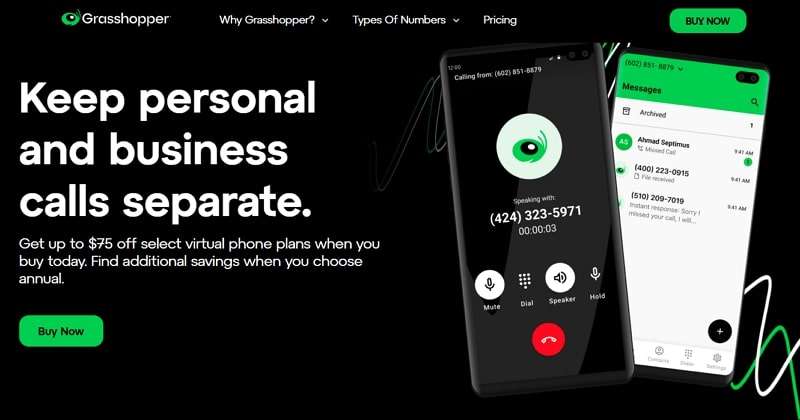
- The platform’s advanced AI automatically creates transcripts of your voicemails and saves them in the cloud.
- Grasshopper’s Instant Response feature enables users to set up custom messages that display when another person calls.
- The app allows Simultaneous Call Handling to take calls from multiple people to avoid giving a busy signal.
- True Solo: $18/month
- Solo Plus: $32/month
- Small Business: $70/month
3. MightyCall
MightyCall provides phone numbers focusing on team collaboration features, which can be helpful for individual use if you need to share access with someone else. A key feature is its integration with other communication channels, like HubSpot and Zoho, allowing you to manage different types of communication in one place. Additionally, the sales team is very helpful in guiding you through creating a virtual WhatsApp number.

- It supports sending MMS messages, including media files and other documents, for richer communication.
- This app displays caller information to help distinguish between personal and business incoming phone calls.
- MightyCall automatically checks numbers against DNC lists for regulatory compliance and protection from fines.
- Core: $20/month
- Pro: $30/month
- Power: $40/month
4. Talkatone
Talkatone offers free virtual phone numbers for calling and texting within the United States and Canada. The platform runs without any service fee but uses ads to generate revenue. Additionally, there is no roaming fee outside the USA on Wi-Fi calls. You can also learn how to get a virtual WhatsApp number using Talkatone to enjoy free texting to any U.S. phone number.
- All communication within the app utilizes Wi-Fi or data, not traditional cellular plan minutes.
- The application is available for iOS and Android devices to manage your virtual phone number.
- The voicemail feature stores messages your contacts receive when you're unavailable.
- Burn Phone Number: $0.99
- Talkatone Plus: $3.99
- 60 Talkatone Credits: $0.99
- Remove Ads: $2.99
- International Calls: $14.99
5. VirtualPBX
Although VirtualPBX offers business virtual phone numbers, individuals can also use them for app verification. The platform can be integrated with programs like Teams and AWS to tailor the virtual number to specific needs further. The platform works within browsers, ensuring complete data control and protection. Consequently, you can confidently reach out to their team to learn how to create a virtual number for WhatsApp.

- The tool offers a modern alternative to outdated and costly AirDial POTS Replacement.
- You also get access to resources and information on effective bulk SMS strategies for businesses.
- VirtualPBX also provides real-time monitoring and insights for call center performance management.
- Starter: $11/month
- Pro: $21/month
- Ultra: $35/month
Pro Tip. Keep Your Loved Ones Safe by Monitoring WhatsApp Use
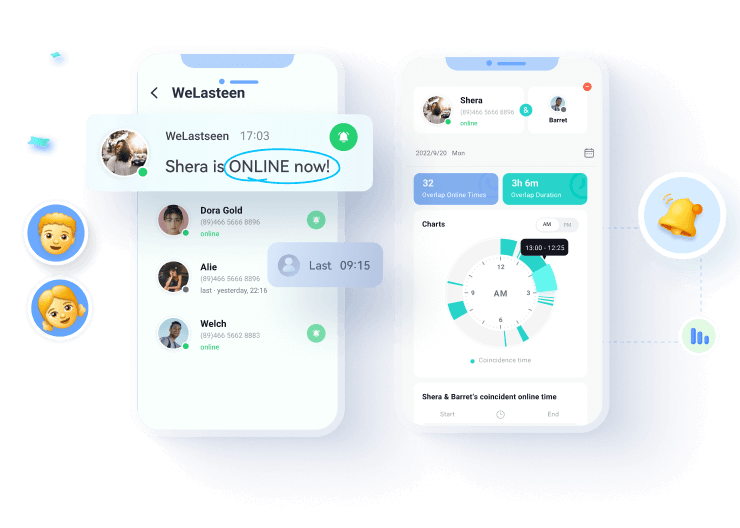
Many people want to monitor their loved ones' online activity after learning how to create a virtual WhatsApp number. This includes parents checking their kids' WhatsApp habits or partners staying aware of each other's online patterns. Plus, many people hide their last seen or online status, which creates doubt in relationships. We recommend using the WeLastseen tracking app to view activity even when someone hides their status.
This dedicated app lets you add multiple accounts, which is helpful for families with more than one child. If your child is supposed to be asleep, use the Tag feature to track usage during those hours. Moreover, the app gives you instant notifications whenever your monitored person comes online or goes offline to keep you informed.


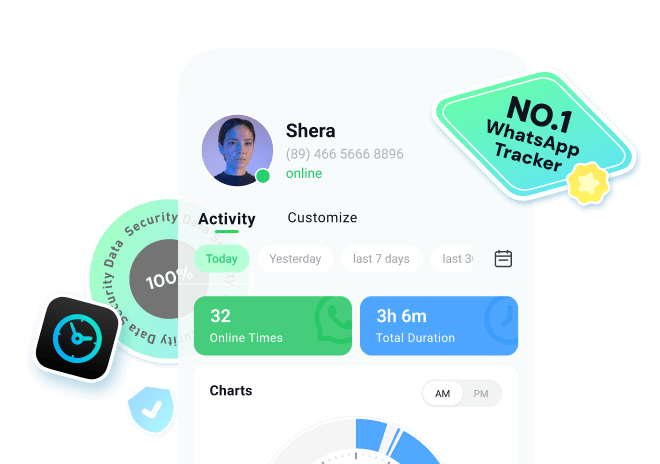



- Compare Activity: You can compare the online times of two contacts, which helps analyze mutual online activity patterns.
- Detailed Report: This report lets you view historical data and online usage from past days or weeks to notice behavioral trends.
- Status Bypass: The app can track someone’s WhatsApp usage even if they’ve turned off their last seen or online visibility settings in the app.
Follow the comprehensive steps below to learn how you can track your loved one’s activity with the help of this app:
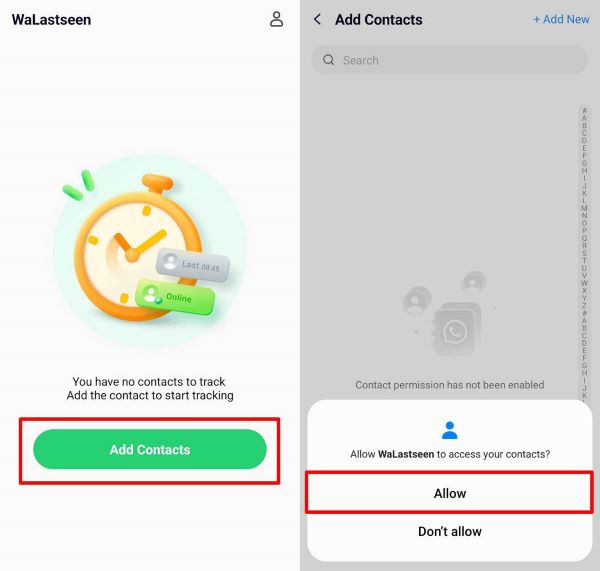
Step 1. Open WeLastseen to Monitor Your Loved Ones


After installing this app on your phone, launch it and hit the "Add Contacts" button. Next, select the "Allow" option to allow the app to be monitored.
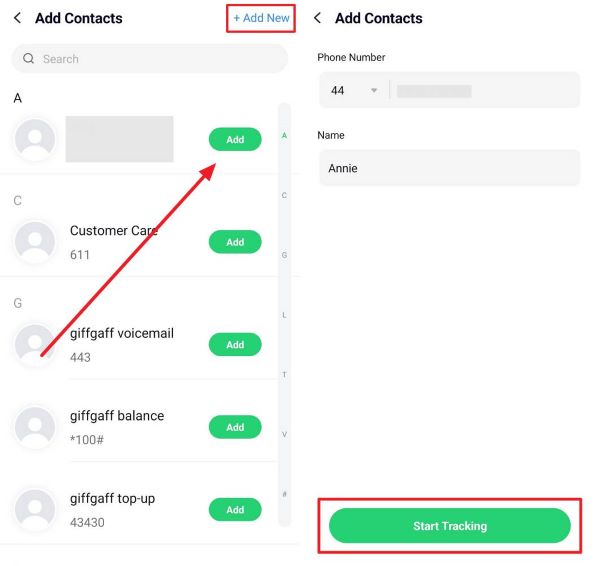
Step 2. Add the Loved Ones for WhatsApp Monitoring
When you access all your contacts in the app, click the "Add" button next to the person you want to monitor. Afterward, add the person's "Country Code" and "Name" and hit the "Start Tracking" button.
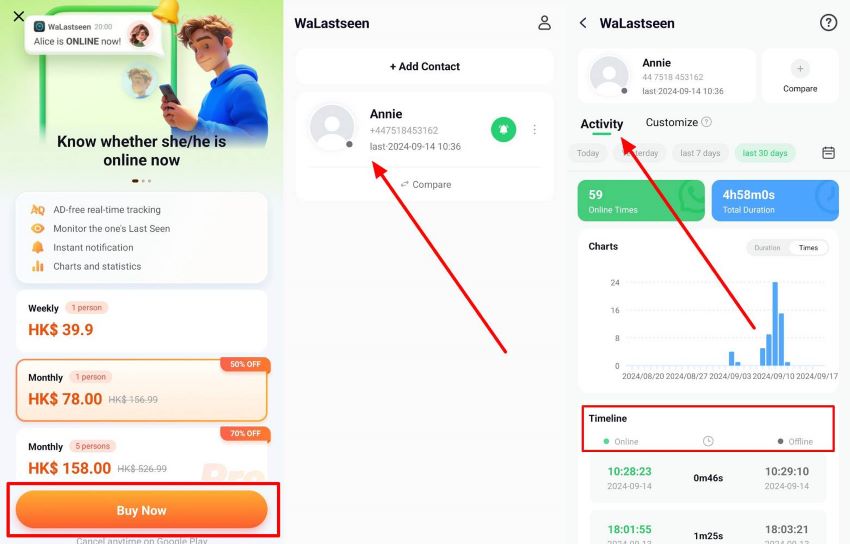
Step 3. Check the Online and Offline Time of Your Loved Ones
After that, you must purchase the preferred subscription plan and press the "Buy Now" button. After that, the app starts monitoring your added person's WhatsApp activity. To check this, access the individual's profile and go to the "Activity" tab to view all the online and offline timings.
Conclusion
To conclude, people who want to learn how to get a virtual WhatsApp number can use platforms like KrispCall and Talkatone to access their services. These platforms provide virtual dialing numbers, allowing users to receive messages and send multimedia without cost. In addition to these platforms, the guide discussed how WeLastseen helps users ensure their loved ones’ safety by tracking their online activity.
FAQ
Q1. Can I use a virtual number permanently?
A virtual number can be used as long as your subscription or free plan remains active. Although some platforms may require regular usage to keep the number assigned to you, they may remove it if you stay inactive for a long time.Q2. Will a virtual number work on all phones?
Since such numbers are not tied to physical SIM cards, they work through smartphone apps or desktops. As long as the device supports the required app, you can use the number across different models and brands without limitations.Q3. Do I need an internet connection to use a virtual number?
Most number services operate through online apps or platforms, so they need internet access to send or receive messages. Features like texting or calling may not function without a connection, so maintain a proper internet connection.