

 TL;DR:
To bypass WhatsApp's native screenshot restrictions and save View Once photos, you must photograph your screen with a secondary device or extract the files using third-party software like MobileTrans or GBWhatsApp.
● Capturing the media with another phone camera is the safest workaround but compromises image quality, whereas the MobileTrans View-Once Recovery module links directly to your account to export the media in full resolution.
● Installing the modified GBWhatsApp app provides an Anti-View Once setting that automatically saves disappearing media to your gallery, but this method carries severe risks of security vulnerabilities and potential account bans.
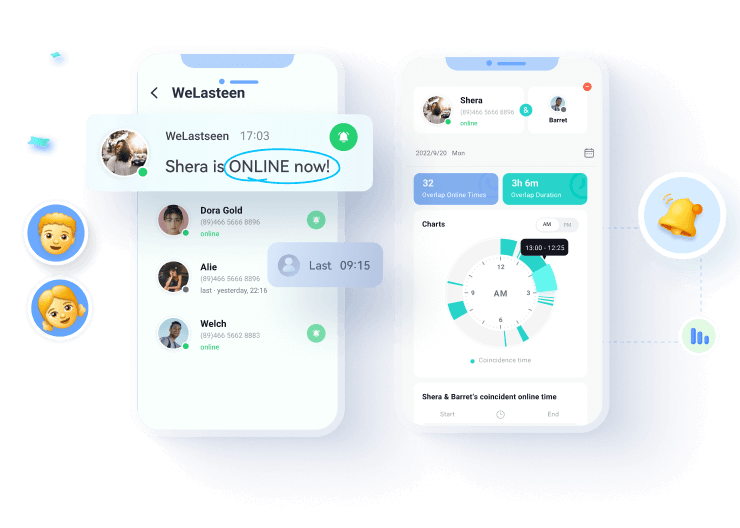
● If you also need to monitor hidden online activity, the WeLastseen tool tracks real-time availability and daily usage logs, though its mobile application is restricted strictly to Android devices.
Ask AI for a summary
 ChatGPT
 Perplexity
 Gemini
 Claude
 Grok
Grok

WhatsApp’s View Once feature enhances privacy by allowing users to send images and videos that disappear after viewing. However, there are times when users may need to save these images for future reference that they don’t want to lose. Since WhatsApp does not provide a built-in method to save your View Once images, users often look for alternative ways.
Understanding how to save a View Once photo on WhatsApp can be beneficial in preserving essential information or avoiding requesting the sender to resend the media. While keeping such images may raise ethical concerns, it can be helpful with consent. This article explores different ways to save View Once images and keep track of loved ones through third-party tools.
In this article

Part 1. Why You Need to Save View Once Photos on WhatsApp?
To start this article, here is a list of reasons why you need to learn how to save a View Once photo on WhatsApp:
- Preserving Important Information: The View Once images sometimes contain critical details like addresses or passwords. Losing access to them can cause inconvenience if they were sent for reference purposes.
- Save Sentimental Memories: Users may receive cherished photos from loved ones they want to hold onto. Since these images disappear after viewing, saving them ensures they can be revisited later.
- Avoiding the Need to Ask Again: Retrieving the content may become impossible when the sender deletes the original image or is unavailable. Keeping a copy prevents the hassle of requesting the sender to resend it.
- Security and Documentation: Some images prove transactions, agreements, or other essential records. How to save Once View Photos in WhatsApp can provide the necessary evidence.
- Easier Sharing with Others: A View Once media might need to be shared with someone other than the original recipient. Saving the photo allows you to forward it without asking the sender to resend it.
Part 2. How to Save View Once Photo on WhatsApp | 3 Methods
To add to the above discussion, let us look into the top 3 methods for saving the View Once media shared with you.
Method 1. Best Way to Save WhatsApp View-Once Photos
Although WhatsApp doesn't send notifications when a one-time image is screenshotted, using basic tricks may lower the image quality. A more reliable way to store these files is by using MobileTrans. Its View-Once Recovery feature allows users to directly download view-once messages like images, videos, or audio. Simply link your WhatsApp account, pick the sender’s profile, and download the content in full resolution without hassle.
Guide: How to Save View-Once Photos on WhatsApp
Even though WhatsApp doesn’t notify users about screenshots, quality loss is a common issue. To avoid this, you can use MobileTrans View Once Recovery. Here's how:
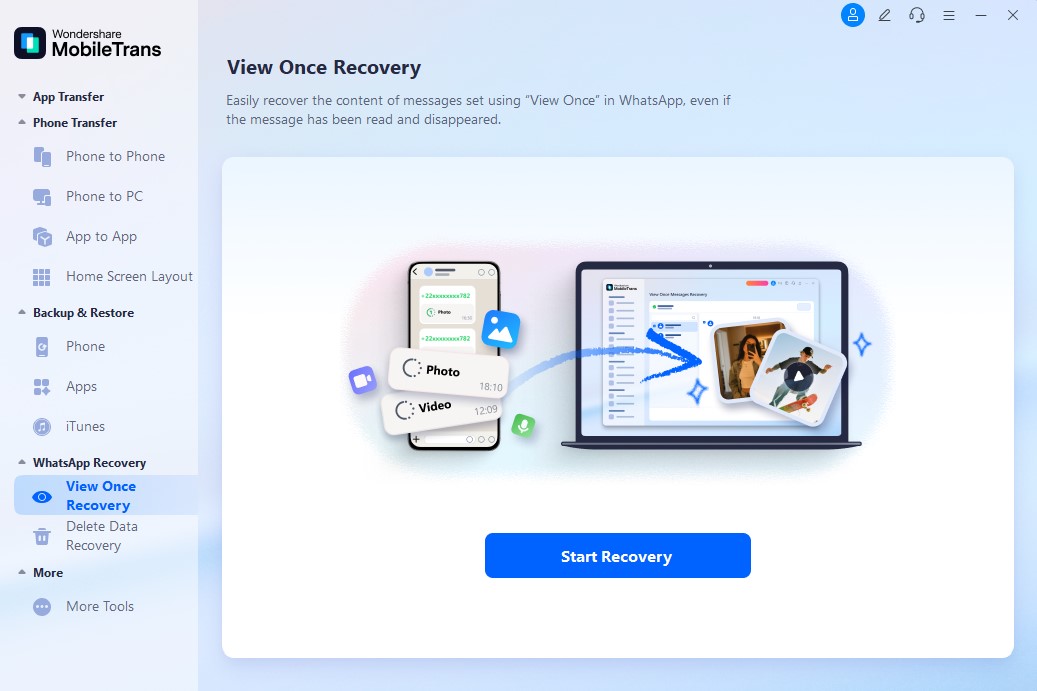
Step 1: Access the View Once Recovery Module
Launch MobileTrans and go to WhatsApp Recovery > View Once Recovery. Click Start Recovery and follow prompts to connect your WhatsApp.
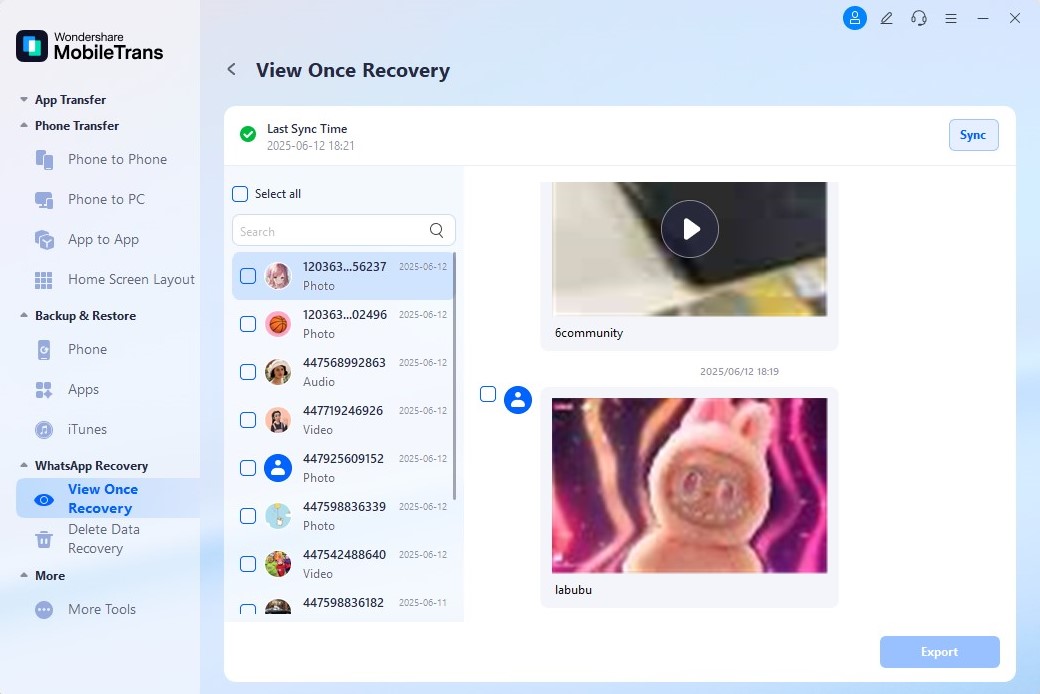
Step 2: Initiate View Once Recovery Process
Open the view-once message, select the file, and hit Export to save it in high quality.




Method 2. Use Another Device
One of the simplest methods to be aware of when learning how to save View Once photos on WhatsApp is to use another device to capture them. You can capture the one-time image you receive by photographing the screen on another mobile device. This method ensures that the image is saved without modifying WhatsApp settings or using third-party apps.
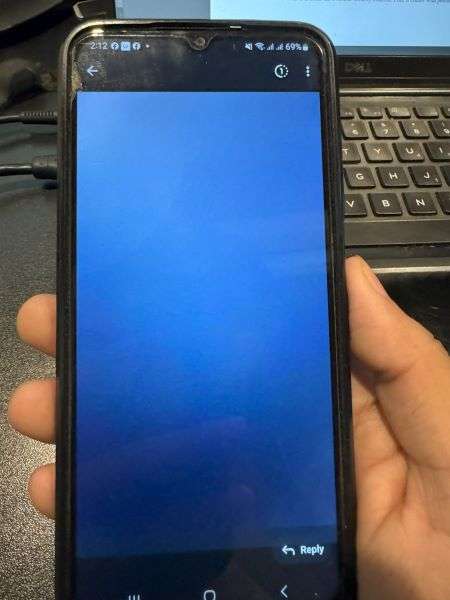
It generally works well for users who want a quick way to save important pictures. However, the quality of the saved image depends on the camera and the lighting conditions. If the image contains sensitive details, store it securely to prevent unauthorized access.
Method 3. Download GB WhatsApp (Risky One)
Another method on how to save WhatsApp View Once photo is by downloading WhatsApp GB. This modified version of WhatsApp allows users to view and save the View Once photos without any limitations. However, this third-party application carries risks, such as security vulnerabilities and potential account bans. With the help of the steps below, you get to bypass the restrictions of an official WhatsApp app:
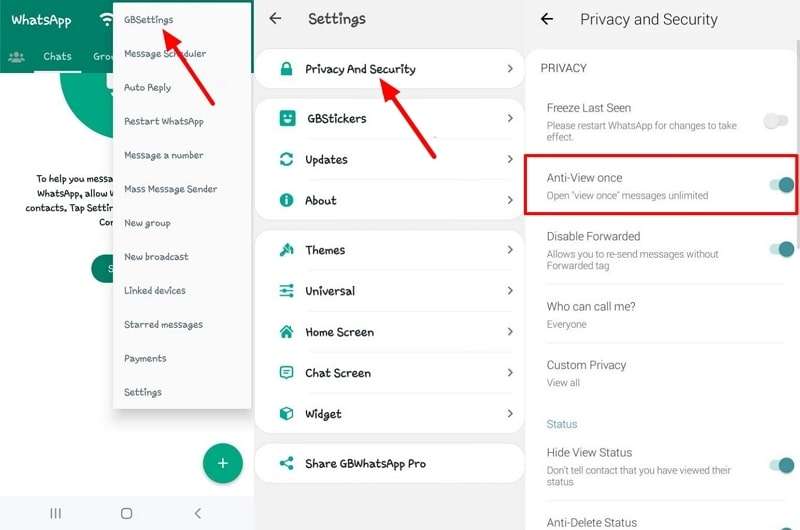
Step 1. Initiate the procedure by downloading GBWhatsApp to your mobile device and accessing the main interface. Tap the "Vertical Three-Dots" and choose the "GBSettings" option. Within settings, tap "Privacy and Security" and turn on the toggle for the "Anti-View Once" option.
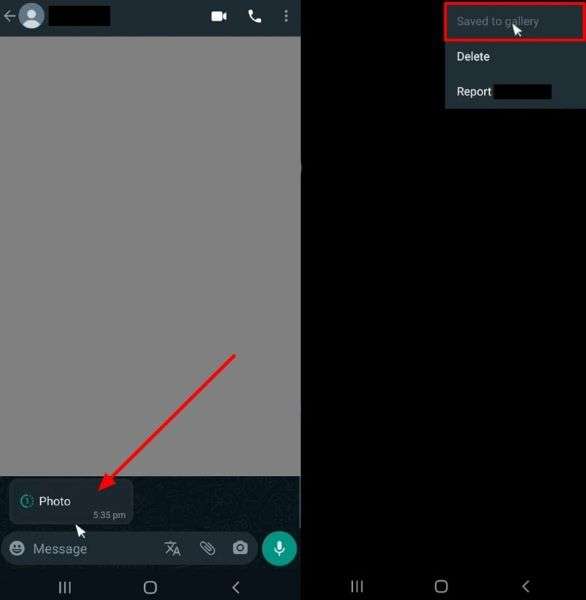
Step 2. Now, return to the chat where you received the View Once image. WhatsApp GB's Anti-View feature automatically saves the image to your gallery. If it did not, you can tap on the "Save to Gallery" button to save the media shared.
Pro Tip. How to Track Real-Time and Hidden Activities of Your Loved Ones on WhatsApp
Apart from the View Once feature, WhatsApp also includes features to hide users' last seen and online status. Now that we have learned how to save WhatsApp Once View photos, let's look into the best way to keep track of your loved ones. We recommend you utilize a third-party application like WeLastseen to track WhatsApp online availability.
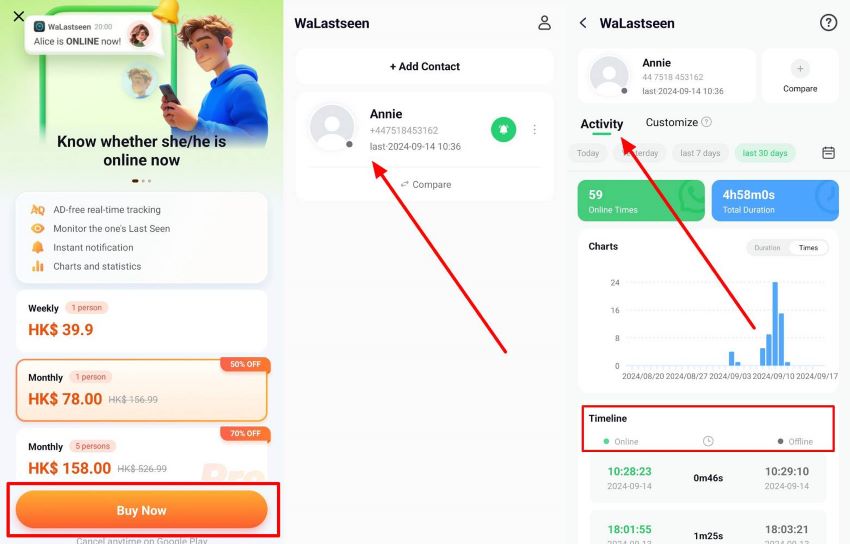
This advanced tool allows you to analyze the online logs presented in depth. The charts allow users to determine the best time to contact anyone and receive instant responses. You can add specific contacts to WeLastseen and track their availability by analyzing what times they are mostly online.


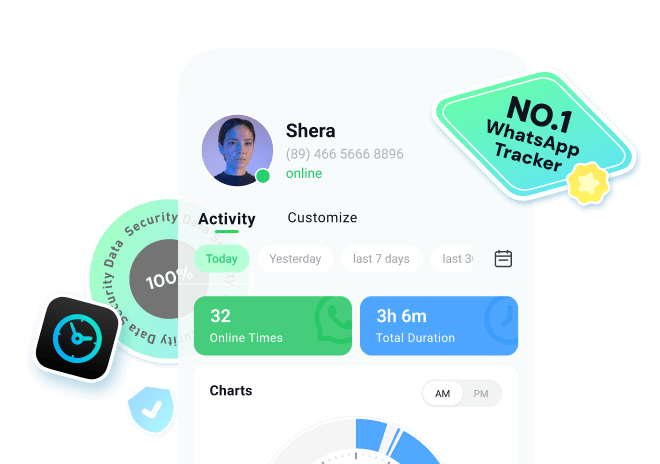

Other Key Features of WeLastseen
- Instant Notifications: WeLastseen notifies you whenever your target contact comes offline and online to keep you updated.
- Compare Online Status: Users can compare the online activity between two contacts to determine the chat probability rate.
- Customize Your WhatsApp Tracker: You can set a custom period on your WhatsApp user's online activity.
Guide to Track WhatsApp Online Availability Through WeLastseen
In addition to the above discussion, here are the steps you need to follow to track the online availability of your contacts. After learning how to save a View Once photo on WhatsApp, read the guide below to overcome the built-in privacy restrictions of this instant messaging app:


Step 1. Download WeLastseen and Get Access to Your Contacts
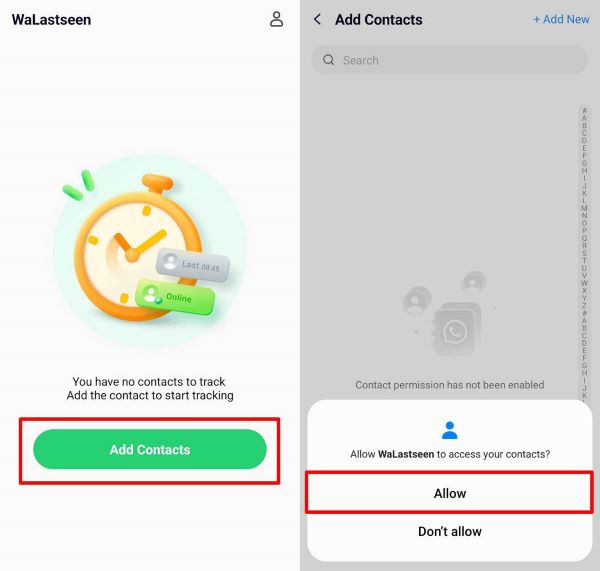
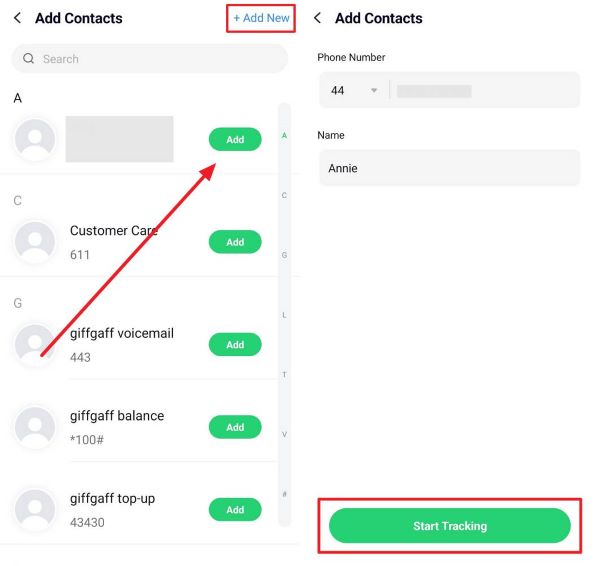
Start the process by launching the downloaded WeLastseen application on your device. At the main interface, tap on the “Add Contacts” button to hit the “Allow” button and get access to your contacts.
Step 2. Add The Specific Contact You Want to Track
Once you allow access, tap "Add" next to each contact and hit "Start Tracking." To get a new contact to the tracker's list, tap on the "+Add New" button at the top of the screen.
Step 3. Choose a Pricing Plan and Track the Online Activity
To end the procedure, choose a pricing plan that matches your requirements. Afterward, tap on the added contact and view the online activity through the charts.
Conclusion
In conclusion, this article has examined the reasons why you might need to save the View Once image you received on WhatsApp. We also discussed the best methods you can use while trying to learn how to save a View Once photo on WhatsApp. After examining these, we discovered a third-party tool like WeLastseen that helps us overcome the communication application's privacy restrictions.
FAQs
-
Can I record a View Once picture on WhatsApp using a computer?
WhatsApp Web does not allow users to access View Once pictures on a computer for added privacy. Even if you try to open the message on WhatsApp Web, the image or video will not appear. This restriction helps enhance security and prevent unauthorized savings. -
How safe is WhatsApp View Once?
The WhatsApp View Once feature is usually safe for users as it does not save the sent image to the recipient's gallery. The receipt cannot take a screenshot of the media directly; it expires once the viewer views it. -
Does it show if you screenshot someone's WhatsApp View Once photo?
While learning how to save a WhatsApp View Once photo, you will discover that it does not allow you to take a screenshot of the image. Due to this restriction, if you capture the screen through another device, WhatsApp cannot alert the sender.