
 TL;DR:
WhatsApp natively deletes statuses after 24 hours, meaning expired content cannot be restored within the official app and requires proactive third-party tracking, modified applications, or reliance on manual workarounds.
● Use WeLastseen as a proactive tracking dashboard to automatically save photo and video statuses to a local album, but note that this tool cannot retroactively retrieve statuses that expired before you linked your account and added the target contact.
● Enable the "Anti-Delete Status" feature within GBWhatsApp's privacy settings to completely bypass the 24-hour limit and download media directly, a method suited only for users willing to risk potential account bans for violating WhatsApp's Terms of Service.
● Rely on searching your device's File Manager for forgotten screenshots or asking the original poster directly if you need a zero-risk approach that guarantees original, uncompressed media quality without granting data access to external services.
Ask AI for a summary
 ChatGPT
 Perplexity
 Gemini
 Claude
 Grok
Grok

You might have experienced a situation where you open WhatsApp, ready to laugh again at your friend's status, but it's no longer there. The status you wanted to show or reshare is now gone, but what if that moment didn't have to vanish forever? To relive those laughs, all you need is to understand how to see expired WhatsApp status through safe and workable solutions.
Without breaking any rules or compromising your privacy, the proven methods discussed in the guide are sufficient to bypass WhatsApp restrictions. More importantly, we've even explained common possibilities for why anyone prefers viewing disappeared statuses.
In this article

Part 1. Can You See Expired WhatsApp Status?
Technically, you cannot see an expired WhatsApp status after 24 hours, because the app automatically deletes all status updates. This mechanism ensures that statuses, which might include audio, photos, or videos, are only temporarily visible on both viewers' and posters' sides. Once the 24-hour window has passed, the status disappears from the app and from WhatsApp's servers, with no built-in way to view it later.

This limitation of status visibility on WhatsApp is considered a privacy and security measure by the app. Restricted access enables WhatsApp to reduce data storage needs and protect user information, as old statuses are not stored on servers indefinitely. For viewers, the expiration guarantees that they only see the latest updates, and expired ones cannot be retrieved in any way.
Part 2. 4 Tested Methods to View Expired WhatsApp Status
How to see expired WhatsApp status? Learn through reliable approaches explained below:
Method 1: Try a Robust WhatsApp Status Checker for Unlimited Status | WeLastseen
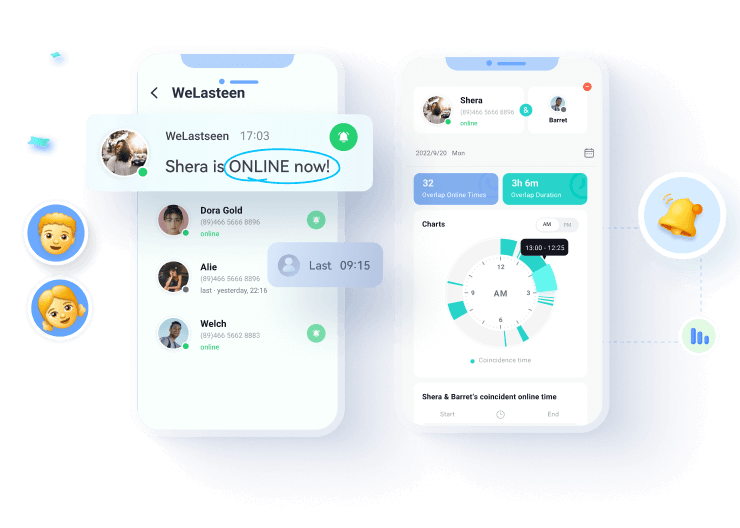
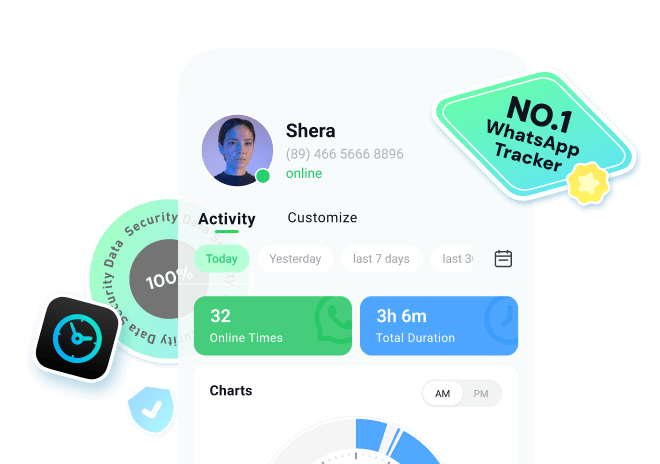
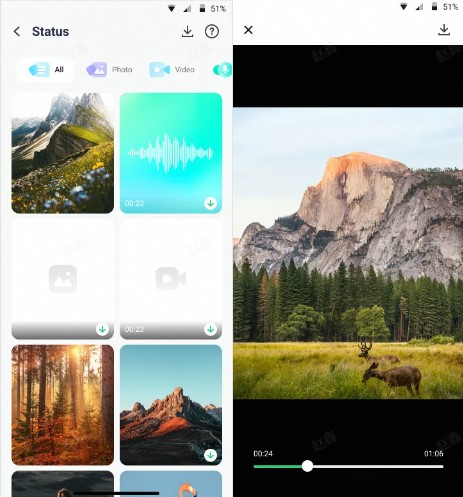
Among workable approaches, apps like WeLastseen act as status managers, allowing users to view and even track statuses after they disappear. Through this app, you can easily retrieve or download the statuses of your added contacts. Once you're done adding, the monitoring dashboard displays a complete status timeline for the user. Further possibilities include revealing the hidden last seen statuses.
Your entire data on the platform is end-to-end encrypted, and this encryption system keeps your identity and classified information secure. Moreover, its easy-to-navigate interface facilitates users in connecting and tracking multiple contacts at the same time. For tasks related to viewing expired WhatsApp statuses, the platform guarantees a high rate of successful tracking and saving.





Simplified Manual to View WhatsApp Status After Due Time
Follow the tutorial to know how to see expired WhatsApp status, because it's not about breaking rules but about accessing content responsibly:
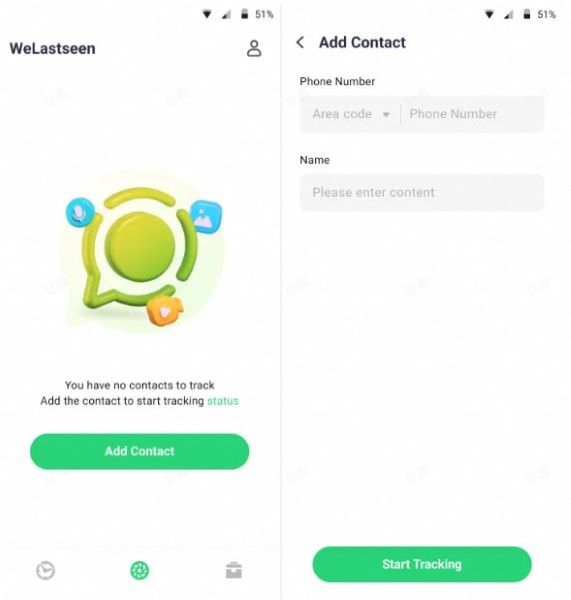
Step 1. Enter Status Tracker and Add Target Contact
At first, access the "Status Tracker" tab from the bottom and press the "Add Contacts" button to enter further details. Once done, hit the "Start Tracking" button to begin viewing the status for the added contact.
Step 2. Connect Your WhatsApp Account and Monitor Status
Later, tap the "Link" option to connect your WhatsApp account and access the monitoring dashboard.
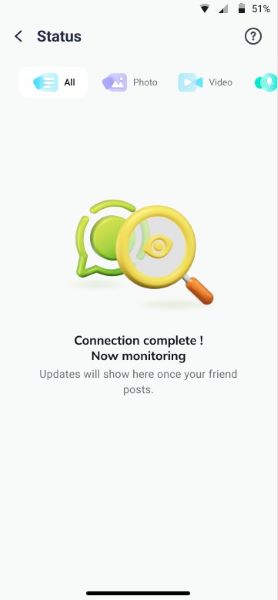
Step 3. Review Expired Statuses and Download Them
After this, you'll be able to view all the current and expired statuses uploaded by the user after making a connection. Next, press the "Download" icon to select the statuses and export them via the "Save" button.


Method 2: Look for Saved Screenshots or Screen Recordings
To understand how to see expired WhatsApp status, a practical yet overlooked way is to check your own phone. Smartphones automatically store screenshots or screen recordings you've taken, even if you don't remember doing so.
It's one of the safest methods since you use your own data without needing to install additional apps or grant permission to external services. Before assuming that a status is gone forever, take a moment and check your gallery or File Manager.
Method 3: Request the Status from the Target Person
A direct request from the original poster ensures you'll receive the content in its original, uncompressed form in no time. Here, instead of relying on risky apps or workarounds, you're communicating transparently with the source. It's even valuable when the status contains important updates or confidential information, and it vanishes without you being able to view it once.
Method 4: Using GBWhatsApp
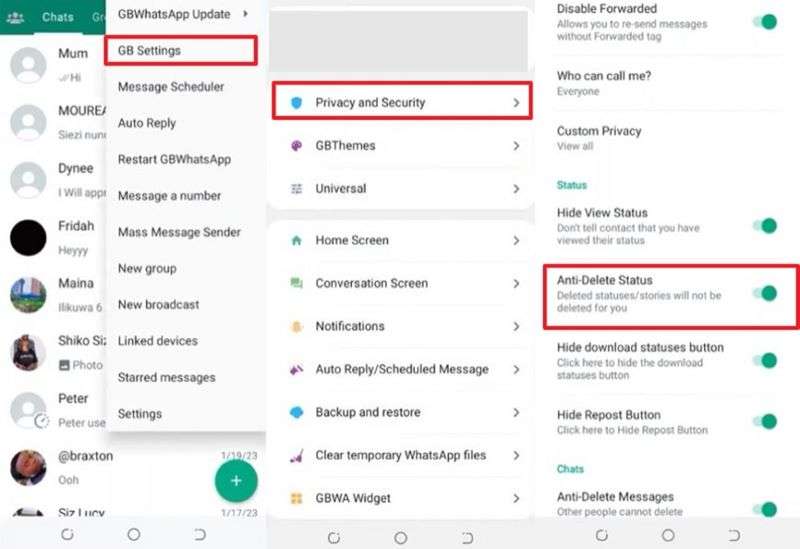
In addition to viewing deleted or expired statuses, GBWhatsApp often lets you download photos, audio, and video statuses directly. For users who frequently access expired statuses, this modified version offers a significant upgrade over the standard experience.
This method is suited for people who are comfortable with third-party apps and ensure they're downloading from a verified source. Adhere to the instructions and understand how to view expired WhatsApp status via GBWhatsApp:
Instructions. To do so, press the "Three Dots" icon and select the "GB Settings" option from the menu. Next, choose the "Privacy and Security" option and toggle the "Anti-Delete Status" option to view statuses after they have expired.
Part 3. Common Reasons People Want to View Expired Statuses
Once understood that those disappeared updates aren't always gone for good, it's natural to ask why many people discover ways to view them again. Due to the following reasons, how to view expired WhatsApp status becomes a source of curiosity for most users:
- Keeping Track of Trends: Friends often share viral memes, breaking news, or trending updates on their social media statuses. Viewing them later ensures you stay informed and connected without missing out on what everyone's talking about.
- To Relive Special Memories: Statuses can hold once-in-a-lifetime moments, such as wedding pictures, birthday snippets, or someone's last goodbye. These updates disappear quickly, leaving you nostalgic and searching for ways to relive them once again.
- For Saving Content: With life moving faster, people may not have time to watch every status update as it appears. Whether you're at work or in class, having the option to view expired statuses later allows you to enjoy updates at your own pace.
- Resharing or Forwarding Useful Posts: Since motivational quotes and flash deals often appear on statuses and disappear within 24 hours, they can be instrumental to reshare or forward. When you know how to view expired WhatsApp statuses, you can easily save or reshare them even after expiry.
- Business or Work-Related Needs: Many businesses and freelancers share promotions or event details through their WhatsApp status updates. By the time you need to reference it, the status might be gone, resulting in repeated requests to the sender to reshare.
Conclusion
In conclusion, although WhatsApp statuses are designed to be fleeting, the memories they hold don't have to be. This is why the article above covers all possible ways to control how to see expired WhatsApp status, along with guided instructions. The key is to weigh convenience against privacy, which is why WeLastseen is the most chosen platform for these tasks.
FAQs
-
Can my account get banned for using modified apps to view expired statuses?
It is not a guarantee, but it is a possibility, as WhatsApp's policies explicitly state that unofficial applications (GBWhatsApp) are against its Terms of Service. WhatsApp does not develop or support these apps; therefore, your statuses and account credentials are processed by an external security infrastructure. -
Will I be notified if someone uses an app to view my expired status?
WhatsApp does not notify users when someone attempts to view an expired status via third-party applications. Nevertheless, you can still improve privacy by restricting access to your status first, using WhatsApp's built-in privacy settings. -
Can I view an expired WhatsApp status on WhatsApp Web or Desktop?
To view expired WhatsApp status, tasks, WhatsApp Web, and the desktop app, only reflect what you have on your phone in real-time. When a status has already expired on your phone, it will not appear on the web or on the desktop version either. These sites do not have an isolated storage of statuses, and as such, there is no secret archive to recover.