


 TL;DR:
You can recover a closed WhatsApp View Once video by using specialized tools like the MobileTrans View Once Recovery App to export the file, or by recording it via WhatsApp Web before the initial view is closed.
● Native WhatsApp blocks saving, mobile screen recording, and cloud backups, with unopened videos strictly expiring after 14 days; additionally, iOS devices never store these files, whereas some Android phones may temporarily cache the data before opening.
● The MobileTrans View Once Recovery App works on both Android and iOS by requiring you to scan a QR code to link your computer to your WhatsApp account, allowing you to export the videos to your PC without losing the original resolution.
● PC users can bypass mobile recording blocks using a Screen Recorder Google Chrome extension via WhatsApp Web, but this method strictly requires actively recording the video during the initial viewing and carries potential browser security risks.
Ask AI for a summary
 ChatGPT
 Perplexity
 Gemini
 Claude
 Grok
Grok

In this article

Many WhatsApp users are also concerned about this issue. So, can you recover a View Once video after it has closed?
Yes, you can recover a WhatsApp View Once video after it has closed, but only if you meet specific requirements and use a secure WhatsApp data recovery tool. It also helps if you have an existing backup of the one-view video on your PC or backup folder. This way, you can quickly recover the video from your archive.
This guide will reveal all you need to know about recovering a View Once video on WhatsApp, including safe recovery alternatives and backup solutions for media sharing.
Part 1: The Technical Limits of WhatsApp View Once Videos
Can you recover a View Once video after it has closed? Before we delve further into this question, let's examine the technical limitations of WhatsApp View Once videos.
What Happens When You Close the Video?
When you close a WhatsApp View Once video, the video immediately disappears from your chat. All you will see is the Opened read receipt indicating that the recipient has opened the video.
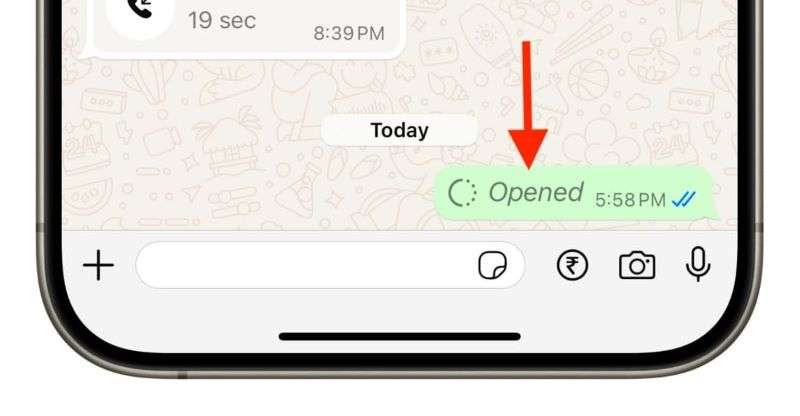
After you receive and open a WhatsApp View Once video, you can watch it as many times as you want by dragging the playback slider to the beginning of the video. However, once you close the video, you can't see it again. The sender also can't access the video in chat after it has closed.
This is why many people are asking: Can you recover a WhatsApp View Once video after it has closed?
Is the File Stored Temporarily on your Device?
No, WhatsApp View Once videos are not stored on your phone or backed up to cloud servers. This is because WhatsApp automatically prevents your device from saving the video on your phone.
Unlike other WhatsApp photos and videos, View Once clips are not included in your periodic WhatsApp backup for privacy and security reasons.
How Encryption Affects Recovery Attempts
So, how does WhatsApp's encryption affect View Once recovery attempts? Like all media shared online on WhatsApp, View Once videos are end-to-end encrypted, so only the sender and the recipient can see the video.
There is also the "1" ephemeral encryption to ensure that the video can only be opened once, so you can't share or forward a WhatsApp View Once video online.
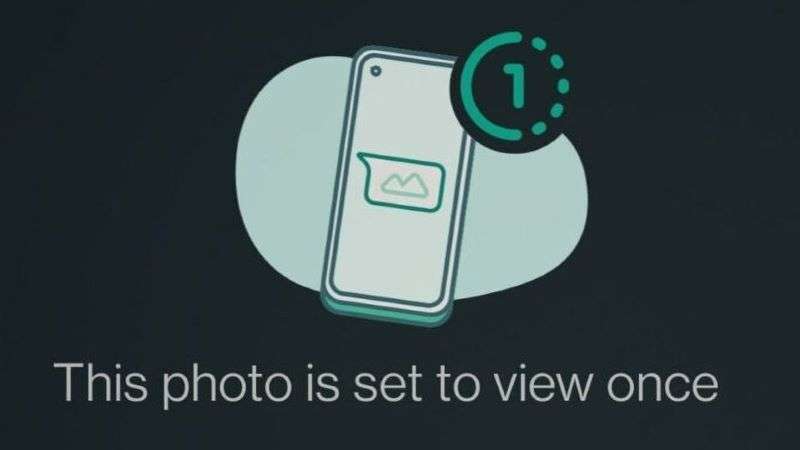
These encryption features make it difficult to recover a WhatsApp View Once video directly, since there is no direct backup to restore the video from.
Part 2: Can You Recover WhatsApp View Once Video after Closing? [Direct Answer]
Can you recover a View Once video after it has closed? Yes, you can recover a WhatsApp View Once video after closing, but there are a few steps to follow.
You can either ask the sender to resend the View Once video to you or recover the clip from your WhatsApp backup folder using a secure WhatsApp data recovery tool. Some users even screen record the View Once video after opening it, so they can easily restore it later. However, what is WhatsApp's official policy regarding the recovery of View Once videos?
WhatsApp's Official Policy
WhatsApp generally disapproves of View Once recovery, especially without the sender's consent, as it may compromise the privacy and security of its users. WhatsApp also prevents screenshots, screen sharing, and screen recording while viewing View Once videos.
Device-Specific Behavior (iPhone vs Android)
Did you know that devices operate differently when scanning a View Once video? For instance, some Android phones may store the cached data of a View Once video on your device's storage before the video is opened.
Additionally, you can record View Once videos using the native screen recorder on your Android phone; however, this is not possible on an iPhone.
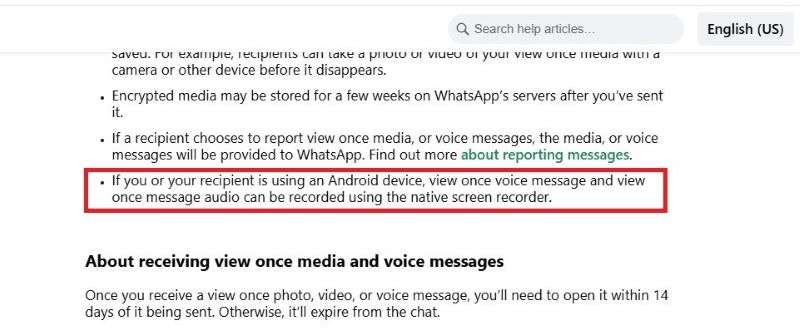
iOS devices like your iPhone and iPad don't store or back up WhatsApp View Once media
Third-Party Tools: Do They Work or Are They a Scam?
Not all third-party recovery tools are effective at recovering View Once videos on WhatsApp. While many of these apps are advertised as WhatsApp View Once recovery tools, only a handful of them work.
You should be mindful of security risks to your WhatsApp account, as some third-party tools are designed to hack your account or steal your information online. That said, let's explore the safe alternatives for recovering a View Once video on WhatsApp after it has been closed.
Part 3: Safer Alternatives to Recover WhatsApp View Once Video After Closing
Are you wondering how you can recover a View Once video after it has closed without data loss? Here are safer alternatives to recover WhatsApp View Once videos after closing:
1. MobileTrans View Once Recovery App-Android & iOS
The MobileTrans - WhatsApp View Once Recovery app is one of the safest and most secure data recovery tools, allowing you to export WhatsApp View Once videos to any device after the video has been closed.
Guide: How to Recover WhatsApp View Once Videos on the MobileTrans App
Step 1: Launch Your MobileTrans - Recovery App
Launch the app on your computer and click on the WhatsApp Recovery mode from the main interface. Tap on View Once Recovery.
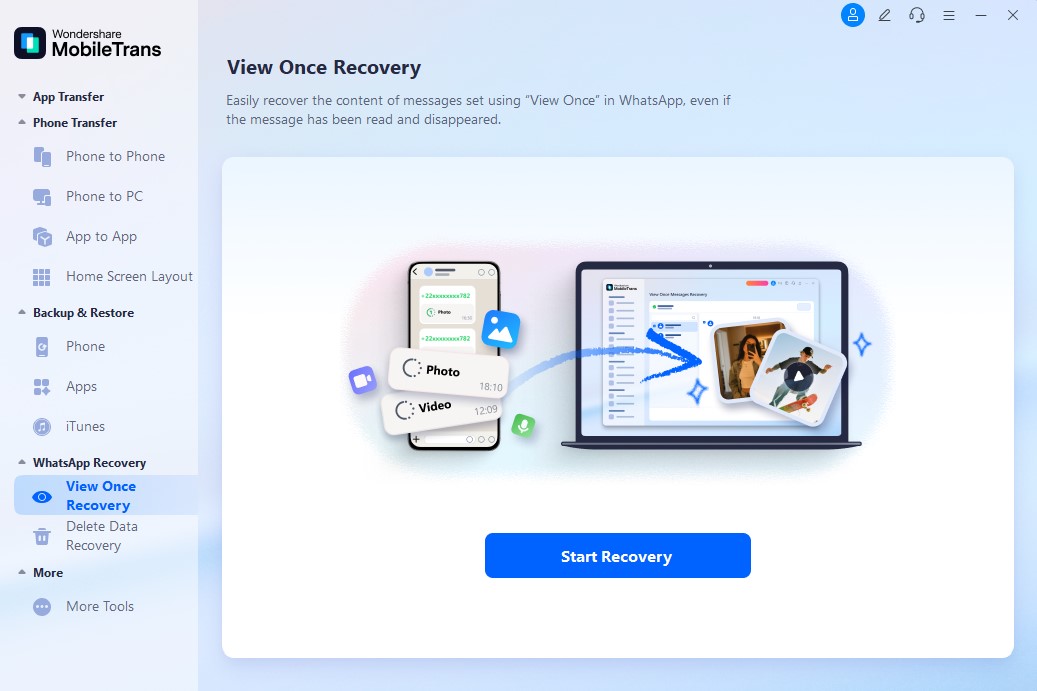
Step 2: Choose the View Once Videos to Recover
Scan the QR code on your computer screen using your Android or iPhone camera. This will make your PC a WhatsApp-linked device to your account.
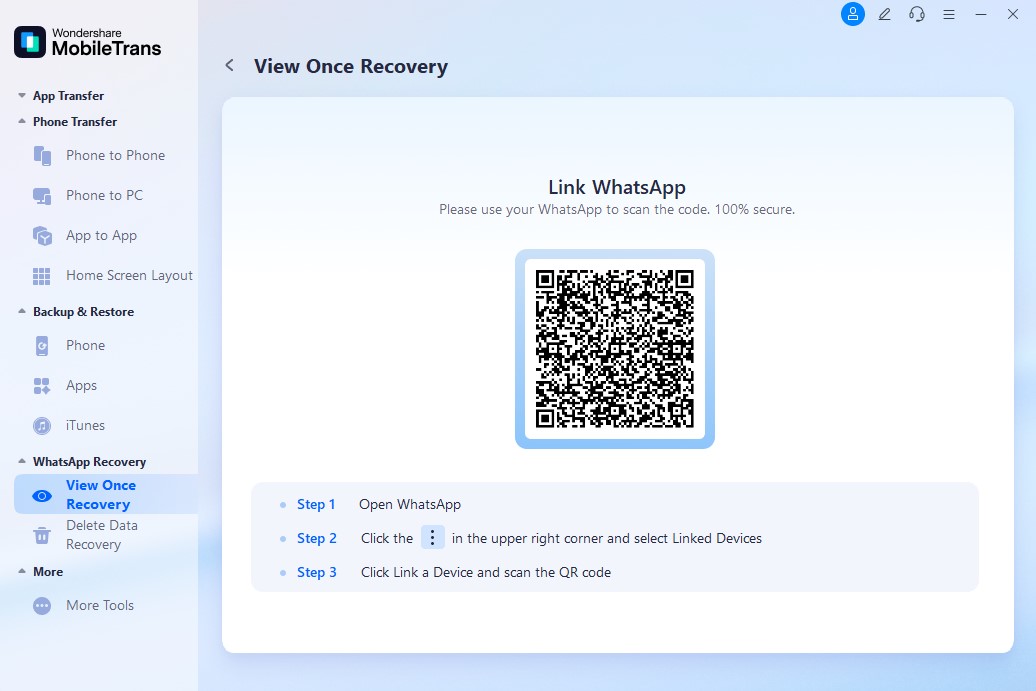
Step 3: Export WhatsApp View Once Videos Successfully
Select the videos to recover and click 'Export' to initiate the recovery process.
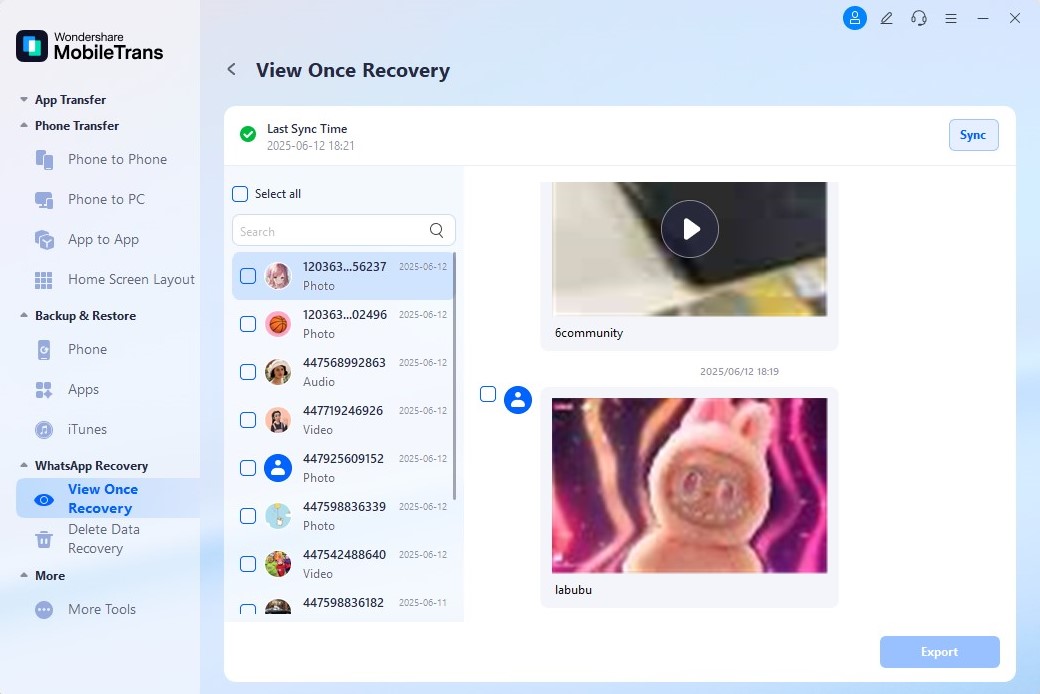
MobileTrans will notify you when the recovery is complete. With this app, you can now recover multiple important files and videos from WhatsApp with ease.




2. Screen Recorder Google Chrome Extension-PC Only
You can also recover a WhatsApp View Once video on your computer using the screen recorder Chrome extension on your web browser. However, you must have recorded the video before attempting to recover it.
Follow this guide:
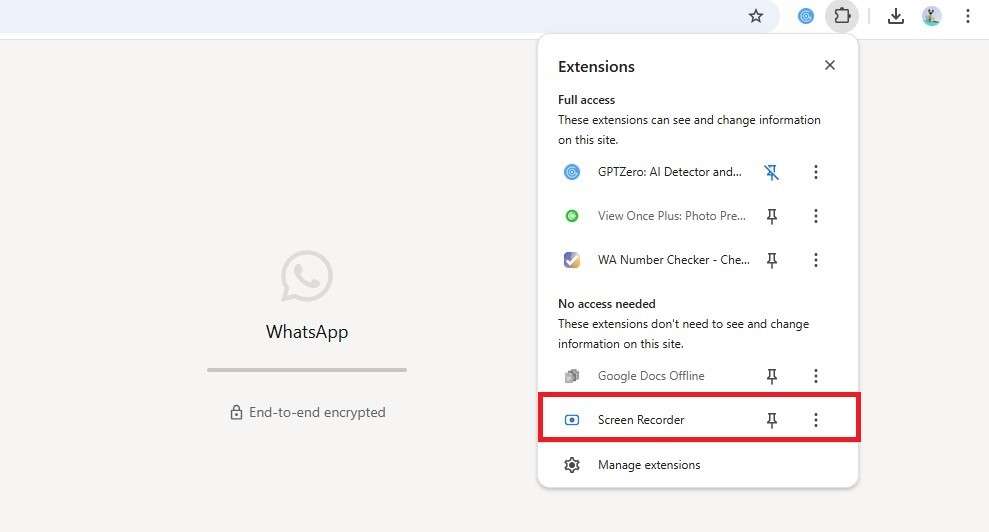
How to Recover View Once Video via WhatsApp Web- Visit the Chrome Web Store from your Chrome browser. Search for 'Screen Recorder' under Extensions and tap 'Add to Chrome'.
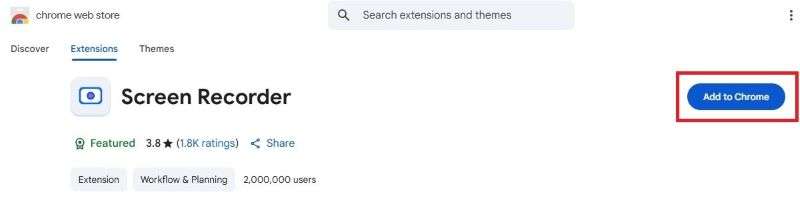
- Visit WhatsApp web and scan the QR code on the screen to open your WhatsApp account on the Chrome browser.
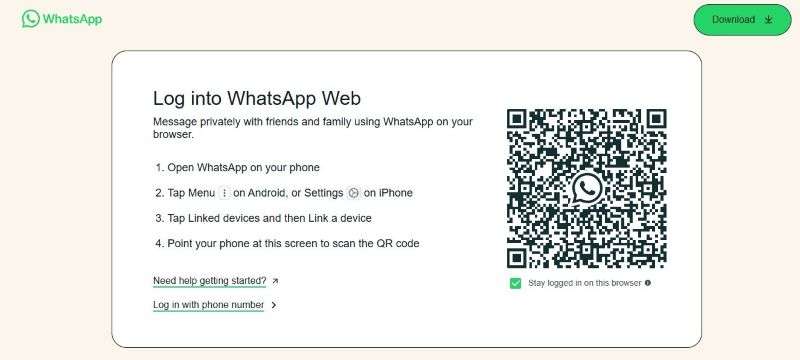
- Then tap on the Screen Recorder icon from the Google Chrome dashboard. Open the chat with the View Once video to start recording.
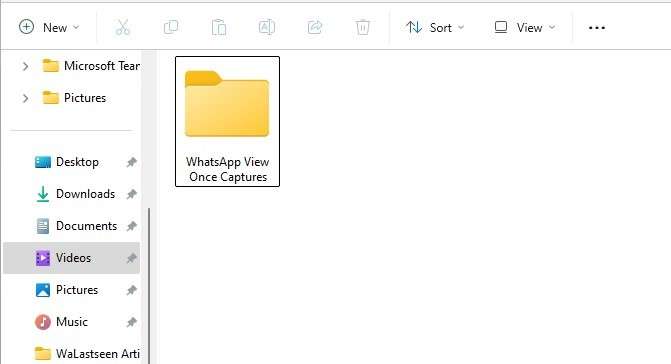
- After recording the WhatsApp View Once video, you can recover it at any time from the Video folder on your PC.
Bonus: WhatsApp Backup Solutions for Regular Media Sharing
One of the main reasons people wonder if it's possible to recover a WhatsApp View Once video after it has closed is that they couldn't back up the video before it disappeared.
While you can't auto back up WhatsApp View Once, you can easily back up other regular media, so your WhatsApp videos are always accessible for media sharing.
MobileTrans WhatsApp Backup
The MobileTrans - WhatsApp Backup tool offers an effective solution for backing up all your WhatsApp videos, photos, and user data, even without Wi-Fi or mobile data. The app is user-friendly, secure, and effective.
How to Back Up WhatsApp Videos to PC via MobileTrans Backup
Here is a step-by-step guide to back up your WhatsApp videos to your computer:
Step 1: Launch the MobileTrans - WhatsApp Backup Tool
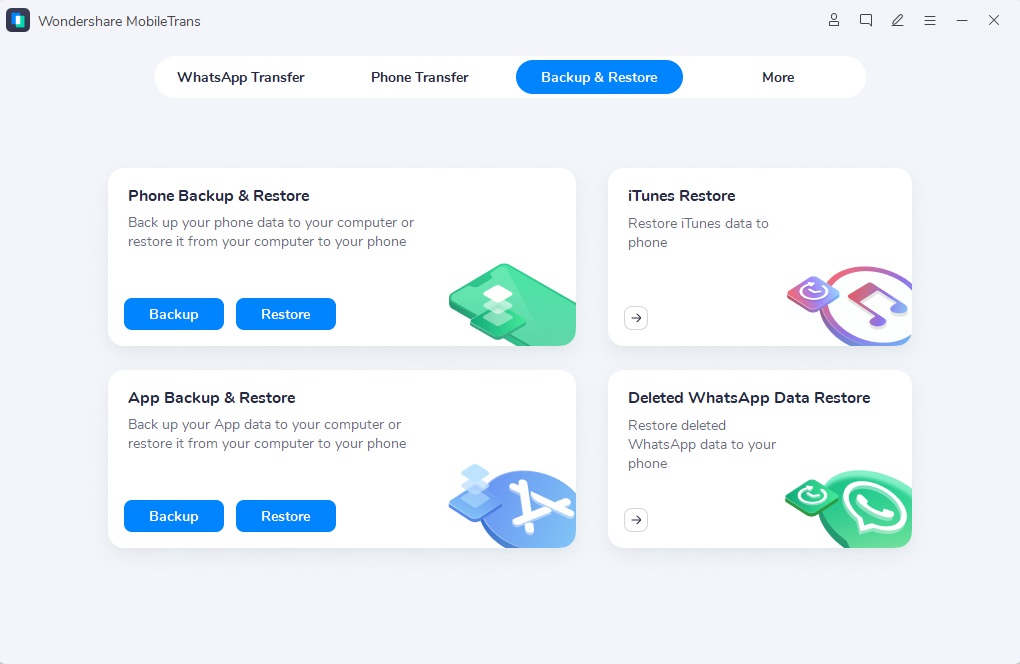
Launch the MobileTrans app and click on the Backup & Restore mode.
Step 2: Connect Your Phone to the Computer
Connect your phone to the computer using a USB cable. Go to Backup & Restore - App Backup & Restore. Select WhatsApp Backup.
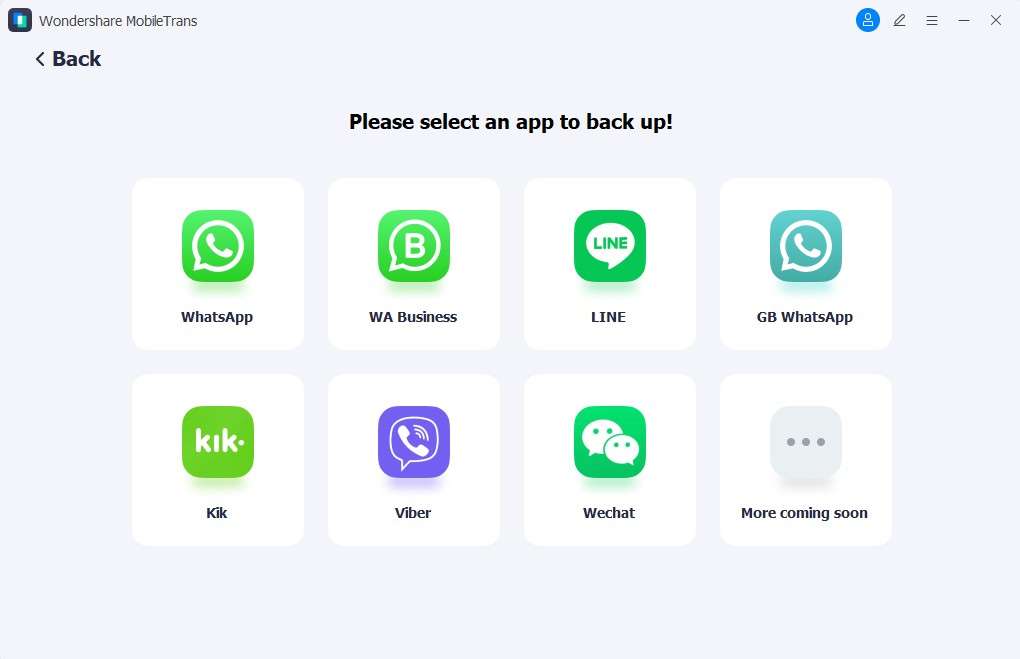
Choose the videos to back up and click on the Start button.
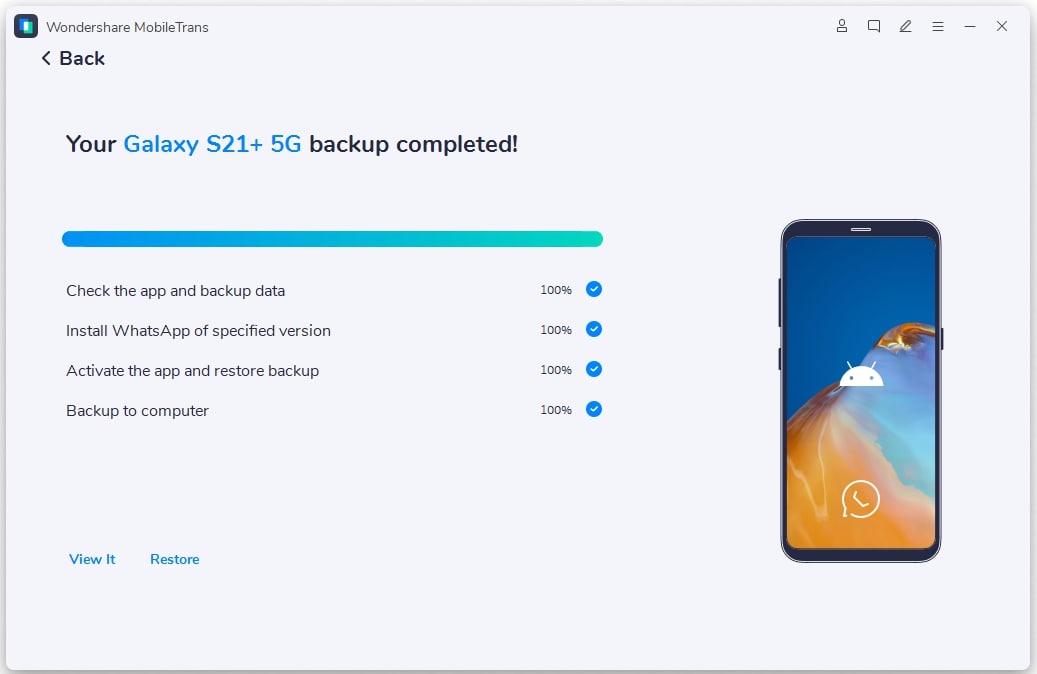
Step 3: MobileTrans WhatsApp Backup Complete
Please wait for the 'Backup Complete' notification and then click on the 'View It 'button to review your backup folder.
Advanced Features of the MobileTrans - WhatsApp Backup Tool
- Cross-Platform Backup: The app also supports cross-platform file transfer between Android and iOS devices, and vice versa.
- Merge WhatsApp Videos: You can use the app to merge old and new WhatsApp videos to prevent data loss.
- Organized Backup: The MobileTrans app organizes your WhatsApp videos utilizing the date and time of each backup.
- Easy Restore: You can restore or export your videos to any device without Wi-Fi.
Part 5: Tips to Handle Important View Once Media on WhatsApp
Due to the increasing levels of hackers and security risks online, it's essential to follow these pro tips when handling important videos on WhatsApp:
What to Do Before Opening a View Once on WhatsApp
- Ensure you are not in a public space.
- Update your WhatsApp version.
- Turn off background screen recording and screen sharing apps to prevent violating the sender's privacy.
- Check the identity of the sender.
- Avoid accidentally tapping on the video because it will close.
How to Request the Sender Politely
If you want the sender to resend a View Once, you should request politely. You can point out that you accidentally opened the video before you were ready to view it, or that you need a second look at the video content.
Emergency Workarounds (Within Limits)
The receiver has 14 days to open a View Once video on WhatsApp, or it will expire from the chat. Once a video expires, you have to record and send it again. If you are suspicious about a View Once video, you should contact WhatsApp support immediately.
Conclusion - Can You Recover a WhatsApp View Once Video After Closing?
So, can you recover a View Once video after it has closed?
In summary, you can recover a View Once video after it has closed on WhatsApp, provided you meet specific requirements. If you have an existing backup of the video on your phone or computer, you can easily recover it from your backup folder.
You should use a secure View Once recovery tool, such as the MobileTrans WhatsApp recovery app, to prevent data loss and security risks. Remember to back up essential WhatsApp videos to your PC, and be cautious when handling View Once media for security purposes.
FAQs
-
Can you recover a View Once video after it has closed?
Yes, you can recover a WhatsApp View Once video after closing, but there are a few steps to follow. You can either ask the sender to resend the View Once video to you or recover the clip from your WhatsApp backup folder using a secure WhatsApp data recovery tool. -
Is there any official way to recover View Once videos?
WhatsApp generally disapproves of View Once recovery, especially without the sender's consent, as it may compromise the privacy and security of its users. There is no official method provided by WhatsApp to recover View Once videos. -
What's the safest way to recover View Once videos?
The safest method is to use a secure recovery tool like MobileTrans WhatsApp recovery app, which maintains encryption and privacy while allowing you to export WhatsApp View Once videos to any device after the video has been closed.










