
 TL;DR:
To privately view a WhatsApp status on an iPhone, you can disable Read Receipts in the app's privacy settings, temporarily enable Airplane Mode, or use the WeLastseen Online Web tracking tool.
● Disabling Read Receipts prevents view notifications entirely, but it restricts you from seeing blue message ticks and knowing who views your own uploaded statuses.
● Viewing a status in Airplane Mode only delays the read receipt, as WhatsApp will immediately register and broadcast your view the moment your device reconnects to the internet.
● WeLastseen Online Web allows you to monitor hidden online activity, track WhatsApp Business statuses beyond the 24-hour limit, and save media locally, but the online version lacks notification alerts.
Ask AI for a summary
 ChatGPT
 Perplexity
 Gemini
 Claude
 Grok
Grok
Social media platforms let users share their daily activities and special occasions through statuses. However, viewing these statuses anonymously is a common concern for users who value privacy. By default, the messaging app notifies the person who uploaded the status when you view it. This happens because WhatsApp’s read receipt feature tracks interactions for better transparency.
However, there are ways to bypass this notification without compromising your privacy or going for risky solutions. This guide will specifically explain how to view a WhatsApp status without being seen on an iPhone. In addition to viewing statuses anonymously, we’ll share a bonus tool that lets you privately see when someone is online.
In this article

Part 1. How to View WhatsApp Status Without Being Seen on iPhone | Top 3 Methods
As said above, the messaging app informs others about your status view through the read receipts feature. Additionally, the app needs an internet connection to validate the view. Therefore, you can secretly check other's statuses by messing up with these settings. You can review the following solutions and their steps to turn off your status views for detailed guidance.
1. Disable Read Receipts Feature
The Read Receipts feature lets you know when others see your messages through blue ticks. It also lets you know when others see your status on WhatsApp. The feature reciprocates by letting your contacts know when you see their messages and statuses.
Disabling this feature by following the given instructions will allow you to learn how to view status without being seen on an iPhone:
Instructions. To turn off the read receipts, open the messaging app on your iOS device and go to the "Settings" tab. Here, you will find the "Privacy" option, which you need to access by tapping it. Once on the Privacy screen, find and toggle off the "Read Receipts" feature.

2. Try Airplane Mode
Although WhatsApp needs an internet connection to confirm your activity, you can use this limitation. You can see others' statuses without letting them know by enabling airplane mode on your device. However, the app will count your view immediately after you turn this mode off and connect to the internet.
You can follow the instructions below to learn how to view a WhatsApp status without them knowing on iPhone:
Instruction. On your phone, access the Control Centre by swiping down from the right side of the screen. After accessing it, locate the "Airplane" icon from the given options and tap on it. Once enabled, go to WhatsApp and see the desired person's status.

3. Ask Your Mutual Friend
While the above methods are reliable and work constantly, they have drawbacks. For example, you won't see blue ticks and other's views on your statuses after turning off read receipts. Similarly, turning on airplane mode will turn off the internet connection on your iOS device. Therefore, you will have to find alternatives that are convenient and work without limitations.
The solution in this case is to ask a mutual friend to send you what your desired contact has shared on their status. It is a convenient and secure way of seeing someone's online activities. However, ensure the mutual friend is trusted and won't tell someone about it. To do so, explain your situation and ask if they can lend you a helping hand.

Part 2. How to View Someone's WhatsApp Real-Time Activities Without Knowing?
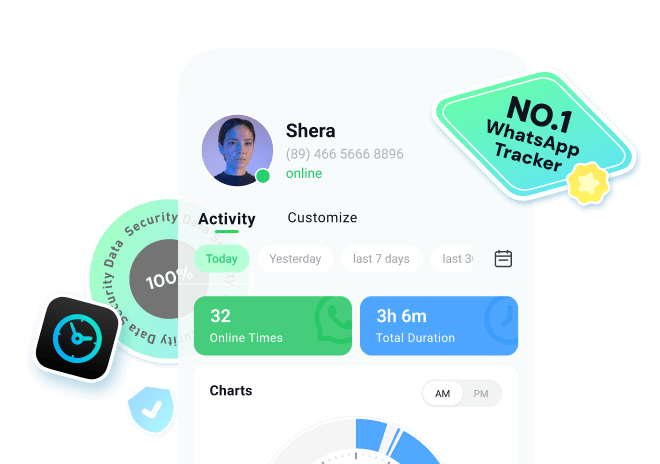
After learning how to view WhatsApp status without being seen on an iPhone, let's discuss the bonus tip. While status viewing is one aspect, users can also find tools that help them monitor their contacts' activity. The best option among all is WeLastseen Online Web, as it works on publicly available data instead of invading other's privacy.
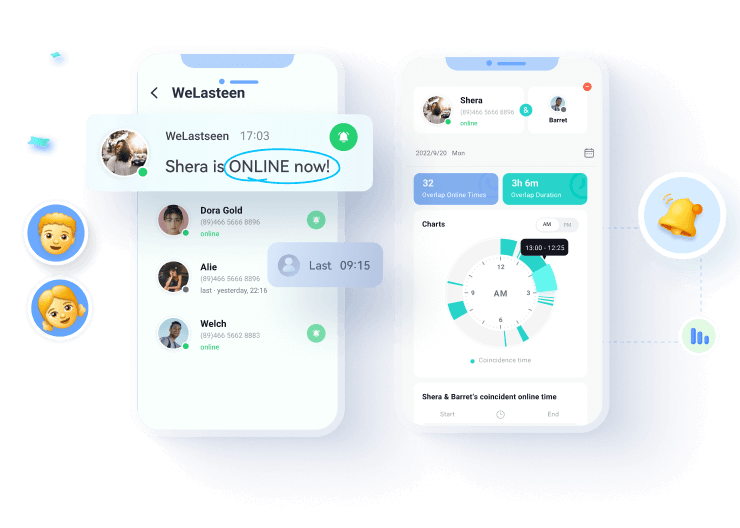
This online tool lets iOS users know when their contacts come online by tracking their activity. It also provides activity stats of users even when they have turned off their online status in WhatsApp. Furthermore, since it is available online, you won't have to install unnecessary applications on your device. As an online tool, it automatically updates to accommodate new user features and benefits.







Guide to View Someone's WhatsApp Real-Time Activities Using WeLastseen
Now that we know how to view WhatsApp status without being seen on an iPhone and how to use the activity tracking tool, let's see how to use this tracker. Users can follow the detailed steps given below to learn about using WeLastseen Online:
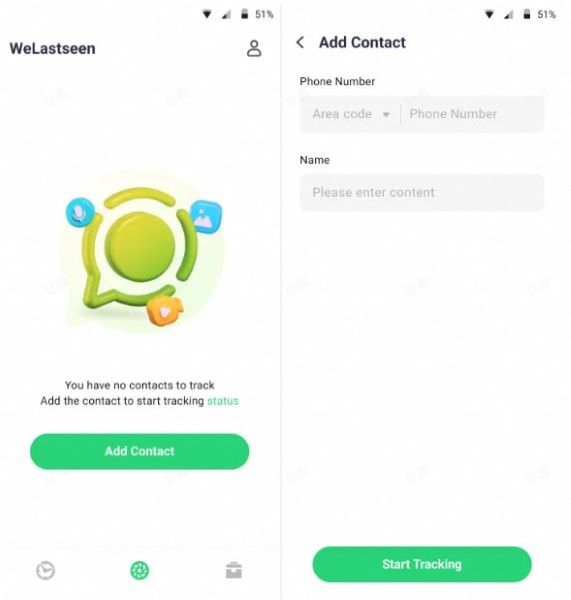
Step 1. Enter Status Tracker and Add Target Contact
At first, access the "Status Tracker" tab from the bottom and press the "Add Contacts" button to enter further details. Once done, hit the "Start Tracking" button to begin viewing the status for the added contact.
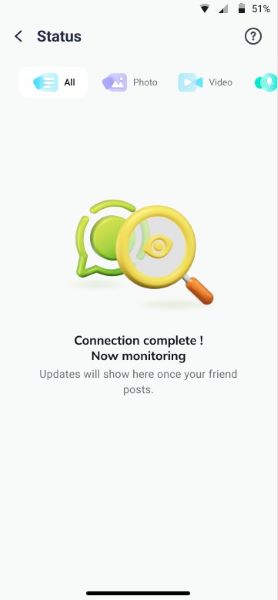
Step 2. Connect Your WhatsApp Account and Monitor Status
Later, tap the "Link" option to connect your WhatsApp account and access the monitoring dashboard.
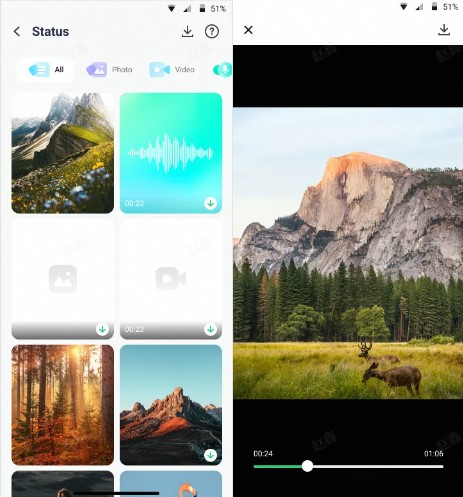
Step 3. Review Expired Statuses and Download Them
After this, you'll be able to view all the current and expired statuses uploaded by the user after making a connection. Next, press the "Download" icon to select the statuses and export them via the "Save" button.
Conclusion
In short, users who are conscious of their privacy can learn how to view a WhatsApp status without being seen on an iPhone. The most effective method is to turn off the read receipts feature in the messaging app. Disabling this feature will not let others know when you see their statuses or messages. You can rely on enabling airplane mode, as it disconnects the internet and won't inform the other person.
However, the recommended method is simply asking a mutual friend to share another person's story. In addition to these solutions, users can try tools like WeLastseen Online Web, which enhance communication and inform users about their contacts' online visibility.
FAQs
-
Q1. Does disabling read receipts affect all WhatsApp interactions?
When you disable read receipts, other people won't be able to see their messages or statuses when you read them. This also works from your contact's side and makes all your interactions more blank. -
Q2. Can I enable read receipts again after viewing a status?
Users can toggle on the read receipts feature after viewing their desired contacts’ stories. Doing so will not let your contacts know you have seen their statuses or read their messages. -
Q3. Can I combine multiple methods for added privacy?
You can combine different methods like disabling read receipts and airplane mode to enhance your privacy. Furthermore, tools like WeLastseen allow users to improve their privacy while staying informed about other's activities.