
 TL;DR:
To save disappearing WhatsApp statuses or view them anonymously beyond the native 24-hour limit, you must use a dedicated tracking tool like WeLastseen or rely on manual workarounds, keeping in mind that no app can bypass the core requirement of being saved in the poster's contact list.
● WeLastseen enables anonymous viewing, real-time activity tracking, and HD status exporting by linking your account via a QR scan, but it may cause login errors on slow internet connections.
● Manual checking through the official mobile app or desktop version guarantees account security but strictly enforces the 24-hour expiration, alerts the user that you viewed their update, and restricts saving to manual screenshots or screen recordings.
● Both third-party trackers and manual methods share a strict prerequisite where you cannot view, track, or save any status unless the owner has your phone number saved in their contacts and includes you in their specific privacy audience.
Ask AI for a summary
 ChatGPT
 Perplexity
 Gemini
 Claude
 Grok
Grok

Have you ever regretted missing an important WhatsApp status update that disappeared before you could read it? Or you have been trying to keep up with updates without leaving any record, only to find that it cannot be done using the built-in features.
This feature does not allow statuses to remain long (not more than 24 hours), and it doesn't even offer a simple way to save them. That's where tools like WhatsApp status checker come in. Whether through manual methods or advanced tools, these solutions bridge the gap, letting you monitor, save, and revisit statuses with far more flexibility than WhatsApp alone offers.
Privacy and authorization: Use Status tools only for your own account or with the account owner consent. WhatsApp privacy settings can limit what any checker can see, and no tool should bypass those settings.
In this article

Part 1. What is a WhatsApp Status Checker?
A WhatsApp status tracker is a tool or method used to track or view status updates posted by others, sometimes offering visibility beyond its default features. These tools may provide insights, such as when someone posted their status, or even allow viewing statuses anonymously. While official features provide basic functionality, third-party tools can extend or bypass these capabilities, offering more control or access to data.
Part 2. Why Do People Use a WhatsApp Status Tool
Since WhatsApp doesn't allow anonymous viewing or extended tracking, many users turn to a WhatsApp status tracker app for more control. The following section highlights why people rely on these apps to stay updated without missing essential posts:
- Stay Updated on Missed Statuses: Since statuses vanish after 24 hours, many users want to stay updated. A tracker app helps them revisit or track those posts even after they expire.
- Anonymous Viewing: Some people prefer to check others' statuses without being seen on the viewer list. A tracker app allows discreet viewing without alerting the other person.
- Surveillance of Loved Ones: Parents or their partners may want to be assured that their loved ones are safe online. A tracking application provides a sense of security by displaying a person's online habits.
- Business Insights: Small businesses tend to share promotions or offers on WhatsApp. The engagement of customers with statuses can be better tracked with the help of a WhatsApp status checker.
- Curiosity and Accountability: Sometimes, users want to know who is consistently active or posting frequently. WhatsApp status tracker apps provide clear insights into someone's WhatsApp activity patterns.






Part 3. Introducing WeLastseen, for accounts you own or are authorized to monitor: A Consent-Based WhatsApp Status Tool
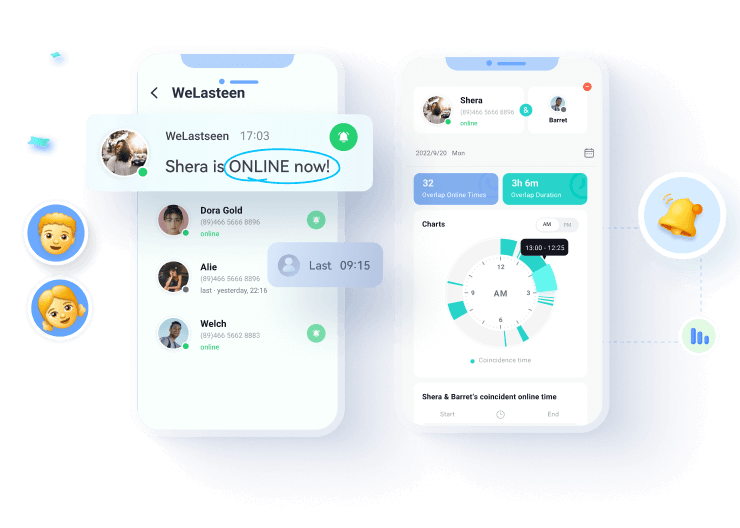
WeLastseen, for accounts you own or are authorized to monitor, a WhatsApp status checker app, offers powerful features that give users more control and insights into their contacts' activity. With real-time notifications, you're instantly alerted when someone goes online or offline, ensuring you never miss critical updates. Beyond activity monitoring, WeLastseen, for accounts you own or are authorized to monitor lets you preview and save WhatsApp statuses like photos, videos, and voice notes so that you can keep essential updates even after 24 hours.
It also provides detailed charts and timelines to analyze behavior patterns for better insights. With its contact comparison feature, you can identify overlaps in activity and predict possible interactions. Meanwhile, historical data logs allow you to spot long-term behavioral trends. Its customizable monitoring tabs allow focused tracking during key hours, such as school time, work shifts, or late-night usage, giving parents and professionals more control.
Key Features
- Multi-account Tracking: The tool allows unlimited account tracking, making it suitable for families or teams.
- Safe and Private: Security is at the core of WeLastseen, for accounts you own or are authorized to monitor, with encryption .
- Export & Save Status: You can download any status in HD quality, making it easy to store and share.
Guide on How to Preview and Save WhatsApp Status with WeLastseen, for accounts you own or are authorized to monitor
Now that you're familiar with the features of this tool, you should also learn how to use it. The following section will provide you with a detailed guide to preview and save anyone's status with this WhatsApp status tracker:
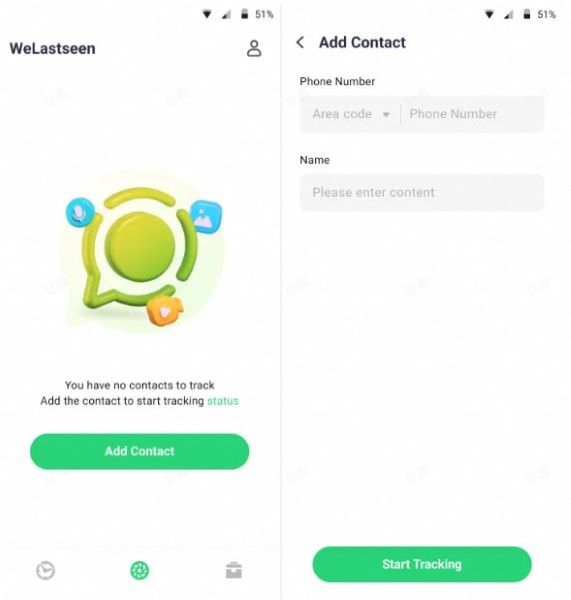
Step 1. Add Contact to the Status Tracker
Press the "Add Contact" button and insert the "Phone Number" and "Name" of your target person. Once done, tap the "Start Tracking" button and link your WhatsApp account with QR scan.
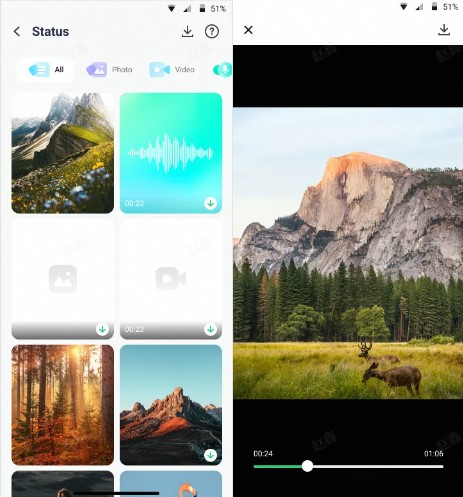
Step 2. View All the Target Contact Statuses
Afterward, select the desired status to view from the display and play the video, audio, or image.
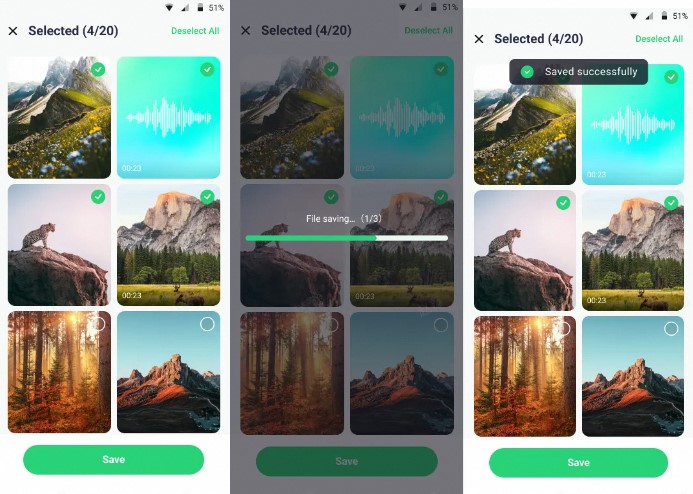
Step 3. Choose the Desired One and Export
Next, select the WhatsApp status you want to download and press the "Save" button to export it to your device.
Part 4. Other Manual WhatsApp Status Checker Methods
Now that you know how a WhatsApp status tracker app works, it's worth noting that not everyone prefers third-party tools. In the following section, we'll explore some simple manual methods you can use to check statuses directly within WhatsApp:
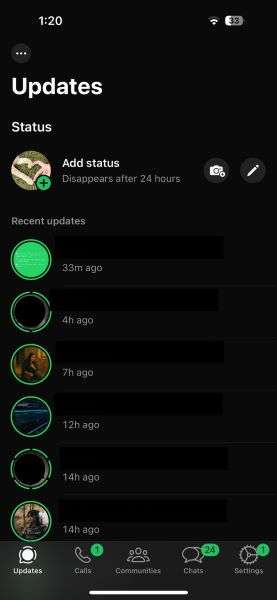
Way 1. Manual Checking Using the WhatsApp App
It is the simplest way to view someone's status without extra tools. All you need to do is open WhatsApp, tap the contact in the update section under status. This approach is immediate, requiring no third-party applications, and is entirely safe since it utilizes the official platform. You can follow everyone's posts directly without any privacy or safety hazards.
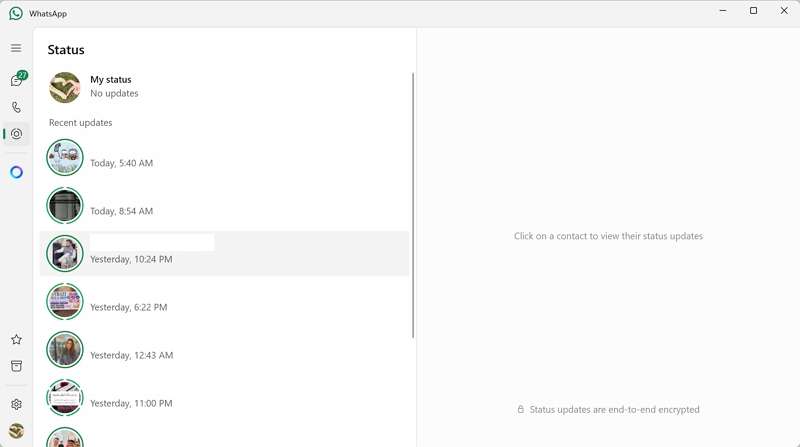
Way 2. Using WhatsApp Web or Desktop Version
Another convenient way to check status updates directly from your computer. The same applies upon logging in, as you can see the status of your contacts in the same way as on mobile, making it handy when using it at your desk. In contrast to a WhatsApp status tracker application, this technique does not require installations or third-party access, making it more secure.
Way 3. Ask Your Common Friend or Relative
Plus, you can ask a friend or relative to review authorized activity's WhatsApp activity without needing to check their status directly. If the individual has limited you or you prefer not to do it manually, a close friend can provide updates on your behalf. The strategy does not require any equipment or applications, making it safe, although it relies on the cooperation of another person.
Conclusion
Finally, as much as manual means and official functions may aid you in keeping up, they have their drawbacks because the statuses are erased within 24 hours. A more efficient way to check statuses is by using a WhatsApp status checker like WeLastseen, for accounts you own or are authorized to monitor, which allows you to view statuses at any time, even after they disappear, and save them.
FAQs
-
Can I view a WhatsApp status of a person not listed in the contacts?
No, WhatsApp status updates can be viewed only by those users who are added to the status owner's friends list and also by the privacy audience. Unless they save you as a contact, you won't be able to see their status, even with third-party apps. -
What is the process of reposting a WhatsApp status?
One can repost when the original poster has the resharing feature of his or her status on privacy settings. When enabled, a reshare button appears in the status, allowing you to repost or address their update to your status, with the option to tag. -
Can I save statuses on WhatsApp?
WhatsApp does not provide a function to save the status of the other person, yet you can find a WhatsApp status tracker, such as WeLastseen, for accounts you own or are authorized to monitor, to save their status. Alternatively, statuses can be saved as screenshots or screen recordings; however, they do not have an in-built save button. -
What about the case when no new features are shown?
To start with, ensure you have the most recent version of WhatsApp, as the new functionalities require the latest app release. When no new releases are available, wait until they are rolled out in phases by region, device, or account; some features might take additional days or even weeks before being available to all users.