
 TL;DR:
Resolve WhatsApp View Once photos not opening by updating the mobile app, granting media permissions in your device settings, and ensuring you access the file within its strict 14-day expiration window.
● View Once media is restricted exclusively to the primary mobile application and will not load on WhatsApp Web or linked companion devices.
● Opened images cannot be reopened natively, but the third-party MobileTrans - WhatsApp Recovery desktop app can extract closed files by scanning your account QR code.
● Senders are blocked from viewing their own sent View Once photos, making a direct request to resend the image the only native fix for expired or closed media.
Ask AI for a summary
 ChatGPT
 Perplexity
 Gemini
 Claude
 Grok
Grok
Struggling with "WhatsApp View Once photo not opening"?This common issue prevents photos from loading, often due to connectivity problems or app glitches. Quick fixes include checking your internet, restarting WhatsApp, or updating the app; we'll explain how.
In this article

Part 1: Why is WhatsApp View Once Not Opening?
Can't open View Once photos on WhatsApp? Here are common reasons for the problem:
- Poor Network/Connection Issues: You need a stable Wi-Fi or data network to open View Once photos on WhatsApp.
- View Once photo has been opened before: Once a View Once photo has been opened, you can't reopen it on WhatsApp unless the sender resends it.
- WhatsApp Version is Outdated: Outdated WhatsApp versions can't open View Once photos because they don't meet the minimum operating system requirements.
- View Once photo only opens on the app: Unlike other media on WhatsApp, you can't open View Once photos via the web or linked devices.
- View Once photo has expired: You only have 14 days to open a View Once photo after it is sent. After 14 days, the image will expire, and you will no longer be able to open it on WhatsApp.
Part 2: How to Fix WhatsApp View Once Not Opening - Android & iOS
Now that you know the possible reasons you can't open a View Once photo on WhatsApp, let's check out easy methods to fix the problem:
1. Check the Network and Connectivity Settings
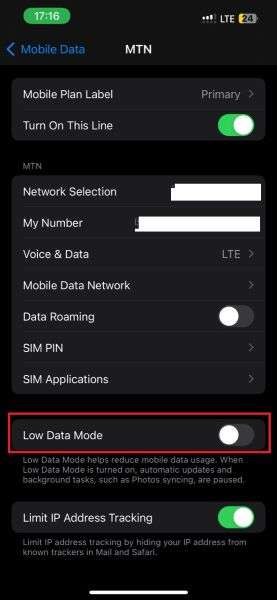
Open your phone and check your network settings. Disable Airplane Mode, connect to a ber Wi-Fi network, and turn off Low Data Mode.
If that doesn't work, you should return your device to its default network settings.
How to Reset iPhone Network Settings- Go to Settings on your iPhone and tap on General.
- Scroll down to Transfer or Reset iPhone.
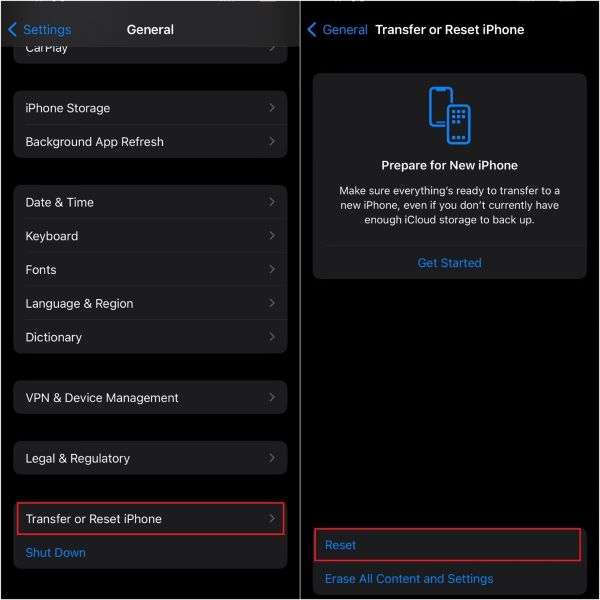
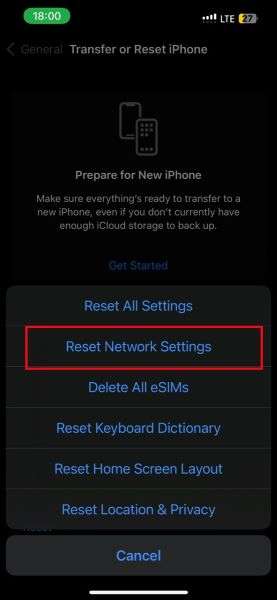
- Tap on Reset > Reset Network Settings.
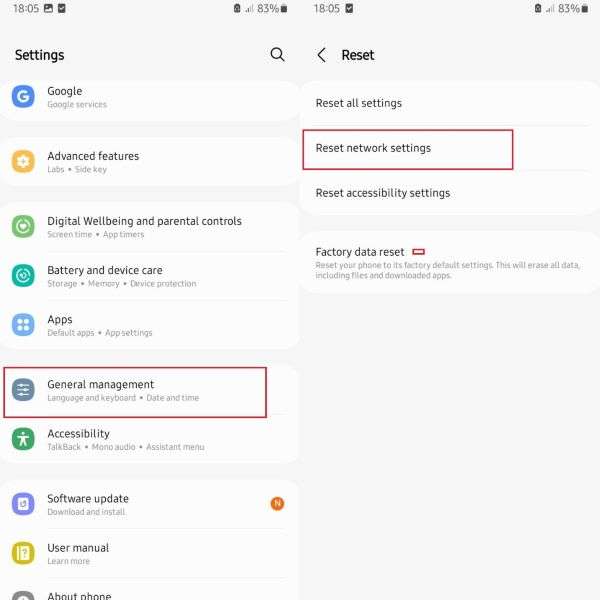
- Go to Settings > System or General Management.
- Tap on Reset > Reset Network Settings.
2. Recover Opened View Once via MobileTrans
If you have already opened the View Once photo, it won't open again. However, you can use the MobileTrans - WhatsApp View Once recovery tool to retrieve it.
The MobileTrans - View Once recovery app is a secure and user-friendly tool that allows you to recover deleted, missing, and closed View Once images to your phone or PC.
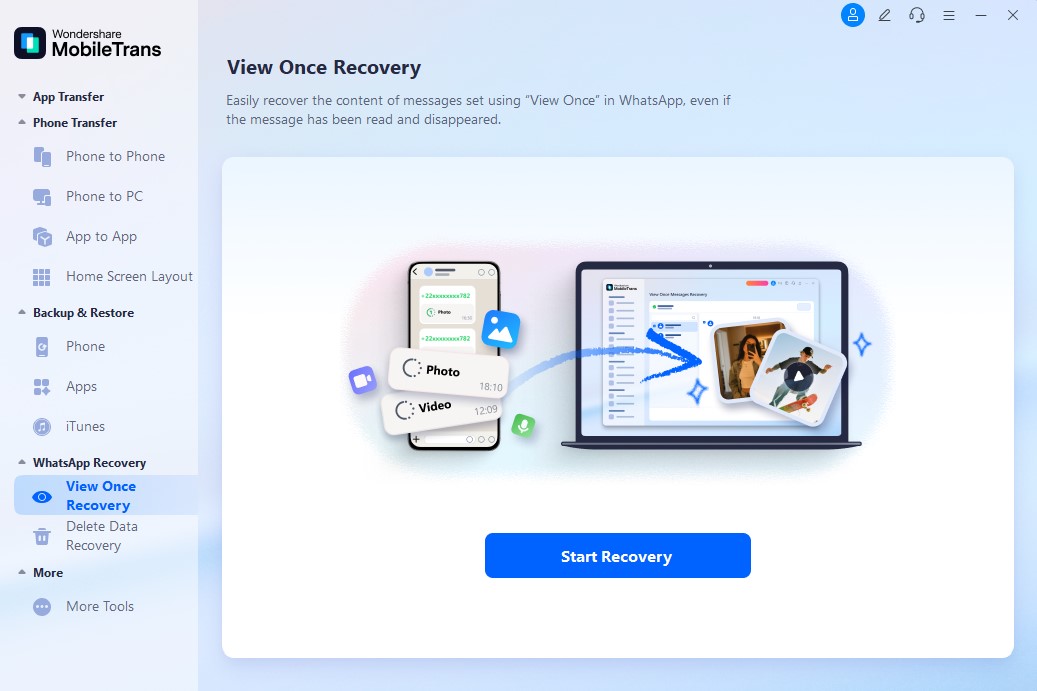
How to Open View Once Photos via MobileTrans - WhatsApp Recovery AppStep 1: Launch Your MobileTrans - Recovery App
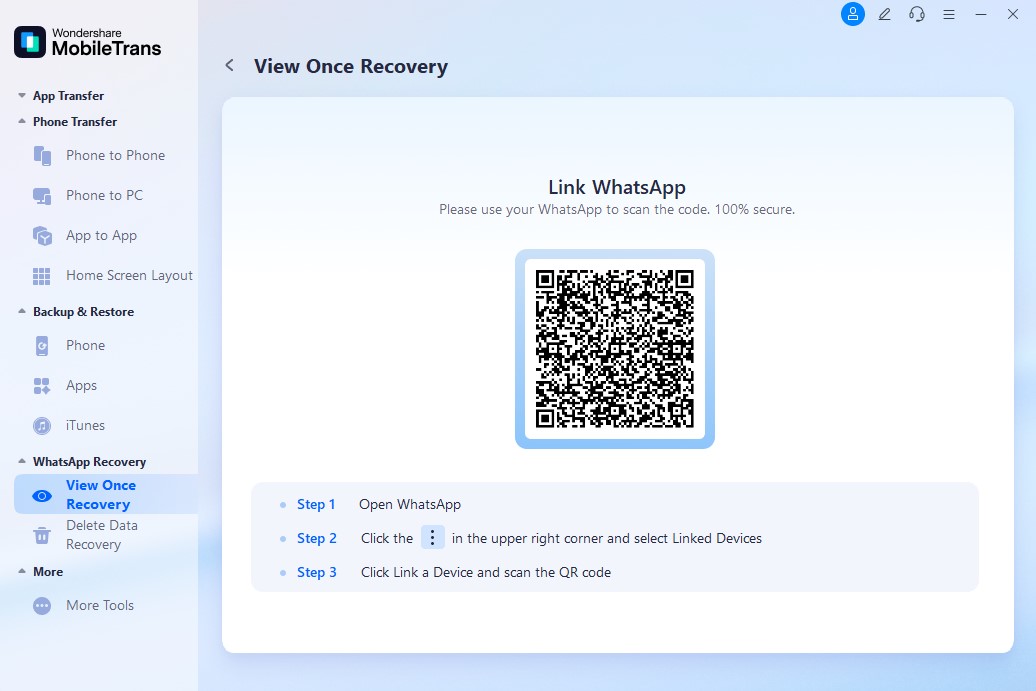
Launch MobileTrans on your computer and select the WhatsApp Recovery mode from the app's main interface. Tap on View Once Recovery.
Step 2: Select Your View Once Photos
Use your phone's camera to scan the QR code on your computer screen and link your PC to your WhatsApp account.
Step 3: Export WhatsApp View Once Videos Successfully
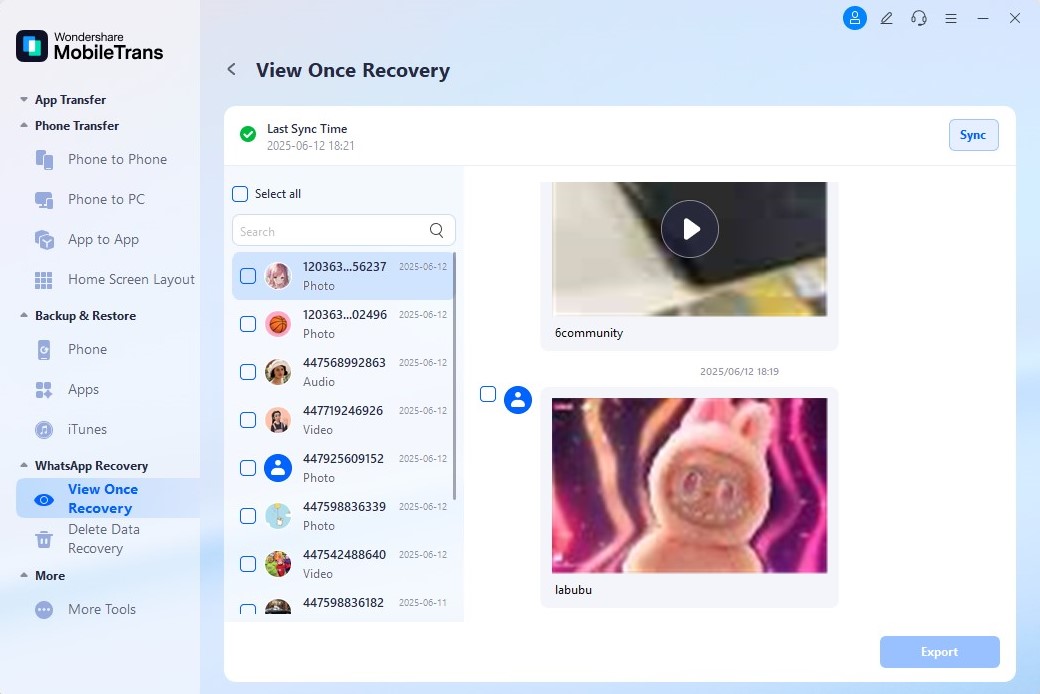
Choose the View Once photos to recover and click on Export.




3. Enable Media Permissions for WhatsApp
If you don't grant media permission via Settings, WhatsApp will be unable to open View Once photos.
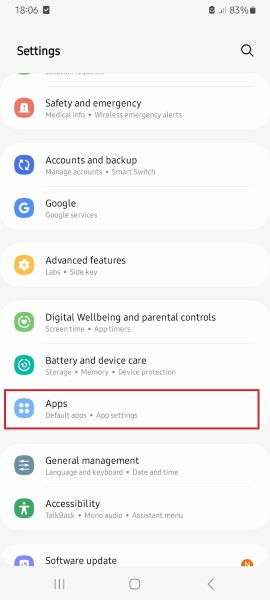
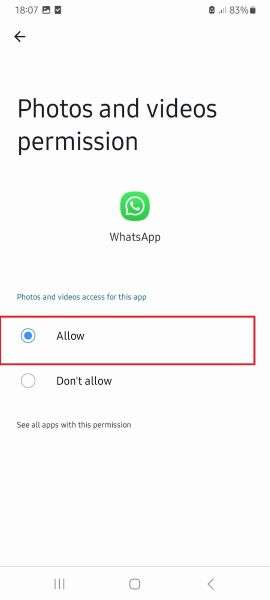
How to Grant Media Permissions for WhatsApp on Android- Go to Settings > Apps.
- Scroll down and tap on WhatsApp.
- Tap on Permissions > Photos and Videos.
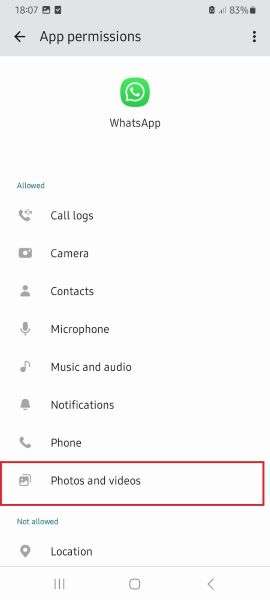
- Tap on Allow.
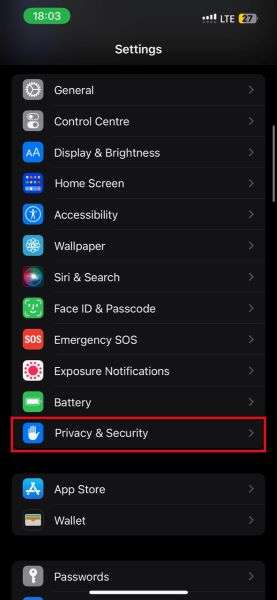
- Go to Settings > Privacy & Security.
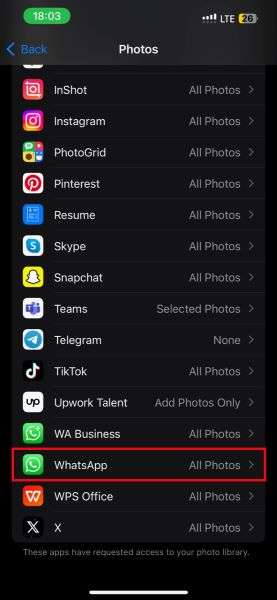
- Tap on Photos and scroll down to WhatsApp.
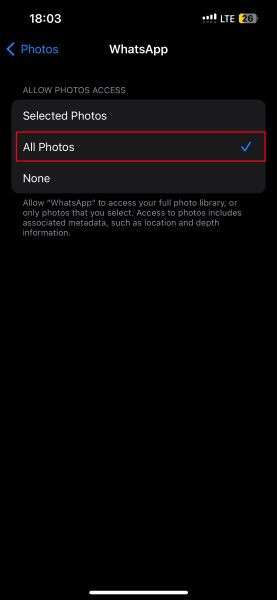
- Tap on WhatsApp and select the All Photos.
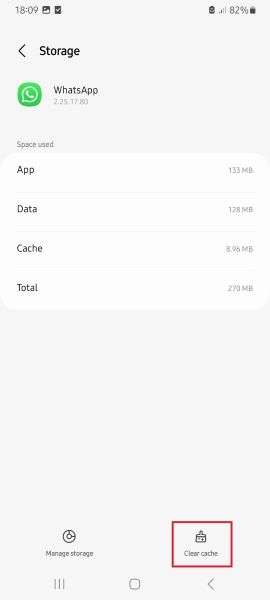
4. Clear WhatsApp Cache
WhatsApp automatically stores temporary files on your phone to optimize its speed and performance.
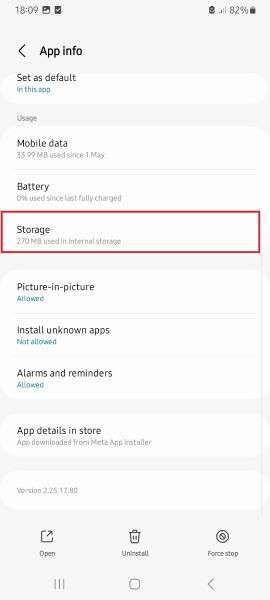
- Go to Settings > Apps.
- Tap on WhatsApp > Storage.
- Tap on Clear Cache.
5. Update Your WhatsApp Version
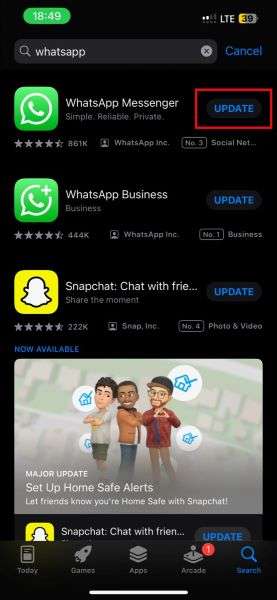
- Open the App Store on your iPhone or the Google Play Store on your Android phone.
- Search for WhatsApp and tap on the Update icon next to the app symbol.
6. Ask the Sender to Resend the Photo
If a WhatsApp View Once photo won't open because the image has been deleted or expired, you can politely ask the sender to resend the photo to you.
7. Contact WhatsApp Support
Still can't open WhatsApp View Once photos after using all the steps above? You may need to contact WhatsApp support for help.
Bonus: A New Way to Track WhatsApp Online Status - WeLastseen
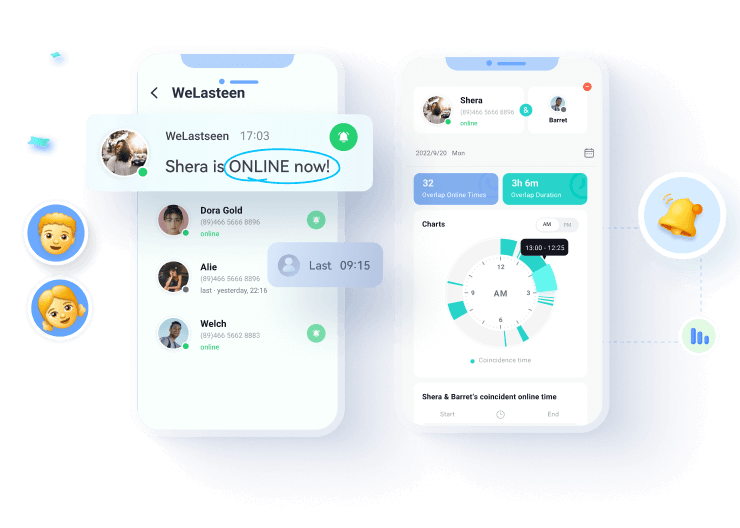
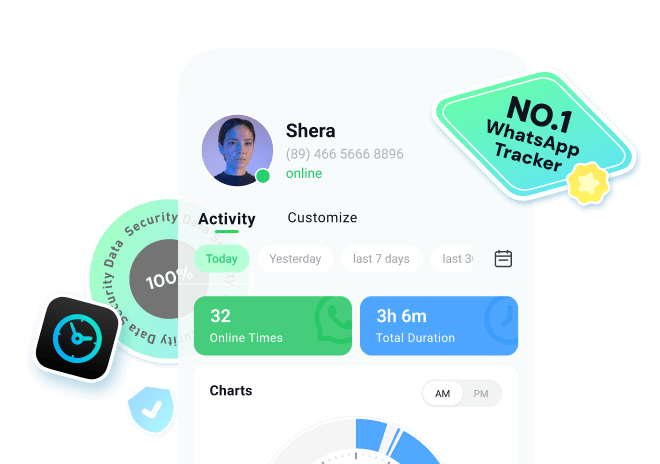
The WeLastseen Online Status Tracker app is designed to improve communication efficiency on WhatsApp.



Step 1: Install the WeLastseen App
Go to the Google Play store on your Android phone and search for the "WeLastseen: Chat App Tracker." Tap "Install" to download the app.


Step 2: Choose Who to Track
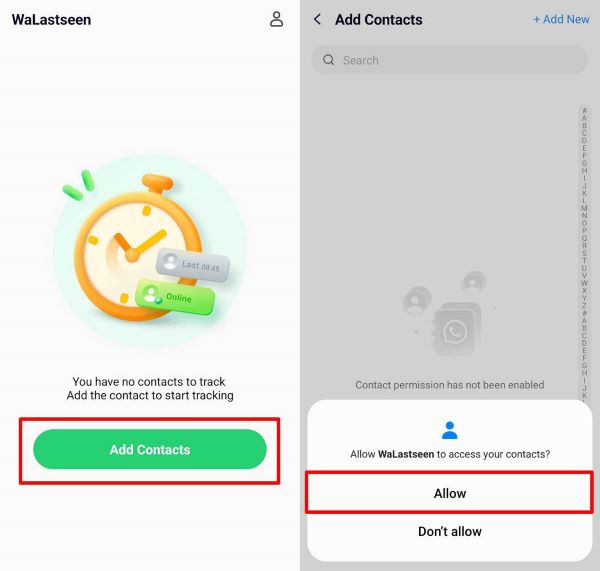
Tap on Add Contacts > Allow. Then choose which of your WhatsApp contacts you want to track online status for.
Step 3: Start Tracking
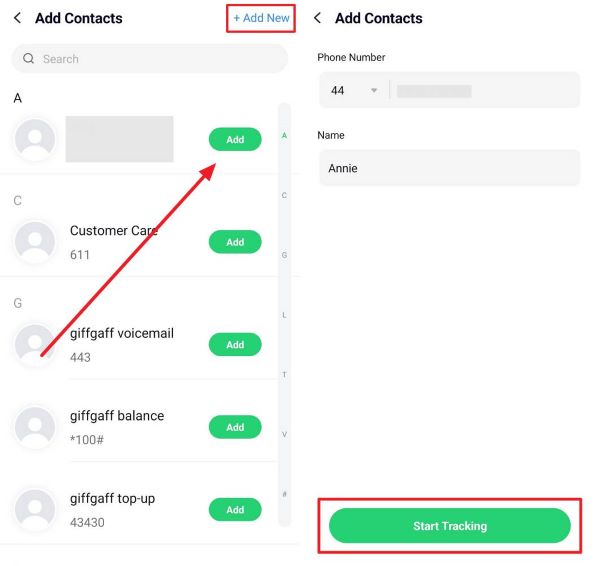
Tap on the Start Tracking button at the bottom of the screen.
Step 4: Set Online Notifications
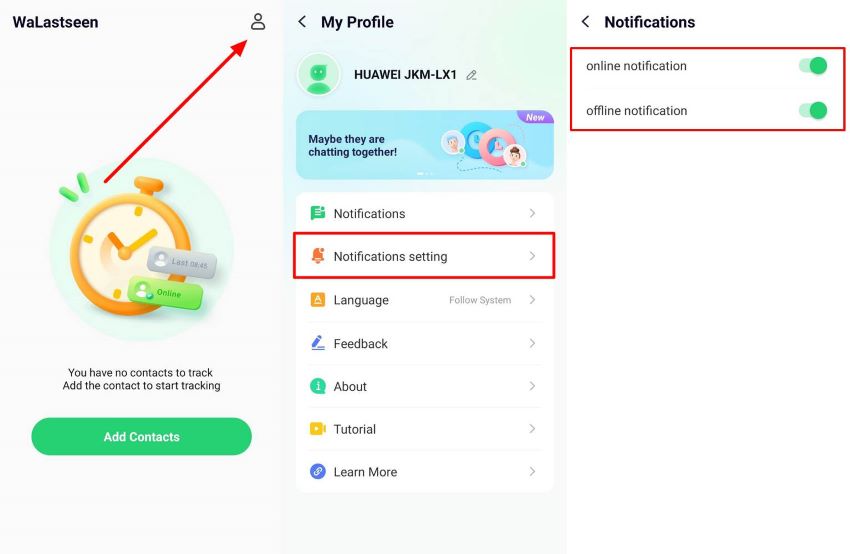
Go to Profile Icon > Notifications. Choose to receive Online Notifications.
Conclusion
In summary, the issue of View Once photos not opening on WhatsApp is a common problem among users, and several possible causes exist for this issue.
FAQs
-
Why can't I see the View Once photos I send on WhatsApp?
You can't see WhatsApp View Once photos after sending them due to WhatsApp's privacy policies. After you send a View Once photo online, you can no longer view the image. -
What to do immediately if it's not showing on WhatsApp?
You should reconnect your device to a ber mobile or Wi-Fi network and see if that fixes the problem. Next, ensure you have the correct data and connection settings on your smartphone and allow media permissions for WhatsApp via the Settings menu.