


 TL;DR:
The September 9, 2025 iPhone 17 lineup introduces a major structural overhaul, replacing the Plus with a 5.5mm ultra-thin iPhone 17 Air and equipping all four models with 120Hz ProMotion Always-On displays.
● Select the 145g single-lens iPhone 17 Air for maximum portability, the standard 6.3-inch iPhone 17 for balanced daily use, or the Pro and Pro Max variants if you require the A19 Pro chip and exclusive thermal cooling for heavy workloads.
● The traditional camera housing is replaced by a vertical dual-camera on standard models and a horizontal pill-shaped bar on Pro versions to improve LiDAR alignment and heat dispersion.
● All devices strictly require eSIM connectivity due to the complete removal of physical SIM trays, creating setup complications in regions like China where local regulations delay digital SIM approval.
Ask AI for a summary
 ChatGPT
 Perplexity
 Gemini
 Claude
 Grok
Grok
The recent iPhone models have kept a similar look, and many users felt it was time for a fresh change. Individuals wanted phones that not only worked better but also looked and felt different, with a thinner design and easier button access.
The iPhone 17 has now brought all that and more, with major design reveals highlighting a bold new look. Hence, in this article, we'll break down the key changes of the iPhone 17 design and why it's worth getting excited about.
In this article
-
- Stand Out with Vibrant, Personalized Color Choices
- Quicker Access and Better Comfort with Smarter Button & Port Layout
- Enjoy a Lighter, Slimmer iPhone That's Easier to Hold All Day
- Lose Yourself in a Bigger, More Immersive Display
- Stay Informed Without Unlocking Your Phone
- Travel Freely with Hassle-Free eSIM Connectivity.
- Stay Comfortable with Cooler Performance
Part 1. A Brief Overview of iPhone 17 Design Details & Facts
Apple's latest iPhone has already made waves after its official launch. In this section, we'll take a closer look at the official iPhone 17 design details and facts, including what's changed and when it launched:
iPhone 17 Facts: Official Release Date and Lineup
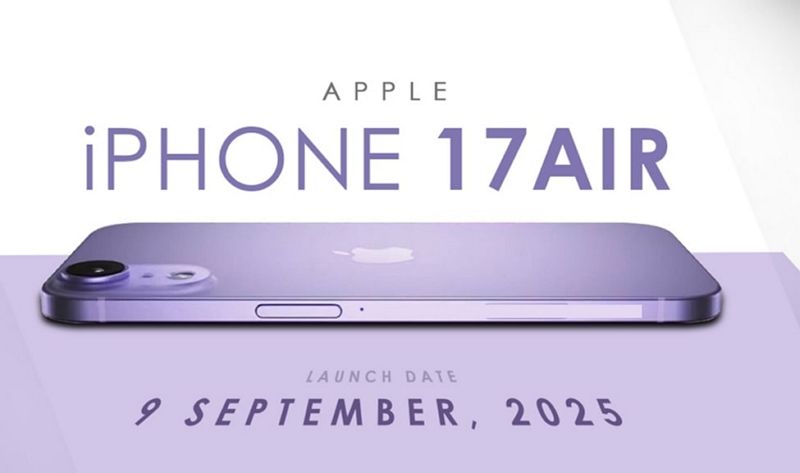
This series officially debuted on September 9, 2025, adhering to Apple's usual annual timeline. The lineup includes four models: iPhone 17, the new iPhone Air, iPhone 17 Pro, and iPhone 17 Pro Max, with the Air model taking the place of the previous Plus versions. The official Apple event took place on September 9, and pre-orders openes on September 12, with general availability beginning on September 19.
A Major Design Shift: Apple's Iconic Look Gets an Upgrade
Apple has implemented a significant change with the iPhone 17 series, unveiling a substantial design alteration featuring a completely new iPhone camera bump. Other than camera changes, Apple revamped its system icons, aiming for a more modern look across iOS.
These updates make the iPhone 17 visually distinctive and functionally advanced, appealing to users who were eager for a meaningful design evolution.
Part 2. The Biggest Design Shift: A Completely New Camera Bump
Drawing from the significant design reveals, a feature creating the most excitement is the entirely revamped camera bump. Let's take a closer look at what has changed and how it refines the iPhone 17 design:
What's Changing in the iPhone 17 Camera Bump?
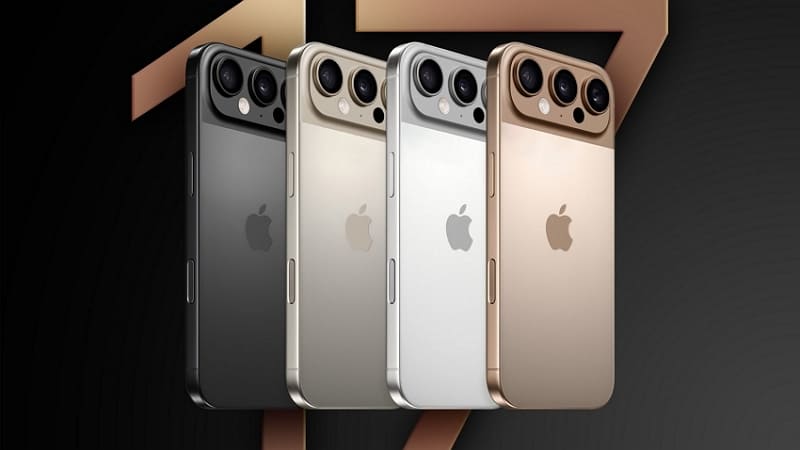
The camera bump of this new model introduces a new look that refines how the iPhone feels in your hand. The iPhone 17 now features a vertically aligned dual-camera setup, while the Pro and Pro Max models have a new horizontal, pill-shaped camera bar stretching across the back. This horizontal layout was designed to give each lens more breathing room, which could improve image and video clarity.
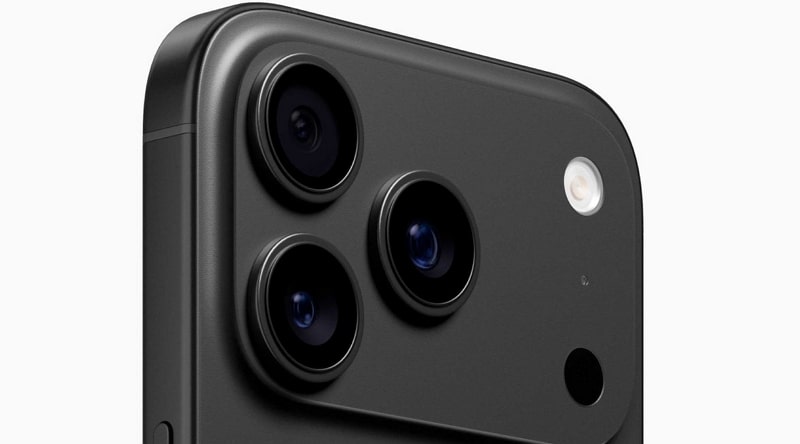
With the better alignment of the flash and LiDAR sensor, night shots and AR experiences have gotten a noticeable upgrade. The Pro and Pro Max models have also shifted from titanium to a lightweight camera housing with rounded corners.
This material choice boosts durability and supports better heat management during intense use. Meanwhile, the new iPhone Air features a single lens in the elongated centered bump, offering a redesigned look.
How Does the New Camera Bump Impact the Overall Look?
The edge-to-edge camera of this new phone presents a contemporary and distinctive shape, indicating a daring update to Apple's iconic aesthetics. This horizontal iPhone 17 design promotes symmetry and clean lines, resulting in a streamlined aesthetic. With seamless integration into the chassis and color-matched finishes, the camera bump maintains Apple's elegant look while enhancing the device's feel in the hand.
Part 3. Other iPhone 17 Design Features Worth Noting
While the iPhone 17 camera bump is drawing attention, several other design features further elevate the user experience:
1. Stand Out with Vibrant, Personalized Color Choices
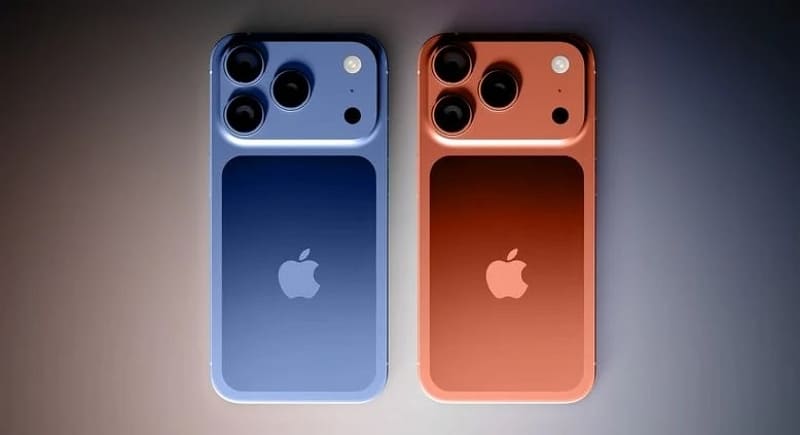
Beyond structural redesign, the most important factor that users consider is the color palette, which is broader as shown below:
|
Model |
Color |
Finish Type |
Exclusivity |
Details/Source |
|
iPhone 17 |
Blue |
Matte |
Standard |
A fresh, new, vibrant blue option. |
|
Green |
Matte |
A vibrant, light green finish. |
||
|
Red |
Matte |
A bright Product(RED) option. |
||
|
Black |
Matte |
A classic, deep black finish. |
||
|
White |
Matte |
A clean, elegant white finish. |
||
|
iPhone 17 Air |
Sleek Black |
Matte |
Air Exclusive |
Modern classic, business, or understated style |
|
Pearl White |
Cooler, brighter, minimalist appeal |
|||
|
Light Blue |
pastel, inspired by MacBook Air's Sky Blue, and refreshing |
|||
|
Light Gold |
Soft, refined, pearlescent, subtle, of luxury |
|||
|
iPhone 17 Pro/Pro Max |
Orange |
Brushed Metal |
Pro Exclusive |
Bold, striking, and offers a luxurious and personalized look |
|
Dark Blue |
Deep refined, conveying exclusivity and an elegant aesthetic |
2. Quicker Access and Better Comfort with Smarter Button & Port Layout
Beyond the iPhone 17 camera bump, Apple has made noticeable upgrades to button positioning and port structure with real ergonomic benefits. The volume and power buttons have shifted slightly to better align with natural hand placement. This repositioning makes everyday actions like adjusting volume or taking screenshots feel more intuitive and less of a reach.
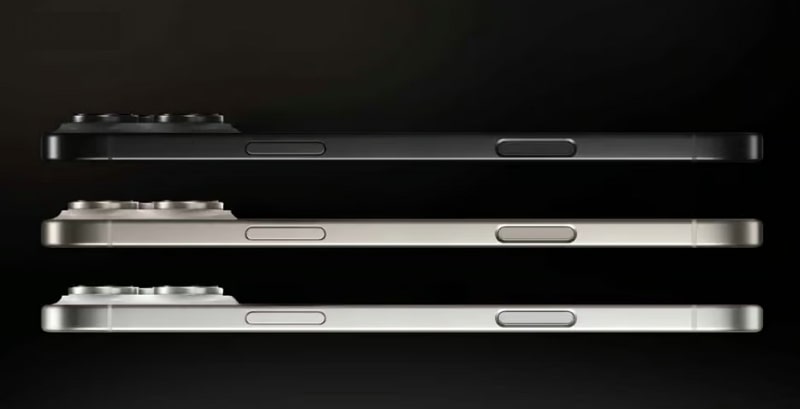
It also features haptic or solid-state alternatives to physical buttons. These non-mechanical buttons deliver crisp and precise feedback. On the left side, following the EU's USB-C requirement in the iPhone 15, the 17 showcases redesigned ports and balanced speaker grills for a neater appearance. The lower port area is reinforced with lighter yet stronger material in the Air model to preserve durability.
3. Enjoy a Lighter, Slimmer iPhone That's Easier to Hold All Day
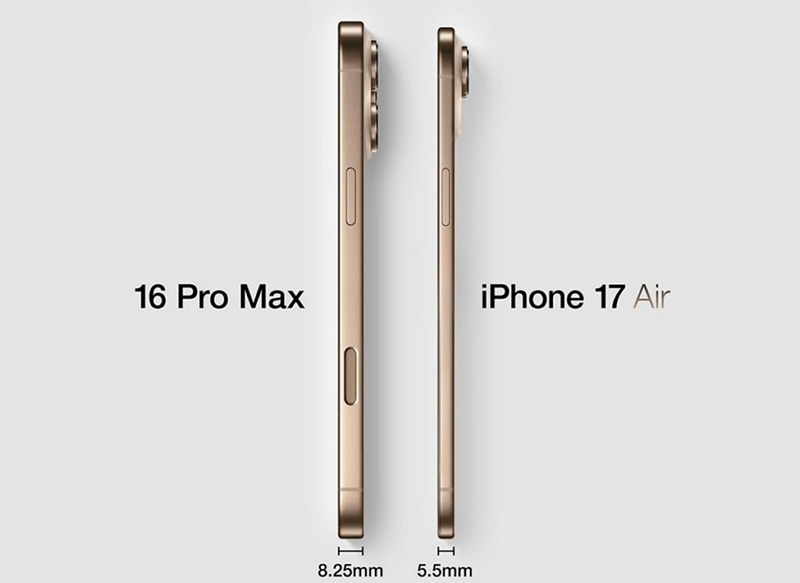
Apple has debuted its slimmest iPhone 17 design yet with the Air, featuring a 5.5mm chassis far sleeker than previous models. It weighs around 145g, thanks to the use of advanced aluminum alloy and Ceramic Shield, which enhances strength and lightness. This ultra-thin, lightweight design makes all-day use more comfortable and convenient. The Pro models now feature an all-new aluminum design improving durability and wireless charging support.
4. Lose Yourself in a Bigger, More Immersive Display
Apart from the iPhone 17 camera bump, this lineup focuses heavily on enhanced visual clarity and user comfort. All four iPhone 17 models feature 120Hz ProMotion displays. These enhancements improve everyday usability, content creation, browsing, and multitasking while maintaining a consistent high-end experience.
|
Model |
Display Size |
Display Type |
Key Detail |
|
iPhone 17 |
6.3 inches |
OLED |
Larger than previous standard models and features 120Hz refresh rate |
|
iPhone 17 Air |
6.6 inches |
OLED |
Ultra-thin, balanced between portability & view |
|
iPhone 17 Pro |
6.3 inches |
OLED |
Equal to standard, adds ProMotion 120Hz |
|
iPhone 17 Pro Max |
6.9 inches |
OLED |
Largest, immersive for media and multitasking |
5. Stay Informed Without Unlocking Your Phone
The iPhone 17 design features an always-on display (AOD) across the entire lineup. Thanks to the upgrades to LTPO OLED panels across all devices, each model supports a refresh rate as low as 1Hz. This allows the screen to show click widgets and notifications while locked, without significantly impacting battery life.
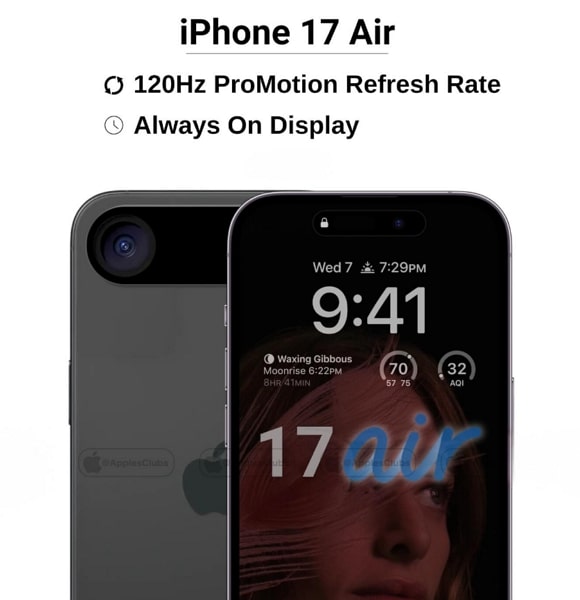
All iPhone 17 models now have AOD support, offering quick access to essential information at a glance. Combined with energy efficiency, this upgrade makes everyday interactions more seamless while preserving battery performance. The move signals a shift towards giving users more convenience and functionality across the entire iPhone range, not just the top-tier models.
6. Travel Freely with Hassle-Free eSIM Connectivity.
The iPhone 17 lineup, including the Air, has eliminated the physical SIM card slot in favor of eSIM-only connectivity. Aside from the iPhone 17's camera bump, this change helped Apple achieve one of its slimmest designs by freeing up internal space. Apple has expanded eSIM-only models to more countries, making it standard for this generation.
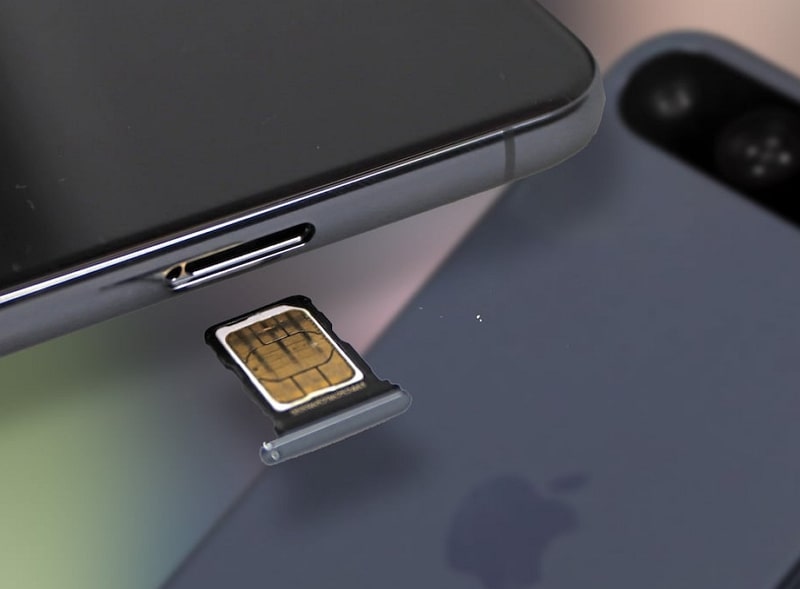
For users, this shift simplifies carrier switching and allows multiple plans on a single device, and improves security since there is no SIM tray to remove. However, the shift has caused some complications in regions like China, where eSIM adoption is limited and local regulations delay approval for digital phones. However, Apple's push towards a SIM-free future matches broader trends in device durability, user convenience, and advanced waterproofing.
7. Stay Comfortable with Cooler Performance
When it comes to thermal management, Apple has introduced improvements within the iPhone 17 design. They feature a new thermal design and use the new A19 Pro chip. This new system helps disperse heat more effectively during heavy workloads, which prevents overheating, even during gaming sessions or long 4K recordings.

While earlier iPhones relied on graphite pads and passive cooling, the new system combined with the new A19 Pro chip boosts thermal efficiency. This feature remains exclusive to the Pro and Pro Max variants, as they demand more power. Most established insiders agree it is a Pro feature driven by the increased power and heat of the A19 Pro chip.
Part 4. Public Reaction: What Are People Saying About the New iPhone 17 Design?
Several Reddit users describe the design as very clean, appreciating the modern look of the horizontal iPhone 17 camera bump. Some admire how the new two-tone back stands out from previous years and feel the updated style. "Bring back memories of the 5/5s" fans are nothing; it gives the device a new personality and aligns with Apple's legacy for a distinctive aesthetic.
On the other side, many commentators deride the redesign as "so ugly" and "monstrous," criticizing the larger camera bump. Complaints frequently mention how the bar's prominence and unconventional back will make the phone appear less elegant. They also worry that it will exaggerate the phone's wobble or affect ergonomics. Apart from this, some say they may even skip upgrading this cycle purely due to design choices.
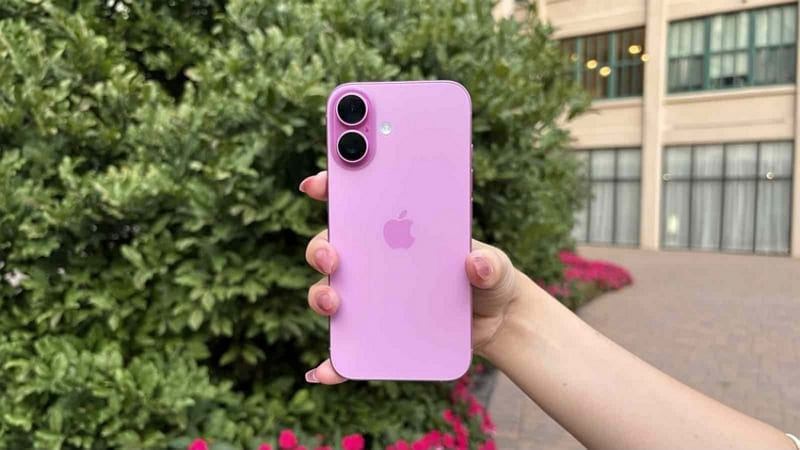
All in all, the iPhone 17 line's bold new look is fueling debate. While some users value seeing Apple take risks and offer a genuinely different visual experience, others are not ready to let go of long-favored design cues. They worry that the phone's unique features may compromise practicality. As with the past major shifts, the broader acceptance may come with time once users can see and handle the phone in person.
Part 5. Should You Be Excited About the iPhone 17 Design?
The iPhone 17 design brings bold innovation, standing out with its striking horizontal camera bar, and you should be excited about it. Apple's new design language introduces a thinner body and exclusive colors that make each model feel unique in hand. However, it's not just about looks; these upgrades offer real benefits depending on what you care about most. If you love ultra-slim designs, the Air model is perfect for you.
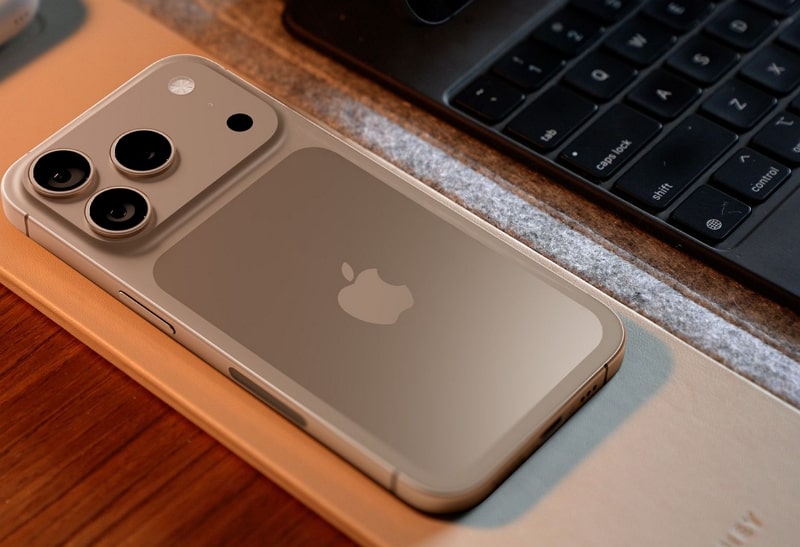
For those who prefer a stylish but balanced option that covers all the basics at a reasonable price, they can choose the iPhone 17. Power users, mobile creators, and gamers will likely opt for the iPhone 17 Pro due to its ProMotion display and vapor chamber cooling. Additionally, if you are after the largest, most immersive display and every premium feature Apple offers, the Pro Max is your ideal choice.
Part 6. Convinced of iPhone 17? Explore MobileTrans for Smooth Shift
Now that you know iPhone 17's camera bump and other features, if you decide to upgrade after its release, you might want to transfer data from your older phone. In this case, you can use MobileTrans, which allows you to move up to 18 other data types, so nothing important is left behind during your upgrade. No technical expertise is required, and you can simply connect the phones and click once to begin.
Key Features
- Mass Data Transfer: You can efficiently move entire app batches or large amounts of data, saving time, especially when upgrading from older devices.
- Faster Transfer Speed: It allows you to transfer large files, photos, videos, applications, documents, WhatsApp, and more at a blazing-fast speed, which is far faster than other traditional methods.
- Device Compatibility: Users can seamlessly switch between any iOS and Android phone up to 6000 devices, making it ideal for users changing brands.
- Keep Your Data Safely: Transfer & Merge feature ensures that your content won't be overwritten, giving you peace of mind while switching phones.
- Select the Data You Need: Users can choose exactly what they want to move, leaving behind junk or unwanted files for a cleaner start on their new iPhone 17.






A Complete Guide to Transfer Data to iPhone 17 using MobileTrans
After understanding the iPhone 17 design and key features of this tool, many users might not know how to use it for migrating data. The following section will cover the step-by-step guide to transfer data to your new iPhone 17:
Step 1. Go to "Phone to Phone" > "Phone Transfer." Select the "Source and Destination" option to confirm the devices.

Step 2. Pick the data from "Select Content to Copy" and press the "Start" button.

Importantly, MobileTrans is available as a dedicated mobile application for users who don't have access to a PC/Mac at the moment. This allows seamless data migration directly from phone to phone, making it convenient for users on the go or those who prefer managing transfers solely from their mobile devices.
Conclusion
In conclusion, the iPhone 17 has brought a refresh wave of design from its ultra-slim body to the iPhone 17 camera bump and more vibrant color options. Whether you are drawn to the portable iPhone Air or feature-packed Pro Max, each model caters to different needs. Hence, if you are planning to switch to any model when it gets released, make your upgrade hassle-free by using MobileTrans.










