



 TL;DR:
MobileTrans is the best choice for users who want to transfer WhatsApp along with full phone data in a single workflow, whereas iCareFone Transfer is specifically suited for users whose only goal is migrating standard or GB WhatsApp.
● MobileTrans transfers 22+ phone data categories, supports extra apps like LINE and Viber, and handles 35 GB WhatsApp media packages up to seven times faster during restore processes.
● iCareFone Transfer holds a distinct advantage by supporting GB WhatsApp migration, but it lacks the ability to move advanced data like call logs, starred messages, or general phone files without a separate tool purchase.
● The Android to iPhone setup process for iCareFone involves more manual preparation like enabling USB debugging and backup creation, while MobileTrans offers a more direct, beginner-friendly path.
Ask AI for a summary
 ChatGPT
 Perplexity
 Gemini
 Claude
 Grok
Grok
A quick switch to a new phone can be stressful when WhatsApp data does not transfer as expected. Chats, photos, videos, voice notes, documents, and even business conversations may contain memories or important work details. That is why many users compare MobileTrans vs iCareFone Transfer before moving WhatsApp data between Android and iPhone.
Both tools support WhatsApp transfer and selected WhatsApp backup or restore workflows, but they are not built in the same way. iCareFone Transfer is mainly focused on WhatsApp, WhatsApp Business, and GB WhatsApp migration, while MobileTrans is designed as a broader WhatsApp transfer and phone migration solution. In this detailed MobileTrans vs iCareFone comparison, we will review supported WhatsApp transfer directions, data types, media handling, ease of use, transfer speed, pricing, phone-to-phone migration value, and final recommendations.
In this article

MobileTrans vs iCareFone Transfer – Quick Overview
Before you decide which is the best WhatsApp transfer software, it is important to understand what MobileTrans and iCareFone Transfer are designed to do. Although both tools can move WhatsApp data, their overall transfer scope, supported apps, and migration flexibility are different.
What Is MobileTrans?
MobileTrans is a Wondershare desktop and mobile solution for phone-to-phone transfer, WhatsApp transfer, social app transfer, backup, restore, and data export. For WhatsApp migration, it supports WhatsApp and WhatsApp Business transfer across Android and iOS, while also covering common phone data such as contacts, messages, photos, videos, music, call logs, calendars, and more.
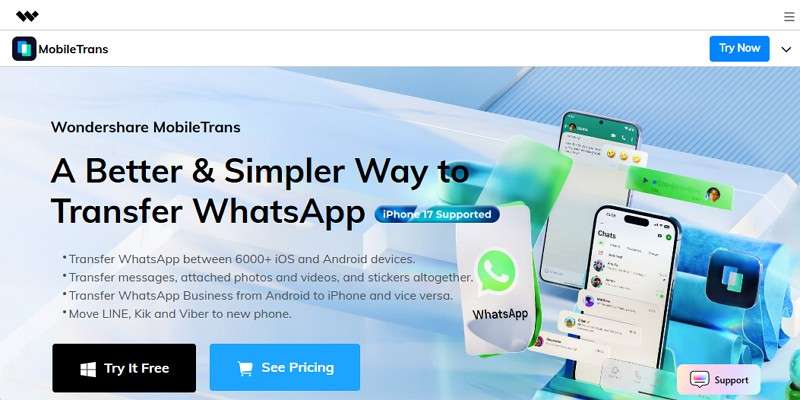
For users who want more than a basic WhatsApp migration, MobileTrans offers a more complete transfer toolkit. It can move data between 6,000+ iOS and Android devices, support app transfers such as LINE, Viber, and Kik, and provide guided transfer steps for beginners. Users can also back up WhatsApp to a computer, restore WhatsApp to a new phone, and export chats as HTML or PDF files when needed.
What Is iCareFone Transfer?
iCareFone Transfer is a Tenorshare tool mainly created for WhatsApp, WhatsApp Business, and GB WhatsApp transfer. It supports WhatsApp migration between Android and iPhone, WhatsApp backup to computer, and WhatsApp restore from local or cloud backups. It can also restore WhatsApp from Google Drive to iPhone or from iCloud backup to Android in selected scenarios.
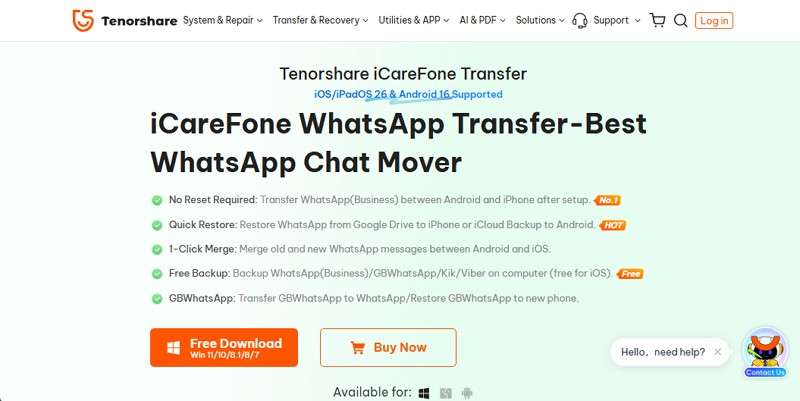
Unlike MobileTrans, iCareFone Transfer is more messaging-focused. It can be useful if your main goal is WhatsApp or GB WhatsApp migration, but it does not provide a full phone-to-phone migration ecosystem inside the same WhatsApp transfer tool. For complete phone migration, users may need another Tenorshare tool, which can increase the total cost and complexity.
Key Difference in WhatsApp Transfer Approach
The main difference in the MobileTrans vs iCareFone WhatsApp transfer debate is transfer scope. MobileTrans combines WhatsApp transfer with broader phone migration and social app transfer functions. iCareFone Transfer focuses more narrowly on WhatsApp-related migration, especially WhatsApp, WhatsApp Business, and GB WhatsApp.
| Aspect | MobileTrans | iCareFone Transfer |
| Main Platform | Desktop app for Windows/Mac plus mobile app support, suitable for WhatsApp transfer and phone migration. | Desktop app for Windows/Mac and mobile app support mainly for WhatsApp-related migration. |
| Main Focus | WhatsApp transfer, WhatsApp Business transfer, phone transfer, social app transfer, backup, restore, and export. | WhatsApp, WhatsApp Business, and GB WhatsApp transfer, backup, and restore. |
| Transfer Style | Complete or selective WhatsApp transfer, with broader phone data migration and guided transfer steps. | WhatsApp-focused transfer with selective transfer and preview options. |
| Data Control | Complete transfer or selective transfer depending on the scenario. | Complete transfer or selective transfer for supported WhatsApp data. |
| Extra Apps | Supports WhatsApp, WhatsApp Business, LINE, Kik, Viber, and full phone data transfer. | Mainly supports WhatsApp, WhatsApp Business, GB WhatsApp, and limited Kik/Viber backup or restore support. |
| Best For | Users who want one tool for WhatsApp transfer, phone migration, and multiple social apps. | Users who mainly need WhatsApp or GB WhatsApp migration. |
Pros and Cons of MobileTrans and iCareFone Transfer
To make this WhatsApp transfer tool comparison clearer, here is a quick look at the major advantages and limitations of both tools.
MobileTrans Pros and Cons
| Pros | Cons |
|
|
iCareFone Transfer Pros and Cons
| Pros | Cons |
|
|
Why Complete WhatsApp Transfer Matters
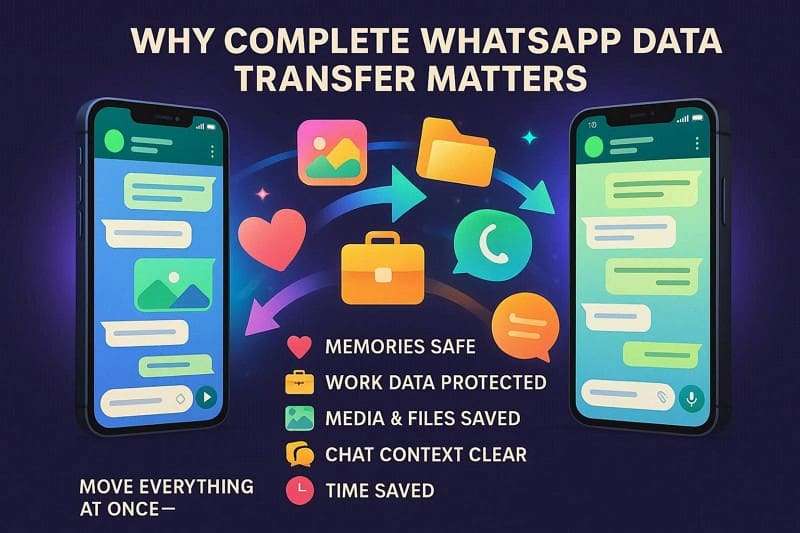
When users move WhatsApp to a new phone, they usually want more than text messages. A complete transfer should keep chat history, photos, videos, audio files, documents, stickers, group context, and important business information together. This is why choosing the right tool matters.
-
Keeps Memories Safe: WhatsApp chats often include family updates, birthdays, travel photos, and personal moments. A complete transfer keeps those memories available on the new phone.
-
Protects Work Data: Many users rely on WhatsApp for client chats, orders, team decisions, invoices, and documents. Losing part of this data can create confusion or business risk.
-
Saves Media and Files: Photos, videos, voice notes, and documents inside WhatsApp may not be stored elsewhere. A complete transfer helps prevent missing attachments.
-
Keeps Group Context Clear: Group conversations often contain shared decisions, links, polls, and older replies. Keeping full history helps users understand ongoing discussions.
-
Saves Time and Effort: Manual transfer can be slow and incomplete. A reliable transfer tool moves data in one guided workflow and reduces the chance of errors.






Supported WhatsApp Transfer Directions Compared
Transfer direction is one of the first things to check when comparing MobileTrans vs iCareFone Transfer. Both tools support common WhatsApp migration routes, including Android to iPhone and iPhone to Android. However, MobileTrans has a wider advantage because it can also support other social app and phone data transfer needs during a phone switch.
| Transfer Direction | MobileTrans – Support | MobileTrans – Notes | iCareFone Transfer – Support | iCareFone Transfer – Notes |
| Android to Android WhatsApp Transfer | Yes | Supports WhatsApp/WhatsApp Business transfer and can also move other phone data. | Yes | Focused on WhatsApp, WhatsApp Business, and GB WhatsApp. |
| iPhone to iPhone WhatsApp Transfer | Yes | Supports iPhone-to-iPhone WhatsApp and phone data transfer. | Yes | Supports WhatsApp/WhatsApp Business migration between iPhones. |
| Android to iPhone WhatsApp Transfer | Yes | Supports cross-platform WhatsApp transfer with broader app and phone data options. | Yes | Supports cross-platform WhatsApp and GB WhatsApp migration. |
| iPhone to Android WhatsApp Transfer | Yes | Supports iPhone to Android/Samsung WhatsApp migration and phone data transfer. | Yes | Supports WhatsApp data migration from iPhone to Android. |
| Other App/Data Transfer During Phone Switch | Yes | Supports LINE, Kik, Viber, contacts, photos, videos, messages, call logs, and more. | Limited | Mainly focused on WhatsApp-related data; full phone transfer requires a separate tool. |
Transfer Direction Verdict: If your only need is basic WhatsApp or GB WhatsApp migration, iCareFone Transfer can be considered. If you want to move WhatsApp together with other phone data or social apps during a phone upgrade, MobileTrans is the more complete iCareFone Transfer alternative.
WhatsApp Data Types Support: MobileTrans vs iCareFone
When choosing the best WhatsApp transfer software, users should compare both core transfer features and detailed WhatsApp data type support. This section shows how the two tools differ in WhatsApp transfer, WhatsApp Business transfer, and migration completeness.
Core WhatsApp Transfer Capabilities
| Core Capability | MobileTrans | iCareFone Transfer |
| WhatsApp Transfer | Yes | Yes |
| WhatsApp Business Transfer | Yes | Yes |
| Android to iPhone Transfer | Yes | Yes |
| iPhone to Android Transfer | Yes | Yes |
| WhatsApp Backup Before Transfer | Yes | Yes |
| Restore WhatsApp Backup to New Phone | Yes | Yes |
| Chat Merge Options | Supported in many transfer or restore scenarios. | Supported in selected WhatsApp transfer scenarios. |
| AI Pre-check / AI Cleanup / AI Speed Up | Yes | No |
| Export WhatsApp Chats to Computer | Yes, supports export as PDF or HTML. | Limited compared with MobileTrans. |
WhatsApp backup and restore are included here only as transfer-support features. They matter when users want to save WhatsApp data before switching devices, restore a WhatsApp backup to a new phone, or move WhatsApp data across Android and iOS more safely.
Detailed WhatsApp Data Type Support
Both tools can transfer common WhatsApp content, but MobileTrans provides wider coverage for advanced WhatsApp data. This matters if you want your new phone to keep a more complete WhatsApp history instead of only moving basic chats and media.
| WhatsApp Data Type | MobileTrans | iCareFone Transfer |
| Personal Chats | Yes | Yes |
| Group Chats | Yes | Yes |
| Text Messages | Yes | Yes |
| Starred Messages | Yes | No |
| Photos and Images | Yes | Yes |
| GIFs | Yes | Yes |
| Videos | Yes | Yes |
| Video Messages | Yes | Limited / Not clearly supported |
| Voice Notes and Audio | Yes | Yes |
| Documents | Yes | Yes |
| Stickers and Emojis | Yes | Yes |
| Contact Information | Yes | No |
| Group Information | Yes | No |
| Broadcast Messages | Yes | Limited / Scenario-based |
| Polls | Yes | No |
| Call History / Call Logs | Yes | No |
| Account Information / Profile | Yes | Basic / Limited |
| Channel Updates | Yes | No |
| WhatsApp Business Data | Yes | Yes |
Evaluation Verdict: MobileTrans is stronger for users who want broader WhatsApp data coverage, including advanced items such as starred messages, call logs, polls, group information, account information, and channel updates. iCareFone Transfer is still useful for standard WhatsApp and GB WhatsApp migration, but it is less complete if you want to preserve every possible WhatsApp element.
WhatsApp Media Transfer, Speed, and Success Rate Compared
Speed matters when transferring large WhatsApp histories with photos, videos, documents, and voice notes. A tool that handles large media libraries efficiently can save time and reduce the risk of interruptions.
| Aspect | MobileTrans | iCareFone Transfer |
| Transfer Speed | The desktop version is designed for quick WhatsApp and phone data transfer. The mobile app also supports fast local transfer through hotspot or QR-based connection. | Can complete WhatsApp transfer, but the process may take longer depending on backup size, account verification, and device preparation. |
| Large Media Files | Strong focus on large videos, photos, documents, and big WhatsApp data packages. | Supports WhatsApp media transfer, but large migration tasks may require more time. |
| Media Handling Style | Supports common WhatsApp media plus broader items such as call logs, polls, starred messages, channel updates, and phone media during migration. | Mainly focuses on WhatsApp media and messaging data. |
| WhatsApp Backup/Restore During Migration | Can back up WhatsApp to computer and restore WhatsApp data to a new phone when needed. | Can back up and restore WhatsApp in supported transfer workflows. |
35 GB WhatsApp Transfer Performance Test
In a large WhatsApp dataset test, MobileTrans performed faster across several WhatsApp migration-related operations, especially restore to phone. The following table summarizes the comparison:
| WhatsApp Operation - 35 GB Data | MobileTrans | iCareFone Transfer | Speed Winner |
| Android to iPhone | 1 hour | 2 hours | MobileTrans, about 2x faster. |
| iPhone to Android | 1 hour | 1 hour 50 minutes | MobileTrans, about 1.8x faster. |
| WhatsApp Backup to PC | 33 minutes | 1 hour 30 minutes | MobileTrans, about 2.7x faster. |
| WhatsApp Restore to Phone | 4 minutes | 28 minutes | MobileTrans, about 7x faster. |
Performance Verdict: MobileTrans is stronger for large WhatsApp histories, heavy media packages, and users who need a faster Android-to-iPhone or iPhone-to-Android WhatsApp transfer. iCareFone Transfer can work for messaging-only migration, but its workflow and transfer time may be less efficient in large-data scenarios.
Ease of Use: Android to iPhone WhatsApp Transfer Steps
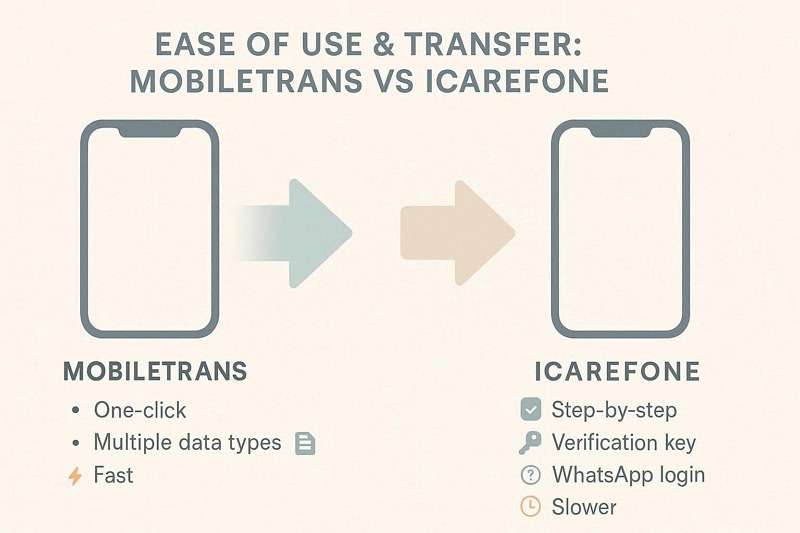
Ease of use is another important part of this MobileTrans vs iCareFone comparison. A good WhatsApp transfer tool should not require technical knowledge, confusing steps, or repeated manual operations. Below is a practical look at how each tool handles Android-to-iPhone WhatsApp transfer.
iCareFone Transfer Guide for Android to iPhone WhatsApp Transfer
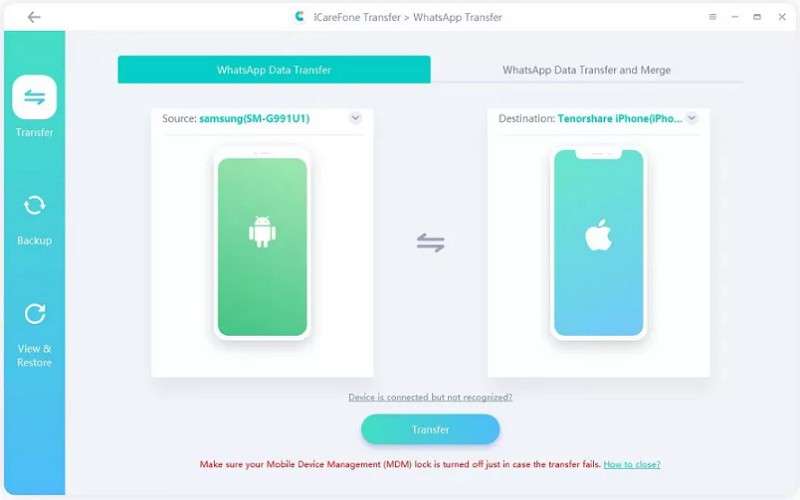
iCareFone Transfer supports Android-to-iPhone WhatsApp migration, but the workflow may feel longer for beginners because it can involve backup creation, account verification, data type selection, and device settings.
Step 1. Connect both devices to the computer, confirm the source and target phones, and click Transfer.
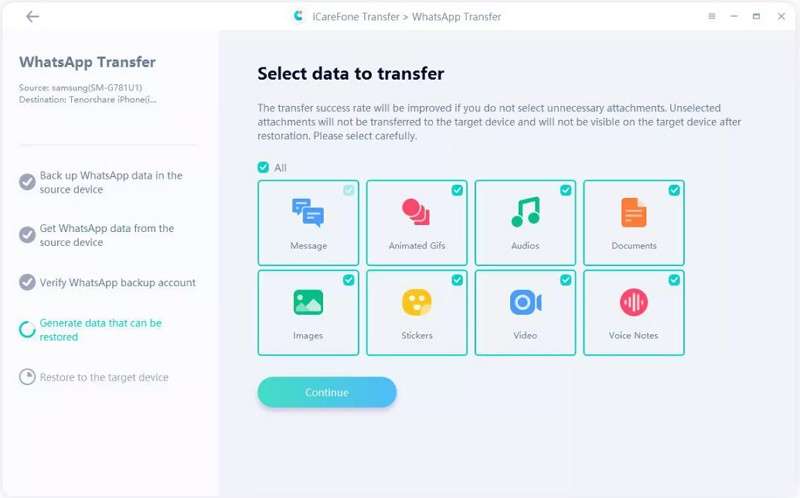
Step 2. Enable USB debugging on Android if required, create a WhatsApp backup, verify the WhatsApp account, select the data types, and click Continue.
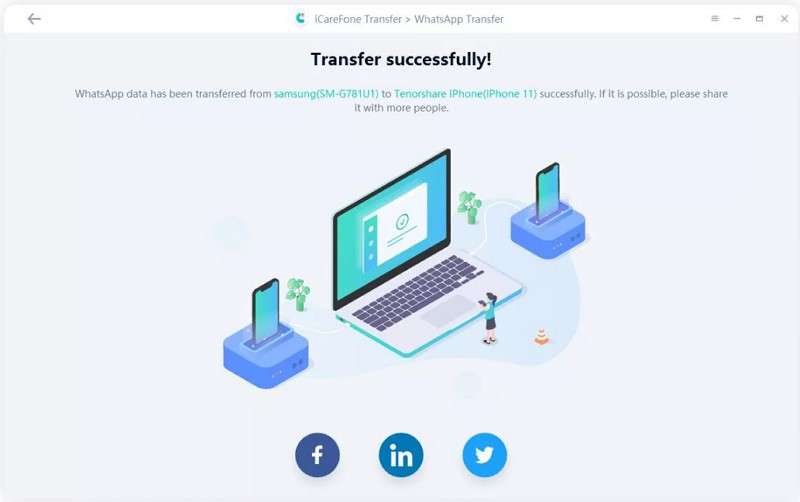
Step 3. Log in to WhatsApp on the target iPhone, turn off Find My if required, and wait for the transfer process to complete.
MobileTrans Guide for Android to iPhone WhatsApp Transfer
MobileTrans offers a more guided workflow. Users only need to choose the WhatsApp transfer feature, connect both devices, confirm the source and destination, select data types, and start the migration.
Step 1. Launch MobileTrans and go to App Transfer > WhatsApp. Choose Transfer or Transfer and Merge according to your needs.

Step 2. Connect the source and target phones. Use Flip if the devices are in the wrong order. Select the WhatsApp data types you want to move and click Start.
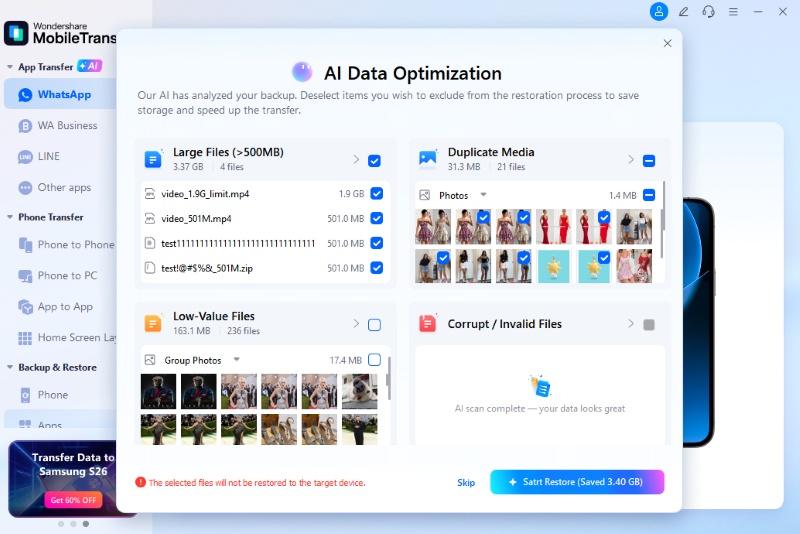
Step 3. Follow the on-screen instructions and keep both devices connected until the WhatsApp transfer is complete.
Usage Verdict
For beginners, MobileTrans is easier to follow because the transfer path is more direct and the interface is built around guided steps. iCareFone Transfer can still work for WhatsApp migration, but its process may involve more preparation, especially when users need to enable USB debugging, verify accounts, create backups, or adjust iPhone settings.
Beyond WhatsApp Transfer: Phone-to-Phone Migration as an Extra Advantage
Although this article focuses on MobileTrans vs iCareFone for WhatsApp transfer, phone-to-phone migration is still worth mentioning because many users transfer WhatsApp when switching to a new phone. In that situation, they may also want to move contacts, photos, videos, SMS, call logs, and other phone data. This is where MobileTrans offers an extra advantage.
iCareFone Transfer mainly focuses on WhatsApp-related migration. If users need complete phone-to-phone transfer, they may need a separate tool. MobileTrans includes WhatsApp transfer and phone data migration inside the same product ecosystem, which makes the phone-switching process more convenient.
| Extra Phone Migration Need | MobileTrans | iCareFone Transfer |
| Full Phone Migration Ecosystem | Yes, supports 22+ data types across platforms. | No, mainly WhatsApp-focused. |
| Contacts Transfer | Yes | No |
| SMS / Text Messages | Yes | No |
| Photos and Videos | Yes | No |
| Music and Audio Files | Yes | No |
| Call Logs / History | Yes | No |
| Calendar Entries | Yes | No |
| Other Social Apps | Supports apps such as LINE, Viber, and Kik. | Mainly WhatsApp, WhatsApp Business, and GB WhatsApp. |
Phone-to-Phone Migration Verdict: This part is not the core of the WhatsApp transfer comparison, but it is an important extra value for users switching phones. MobileTrans is more practical if you want to move WhatsApp and other phone data in one workflow. iCareFone Transfer is more suitable when your only goal is WhatsApp or GB WhatsApp migration.
Pricing: MobileTrans vs iCareFone Transfer
Pricing is important when deciding between MobileTrans vs iCareFone Transfer. iCareFone Transfer may look cheaper on the monthly plan, but MobileTrans can provide better overall value when users need WhatsApp transfer plus phone migration or other social app transfer. Prices may vary by region, promotion, and product page updates, so always confirm the final price on the checkout page.
| License Structure | iCareFone WhatsApp Transfer | MobileTrans WhatsApp Transfer | MobileTrans Desktop |
| Monthly Plan | $19.95 | $25.99 | $29.99 |
| Yearly Plan | $39.95 | $29.99 | $39.99 |
| Perpetual Plan | $49.95 | $39.99 | $49.99 |
| Device Coverage | 1 PC, 5 mobile devices | 1 PC, 5 mobile devices | 1 PC, 5 mobile devices |
| Full Phone Transfer Included | No | Limited to WhatsApp product scope | Yes |
| Best Value Scenario | Basic WhatsApp or GB WhatsApp migration only. | WhatsApp-focused users who want lower long-term pricing. | Users who want WhatsApp transfer, phone transfer, and social app migration in one toolkit. |
Affordable Tool Verdict: If you only need one short-term WhatsApp or GB WhatsApp transfer, iCareFone Transfer may be enough. If you want one long-term tool for WhatsApp transfer, social app transfer, phone migration, and chat export, MobileTrans offers better total value.
Real User Scenarios and iCareFone Limitations
Real user scenarios help explain the difference between a basic WhatsApp migration tool and a more complete transfer suite. When switching between iOS and Android, users usually care about success rate, transfer completeness, media preservation, and whether the tool keeps existing data intact.
MobileTrans User Review
“Successfully transferred years of WhatsApp messages and media from Android to iPhone 13 Pro Max using MobileTrans. All chats, groups, and media were restored flawlessly, and even an iCloud backup and restore worked perfectly, making the platform switch seamless.” - TimoVerbrugghe
iCareFone User Review
Transferred WhatsApp data from a Google Pixel 4a to iPhone 15 Pro in about 20 minutes using paid software, after Move to iOS failed. Reminder: cancel the subscription if not needed for future transfers. - Tiger955i
Limitations of iCareFone You Should Know
iCareFone Transfer can help in WhatsApp-focused scenarios, especially for GB WhatsApp users. However, users should also understand its limitations before choosing it as their main transfer tool.
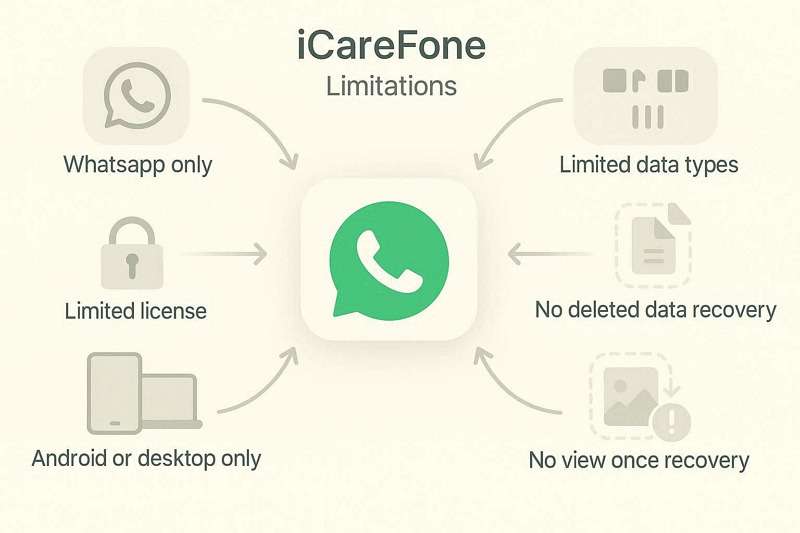
- iCareFone Transfer mainly focuses on WhatsApp, WhatsApp Business, and GB WhatsApp instead of full-device migration.
- Full phone-to-phone migration requires a separate tool, which may increase cost and setup time.
- It lacks broad phone data transfer such as contacts, SMS, calendars, call logs, photos, videos, music, and app data in the same WhatsApp transfer product.
- Advanced WhatsApp data such as polls, call history, profile information, group information, and channel updates may not be fully supported.
- Some transfer processes require extra steps such as USB debugging, account verification, backup creation, or target-device setup.
- Kik and Viber backup/restore support is limited compared with MobileTrans.
Final Verdict: Which WhatsApp Transfer Tool Should You Choose?
After comparing MobileTrans vs iCareFone WhatsApp transfer from multiple angles, MobileTrans stands out as the more complete solution for most users. It is not only a WhatsApp transfer tool but also a phone migration, social app transfer, WhatsApp backup/restore, and chat export toolkit.
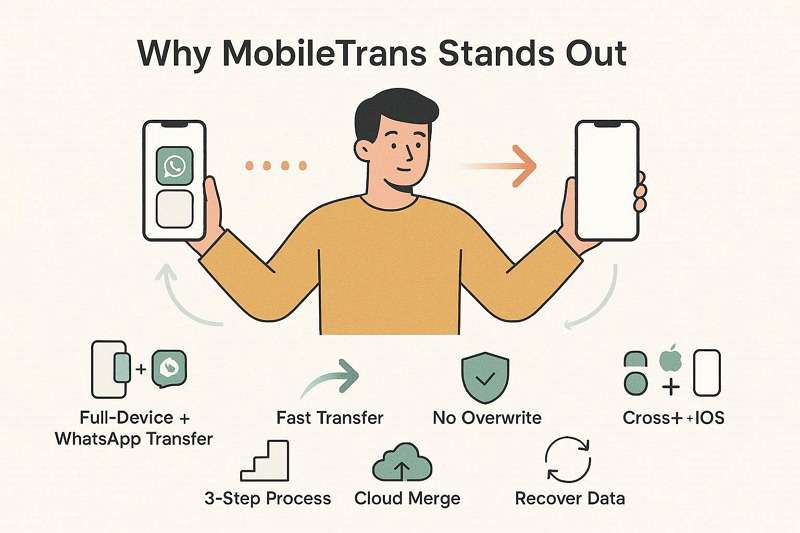
- MobileTrans covers WhatsApp, WhatsApp Business, social apps, and phone migration in one product ecosystem.
- It supports 6,000+ Android and iOS devices and common WhatsApp transfer directions, including Android to iPhone and iPhone to Android.
- It can move broader WhatsApp data types such as polls, call logs, starred messages, group information, profile information, and channel updates.
- It supports phone transfer as an extra advantage, including contacts, SMS, photos, videos, music, call logs, calendars, and more.
- It supports WhatsApp backup to computer and WhatsApp restore to a new phone when needed during migration.
- It supports WhatsApp chat export as PDF or HTML for easier reading and storage.
- It provides a clearer guided workflow for beginners and reduces the need for extra tools.
- It offers better total value when you need more than a one-time WhatsApp migration.
MobileTrans or iCareFone Transfer: Which Is Right for You?
| User Need | Recommended Tool | Reason |
| You only need GB WhatsApp transfer | iCareFone Transfer | It supports GB WhatsApp migration, which is one of its main advantages. |
| You need WhatsApp plus full phone migration | MobileTrans | It supports WhatsApp transfer and full phone-to-phone data migration in one tool. |
| You need LINE, Viber, Kik, and WhatsApp transfer | MobileTrans | It provides wider social app coverage. |
| You need to move large WhatsApp media files | MobileTrans | It performs better in large WhatsApp data and media transfer scenarios. |
| You want the easiest guided workflow | MobileTrans | It provides a more direct and beginner-friendly transfer process. |
Conclusion: Both tools can help users transfer WhatsApp data, but they serve different needs. iCareFone Transfer is a practical option for users who mainly need WhatsApp, WhatsApp Business, or GB WhatsApp migration. However, it is limited when users need full phone-to-phone migration, broader social app support, advanced WhatsApp data transfer, and a simpler guided workflow.
For users who want one complete and affordable solution for WhatsApp transfer, social app migration, phone transfer, selected WhatsApp backup/restore workflows, and chat export, MobileTrans is the stronger iCareFone Transfer alternative. It is especially suitable for people switching between iPhone and Android, moving large WhatsApp media libraries, or upgrading to a new phone without losing important data.
FAQs
-
Is MobileTrans better than iCareFone Transfer?
MobileTrans is better for users who need a complete transfer solution, including WhatsApp transfer, phone migration, social app transfer, and chat export. iCareFone Transfer is more suitable if your main priority is WhatsApp or GB WhatsApp migration only. -
Can MobileTrans transfer WhatsApp from Android to iPhone?
Yes, MobileTrans supports WhatsApp transfer from Android to iPhone and from iPhone to Android. It also supports WhatsApp Business transfer and allows users to select the data types they want to move. -
Does iCareFone Transfer support GB WhatsApp?
Yes, iCareFone Transfer supports GB WhatsApp migration, which is one of its main advantages over MobileTrans. However, it does not provide the same full phone transfer and broader social app migration coverage as MobileTrans. -
Can I use MobileTrans on Mac, or is it Windows only?
MobileTrans is available for both Windows and Mac. Users can install it on either platform to transfer WhatsApp data, move phone data, back up WhatsApp, restore WhatsApp backups, and manage supported social app transfers. -
Does iCareFone Transfer require jailbreak or root access?
No, iCareFone Transfer does not require jailbreak or root access for normal WhatsApp transfers. However, some Android transfer workflows may require USB debugging or additional device setup steps. -
Which tool is better for full phone-to-phone transfer?
MobileTrans is better for full phone-to-phone transfer because it supports contacts, SMS, photos, videos, music, call logs, calendars, app data, and other phone data types. iCareFone Transfer mainly focuses on WhatsApp-related migration. -
Can both tools restore WhatsApp from Google Drive or iCloud?
Yes, both tools support WhatsApp restore from Google Drive or iCloud in selected scenarios. In a WhatsApp transfer context, this can help users move WhatsApp data to a new phone when direct transfer or cloud backup restoration is needed. -
Which tool is more affordable?
iCareFone Transfer may be cheaper for a short-term WhatsApp-only monthly plan. However, MobileTrans can offer better total value because it includes WhatsApp transfer, phone transfer, social app transfer, and more features in one toolkit. Always check the latest official pricing before purchase.










