TL;DR:
MobileTrans provides a more comprehensive and stable solution for cross-platform WhatsApp data migration, offering faster speeds for large files and built-in recovery features, whereas iMyTrans serves best as an alternative for users specifically needing GBWhatsApp support or LINE chat merging.
● MobileTrans is best suited for large or complex WhatsApp migrations, successfully completing all benchmark tests up to 76.37 GB while supporting 16 advanced data categories and built-in deleted data recovery within its $25.99 monthly plan.
● iMyTrans fits users who need to export chat histories to Excel and CSV or manage unofficial apps like GBWhatsApp, but it crashed during all tested Android-to-iPhone transfers and features a version-dependent chat merging process that may overwrite existing destination data.
● Restoring cloud backups without the original phone carries strict operating system limitations in iMyTrans, which restricts Google Drive restorations strictly to iPhones and iCloud restorations to Androids, whereas MobileTrans routes both cloud services to either mobile platform.
Ask AI for a summary
 ChatGPT
 Perplexity
 Gemini
 Claude
 Grok
Grok
WhatsApp’s Android-to-iPhone chat transfer requires a new or factory-reset iPhone, the same phone number on both devices, and does not transfer WhatsApp Business data. Desktop tools like MobileTrans-WhatsApp Transfer and iMyTrans offer more flexibility, supporting WhatsApp and WhatsApp Business transfers between Android and iPhone in either direction.
This MobileTrans vs iMyTrans comparison examines differences in transfer, backup, recovery, merging, pricing, and workflow. It also uses a client-provided benchmark with real user data to compare transfer speed and stability rather than relying on advertised performance claims.
In this article

Part 1. MobileTrans vs iMyTrans at a Glance
For a quick WhatsApp transfer tool comparison, both tools cover the main transfer routes, but they differ in several important areas. These include chat merging, backup and recovery options, supported WhatsApp data, and tested performance. The table below highlights these differences at a glance:
| Comparison Area | MobileTrans | iMyTrans |
| WhatsApp Transfer | Yes | Yes |
| WhatsApp Business Transfer | Yes | Yes |
| Android ↔ iPhone Transfer | Both directions | Both directions |
| Same-OS Transfer | Android and iPhone | Android and iPhone |
| Transfer / Merge Existing Chats | Transfer & Merge supported | Version-dependent |
| WhatsApp Backup and Restore | Computer, Google Drive, iCloud Drive | Computer, Google Drive, iCloud |
| Advanced WhatsApp Data Types | 16 categories in supplied test | 9 categories in supplied test |
| Deleted WhatsApp Recovery | Yes, through WhatsApp Recovery | Separate ChatsBack product |
| View Once Recovery | Yes, for linked account | No equivalent feature listed |
| Other Messaging Apps | LINE, Viber, Kik | LINE, GBWhatsApp |
| Client-Tested Performance | Completed all 7 runs | Completed iPhone→Android, crashed Android→iPhone |
| Starting Price | $25.99/month | $29.99/month |






Part 2. How Do MobileTrans and iMyTrans Compare for WhatsApp Transfer?
This MobileTrans vs iMyTrans comparison shows that both tools support the main WhatsApp transfer routes. However, they differ in how they handle existing chats on the destination device. The sections below explain these differences in detail.
1. WhatsApp and WhatsApp Business Transfer
Both programs move WhatsApp from Android to iPhone, iPhone to Android, Android to Android, and iPhone to iPhone, and both support WhatsApp Business. With directions being similar, the key differences are data preservation, advanced message support, and transfer behavior, especially for chats already on the destination phone.
2. Transfer and Merge Existing WhatsApp Chats
Chat merging matters when the destination phone already contains WhatsApp conversations that need to stay intact. MobileTrans provides separate Transfer and Transfer & Merge options to handle these situations.
Transfer & Merge combines the transferred history with existing destination chats instead of replacing them. MobileTrans also adds AI-powered support to the transfer workflow. Its AI-assisted backup automates Android backup preparation for Android-to-iPhone transfers, while pre-transfer checks identify device setup issues before migration begins.
In this WhatsApp transfer tool comparison, iMyTrans also offers a Transfer and Merge option to combine selected WhatsApp data with existing destination chats. However, its current documentation gives mixed information about how consistently this option preserves existing data. The supplied Android-to-iPhone test also did not retain the destination chats.
Its FAQ states that a standard WhatsApp transfer replaces existing data on the receiving device. The product page also lists preserving original WhatsApp data across Android and iOS as “Planned for a future update.” For this reason, iMyTrans merge support should be treated as version-dependent, and existing destination chats should be backed up before transfer.
How the WhatsApp Transfer Process Works
For a practical MobileTrans vs. iMyTrans review, both tools use a similar transfer process, but the preparation differs. Device checks, backup handling, and destination setup can add different requirements to each workflow. The guides below show how each tool handles a WhatsApp transfer from start to finish:
MobileTrans WhatsApp Transfer Process
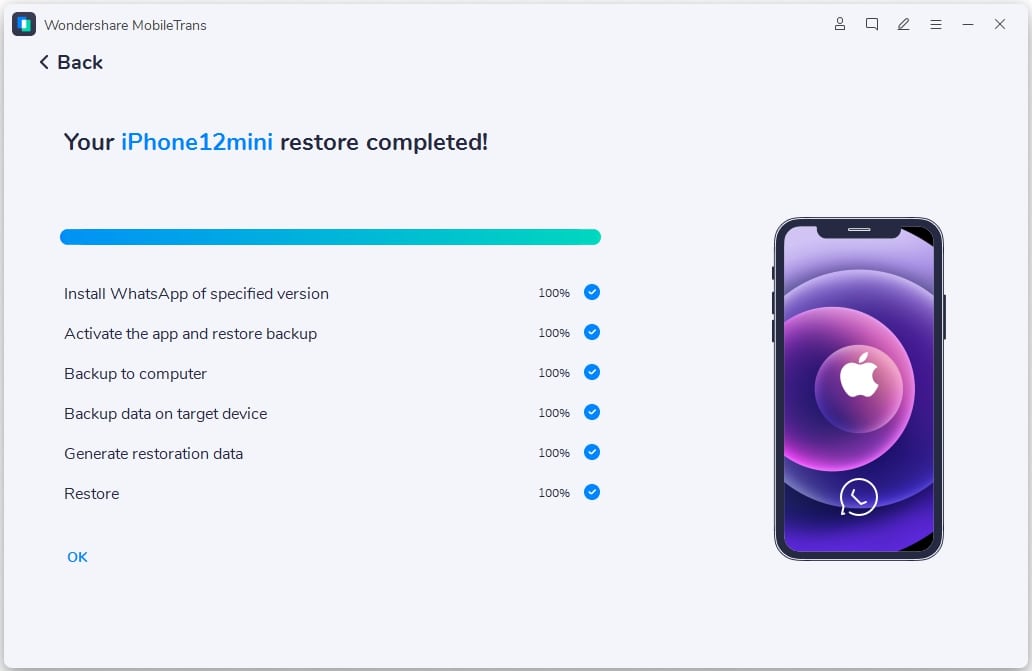
Step 1. Open App Transfer > WhatsApp, then connect both phones. Choose Transfer or Transfer & Merge > Start.
Step 2. MobileTrans automatically checks whether the devices meet the transfer requirements.
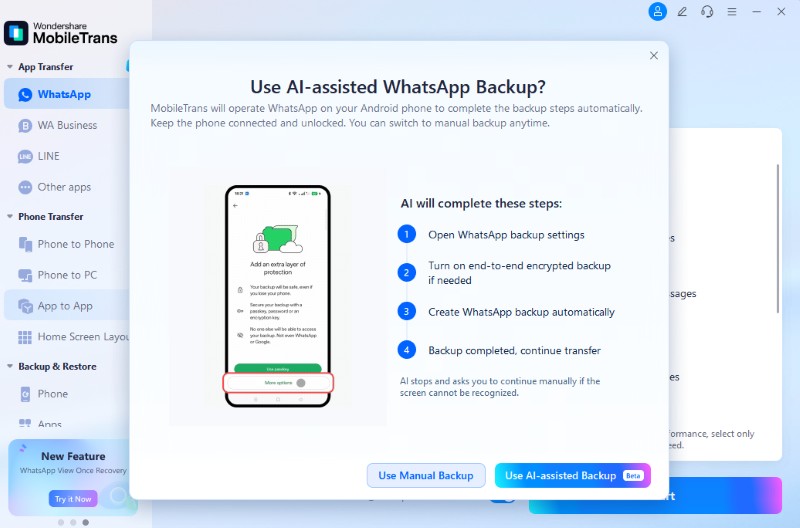
Step 3. Select AI-Assisted Backup to automatically complete backup steps. This option is for Android-to-iPhone transfers only.
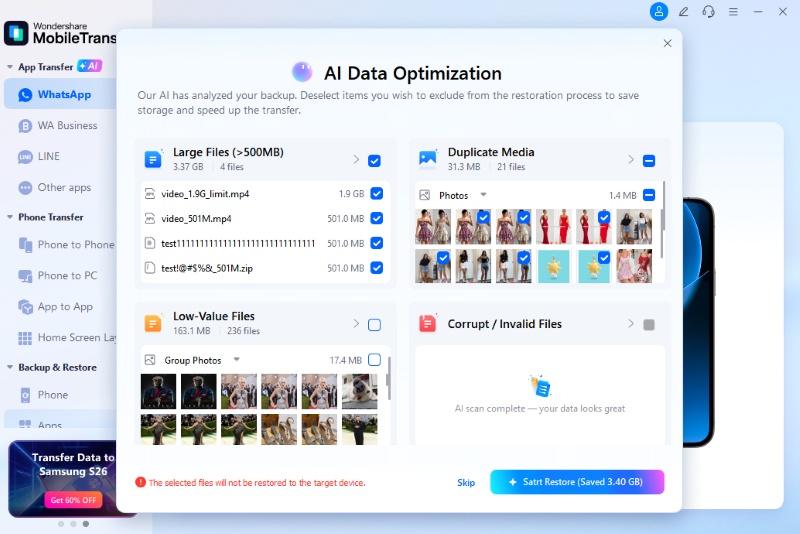
Step 4. Messages are restored first. Choose Restore Attachments Now to continue immediately or Restore Later to transfer them afterward.
iMyTrans WhatsApp Transfer Guide
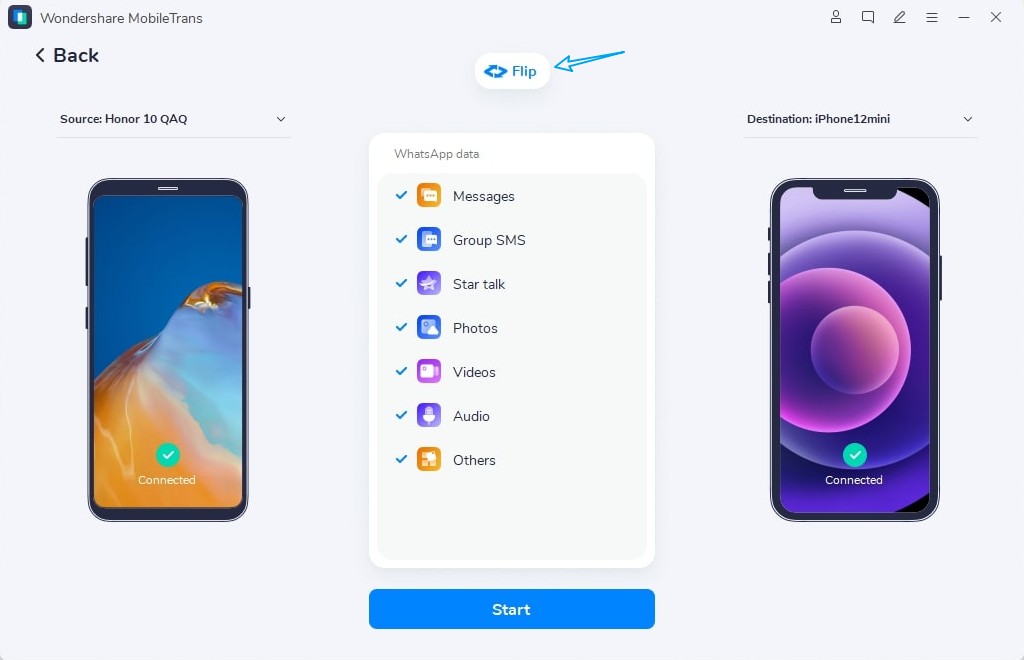
Step 1. Choose Transfer or Transfer and Merge, and connect both phones via USB. Use Flip to set the source and destination devices correctly.
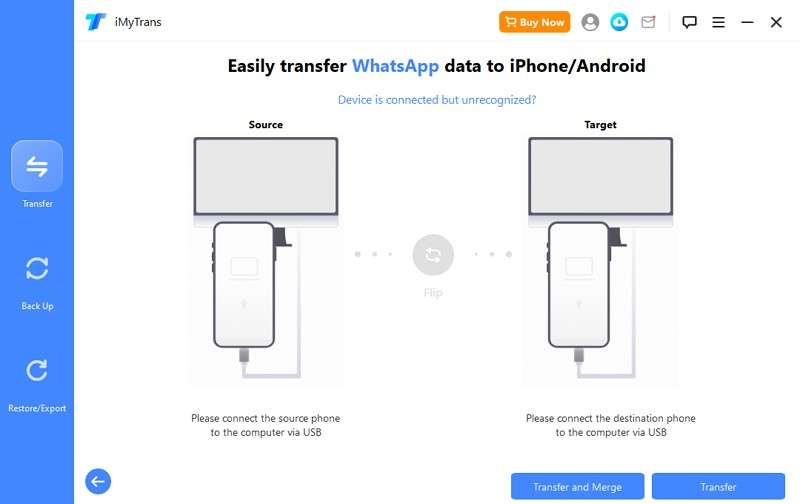
Note: Standard Transfer overwrites existing target WhatsApp data.
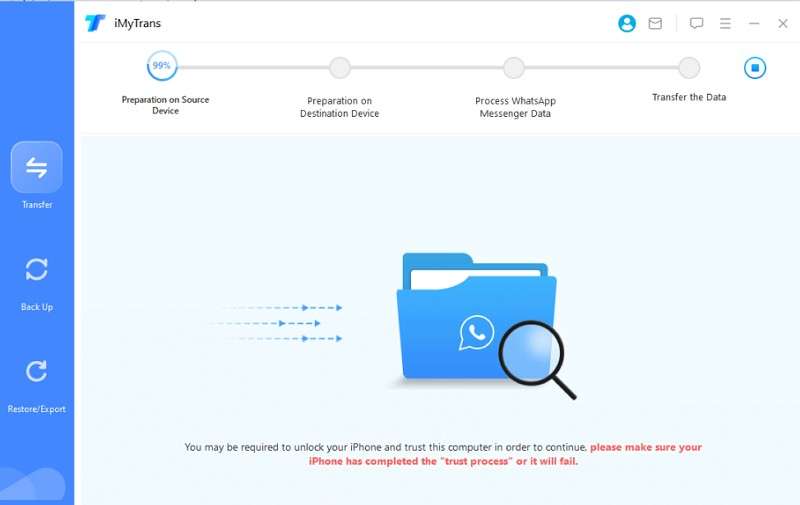
Step 2. Follow the on-screen setup steps. A destination iPhone needs WhatsApp installed and Find My iPhone turned off.
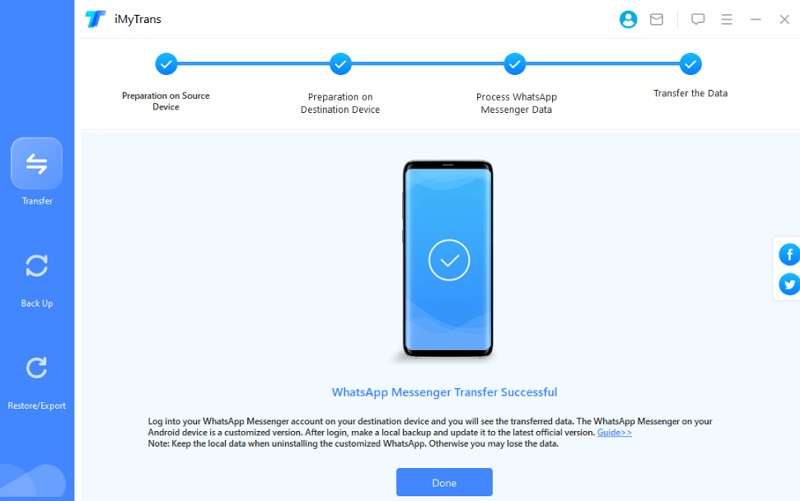
Step 3. Keep both phones connected until the transfer finishes, then check chats and attachments on the target phone.
Part 3. Which Tool Transfers More of Your WhatsApp History?
The best WhatsApp transfer software depends on the type of data stored in your chat history. Both tools handle common messages and media, while MobileTrans supports a broader range of advanced WhatsApp data types. Here’s how their data coverage compares:
1. WhatsApp Data Both Tools Support
In the supplied comparison, both tools transferred text messages, group chats, photos, videos, audio, voice notes, documents, stickers, and animated GIFs. This coverage makes either tool suitable for transferring standard WhatsApp chats and shared media.
2. Advanced WhatsApp Data Support
Beyond the basics, the supplied comparison counted 16 WhatsApp data categories for MobileTrans and 9 for iMyTrans. This MobileTrans vs iMyTrans difference becomes clearer with advanced data, as MobileTrans documents support for several additional WhatsApp items:
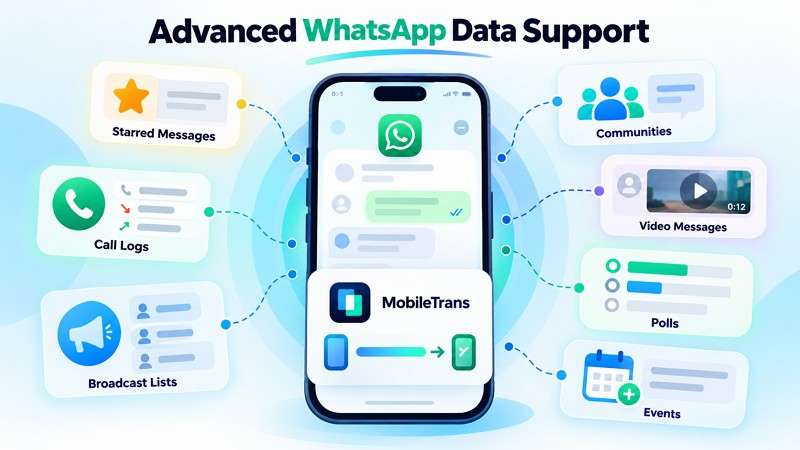
- Starred Messages: Messages marked for quick access later.
- Call Logs: WhatsApp call history that native transfers may leave behind.
- Broadcast Lists: Saved lists used to message multiple contacts.
- Community Messages: Announcements and chats within WhatsApp Communities.
- Instant Video Messages: Short video notes recorded directly in chats.
- Polls: Questions with voting options shared within chats.
- Activity and Event Messages: Event posts and other in-chat activity notices.
This broader coverage is particularly useful for histories containing Communities, calls, broadcasts, polls, and events. Treat the 16-to-9 count as a supplied-comparison result rather than a permanent limit, as supported data types can change between releases.
Part 4. WhatsApp Backup, Restore, and Recovery Features
For anyone considering an iMyTrans alternative, the differences extend beyond direct WhatsApp transfer. MobileTrans and iMyTrans also provide options for computer backups, cloud backup handling, data preview, and file export. Their capabilities differ further when it comes to deleted WhatsApp data and View Once media recovery. The following sections compare these additional features in detail:
1. WhatsApp Backup and Restore
For this MobileTrans vs iMyTrans comparison, both tools support WhatsApp backup and restore. However, they differ in backup sources, cloud options, and export formats. Here’s how they compare:
| Backup Feature | MobileTrans | iMyTrans |
| WhatsApp Backup to Computer | Saves Android and iPhone WhatsApp data locally on a PC or Mac. | Creates computer backups from Android and iPhone. |
| WhatsApp Business Backup | Covers WhatsApp Business backup and later restoration. | Includes WhatsApp Business in its local backup workflow. |
| Restore Backup to Phone | Sends saved backups to either Android or iPhone. | Returns computer backups to either mobile platform. |
| Google Drive WhatsApp Backup | Downloads Google Drive backups for Android or iPhone restoration. | Limited to Google Drive → iPhone. |
| iCloud WhatsApp Backup | Uses iCloud Drive backups with Android and iPhone destinations. | Limited to iCloud → Android. |
| WhatsApp Business Cloud Backup | Available through Google Drive and iCloud Drive. | Not supported |
| Preview Backup Data | Opens saved WhatsApp data for viewing on a computer. | Lets users inspect data before restoring or exporting it. |
| Export WhatsApp Chats | PDF and HTML | HTML, PDF, Excel, and CSV |
2. Deleted WhatsApp and View Once Recovery
Recovery is another area where an iMyTrans alternative can go beyond standard transfer and backup features. MobileTrans provides Deleted Data Recovery for WhatsApp and WhatsApp Business on Android and iPhone. It works with supported local or cloud backups and restores recovered data to a phone or computer.
MobileTrans also provides View Once Recovery. It links a WhatsApp account through a QR code and saves incoming View Once photos, videos, and voice messages while the session remains connected. This gives another option to preserve supported View Once content beyond WhatsApp’s standard handling.
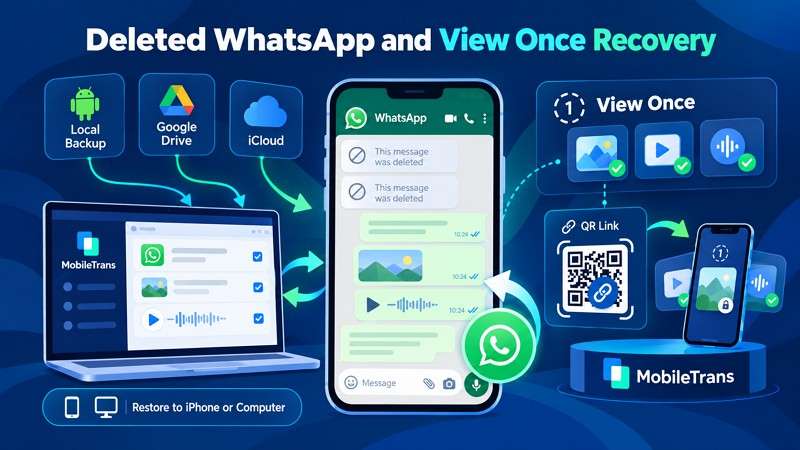
About iMyTrans: iMyTrans focuses on WhatsApp transfer, backup, restore, preview, and export, not deleted-data recovery. Recovering deleted WhatsApp or LINE data requires the separate ChatsBack software. Users needing both transfer and recovery must download and use two different tools. This setup can also increase the overall cost compared with software that combines both capabilities.
Part 5. MobileTrans vs iMyTrans: Transfer Speed and Stability
For this MobileTrans vs iMyTrans review, the supplied benchmark provides a practical look at transfer speed and stability. It covers 7 WhatsApp and WhatsApp Business transfers using real user data. These results reflect the tested setup and should not be treated as guaranteed transfer times.
| Transfer Direction | Data Size | iMyTrans | MobileTrans |
| iPhone to Android | 6.73 GB | 15 min | 7 min 50 sec |
| iPhone to Android | 20.19 GB | 2 hr 34 min | 16 min 52 sec |
| iPhone to Android | 50.41 GB | More than 6 hr | 48 min |
| iPhone to Android | 76.37 GB | 5 hr 34 min | 56 min |
| Android to iPhone | 6.73 GB | Crashed | 23 min |
| Android to iPhone | 20.19 GB | Crashed | 54 min |
| Android to iPhone | 50.41 GB | Crashed | 3 hr 38 min |
MobileTrans completed all seven tests across both transfer directions, while iMyTrans completed the four iPhone-to-Android runs. The largest measured gap appeared in the 20.19 GB test. MobileTrans finished in 16 minutes 52 seconds, compared with 2 hours 34 minutes for iMyTrans, making iMyTrans about 9.1 times slower in that run.
Transfer time did not consistently increase with data size. iMyTrans took over 6 hours for 50.41 GB but 5 hours 34 minutes for 76.37 GB. Based on the benchmark, MobileTrans delivered faster, more consistent results across the tested transfers.
Part 6. Which Tool Is Easier to Prepare and Complete a WhatsApp Transfer With?
Speed is only one factor when choosing the best WhatsApp transfer software. Setup, device checks, backup preparation, and recovery after interruptions can also affect the overall experience. Here is how MobileTrans and iMyTrans compare across these workflow areas:
MobileTrans Setup and Transfer Workflow
MobileTrans begins by authorizing both phones, enabling USB debugging on Android and trusting the computer on iPhone. An automatic check then verifies the transfer requirements and provides fixes for any detected issues. For Android-to-iPhone transfers, AI-assisted Backup automates the WhatsApp backup process. Messages are restored first, followed by Restore Attachments Now or Restore Later, allowing users to postpone attachment restoration without treating it as an interrupted transfer.
iMyTrans Setup and Transfer Workflow
iMyTrans keeps the basic workflow straightforward, but several manual preparation steps can lengthen the overall process. Users need to handle device permissions, destination setup, and direction-specific requirements themselves. Unlike MobileTrans, it does not offer an equivalent AI-assisted backup process to automate WhatsApp backup preparation. The supplied benchmark also recorded failures during Android-to-iPhone tests, requiring users to reconnect their devices and retry the transfer.
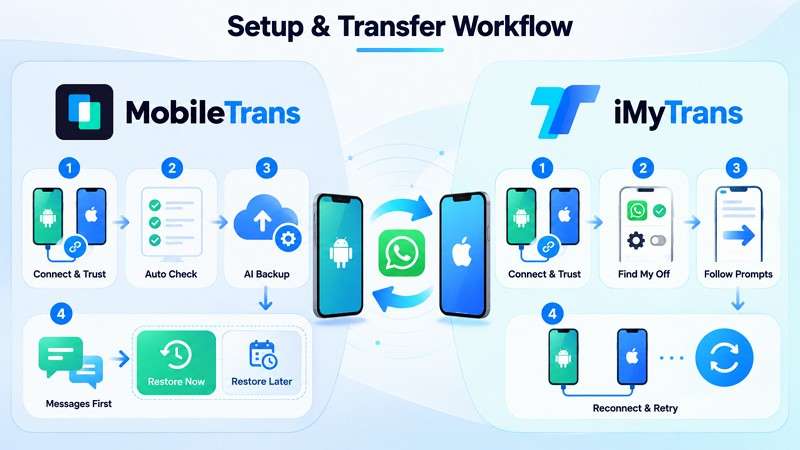
Verdict: In this MobileTrans vs iMyTrans comparison, MobileTrans offers a smoother setup with automatic device checks and AI-assisted Android backup preparation. iMyTrans keeps the workflow straightforward but requires more manual preparation, while interrupted transfers can be retried without affecting the source data.
Part 7. MobileTrans vs iMyTrans Pricing and WhatsApp Value
For an iMyTrans vs MobileTrans WhatsApp comparison, pricing is relatively close, but cost alone does not determine overall value. Device limits, license terms, and included recovery features can also influence what you get for the price. The table below compares these factors side by side:
| Pricing Factor | MobileTrans WhatsApp Transfer | iMyTrans |
| Monthly Plan | $25.99/month | $29.99/month |
| Annual Plan | $29.99/year | $39.99/year |
| Perpetual / Lifetime Plan | $39.99 one-time | $49.99 lifetime |
| Supported Mobile Devices | 1–5 devices | 5 devices |
| Supported Computers | 1 PC | Unlimited PCs |
| Free Trial | Limited free features | Backup and preview available |
| WhatsApp Business | Included | Included |
| Backup / Restore | Included | Included |
| Deleted WhatsApp Recovery | Included | Separate ChatsBack product |
| View Once Recovery | Included | No equivalent listed |
Note: Pricing checked on September 29, 2026.

What About General Phone Transfer?
MobileTrans can also handle general phone data through Phone Transfer and Backup & Restore. However, these broader capabilities are part of separate feature plans or the MobileTrans Full Features package, which starts at $29.99 per month. iMyTrans focuses primarily on WhatsApp, WhatsApp Business, GBWhatsApp, and LINE transfers.
Part 8. Is MobileTrans a Better Alternative to iMyTrans for WhatsApp Transfer?
The best WhatsApp transfer software depends on your chat history, transfer needs, and the additional features you require. MobileTrans and iMyTrans serve different use cases, so the following breakdown explains where each tool fits best.
iMyTrans Is a Good Fit If You Mainly Need
- Standard WhatsApp or WhatsApp Business transfers.
- Transfer and merge where supported.
- Multiple export formats, including HTML, PDF, Excel, and CSV.
- LINE transfer, backup, restore, and merging.
- GBWhatsApp support.
MobileTrans Is a Stronger Fit If You Need
- Broader tested WhatsApp data coverage across 16 categories.
- Large WhatsApp migrations, including the supplied 76.37 GB test.
- Recover deleted WhatsApp and WhatsApp Business data.
- View Once recovery for supported linked-account content.
- AI-assisted backup preparation for Android-to-iPhone transfers.
- Automatic device checks before starting a transfer.
- Google Drive and iCloud Drive backup handling with broader destination support.
- General phone-data transfer and backup through broader MobileTrans features.
What About LINE, Viber, Kik, and GBWhatsApp?
Looking beyond WhatsApp also matters when choosing an iMyTrans alternative. iMyTrans supports LINE transfer, backup, restore, preview, export, and merging without overwriting existing chats. MobileTrans handles LINE transfers across supported iOS and Android devices. However, its LINE guide notes that it overwrites destination history and limits Android backup to Android 10.
MobileTrans expands messaging-app coverage with Viber and Kik, although both are limited to iOS backup and iPhone-to-iPhone transfers. iMyTrans stands out with GBWhatsApp support, but users should consider the risks of unofficial WhatsApp apps. WhatsApp warns that using unofficial apps can lead to temporary or permanent account restrictions.
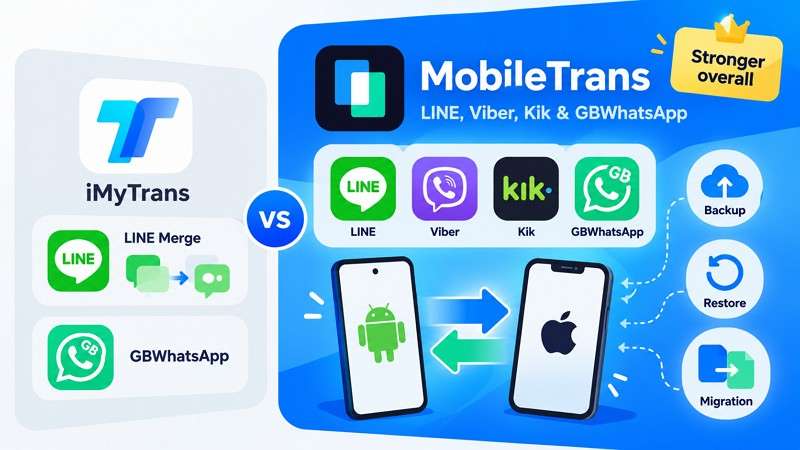
Final Assessment: Both tools cover core WhatsApp and WhatsApp Business transfers, but MobileTrans offers a more complete overall package. It stands out for broader tested data coverage, recovery features, and stronger large-data performance in the supplied benchmark. iMyTrans remains useful for LINE merging, GBWhatsApp, and wider export formats. For most transfer, backup, and recovery needs, MobileTrans provides a broader solution.
Conclusion
Both tools cover essential WhatsApp and WhatsApp Business transfers, but the MobileTrans vs iMyTrans comparison reveals clear differences. MobileTrans-WhatsApp Transfer offers broader data coverage, built-in recovery features, cloud backup options, and stronger results in the supplied benchmark.
iMyTrans remains useful for standard transfers, GBWhatsApp, LINE, and wider export formats. Overall, MobileTrans offers a more complete option for users who need transfer, backup, recovery, and advanced WhatsApp data support.
FAQs
-
Can MobileTrans or iMyTrans transfer WhatsApp without creating a cloud backup first?
Yes. Both transfer WhatsApp over USB without requiring a cloud backup first. MobileTrans uses AI-assisted Backup to automate backup preparation for Android-to-iPhone transfers. iMyTrans also transfers directly, but we recommend backing up destination data beforehand.
-
Can MobileTrans and iMyTrans transfer WhatsApp between two different phone numbers?
Both tools can move WhatsApp chats to a phone using a different number. This provides more flexibility than WhatsApp’s native migration process, which requires matching numbers.
-
Do MobileTrans and iMyTrans support the latest iOS and Android versions?
Both tools support iOS 27 and Android 16. Compatibility can change with new OS releases, so check the latest requirements before starting a transfer.
-
Can either tool transfer WhatsApp if the old phone is unavailable or no longer working?
A usable backup is required. MobileTrans can restore backups from a computer, Google Drive, or iCloud Drive to Android or iPhone. iMyTrans supports computer backups, Google Drive-to-iPhone, and iCloud-to-Android restoration.