


 TL;DR:
Recovering restricted WhatsApp View Once media requires specialized third-party tools like MobileTrans, Nowapp, or View Once Plus, each differing significantly in device compatibility, privacy risks, and operational requirements.
● MobileTrans restores disappearing photos, videos, and messages across Android and iOS without losing original image quality, but utilizing the service requires linking your device to a PC via QR code and registering a user account.
● Nowapp: WhatsApp View Once Photo Saver provides an Android-exclusive solution that categorizes media and downloads profile pictures, though users must accept inherent security risks tied to the application sharing user locations.
● View Once Plus functions exclusively as a Google Chrome extension for macOS and Windows, enabling unlimited media views on WhatsApp Web until the file is opened on a mobile device, but it lacks password protection against unauthorized computer access.
Ask AI for a summary
 ChatGPT
 Perplexity
 Gemini
 Claude
 Grok
Grok

In this article

When someone sends you an image on WhatsApp as View Once, the picture will be automatically deleted after you open it.
You also can't share, forward, or download a WhatsApp View Once image. This makes it challenging to reminisce on fond memories and share old pictures again.
So, is it possible to recover a WhatsApp View Once photo? Is there an app for WhatsApp View Once recovery? And what is the best View Once Recovery App for WhatsApp?
This article answers all these questions and reveals the top View Once recovery apps for WhatsApp in 2025. Let's check them out.
Part 1: MobileTrans WhatsApp View Once Recovery App
For many WhatsApp users, the MobileTrans - View Once Recovery app is the best solution to recover view once photos. The app provides a seamless connection via QR code to scan your chat history for View Once media that you have received.
How to Recover WhatsApp View Once via the MobileTrans App
Here is how I got back View Once images that disappeared on my iPhone 17:




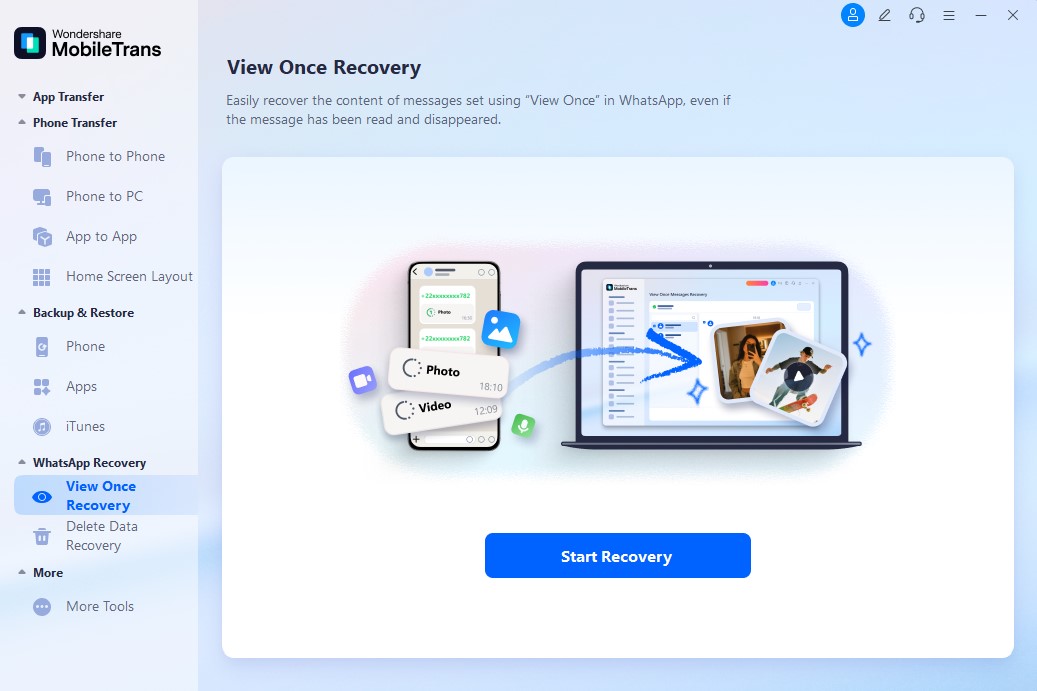
Step 1: Launch Your MobileTrans - Recovery App
Launch the MobileTrans app and select "WhatsApp Recovery mode" from the main interface. Then, tap on View Once Recovery.
Step 2: Choose the Images to Restore
Scan the QR code on your computer screen to connect your WhatsApp to your PC as a linked device.
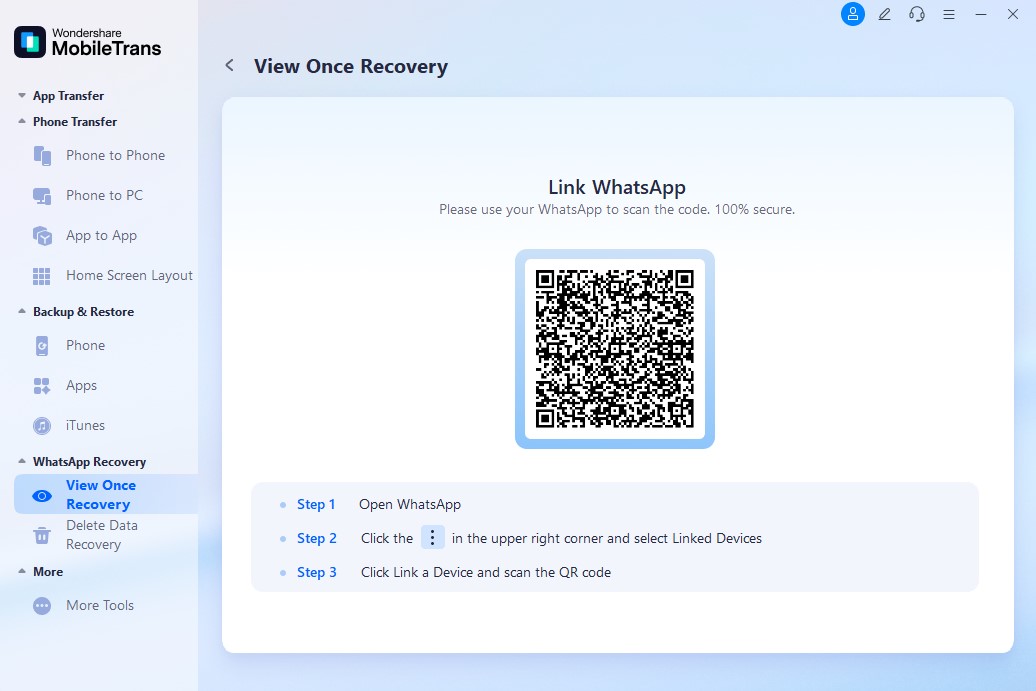
After the scan, the app will show you different View Once media and messages that you received from your WhatsApp friends.
Step 3: View Once Images Recovered Successfully
Choose the images you want to recover and click on Export. You can preview the photos by tapping on each image.
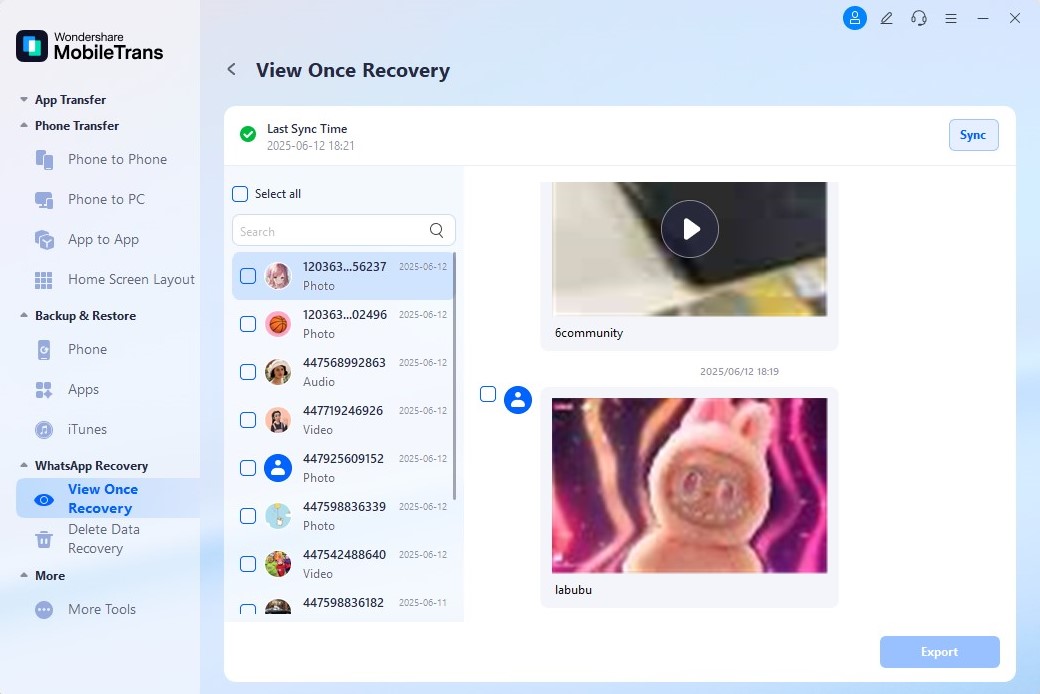
With the MobileTrans View Once Recovery app, you can now preserve essential photos and videos, even if they have been deleted.
Part 2: Nowapp: WhatsApp View Once Photo Saver - Android
Android users can use the Nowapp: View Once Saver as an app for WhatsApp View Once recovery. The app is user-friendly and allows you to retrieve WhatsApp media that would usually disappear after one view on your phone.
You can also categorize images using key phrases and quotes.
How to Use Nowapp: WhatsApp View Once Photo Saver
- Go to the Google Play Store and install the Nowapp: View Once Photo Saver app.
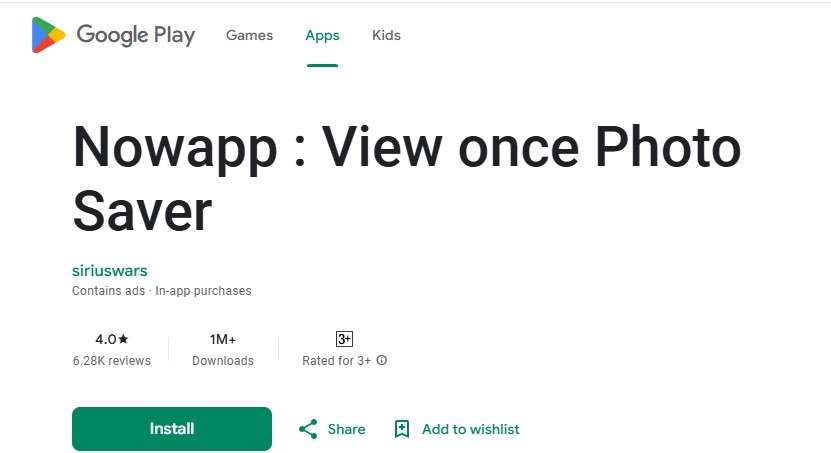
- Log in to the app using your QR code and select the 'View Once' mode.
- Follow the onscreen instructions to recover your WhatsApp View Once photos.
Part 3: View Once Plus: Google Chrome Extension - PC Only
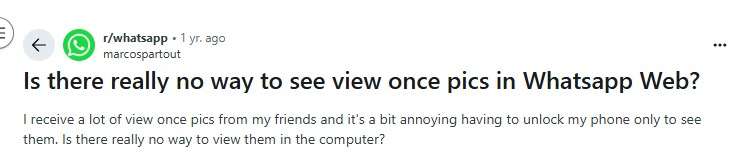
It can be time-consuming to keep opening your phone whenever you receive or want to recover a View Once photo on WhatsApp. If you're going to recover your Once View images on your computer, you can use the View Once Plus Google Chrome extension on WhatsApp Web.
Here is a step-by-step guide:
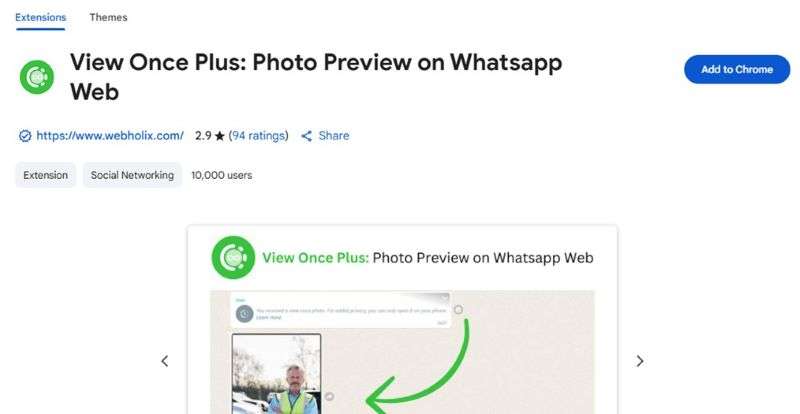
- Open the Google Chrome browser on your computer and navigate to the Chrome Web Store. Search for the View Once Plus extension and tap 'Add to Chrome browser'.
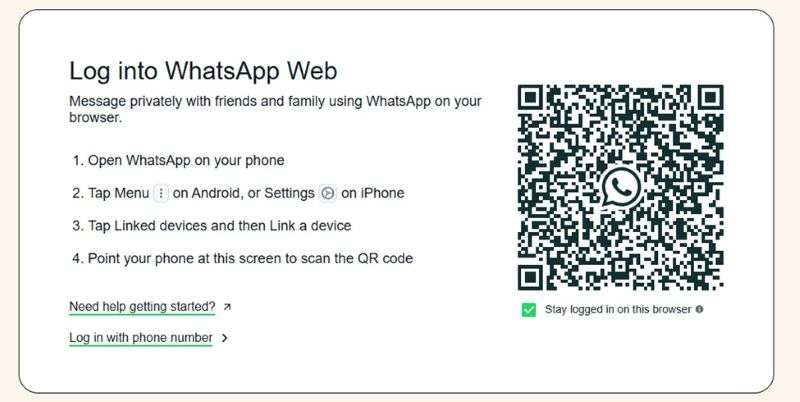
- Go to WhatsApp Web and scan the QR code on the computer screen to link your PC to your WhatsApp account.
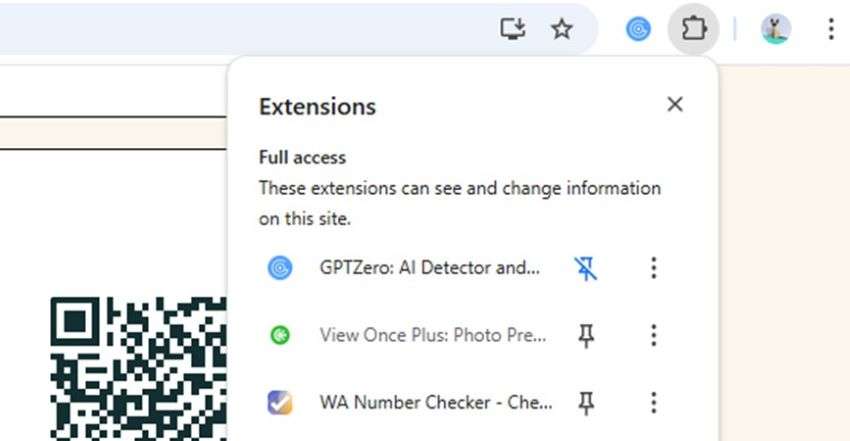
- Go to your Chats and open the conversation with the View Once photo that you want to restore. Tap on the View Once Plus icon from the extensions bar.
- Follow the onscreen prompts to recover your WhatsApp View Once photos.
Bonus: A New Way to Back up Your WhatsApp Photos – MobileTrans App
Many WhatsApp users struggle to find and recover important photos because they never back up their WhatsApp data. When you back up your WhatsApp images, you can easily restore the photos from your backup folder should you lose or accidentally delete the picture.
The MobileTrans WhatsApp Backup app provides a seamless and secure solution for backing up your essential WhatsApp content, including photos, videos, messages, and audio, to your computer.
How to Back Up WhatsApp Photos via the MobileTrans App
Follow this guide to back up your WhatsApp photos in 3 steps:
Step 1: Launch the MobileTrans Backup Tool
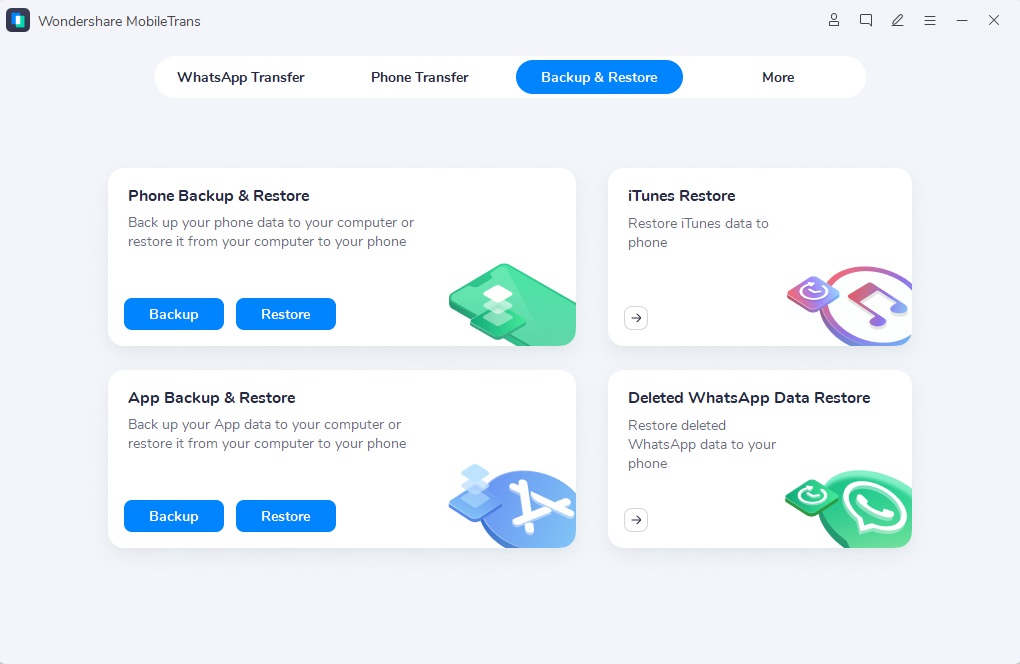
Launch the MobileTrans app and pick the “Backup & Restore” mode from the home interface.
Step 2: Connect Your Phone to the Computer
Connect your iPhone/Android phone to the computer using a USB cable.
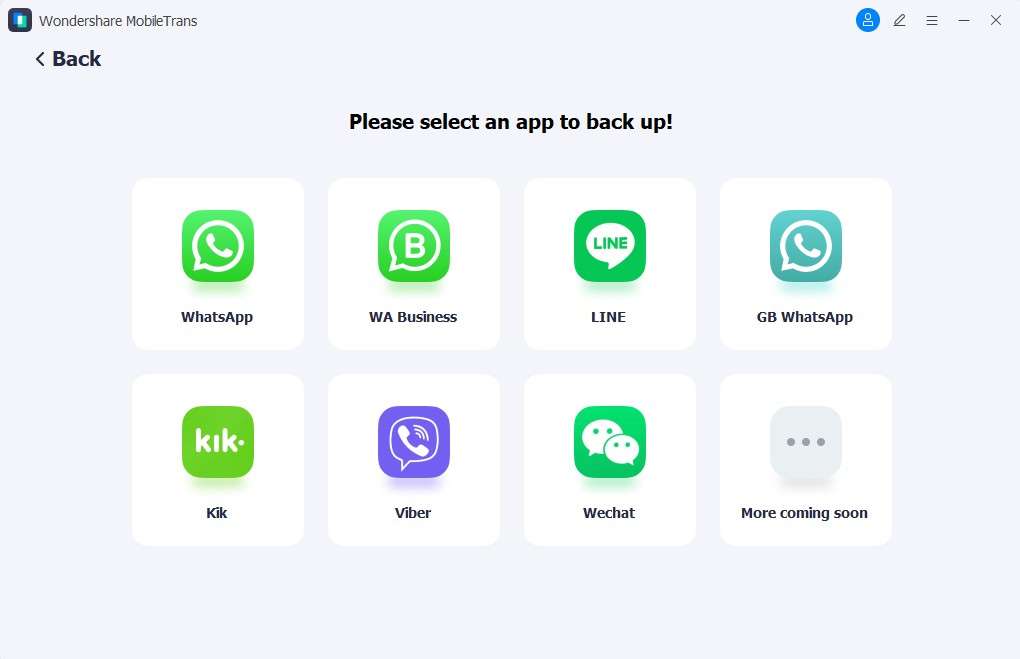
Go to Backup & Restore > App Backup & Restore. Then choose WhatsApp Backup and click on the Start button to initiate the backup process.
Step 3: MobileTrans WhatsApp Backup Complete
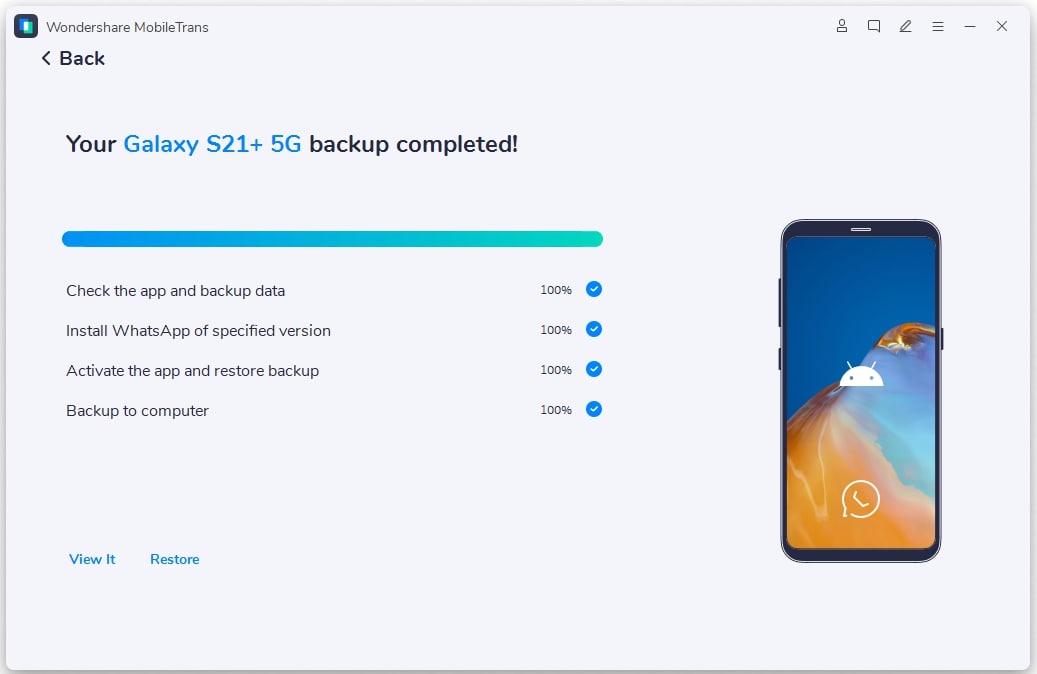
Keep your device connected to the PC, and you should receive a backup complete notification within a few minutes.
Click the "View It" button on the screen to view your WhatsApp images in the backup folder.
Advanced Features of the MobileTrans – Backup Tool
- Keep Image Quality: The MobileTrans – WhatsApp Back Up tool retains the original resolution of your WhatsApp photos, so you never lose image quality.
- Cross-Platform Backup: The app supports cross-platform WhatsApp backup from Android or iOS to PC and vice versa.
- Organized Backup: The app organizes your WhatsApp media by date and time of each backup, making it easy to find images in the future.
- Merge WhatsApp Data: MobileTrans can merge old and new WhatsApp data on your PC, without replacing or losing existing data.
Final Words – Do WhatsApp View Once Recovery Apps Work?
Many people doubt whether recovery apps work. There are several apps advertised as WhatsApp View Once recovery tools, and while many of these apps can't restore deleted images, the apps discussed in this article work effectively.
You can recover the deleted images via WhatsApp Web on your PC, iCloud restore on your iPhone, or via the Nowapp tool on your Android phone.
However, the best View Once recovery app for WhatsApp is MobileTrans. This is because the app is compatible with all mobile devices and supports multiple formats and types of WhatsApp data.
FAQs
-
What is the best app to recover WhatsApp photos in 2025?
The best View Once recovery app for WhatsApp in 2025 is MobileTrans. The app is easy to use, secure, and allows you to recover WhatsApp View Once media, audio, and chats. -
Can WhatsApp View Once be recovered?
You can recover WhatsApp View Once messages, photos, videos, or audio by using any of the methods discussed above. However, please note that your chances of recovering a WhatsApp View Once depend on whether you have a backup folder that contains the deleted image. -
Can you save WhatsApp View Once on your phone?
Yes, you can save a WhatsApp View Once photo on your phone using common workarounds. The safest and most effective method is to use the MobileTrans – View Once recovery app for WhatsApp. Alternatively, you can also save View Once photos on WhatsApp using another phone or WhatsApp Web.










