


 TL;DR:
You cannot use Samsung Smart Switch to transfer data from a Samsung device to an iPhone Air because the app strictly imports data into Galaxy devices, requiring a cross-platform alternative like MobileTrans to complete the migration.
● MobileTrans supports direct Android-to-iOS transfers for over 18 data types, including apps and in-app data, without overwriting existing files on the destination iPhone Air.
● Unlike Smart Switch's slower, Galaxy-restricted local connections, MobileTrans executes high-speed, end-to-end encrypted offline transfers that do not upload data to third-party servers.
● To perform the migration, you must use a PC or MacBook, select the "Phone to Phone" transfer mode, connect both devices, specify the source and destination, and initiate the copy.
Ask AI for a summary
 ChatGPT
 Perplexity
 Gemini
 Claude
 Grok
Grok
For many users, there comes a point when a device is no longer a communication tool, and they desire something refined. The iPhone Air has become a symbol of that evolution, with its super thin, strikingly light design, and a feel of 4 lenses in your pocket. Yet, for those coming from Samsung devices, the excitement of change is overshadowed by concerns about data transfer.
At this stage, people look to Smart Switch from Samsung to iPhone Air as a solution, but we've a better alternative. For an informed decision, we've even compared Smart Switch with an emerging alternative in the following guide.
In this article
Part 1. Can You Use Smart Switch to Transfer from a Samsung to an iPhone Air?
No, it's not possible to transfer Samsung to iPhone Air (or any iOS device) using the Smart Switch app. This app is made to migrate data specifically to Samsung Galaxy phones and tablets, not from Samsung to iPhone devices. Even though you can import data from an iOS device or iCloud backup to a Galaxy device, the reverse is not possible.
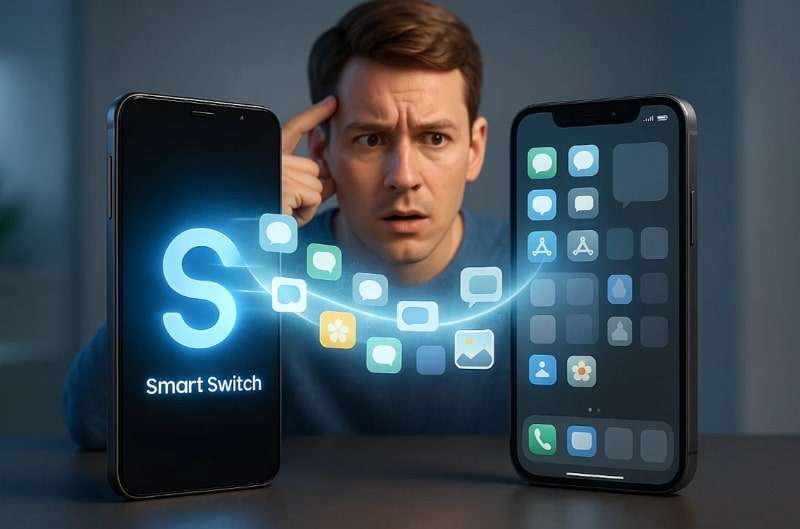
In simple words, you cannot transfer any personal data from a Samsung to an iPhone Air with the app; it's strictly a "one-way" tool for Galaxy acquisition. If you want to execute the switch, you'll need to look for effective alternatives to facilitate migration into the iOS ecosystem.
Part 2. The Best Alternative to Transfer Data from Samsung to iPhone Air
An immediate switch to iPhone Air is made simple with MobileTrans, the dependable alternative to Smart Switch. It provides a one-click solution to transfer data from Samsung to iPhone Air without overwriting existing files.
Besides, the program ensures faster cross-platform data transfers compared to Bluetooth and works seamlessly across devices. Beyond contacts and media, it even supports apps and in-app data migration between Android and iOS, eliminating interruptions and tedious steps often found in other transfer tools.
Key Features
- Diverse Range of Data Transfer: It allows individuals to transfer over 18 types of data, including messages or photos, between mobile phones.
- Support Massive Range of Devices: The program offers support for more than 6000 mobile devices running on Android and iOS ecosystems.
- Migrate Data from PC to Phone: You're facilitated to move 5 types of data from the computer to any mobile device without delays.
- iCloud to Android Migration: Let users migrate all iCloud data directly to Android devices without hassle.
- High-Speed Transmission: Provides significantly faster transfer speeds compared to Bluetooth or other transfer apps.






Simplified Tutorial to Transfer Data from Samsung to iPhone Air
To learn how to transfer from Samsung to iPhone Air, go through the provided tutorial with clear instructions:
Step 1. Deploy the program > Select Phone Transfer > Choose Phone to Phone > Connect both phones to PC or MacBook.

Step 2. Select data type > Specify Source and Destination device > Pick Clear Data Before Copy > Press Start button.

Benefits of MobileTrans
- Broader Platform Compatibility: MobileTrans supports data transfer not only between Android devices but also between Android and iOS (vice versa).
- Massive Data Kinds Support: Unlike Smart Switch, which is limited to Galaxy device data, MobileTrans supports all data transfers, regardless of the brand.
- Superior Privacy and No Overwriting: This app uses an encrypted, device-to-device connection and allows free transfer without overwriting the original data of any app.
- Backup and Restore Functionality: It goes beyond basic data transfer, offering a built-in backup and restore feature for a range of data, including SMS, WhatsApp, LINE, or View Once media.
Part 3. Smart Switch vs MobileTrans: Which is Better?
The section ahead breaks down Smart Switch vs MobileTrans to analyze which option is best to transfer Samsung to iPhone Air:
|
Aspects |
Samsung Smart Switch |
MobileTrans |
|
Compatibility |
From Android/iPhone to Galaxy only |
Android to iPhone, iPhone to Android, and between the same OS |
|
App Data Transfer |
Only between Galaxy devices |
Yes |
|
Ease of Use |
Simple for Samsung users |
Easy |
|
Reliability |
Reliable for Samsung-to-Samsung transfers |
Reliable and stable transfer |
|
Speed |
Slow for large data sets |
Very fast |
|
Privacy and Security |
Local connection |
Encrypted end-to-end transfer, secure offline backup/restore possible, and no data uploaded to third-party servers. |
Looking at the comparison, it's clear that MobileTrans outshines Smart Switch when it comes to speed and coverage of data types. For anyone ready to transfer data from a Samsung to an iPhone Air, it proves to be a thoughtful and complete choice overall.
Conclusion
In summary, on your big move to the sleek iPhone Air, the last thing you're concerned about is your data on your Samsung device. Even Smart Switch from Samsung to iPhone Air covers some basics, but its gaps often leave you piecing together multiple tools to finish the job. In this situation, MobileTrans serves as your companion to do this shifting with complete data transfer from Samsung to the new iPhone Air.










