


 TL;DR:
Wondershare MobileTrans is the optimal solution for complete cross-platform device migration and persistent data backup, while SwissTransfer is specifically designed for individuals needing to temporarily send large, isolated files up to 50GB.
● SwissTransfer operates as a registration-free online service limited to specific geographic regions, restricting users to 50GB file sizes and a maximum of 250 recipients per link before automatically deleting the data after 30 days.
● MobileTrans utilizes an offline, end-to-end encrypted cable connection to directly migrate over 18 data types—including complete WhatsApp histories and system apps—between more than 6,000 compatible iOS and Android devices without any storage or file size limitations.
● Users requiring data recovery or direct iCloud integrations must use MobileTrans, as it features full local and cloud restoration options, whereas SwissTransfer lacks automatic backup functionalities and permanently removes files post-expiration.
Ask AI for a summary
 ChatGPT
 Perplexity
 Gemini
 Claude
 Grok
Grok
In modern digital life, professionals and students look for the right file transferring solutions to send documents across different devices. It is important to choose a reliable tool because of the rise of file size, device compatibility, and protection of sensitive data. Therefore, two of the most popular options for you are SwissTransfer and MobileTrans, but which is better?
Although both tools offer secure, efficient file transfer and cater to different transferring needs, one does excel over the other. This article will provide an in-depth understanding of SwissTransfer vs MobileTrans and help you determine which one is better for all your needs. Along with user cases, pros, cons, and a comparison table, you'll get to decide which one to pick.
In this article
Part 1. What is SwissTransfer?
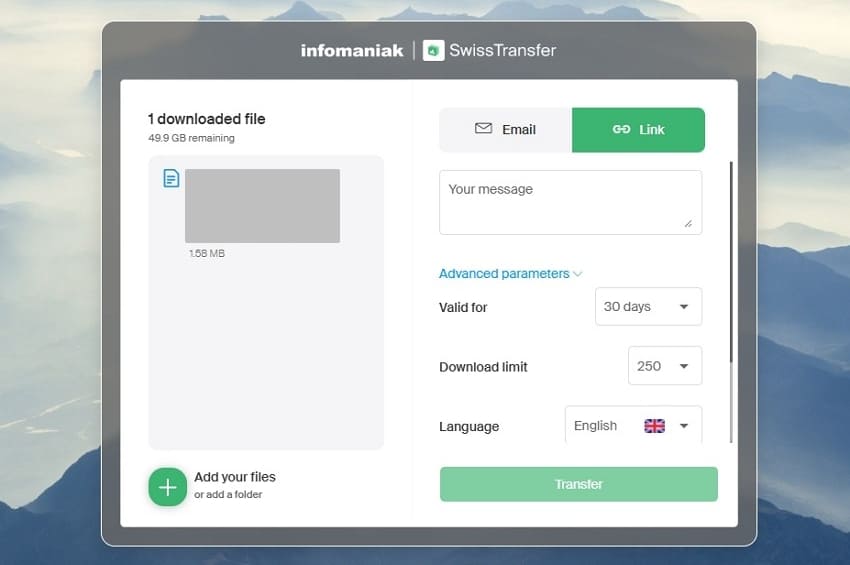
When it comes to depending on a tool that provides you with free and safe online file transfer without any registration, SwissTransfer is considered a good option. The tool offers a user-friendly and simple interface where you can either upload or drag and drop files and folders. SwissTransfer allows you to send any file without reducing its quality and security, as they are perfect when it comes to business and personal needs.
Common Uses
There are various user cases of this tool that can help a user in multiple case scenarios, some of which are provided in the following:
- Sending Large Files: As a filmmaker or corporate manager, this tool can help you send large files and folders quickly to other clients in seconds.
- Remote Workflow: Students and remote workers should turn to the SwissTransfer platform as a reliable source for transferring files and assignments.
- Professional Collaboration: A team can exchange important files or reports from anywhere with their clients using this tool.
- Personal File Sharing: If you want to securely send personal documents to your family, this platform assists you efficiently.
- Integrated Services: It is integrated with Google Drive, Dropbox, and OneDrive, and you can efficiently share files directly from these channels or services.
Part 2. How Good is SwissTransfer?
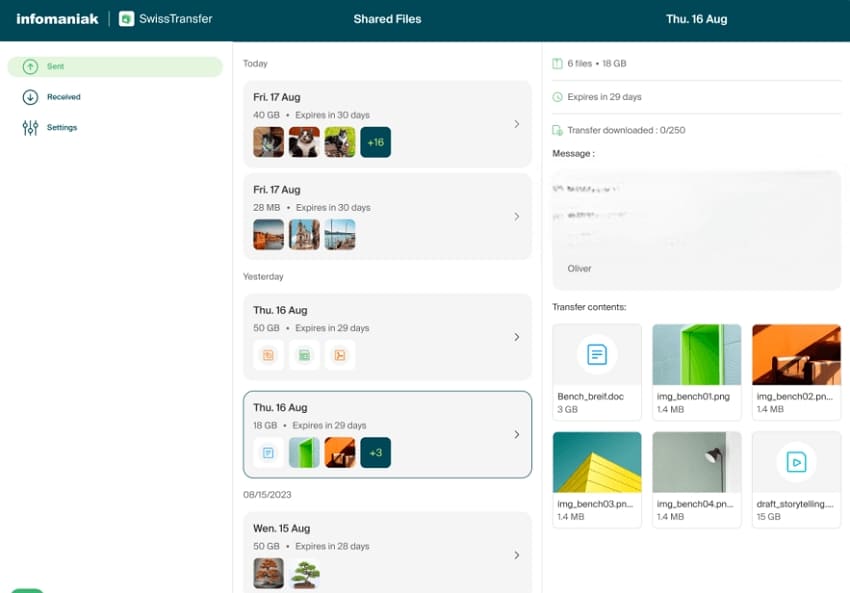
Aside from being a reliable and quick file transferring tool, SwissTransfer provides users with a list of other possible features, given as such:
- Permission Control and Access: When sending a file, protect it by adding a password to restrict unnecessary file access. Moreover, you can define the download and validation limit to 30 days and 250 downloads, adding another layer of protection.
- Task Management: This tool can send notifications to the receiver whenever a file has been downloaded, helping you keep track of your files. With a straightforward file transfer functionality, you can rest assured that the files are transferred.
- Secure Data Storage: All the data is securely stored in its Swiss-based data centers that are under strict privacy laws. Moreover, SSL encryption only stores files for a maximum of 30 days to prevent unauthorized theft.
- Multiple Languages: During file sharing, users can select from a wide range of languages, like French, German, Italian, and more. This allows broad accessibility to users who are from various regions.
- Messaging Option: Before transferring files, you can note down an important message about the files to inform the receiver. This feature has a word count limit of 170+, where others can also add a comment or any personal message.
Part 3. How Secure & Reliable Is SwissTransfer?
SwissTransfer does offer users a wide range of useful file migration features, but you should consider its advantages and disadvantages as well:
Part 4. What is Wondershare MobileTrans?
If we consider the various flaws in SwissTransfer, users might want to look for another file transferring solution. Therefore, introducing MobileTrans, the best data transfer and backup solution for all your transferring needs. This tool covers everything from daily files to app data transfer, offering robust security and compatibility with modern devices. Besides, with its latest upgraded version, you can expect over 96.32% faster file transferring speed.
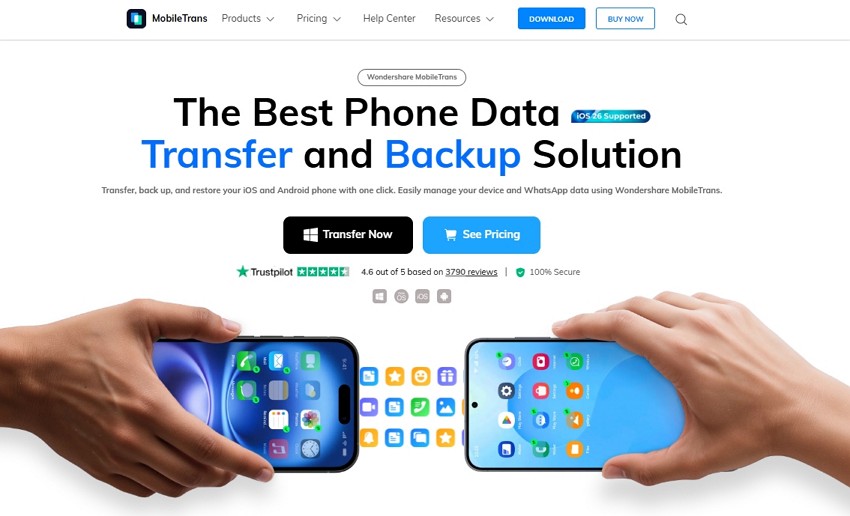
With its end-to-end encryption and off-line transfer process, it also ensures that no third-party or other unauthorized personnel can access your private files. Users can turn to this software for efficient file sharing, backup, restoration, and more with no compromise on quality. You can even utilize this tool on any device and send files with its 1-click solution, ensuring no data gets overwritten in the process.






Part 5. Advanced Functions of MobileTrans for Data Transfer Across Devices
Now, in the battle of SwissTransfer vs MobileTrans, learn about the various key features MobileTrans has to offer to its users:
- Phone-to-Phone Transfer: With this software, you can transfer 18+ types of data from your computer to different phones with incredible transfer speed.
- Device Accessibility: Users can connect more than 5 mobile devices with 1 PC and transfer data with this efficient software.
- File Transfer & Management: In addition to file format support, transfer files between contacts, bookmarks, and apps in your old phone to a new one within seconds.
- Device Backup: If you wish to store your valuable and personal data to prevent loss of information, attempt to back it up to other devices.
- Simple File Recovery: MobileTrans allows you to recover lost or deleted data, including files, audio, WhatsApp messages, and others, via its own backup and iTunes.
- Privacy Protection & Security: The file transferring tool does not access any of your information and secures your transfer and uploads through a direct local connection.
- Multiple Compatibility: It is compatible with more than 6,000 mobile devices operating on Android and iOS platforms, as well as Windows, Mac, and mobile devices.
- iCloud Transfer: No need for manual step execution, as this tool can directly transfer files from iCloud storage to your new phone.
- WhatsApp Media Transfer: This tool can move selective WhatsApp data over to your phones so that you can save and sync all the files you want.
Part 6. SwissTransfer vs MobileTrans: Which One is the Best
Let's look at the real breakdown of SwissTransfer vs MobileTrans and discover which tool reigns supreme over the other in the following:
| Metrics | SwissTransfer | MobileTrans |
| Max File Size | 50 GB | Unlimited |
| Storage Space | No persistent storage, file deleted after 30 days | Depends upon your device |
| Security/encryption | SSL/TLS encryption | End-to-end encryption via cable, no server-side copy unless using cloud integration |
| Transfer Limit | Up to 250 recipients | No limit |
| Platform Support | Web and extension | Windows, Mac, iOS, and Android |
| Task Management | Basic - Notifications | Advanced - Transfer/backup/restore status, selective transfer, progress tracking |
| File Formats | PDF, Word, Excel, PNG, MP4, and more | 18+ data types: messages, stickers, audio, video, contacts, call logs, apps, photos, documents, bookmarks, etc. |
| Service Integration | No | Google Drive, iCloud, LINE, Viber, Kik, and more |
| User Experience | No register, free access, drag-and-drop | Intuitive, guided UI, 1-click transfers, real-time progress, secure |
| Transfer Options | Email and link | Direct phone-to-phone, cloud backup/restore, WhatsApp/social app transfer, iCloud restore/migration, etc. |
| Regional Restrictions | Available only in Switzerland, Europe, and America | Worldwide access |
| File Management | Not suitable for teams, personal use only | Available for enterprise, team & Business, and Education |
| Backup & Restore | Not available | Integrated: full phone backups, selective restore, iTunes/cloud/own backup support |
| Transfer Speed | Up to 50GB high-speed, dependent on internet connection | Highest |
| Privacy Policy | Subject to Swiss privacy laws, data deleted after expiry | No data accessed by the app, local-only (unless using third-party cloud), user-controlled deletion |
| Product Use-Case | Large file transfer to other individuals safely, especially for send-and-forget scenarios | Phone migration, backup, cross-platform app and data move, particularly for new device setup or upgrades |
The comparison table and the explanation of MobileTrans proved that it is the best file transferring and backup software compared to SwissTransfer. You can transfer any file, app, and folder from your old phone to another using its desktop version. For efficient, fast, and secure transfer, turn to MobileTrans and get started today.
Part 7. How to Move Entire Data Across Platforms Using MobileTrans?
Now, let's learn about the comprehensive stepwise guide on how to move the data across platforms by using this tool:
Step 1. Access Phone to Phone and Connect the Two Phones
Open MobileTrans software > Phone to Phone > Connect two phones with a USB cable.

Step 2. Select Desired Data & Initiate the File Transfer Process
Now, assign Source and Destination, tick all the wanted data or content, and hit the "Start" button. When the transfer completes > disconnect the phones.

Conclusion
In conclusion, this article looked at the SwissTransfer vs MobileTrans comparison and provided details on each tool. Although both tools offer secure and seamless file transfer, MobileTrans is more suitable for everyday use and hassle-free management.
SwissTransfer lacks file backup, limited file size, and more, making it unfit. With unlimited file capacity and end-to-end encryption, users can turn to this tool for versatility and a user-friendly experience.










