


 TL;DR:
WeTransfer is an internet-based service ideal for sharing files up to 2GB with others, whereas MobileTrans is a local device-to-device tool designed for migrating complete phone data across iOS, Android, Windows, and macOS.
● WeTransfer permits free, account-free sharing but strictly requires internet access, routes data through cloud servers, and permanently deletes files after 7 days.
● MobileTrans performs offline, end-to-end encrypted local transfers, keeping sensitive files completely off third-party servers to eliminate cloud storage risks.
● While WeTransfer handles standard standalone files, MobileTrans permanently migrates 18+ complex data types directly between devices, including WhatsApp chat histories, contacts, apps, and system settings.
Ask AI for a summary
 ChatGPT
 Perplexity
 Gemini
 Claude
 Grok
Grok
File sharing has become a daily need. Right? We send photos, videos, and documents every day. Two popular tools help us do this: WeTransfer and MobileTrans. Both serve different purposes, but help move files easily.
This guide compares WeTransfer vs MobileTrans. We will look at their features, safety, and ease of use.
In this article
Part 1: What is WeTransfer? Is WeTransfer Trustworthy?
WeTransfer is a web-based file-sharing service. WeTransfer, launched in the Netherlands in 2009, allows users to share large files—up to 2GB—at no cost. Today, millions rely on the platform daily to transfer content quickly and easily.
Is WeTransfer trustworthy? Yes, WeTransfer has built a good reputation over the years. The company follows privacy laws and deletes files after seven days. However, like any online service, it has some risks.
We will explore these in our WeTransfer review below.
Part 2: WeTransfer Honest Review: Is WeTransfer Safe and Secure?
Is WeTransfer safe and secure? This question matters when sharing important files. WeTransfer uses encryption to protect your data during transfer. The company also follows GDPR rules for European users.
However, WeTransfer stores files on cloud servers. This means your data passes through third-party systems. While the risk is low, sensitive business files might need extra protection.
Let's look at how WeTransfer works and its pros and cons.
How to Use WeTransfer to Share Files?
Step 1. Go to wetransfer.com. Click "Add files". Select files from your device.
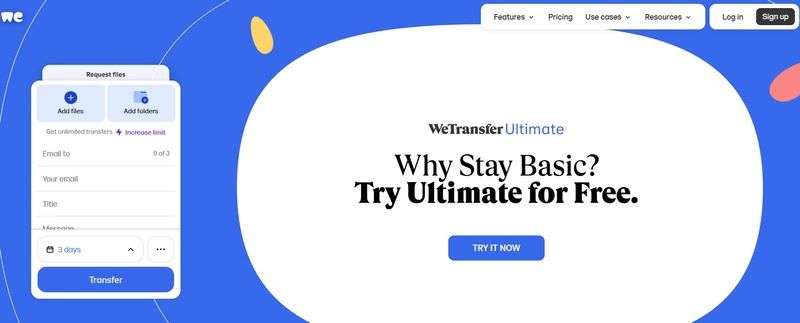
Step 2. Add recipient email addresses. Add your email address too. Write an optional message. Click "Transfer".
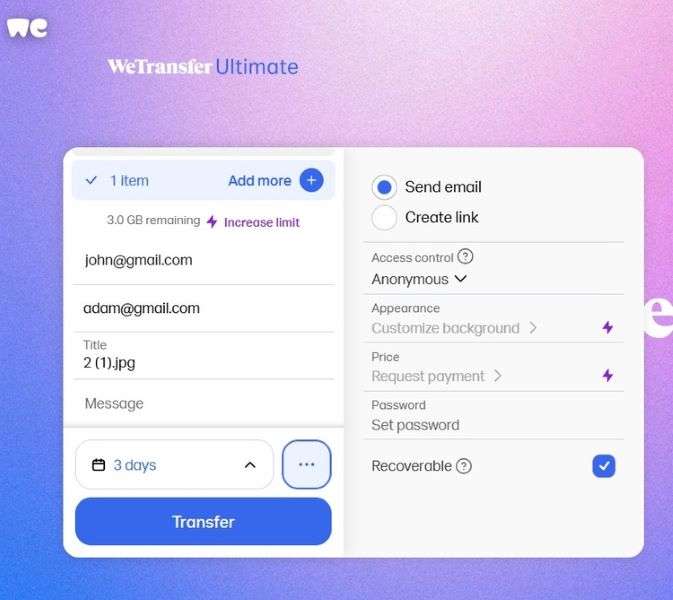
Step 3. And that's it. WeTransfer sends a download link to recipients.
Advantages of WeTransfer
- Free for files up to 2GB
- No account needed for basic use
- Simple and clean interface
- Works on any device with internet
- Automatic file deletion after 7 days
- Supports multiple file formats
Disadvantages of WeTransfer
- Limited file size for free users
- Files expire after one week
- No permanent storage option
- Requires an internet connection
- Limited control over file access
- What is the disadvantage of WeTransfer? Well, the main issue is the file size limit
Part 3: Best Alternative to WeTransfer: Overview of MobileTrans
MobileTrans is a powerful tool for transferring data between phones. It works with Android, iOS, Windows, and macOS. You can move up to 18+ types of data, including contacts, messages, photos, videos, and more. It supports over 6000+ devices, and even transfers between different operating systems. The process is fast and secure. No cloud storage is needed. Your data stays private.
📱 MobileTrans offers both desktop and mobile solutions for fast, secure, and flexible data transfers. It has a mobile app, which works on both Android and iOS. You can transfer data wirelessly. No computer needed. Perfect for quick phone-to-phone transfers.






Why should you choose a Desktop Solution like MobileTrans instead of WeTransfer?
The answer lies in control and security. Desktop solutions keep your data local. This means no cloud storage risks or internet dependency. Your sensitive files never leave your control during transfer.
MobileTrans does more than just share files—it moves everything from one phone to another. While WeTransfer sends single files, MobileTrans transfers contacts, messages, apps, and settings all at once. It's great for switching phones, upgrading, or backing up your data.
Key Features of MobileTrans:
- Phone-to-phone transfer.
- Computer backup and restore.
- WhatsApp data migration.
- Social app data transfer.
- Selective data transfer options.
- Cross-platform compatibility.
Steps Guide:
Step 1. Launch the program on your computer. Choose "Phone to Phone," pick source and target, select data, and hit "Start."

Step 2. Wait for completion confirmation.
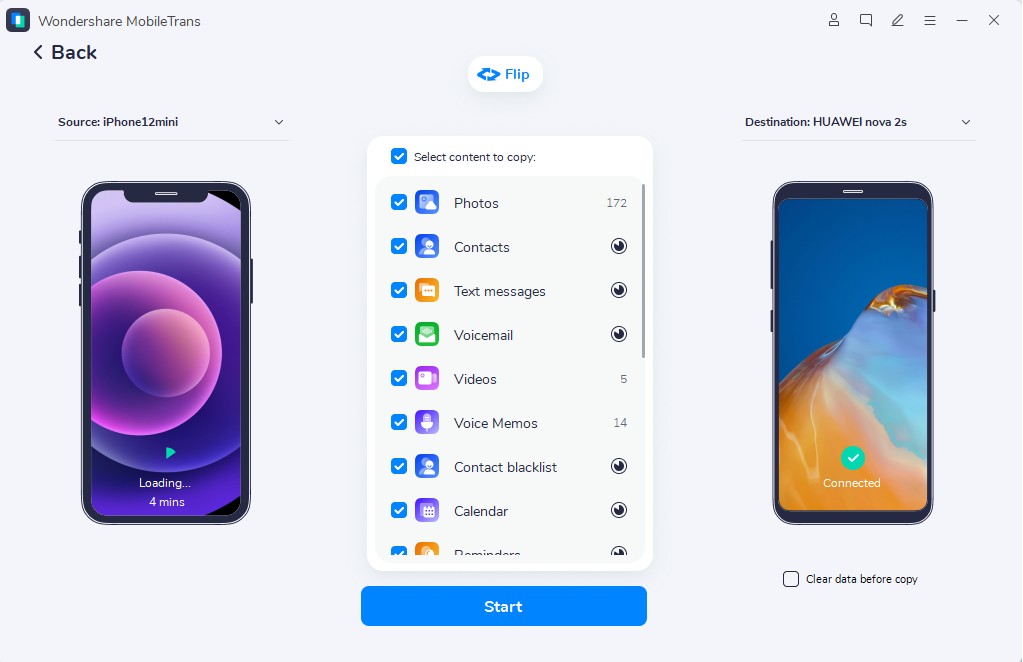
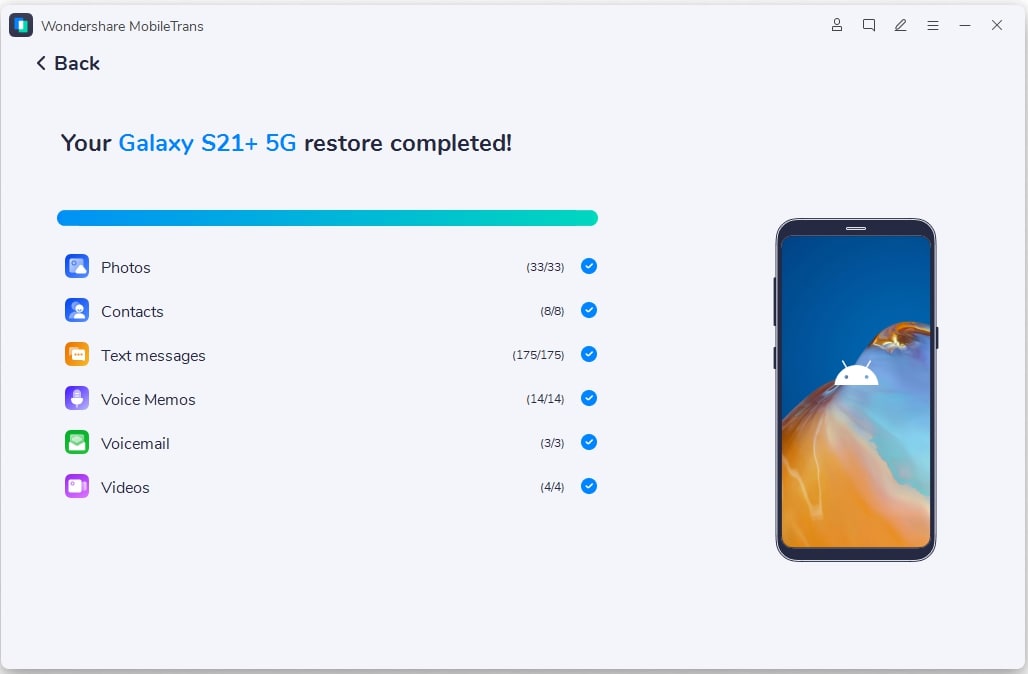
Step 3. Once the transfer is done, like in the image below, you can unplug the phones and check if all the files were moved.
Part 4: Comparison Table: WeTransfer VS MobileTrans. Which is Better and Why?
Choosing between WeTransfer vs MobileTrans depends on your needs. WeTransfer excels at sharing files with others. MobileTrans works better for moving data between your own devices. Here's a detailed comparison:
|
Feature |
WeTransfer |
MobileTrans |
|
Primary Use |
File sharing via email |
Device-to-device transfer |
|
File Size Limit |
2GB (free), 20GB (paid) |
No specific limit |
|
Internet Required |
Yes, always |
No, works offline too. |
|
Storage |
Temporary (7 days) |
Direct transfer, no storage |
|
Device Support |
Web browser-based |
iOS, Android, Windows, Mac |
|
Data Types |
All file types |
Contacts, photos, messages, videos, apps, WhatsApp messages, call logs, and more. |
|
Security |
Cloud-based encryption |
Local transfer, end-to-end encrypted |
|
Account Required |
No (basic), Yes (premium) |
Yes |
|
Ease of Use |
Very simple |
Simple with setup |
Conclusion
Both tools serve different purposes in file management. WeTransfer excels at sharing files with others online. MobileTrans works best for moving data between your own devices. Your choice depends on whether you need cloud sharing or device migration. For sensitive data, MobileTrans offers better security through local transfers.
FAQ
-
Q: Does MobileTrans support WhatsApp transfer?
A: Yes, MobileTrans fully supports WhatsApp transfer between devices. The software can move WhatsApp messages, media, and attachments from iOS to Android and vice versa. This includes chat history, photos, videos, and voice messages. The transfer maintains the original format and organization of your WhatsApp data.
-
Q: Is WeTransfer safe for sensitive files?
A: WeTransfer provides basic security through encryption during file transfer. However, files are stored on cloud servers, which creates potential risks for highly sensitive data. The service deletes files after seven days and follows privacy regulations. For maximum security with sensitive business or personal files, consider using local transfer methods instead.
-
Q: Can I use WeTransfer without an account?
A: Yes, you can use WeTransfer without creating an account for basic file sharing. The free service allows transfers up to 2GB without registration. Simply visit the website, upload your files, add recipient emails, and send.










