How to Transfer Samsung or iPhone Home Screen Layout?
 By Holly McQuillan, Product Manager
| Updated on July 25th, 2025.
By Holly McQuillan, Product Manager
| Updated on July 25th, 2025.
When transferring phone data to a new phone, do you want to transfer the home screen layout simultaneously? MobileTrans can meet your need! With MobileTrans, you can easily transfer the home screen layout from iPhone to Samsung, Samsung to iPhone, iPhone to iPhone, or Samsung to Samsung.
Note: This feature is only avaible for Samsung and iPhone devices.
Transfer Home Screen Layout to iPhone
Step 1. Connect phones & launch MobileTrans
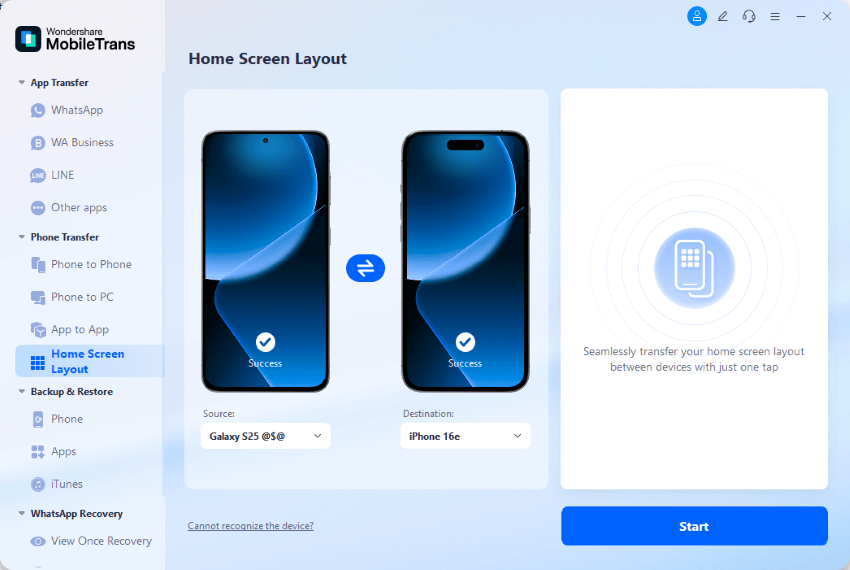
Firstly, launch MobileTrans and click the "Home Screen Layout" option under the "Phone Transfer" column from the left bar. Link your devices to the computer using cables. MobileTrans will automatically detect your phones and display them in the "Source" and "Destination" blocks. If you find that the phones are in the wrong direction, you can click the "Flip" button to switch them.
Click the "Start" button to start the transfer.
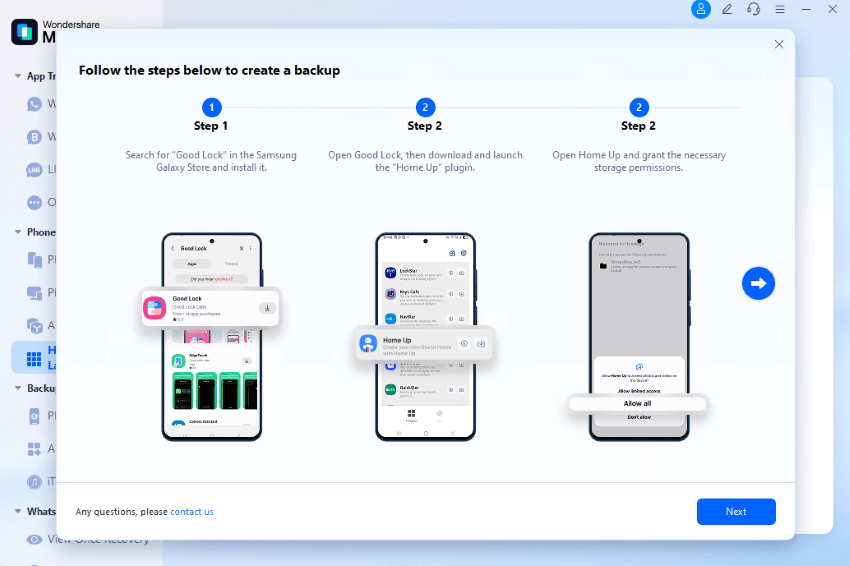
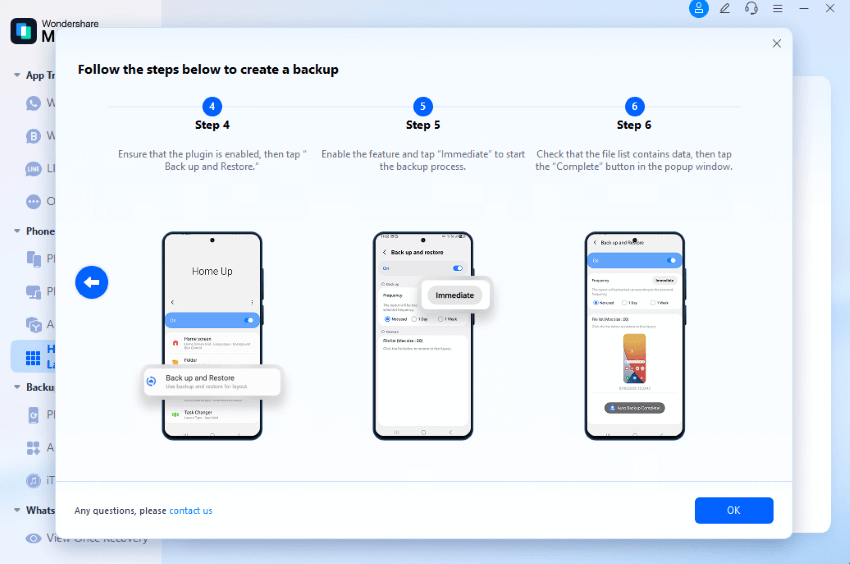
If you are transferring from Samsung, there will be pop-ups to help you back up your home screen layout first. Here is an example:
Step 2. Start transfer
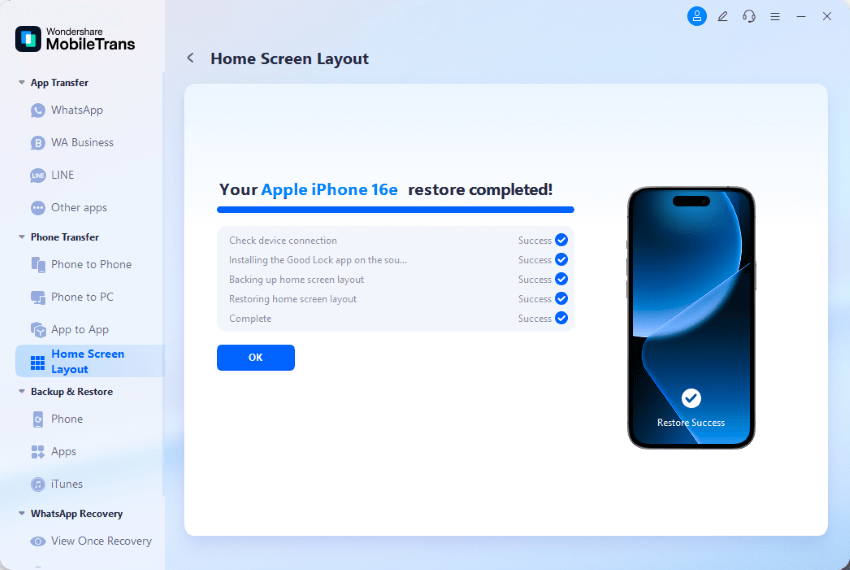
Please keep your phones connected until you see this transfer complete message.
Transfer Home Screen Layout to Samsung
Step 1. Connect phones & launch MobileTrans
Launch MobileTrans and click the "Home Screen Layout" option from the left bar. Link your devices to the computer using cables. MobileTrans will automatically detect your phones and display them in the "Source" and "Destination" blocks. You can "Flip" the phones with the button if they are in the wrong direction. Click the "Start" button to start the transfer.
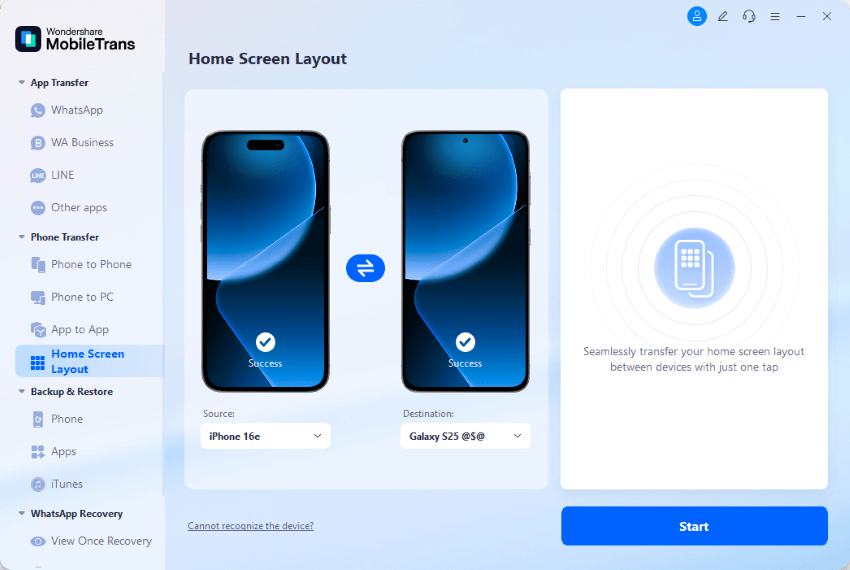
If you are transferring from Samsung, there will be pop-ups to help you back up your home screen layout first. Here is an example:
Step 2. Restore Home Screen Layout to Samsung
On the Samsung device you are transferring the layout to, the software will prompt you to restore the home screen layout in detail. You can see pop-up windows like these images.
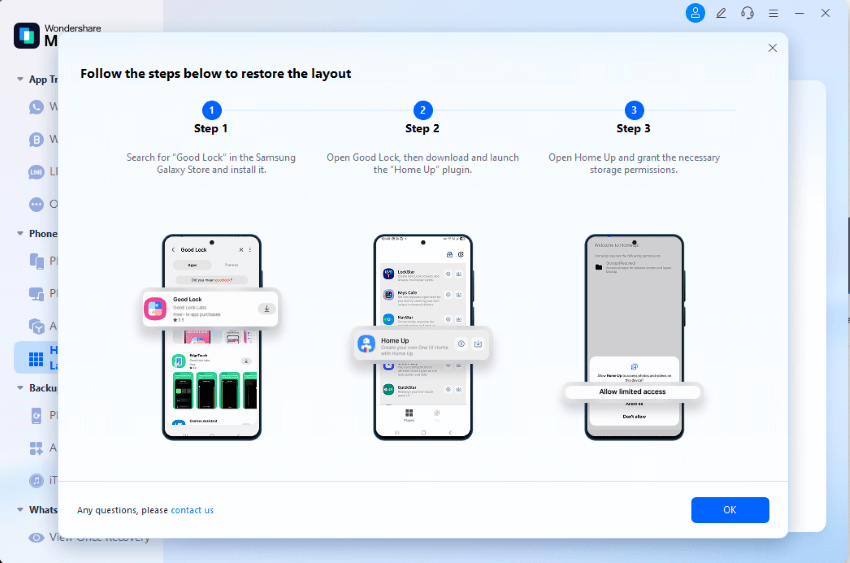
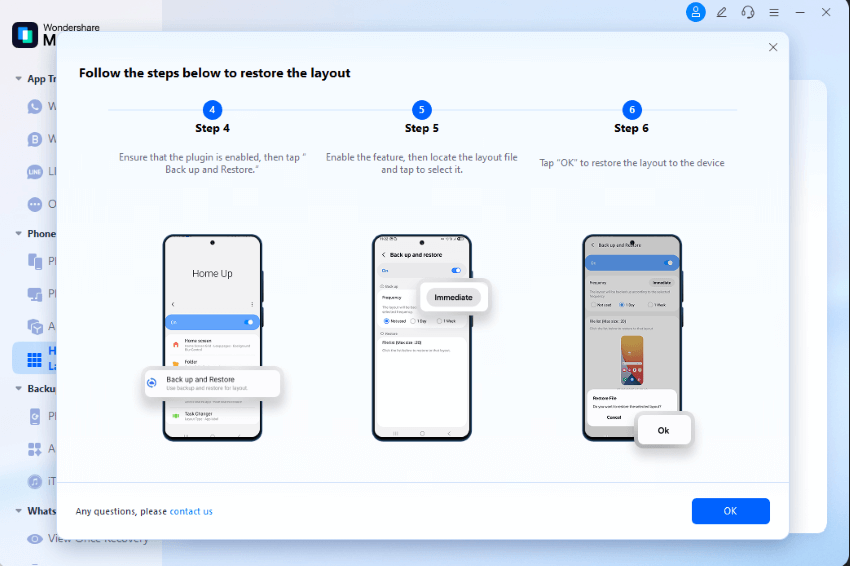
Step 3. Transfer completed
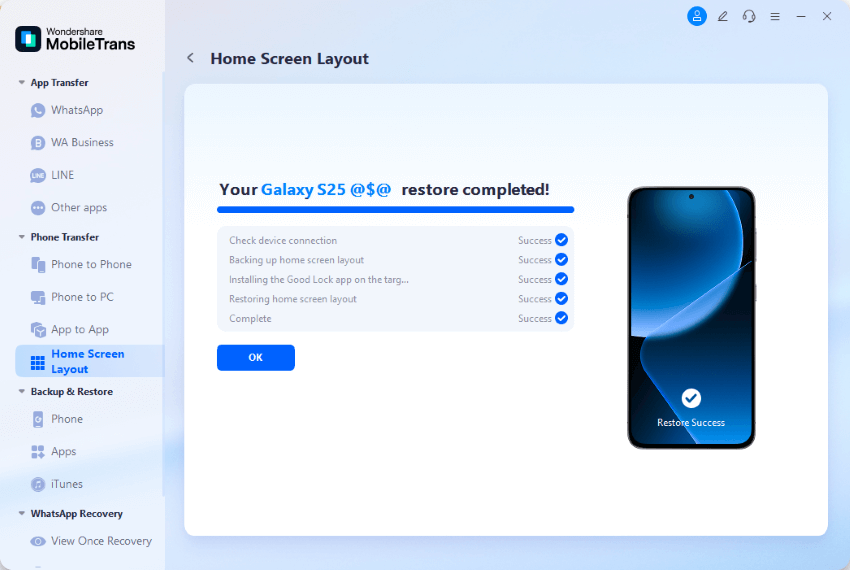
Please wait until it completes transferring the home screen layout to your Samsung device. You will see a window like the image below, and you can disconnect your phones.
 safe & secure