


 TL;DR:
You can add licensed music to your WhatsApp photo or video status directly through the mobile app by tapping the Music icon after selecting your media, allowing up to 15 seconds of audio for pictures and 60 seconds for videos.
● The native music feature requires the latest iOS or Android version of WhatsApp and strictly excludes text, GIF, and voice status updates, as well as all desktop platforms.
● Song selection is strictly limited to Meta's officially provided music library to prevent copyright violations, and the functionality is currently unavailable in certain countries such as Brazil.
● If utilizing the third-party WeLastseen app to locally save expired or deleted status updates, monitoring cannot apply retroactively and only captures media uploaded after the contact is manually added to the tracker list.
Ask AI for a summary
 ChatGPT
 Perplexity
 Gemini
 Claude
 Grok
Grok

WhatsApp recently released a new update for its mobile app, allowing users to add any song to their status posts, making pictures and videos more engaging for viewers. Whether it’s today’s biggest hit or the latest song from your favorite artist, you have an entire library of songs to choose from on WhatsApp.
Do you know how to add music to your WhatsApp status? Would you like to learn how to add a song to your WhatsApp status? And is the WhatsApp status of music available in all countries?
This article reveals answers to these questions and all you need to know to add a song to your WhatsApp status.
In this article

Part 1: How to Add Music to Your WhatsApp Status on Android & iPhone
One of the ordinary online questions is how to add music to your WhatsApp status. Before we answer that question, you should know that you can only add a song to your WhatsApp status on your mobile phone.
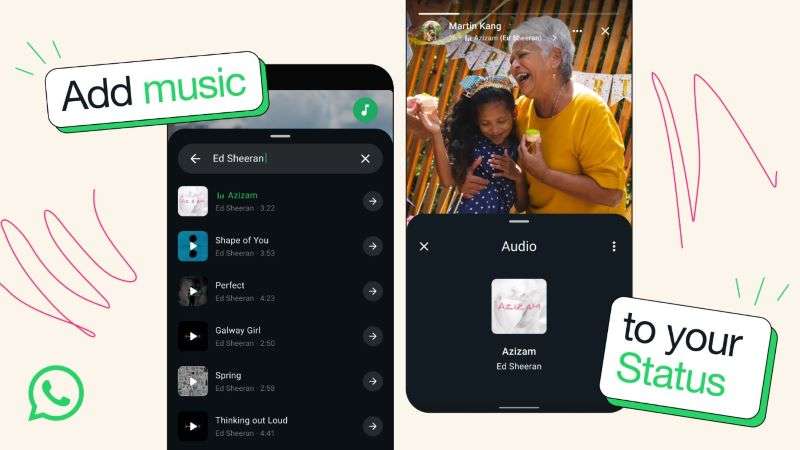
You can’t add music to your WhatsApp status on your computer. Also, you can’t add a song to text, GIFs, and voice status updates. This new feature only works for photos and video updates on WhatsApp. Next, let me show you how to add music to your WhatsApp status on Android and iPhone:
How to Add Music to Your WhatsApp Status
Here is how I added my favorite song to my new WhatsApp status:
- Open WhatsApp on your phone and tap the Updates icon at the bottom of your screen.

- Click My Status to choose the image or video you want to upload.
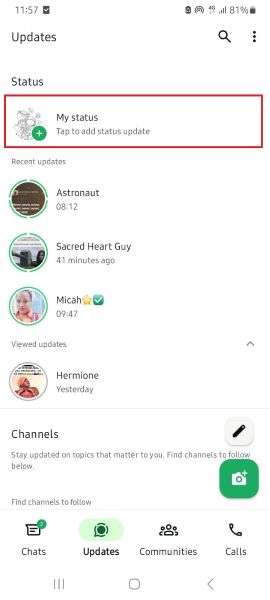
- Tap on the Music icon at the top of your screen to access the WhatsApp music library.

- You'll see a long list of songs on the next page. You can choose one of the songs on the list or search for the song you wish to add to your WhatsApp status.

- Tap on the Arrow icon next to your preferred song and use the Slider at the bottom of your screen to choose which part of the song fits your moment.

- Tap on Done at the top of your screen and hit the Green Send icon to upload the new status with your music.
Bonus: Track and Save WhatsApp Status Updates in Real Time
WhatsApp statuses vanish after 24 hours — but what if you could still view and save them after they disappear? That’s exactly what the new WhatsApp Status Tracker feature in WeLastseen offers. It lets you monitor, view, and download any contact’s WhatsApp status updates — even once they’re deleted from WhatsApp.
Whether you missed your friend’s story or want to keep business-related status updates for reference, WeLastseen ensures nothing is lost. It works seamlessly with both regular WhatsApp and WhatsApp Business accounts, giving you full control over what you track and save.
Top Features of the WeLastseen WhatsApp Status Tracker
- Real-Time Status Monitoring: Detect and view all new WhatsApp status uploads — photos, videos, or voice notes — the moment they appear.
- Access Expired Statuses: View and download statuses even after they’re deleted or past the 24-hour limit.
- Local Saving: Save tracked statuses directly to your gallery, no screenshots needed.
- Multi-Contact Tracking: Monitor multiple WhatsApp contacts simultaneously with instant updates.
- Private and Secure: All saved content stays encrypted locally on your device — never uploaded or shared.
- WhatsApp Business Support: Works seamlessly with WhatsApp Business statuses as well.
How to Use WeLastseen’s WhatsApp Status Tracker
Follow these steps to track and save WhatsApp statuses easily:
Step 1: Download and Install WeLastseen
Download WeLastseen from the Google Play Store and open the app. Navigate to the Status Tracker section from the homepage.
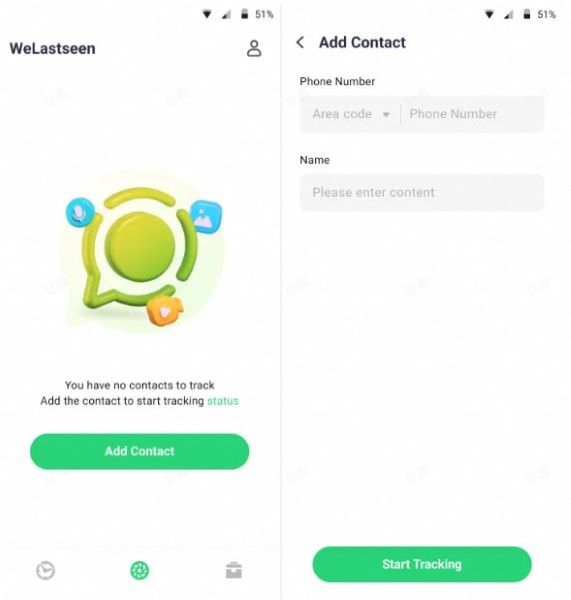
Step 2: Add Contacts You Want to Track
Tap Add Contacts and select the WhatsApp users whose statuses you’d like to track. Once added, WeLastseen automatically begins monitoring their new uploads in real time.
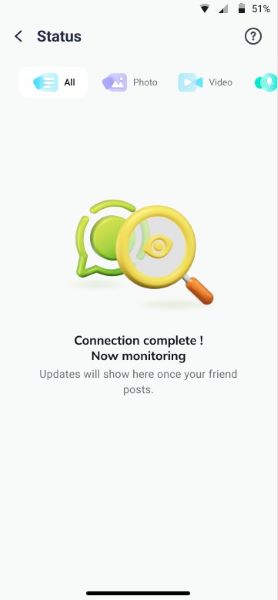
Step 3: View and Save Expired Statuses
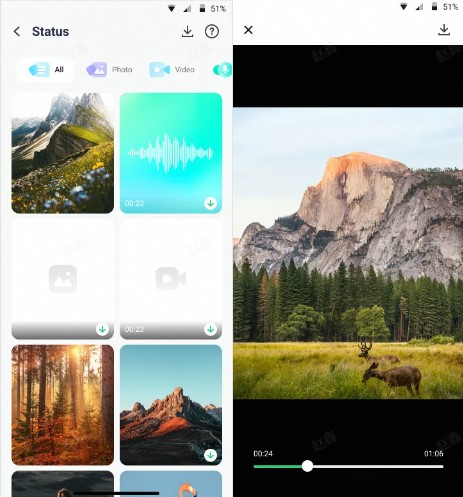
After setup, all tracked contacts’ statuses will appear under the My Tracker tab. You can open, preview, or save them — even if they’ve expired on WhatsApp. Tap the Download icon to store them permanently in your gallery.






Part 3: Why Can’t I Add Music to My WhatsApp Status?
Can’t add music to your WhatsApp status? Here are possible reasons why you are having issues:
1. The WhatsApp status music feature isn’t available in your country yet
In some countries like Brazil, the music feature isn’t available for WhatsApp status yet. So, check if the feature is available in your country.
2. You are trying to add music to a GIF, text, or voice status update
You can only add a song to photo and video status updates on WhatsApp. So, if you are trying to add a song to a text or voice update, the feature won't work.
You may be asking, “How can I add music to my WhatsApp status for GIFs and texts?" You can use a third-party app or recording tool to do this.
3. You are using an obsolete WhatsApp version

If you are using an outdated WhatsApp version, you won't find the music feature, which is a new addition. So, download the latest version of WhatsApp for your phone and try again.
4. Music Availability Issues
The feature will not work if you want to add a song that isn't available on the WhatsApp music library. The music you can add to your status to prevent copyright issues is based on licensed music provided by Meta (WhatsApp’s parent company).
5. Device Compatibility
The music feature is currently only available for Android and iOS devices. So, if you are using a macOS, Windows, or any other device, you can’t add music to your WhatsApp status yet.
Contact WhatsApp support if you still need help adding music to your WhatsApp status.
Conclusion
How do you add music to your WhatsApp status? It's very easy. Just tap on the video or photo you want to upload and tap on the Music icon at the top of your screen. Then, choose the song you wish to and hit send.
Remember that you can't add a song to WhatsApp's texts, GIFs, and voice status updates. You also can't add a song to WhatsApp status from your PC or other devices other than Android and iOS phones.
Finally, if you want to know who is secretly checking your WhatsApp status, download the WeLastseen mobile app and follow the steps above to improve your WhatsApp account security.
FAQs
-
1. Can you add music to text and GIF status updates?
No, you can't directly add music to text and GIF status updates on WhatsApp because the feature is only available for photos and video updates. However, you can use a screen-recording app to add music to your GIF and then upload the GIF to your WhatsApp status. -
2. Why can’t I upload a recorded audio to my WhatsApp status?
WhatsApp status only supports audio in AAC and AC3 formats. So, you may need to convert your audio to the accepted formats before uploading it to WhatsApp status. To upload audio to WhatsApp status, you need to add the audio to a video because you can't directly post audio alone on WhatsApp. On WhatsApp, you can upload videos in MP4, MKV, AVI, MOV, and 3GP formats. -
3. Can you copy songs from other people’s WhatsApp statuses?
You can't directly copy songs from other people's WhatsApp statuses, but you can screen-record the status and then extract the audio using an audio extractor app. You can also check the artist and song title on a person's WhatsApp status by tapping the song. -
4. Can I add any song to my WhatsApp status?
No, due to copyright issues, you can only add songs from the WhatsApp music library to your status. If you search for a song and can't find it, it means it isn't available yet. However, using a third-party app, you can add the song to your photo or video. Then, upload the new image to your WhatsApp status.