


 TL;DR:
You can view WhatsApp View Once photos twice by using secondary devices to physically capture the screen or by utilizing third-party recovery applications like MobileTrans to extract the disappearing media.
● MobileTrans requires linking your PC to your WhatsApp account via QR code to scan chats and export the original-quality View Once photos directly to your device, but utilizing this tool requires creating an account.
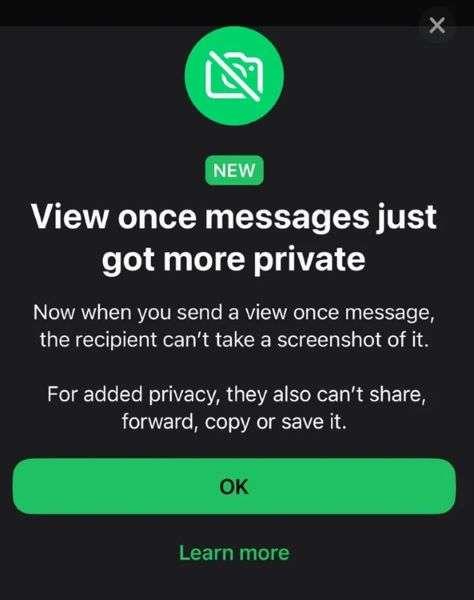
● WhatsApp natively blocks on-device screenshots and screen recordings by displaying a black screen, permanently deletes the file after opening without saving it to cloud backups, and automatically expires unopened media after 14 days.
● You can hide the "Opened" notification from the sender by disabling your read receipts before viewing the media, though this privacy workaround is strictly limited to one-on-one chats.
Ask AI for a summary
 ChatGPT
 Perplexity
 Gemini
 Claude
 Grok
Grok

In this article

WhatsApp's View Once feature enables users to share sensitive photos that disappear after being viewed. But what if you need to revisit that critical image? Whether it's a treasured memory or crucial information, there are secure ways to recover View Once media.
In this guide, you'll discover:
- Proven methods to recover View Once photos
- Safety tips for sharing private media
- How to protect yourself when sending sensitive content
Get ready to unlock WhatsApp's hidden possibilities - let's dive in!
Part 1: What is WhatsApp's View Once Feature?
WhatsApp's View Once feature (introduced in 2021) lets you share sensitive photos/videos that disappear after being opened - but is recovery possible?
How View Once Works:
- Look for the "1" icon when sending media
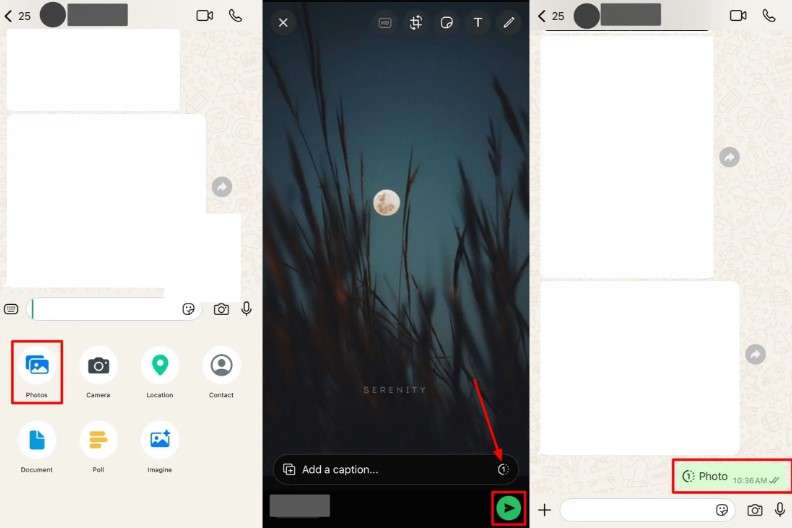
- The recipient sees it once before it vanishes
- No backups are created (unlike regular WhatsApp media)
- Sender gets an "Opened" notification
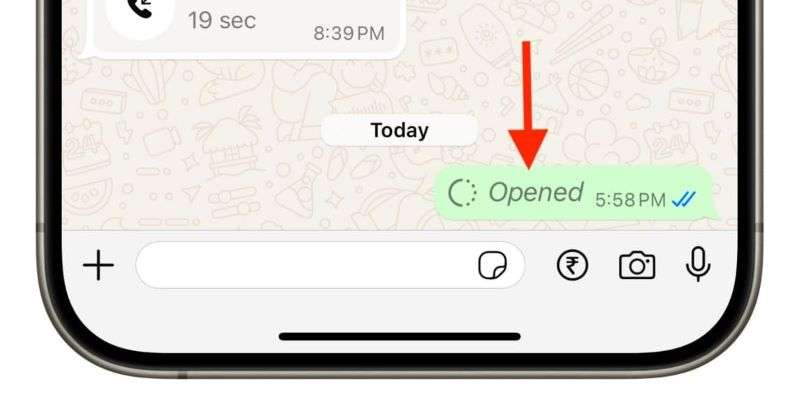
Key Differences:
- Regular media: Saves to chat & phone storage
- View Once: Disappears completely after opening
So can you see a WhatsApp View Once twice? Usually, no; however, there are secure recovery methods (which we'll cover next).




Part 2: Can You See a WhatsApp View Once Photo Twice?
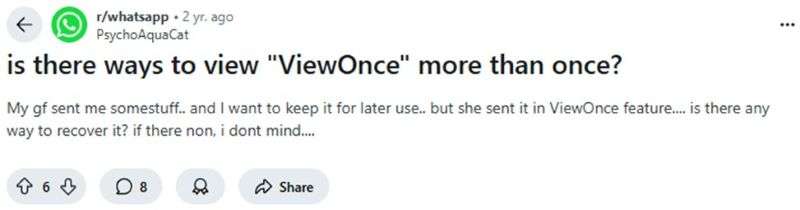
Yes! While WhatsApp's View Once feature is designed to make photos disappear after viewing, there are secure ways to recover them.
How to View a Disappearing Photo Again:
- Quick Capture Method: Use a secondary device to photograph the screen
- Recovery Tools: Specialized apps can restore View Once media
- WhatsApp Web Trick: Preview photos before opening on mobile
WhatsApp's Official Stance:
- 14-Day Limit: Photos expire if unopened for 2 weeks
- No Screenshots: Attempts are blocked (but other devices can capture them)
- Sender Notified: "Opened" receipts alert the sender
Accidentally Opened Too Soon? Don't panic! Even if you:
- Mistapped the screen
- Weren't ready to view it
- Need to revisit important details
...there are reliable solutions to recover View Once photos without violating privacy.
Part 3: Workarounds to View WhatsApp View Once Photo Twice-MobileTrans
The MobileTrans - WhatsApp View Once Recovery app is one of the safest and most trusted data recovery tools, allowing you to restore View Once media from WhatsApp to your phone effortlessly.
The app scans your chats via a QR code to find View Once texts and media that you have received from your friends on WhatsApp. Then it allows you to export these photos to any of your devices.
How to Recover WhatsApp View Once Videos on the MobileTrans App
Step 1: Launch Your MobileTrans
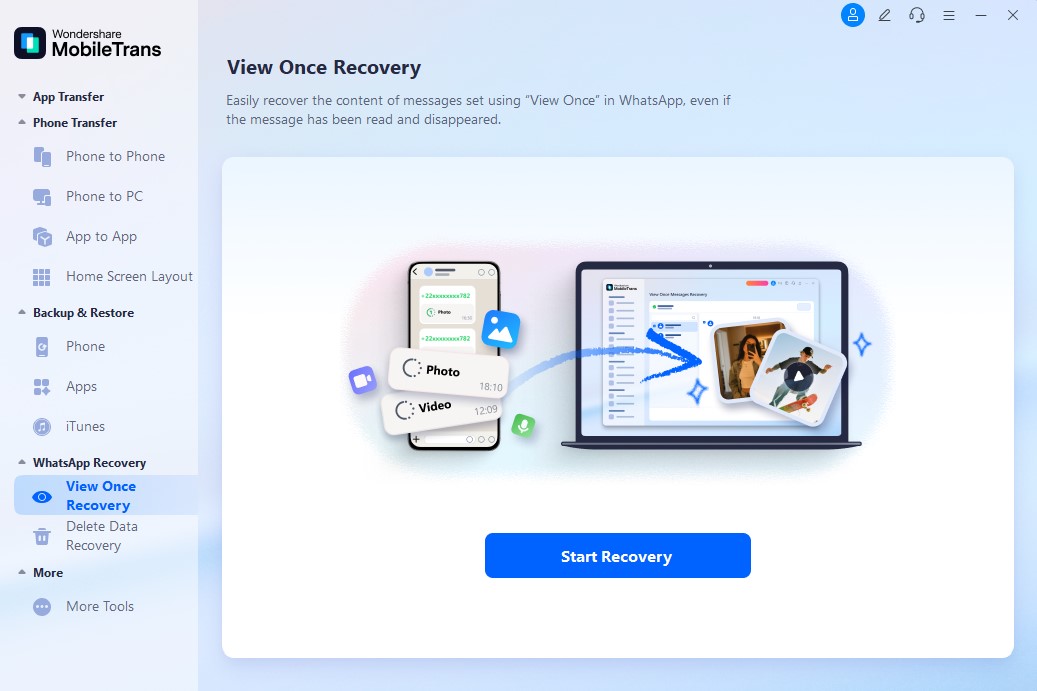
Open the MobileTrans app on your PC and select "WhatsApp Recovery mode" from the app's main interface. Next, tap on View Once Recovery.
Step 2: Choose Your View Once Photos
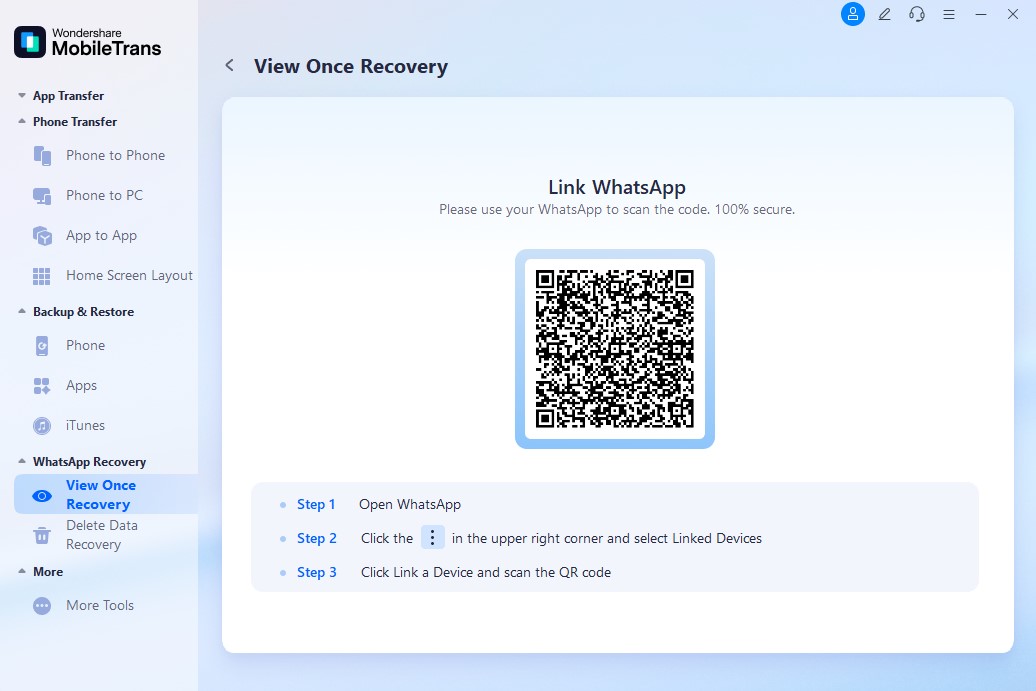
Scan the QR code on your computer screen to link your PC to your WhatsApp account.
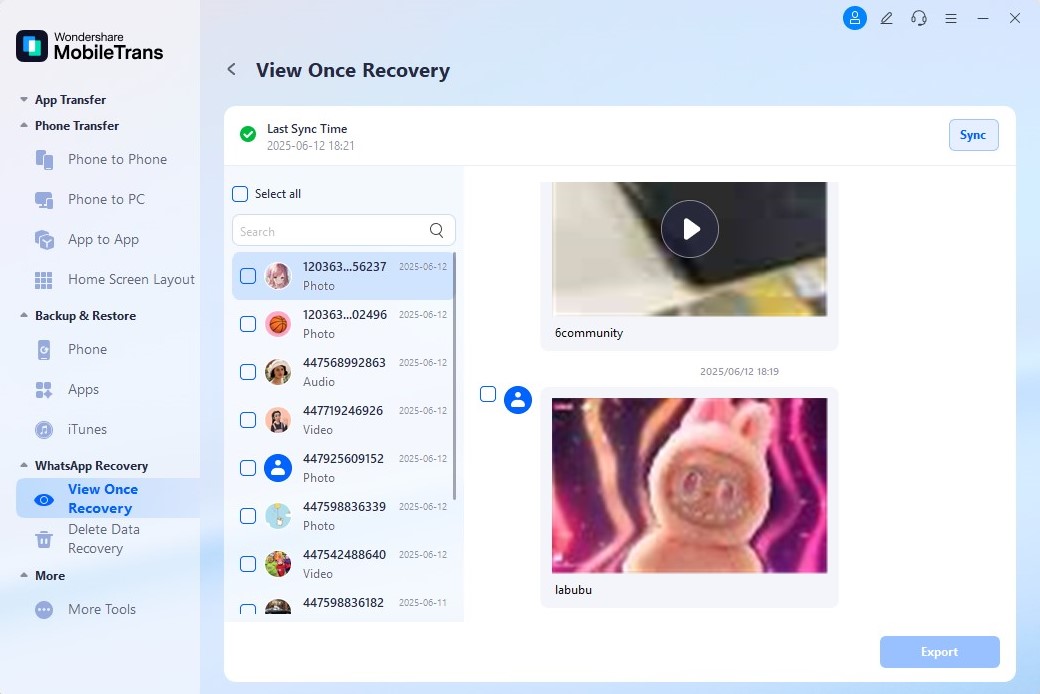
The View Once recover app will scan your WhatsApp chats to find messages and photos that you have received from your WhatsApp friends. Choose the images you wish to see again.
Step 3: WhatsApp View Once Videos Recovered Successfully
Click on Export , and the app will immediately start sending the selected View Once media to your device. You will receive a notification when the process is complete.
Thanks to the advanced features and user-friendly design of the MobileTrans app, you can now recover any WhatsApp View Once media on your phone. So, download the app now.
Part 4: Common Misconceptions About WhatsApp View Once Photos - Myths vs Facts
Many users misunderstand how WhatsApp's View Once feature works. Let's clear up the confusion:
Can you see a WhatsApp View Once photo twice without a screenshot?
👉 No, you can't directly view a View Once photo again. Once opened, the photo is deleted and not cached- even on WhatsApp Web. Your only options are to ask the sender to resend it or attempt to recover it from a backup (if one existed before you opened it).
Can you hide that you viewed it?
👉 Yes, by turning off read receipts. If read receipts are disabled, the sender won't be notified that you've viewed their View Once photo —though this only works in one-on-one chats.
Can you see it twice without a backup?
👉 No. If you didn't back up WhatsApp before opening the View Once message, you won't be able to retrieve it again, unless the sender sends it again or you record it externally.
Does WhatsApp notify the sender if you screenshot a View Once photo?
👉 No, but WhatsApp blocks screenshots and screen recording by default. You'll see a black screen if you try. External devices can capture it, but doing so violates WhatsApp's terms of service and privacy policy.
Part 5: Tips to Protect Yourself When Sending View Once Media
Here are ten pro tips to protect yourself when sending a View Once photo or video on WhatsApp:
- Avoid accidental exposure in your photos or videos.
- Only send WhatsApp View Once to trusted contacts.
- Enable two-step authentication on WhatsApp so that no one can access your account without your permission.
- Understanding the risks of screenshots &- remember that even people may use another device to record or screenshot your View Once photo without you knowing.
- Update your WhatsApp version regularly to enjoy the latest privacy and security upgrades.
- Don't send View Once from a linked device, especially if you are not the only one who has access to the device.
- Enable read receipts, so you can know when someone opens your View Once photo.
- Enable WhatsApp Disappearing Messages for Added Protection.
- Don't share your WhatsApp verification codes with anyone.
- Contact WhatsApp support if you suspect that your privacy has been violated.
Conclusion
With the help of tools like MobileTrans, or if a backup exists, it's possible to view WhatsApp messages once and see them twice.
If you often receive important media on WhatsApp, consider backing up your chats regularly or using a trusted recovery tool. Always respect privacy rules and refrain from misusing this knowledge.
FAQs
-
Where are View Once photos saved?
They are not stored locally or in the cloud. Once viewed, they are permanently deleted from both the sender's and receiver's devices. -
Can you recover a WhatsApp View Once photo?
Alongside the question "Can you see WhatsApp View Once twice?" another question people ask is whether you can recover a WhatsApp once-viewed photo. It's possible to recover a WhatsApp View Once photo if you have a backup of the file or you use a reliable WhatsApp data recovery tool. If you don't have an existing backup or recording of the photo, it will be nearly impossible to recover it. -
Is the MobileTrans reliable?
Yes, the MobileTrans – View Once recovery app is reliable and secure. You can use MobileTrans to recover View Once photos and texts, back up WhatsApp data, and restore your backup to any Android or iOS device without requiring Wi-Fi or mobile data. The app also offers robust military-grade security and bank-level encryption for all user data. It is also trusted by thousands of users worldwide.










