

 TL;DR:
Recovering disappeared WhatsApp View Once photos is nearly impossible because they are excluded from automatic backups and cloud servers, but you can retrieve them by scanning your account with the MobileTrans desktop tool or intercepting the files on WhatsApp Web.
● MobileTrans View Once Recovery links to your account via QR code to export disappeared photos, videos, and audio messages, though it requires account creation and is currently limited to the English language.
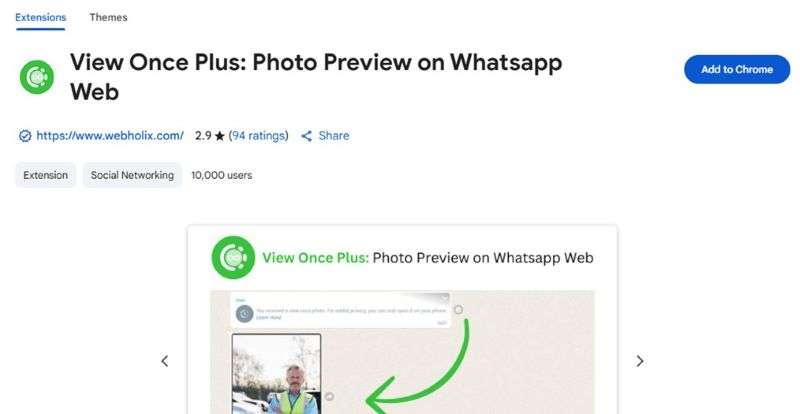
● The View Once Plus Chrome extension allows you to view restricted media multiple times on Windows or macOS, but it only works if you access the file on WhatsApp Web before opening it on your mobile device.
● Without utilizing third-party software before the file is opened, your only manual recovery option is requesting the sender to transmit the media as a standard image, since viewed files leave no trace on your phone storage.
Ask AI for a summary
 ChatGPT
 Perplexity
 Gemini
 Claude
 Grok
Grok

WhatsApp's View Once feature provides enhanced privacy by making photos disappear after being viewed. However, this can be problematic when you accidentally open an important image or receive one sent by mistake. Since WhatsApp doesn't store these images after viewing, users often search for solutions to recover them.
Understanding how to recover WhatsApp View Once photos without screenshot can help you retrieve important information or sentimental memories. While this raises some privacy considerations, it can be justified when you have legitimate reasons to recover accidentally viewed media. This guide explores effective methods to recover disappeared View Once photos without screenshot.
In this article

Part 1: Can You Recover WhatsApp View Once Photos Without Screenshot?
It is nearly impossible to recover a WhatsApp View Once photo after it has disappeared. Here's what you need to know about recovering View Once photos:
- Automatic Deletion: WhatsApp's View Once feature automatically deletes photos after viewing and doesn't store them in chat history or backups.
- Backup Possibility: The only way to recover is if you created a backup before opening the image. WhatsApp doesn't include View Once media in automatic backups.
- No Cloud Storage: Once opened and disappeared, the photo isn't saved on your device or WhatsApp's servers, making recovery impossible through normal means.
- Manual Backup Needed: You must manually download and backup View Once photos before opening them to have any chance of recovery.
Part 2: How to Recover WhatsApp View Once Photos Without Screenshot
Since WhatsApp prevents screenshots of View Once photos, here are alternative recovery methods:
Method 1. MobileTrans
MobileTrans View Once Recovery is the most reliable solution for recovering disappeared View Once media. This professional tool can scan your WhatsApp account and restore View Once photos, videos, and audio messages with high success rates.
Guide: How to Recover View Once Photos with MobileTrans
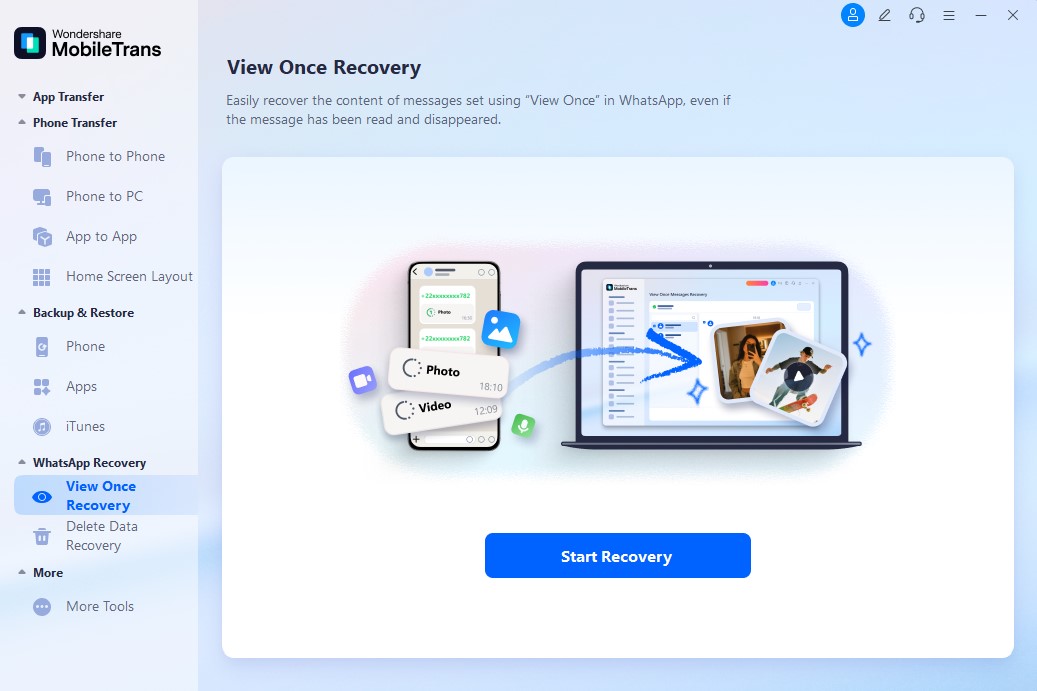
Step 1: Launch the MobileTrans App
Install MobileTrans on your computer, select WhatsApp Recovery, then choose View Once Recovery mode and click Start Recovery.
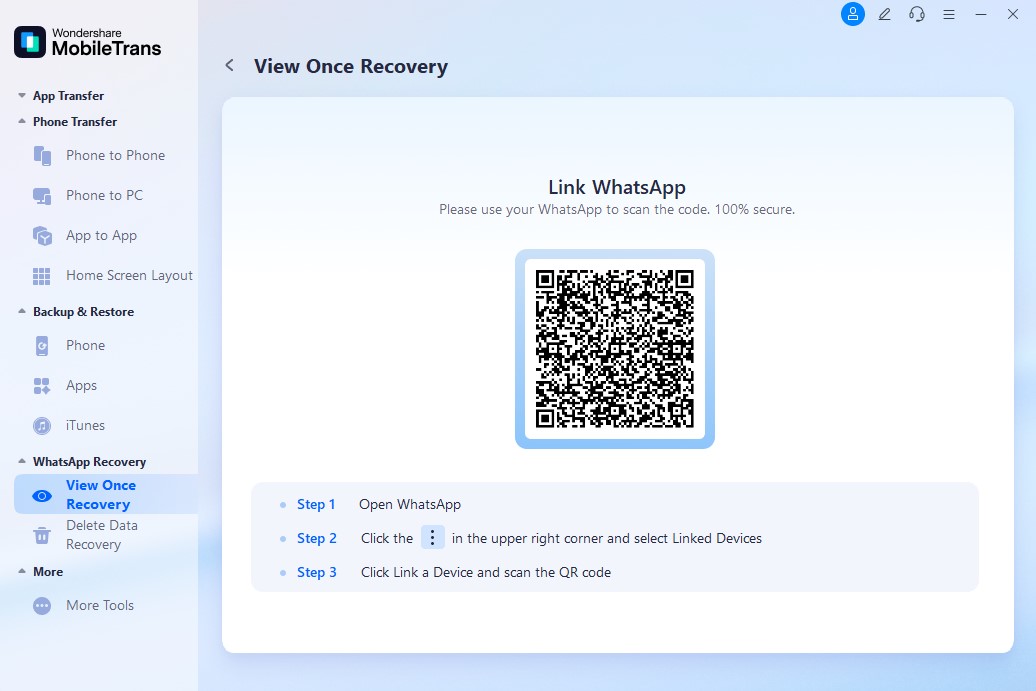
Step 2: Connect Your WhatsApp Account
Scan the QR code displayed on your computer screen using your phone's WhatsApp to link your account.
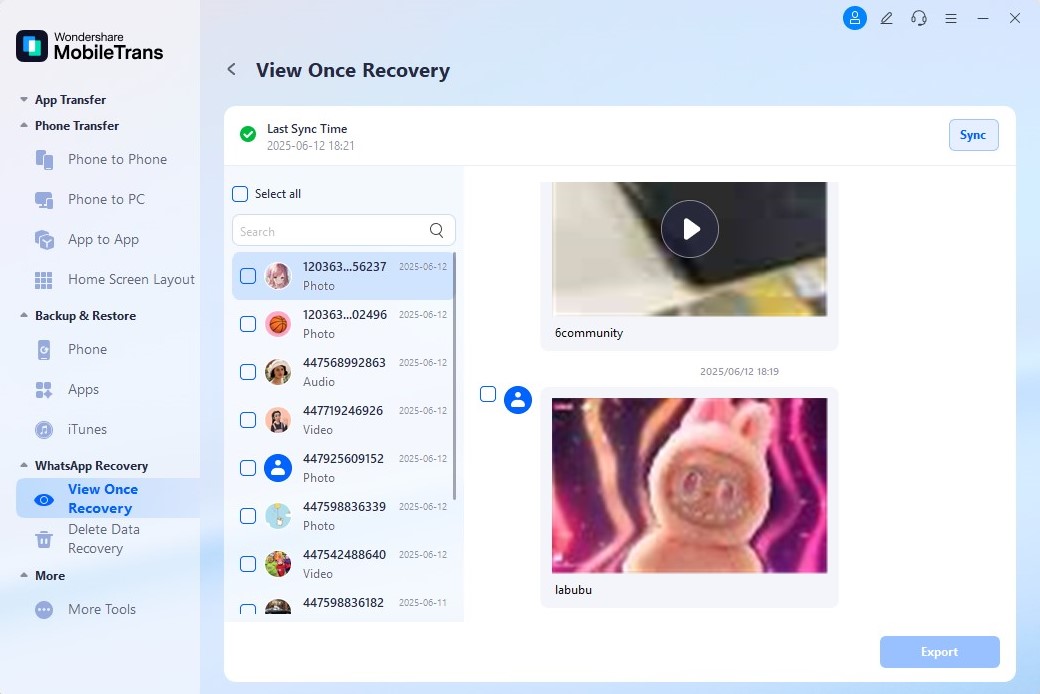
Step 3: Recover and Export Photos
The app will display all recoverable View Once media. Select the photos you want to restore and click Export to save them.




Method 2. View Once Plus Chrome Extension
View Once Plus is a Chrome extension that lets you view View Once media multiple times on WhatsApp Web before opening on your phone.
Step-by-Step Guide:
- Install the View Once Plus extension from Chrome Web Store
- Open WhatsApp Web and scan the QR code to link your account
- Click the View Once Plus icon in your browser toolbar
- Follow on-screen instructions to access View Once media
Method 3. Ask the Sender to Resend
The simplest method to recover WhatsApp view once photos without screenshot is asking the sender to resend the image normally (not as View Once). This ensures you can save, backup, and access the photo whenever needed.
Tips for Requesting Resend:
- Explain you accidentally opened the View Once version
- Request they send as a regular WhatsApp image
- Ensure they still have the original photo to resend
Part 3: [Don't Miss] How to Check Hidden Last Seen on WhatsApp - WeLastseen
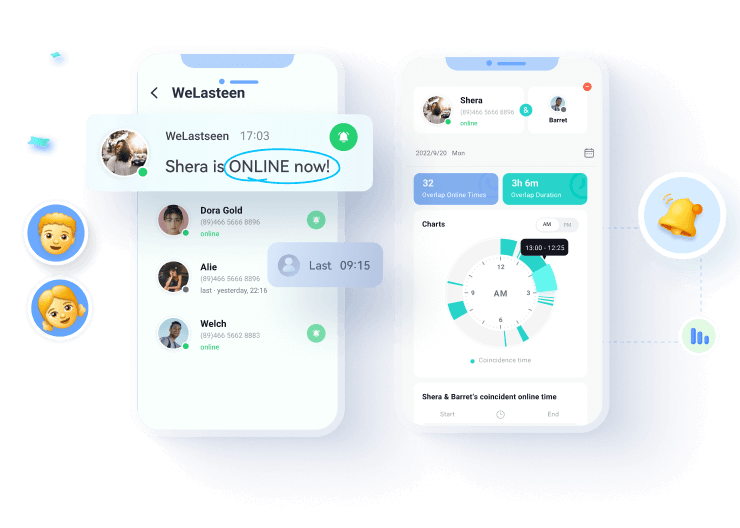
While recovering WhatsApp view once photos without screenshot, you might also want to track when contacts are online. WeLastseen helps you view hidden last seen statuses and online activity on WhatsApp.


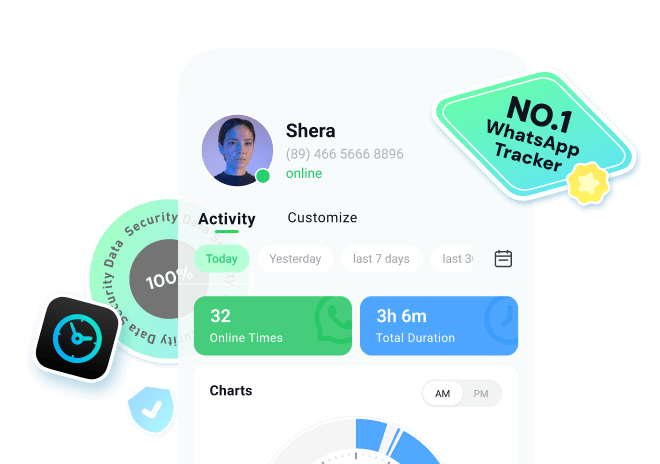

How to Use WeLastseen:
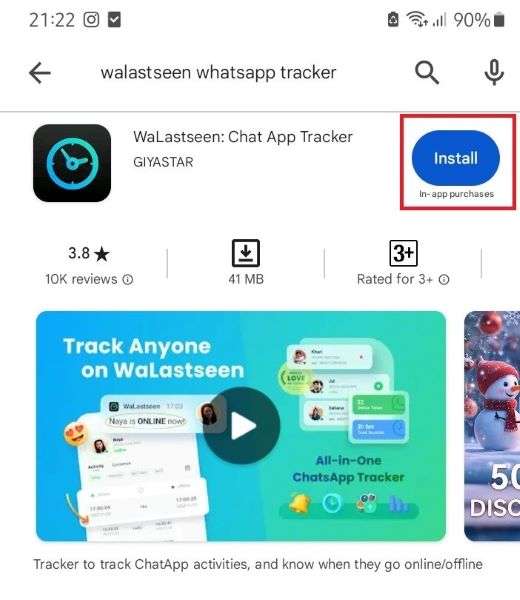
Step 1: Install WeLastseen
Download "WeLastseen: Chat App Tracker" from Google Play Store on your Android device.
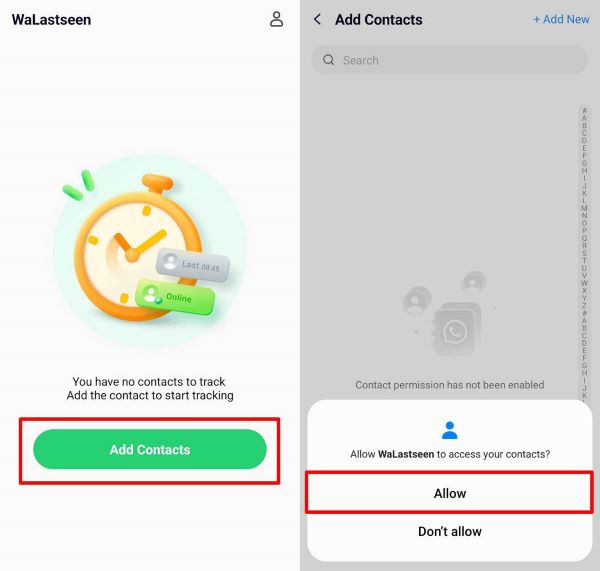
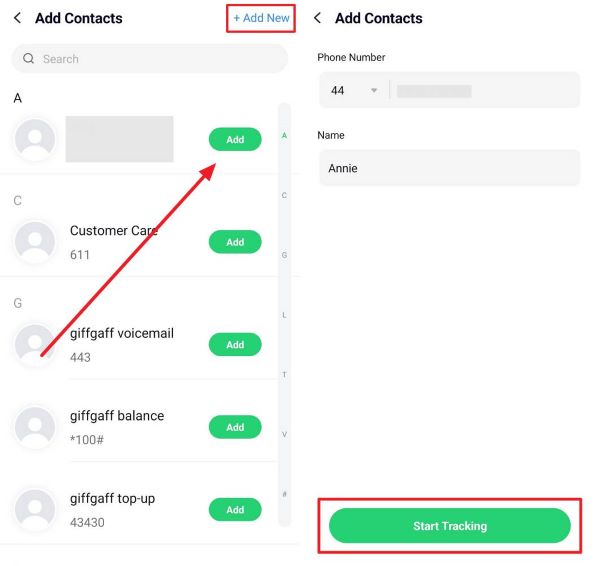
Step 2: Add Contacts to Track
Open the app, tap "Add Contact," and select WhatsApp contacts you want to monitor.
Step 3: Start Tracking Activity
Tap "Start Tracking" to view the contact's last seen and online status.


Conclusion
Recovering WhatsApp view once photos without screenshot is challenging but possible with the right tools. The most effective solution is MobileTrans View Once Recovery, which can restore disappeared media by scanning your WhatsApp account. Alternative methods include using the View Once Plus Chrome extension or simply asking the sender to resend the image normally.
For comprehensive WhatsApp monitoring, WaLastseen provides valuable insights into contacts' online activity, complementing your media recovery needs.
FAQs
-
Where are WhatsApp View Once photos stored on my phone?
View Once images aren't stored on your device after viewing. Unlike regular WhatsApp media, they're excluded from backups and automatically deleted after being opened. -
Can you recover a WhatsApp View Once photo without backup?
Without a backup, your options are limited to using recovery tools like MobileTrans or the View Once Plus extension before opening the image on your phone. -
Can you see WhatsApp View Once photos twice?
Normally no, but with MobileTrans you can recover and view them multiple times. Alternatively, using another device to photograph the screen before it disappears works. -
What's the safest way to recover WhatsApp View Once photos?
The safest method is asking the sender to resend normally. For already opened images, MobileTrans offers a secure recovery solution that encrypts your data.