


 TL;DR:
Choose WhatsApp Groups for specific, small-scale discussions of up to 1,024 members, and use WhatsApp Communities for complex organizational networks that link up to 50 separate groups and 51,200 total members under a single administrative space.
● Groups expose participants' phone numbers to all members in the chat, whereas Communities protect user privacy by hiding contact details between individuals who belong to different linked sub-groups.
● Community administrators utilize a central announcement hub supporting up to 5,000 members to broadcast critical updates across all linked groups simultaneously without duplicating messages or cluttering everyday conversations.
● Transferring Community chats to a new iOS or Android device carries a high risk of data loss through standard backups, requiring cross-platform desktop software like Wondershare MobileTrans for a complete and secure migration.
Ask AI for a summary
 ChatGPT
 Perplexity
 Gemini
 Claude
 Grok
Grok

Digital communications have become extremely streamlined and efficient today. One of the major platforms contributing to this is WhatsApp. Now, you can't just individually chat with your contacts but also with a group. With each update, WhatsApp has brought significant changes. You will no longer have to send the same message to different groups constantly. This is all due to WhatsApp Community features.
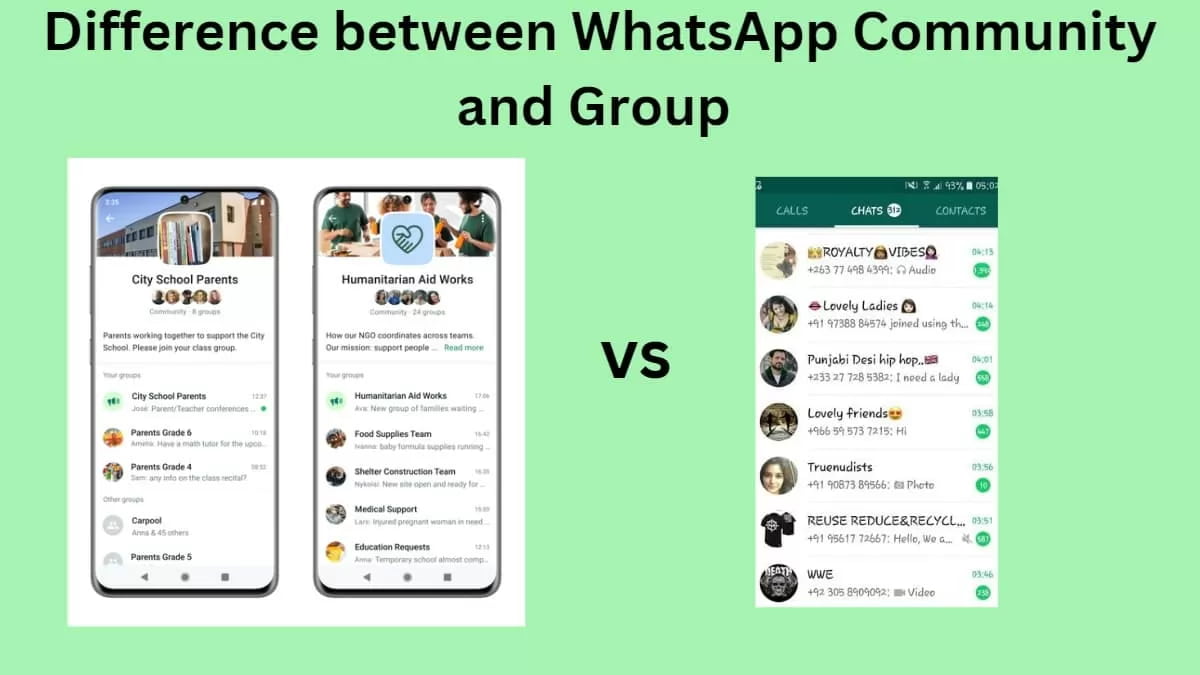
WhatsApp Communities and Groups are meant to facilitate group conversations. WhatsApp Community vs Group is an important discussion to consider when you want to know which one to choose. Both serve different purposes and cater to various needs, using the same medium. This blog will cover all WhatsApp Group vs Community information you must know of.
In this article
Part 1: What Are WhatsApp Groups?
WhatsApp Groups have been one of the most common features of WhatsApp, and they are meant to organize conversations for family, friends, and colleagues. In a single group chat, around 1024 members can be added. It is added to bring about communication in a specific circle. These are usually meant for small-scale conversations.
WhatsApp Groups can be great for planning events, managing team projects, and discussing common projects. Admins can control group settings. For example, they can manage adding or removing the members or changing the group name and discussions. However, WhatsApp groups have specific limitations, such as not managing complex communities.
Part 2: What are WhatsApp Communities?
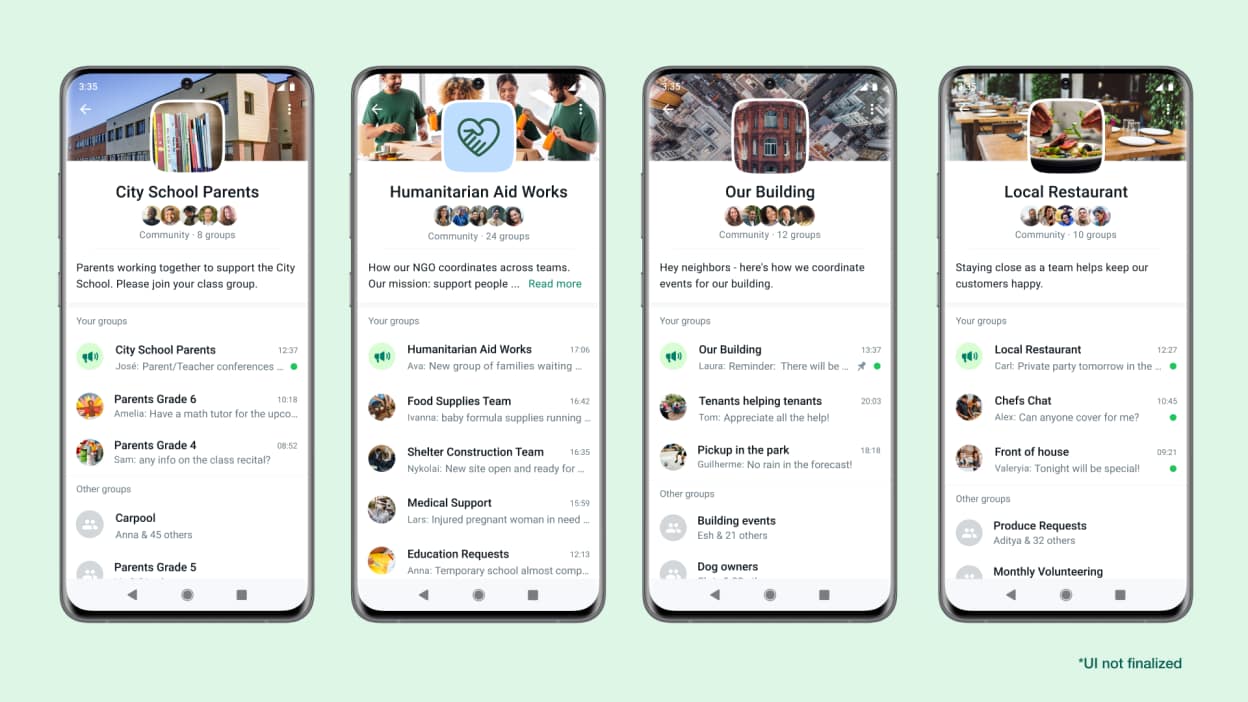
WhatsApp Communities is a newly added WhatsApp feature that is meant for a more complex communication structure. A WhatsApp Community can create a network of single or multiple groups in the same space. WhatsApp Communities are usually used by local communities, schools, and companies and follow a more structured environment for discussions across different departments and dreams.
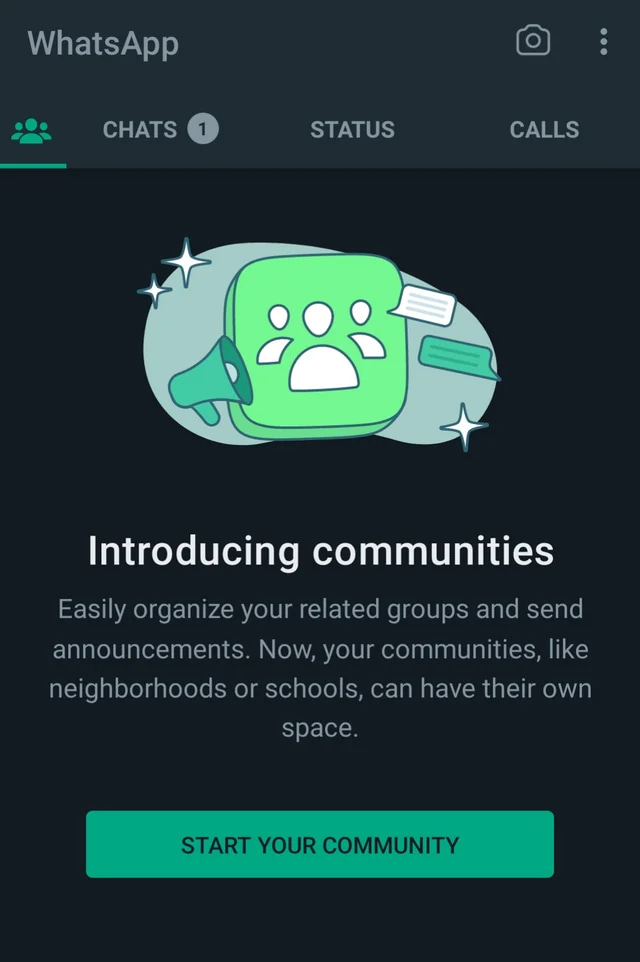
In a WhatsApp Community, while the admin can send a centralized message, individual groups also have the flexibility to operate independently. Therefore, multiple conversations can be managed in the same space without cluttering. If you want to learn how to use WhatsApp community, you can create a community, add the groups, and practice.
WhatsApp community group limit is 50 groups per Community. Each of these groups can have up to 1024 members. Therefore, the WhatsApp community maximum number is around 51,200 members. This provides an organized and advanced structure crucial for large-scale communications.
WhatsApp Communities also come with a wide range of administrative tools, which is crucial for broader management. All the linked groups can be easily managed through this, especially for sending updates and announcements, and providing important messages to a wider audience. There won't be the need to create multiple group chats, as the Community will handle it all.
Part 3: Key Differences Between WhatsApp Communities and Groups
WhatsApp Community vs Group is one of the most common forms of confusion. When understanding which one to choose, you must consider many factors.
Some of the key differences between WhatsApp Community vs Group are as follows:
1. Structure and Size
Groups are designed for smaller and more intimate conversations. One group can hold only 1024 members. Therefore, it forms a straightforward atmosphere where only a specified number of members can participate in the chat.
Before you use Communities, you must know how do WhatsApp Communities work. So, every WhatsApp community can hold up to 50 groups, ensuring that around 51,200 members can participate in the conversation. As a result, WhatsApp Communities is one of the best choices for a large organization looking for an organized structure.
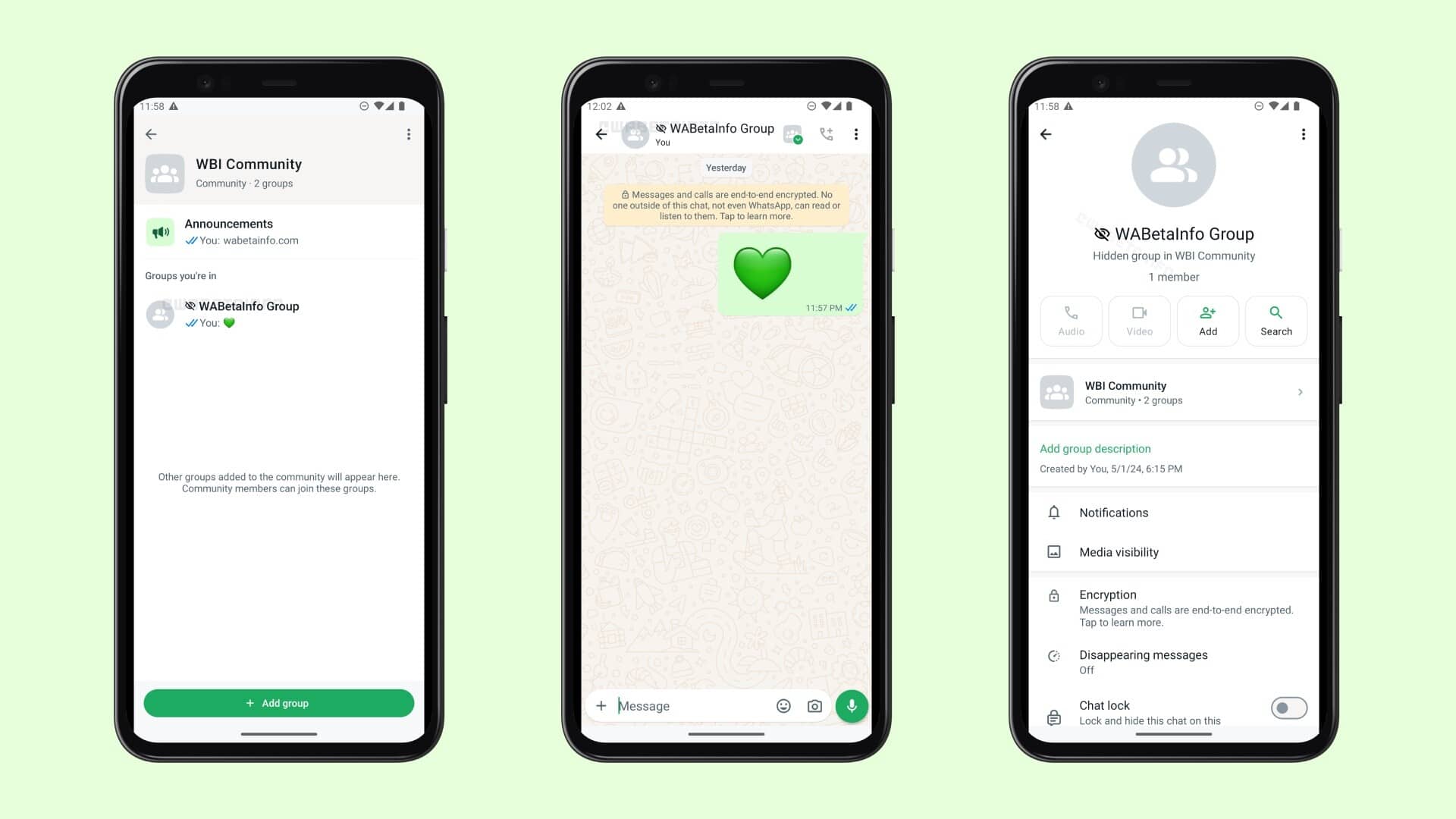
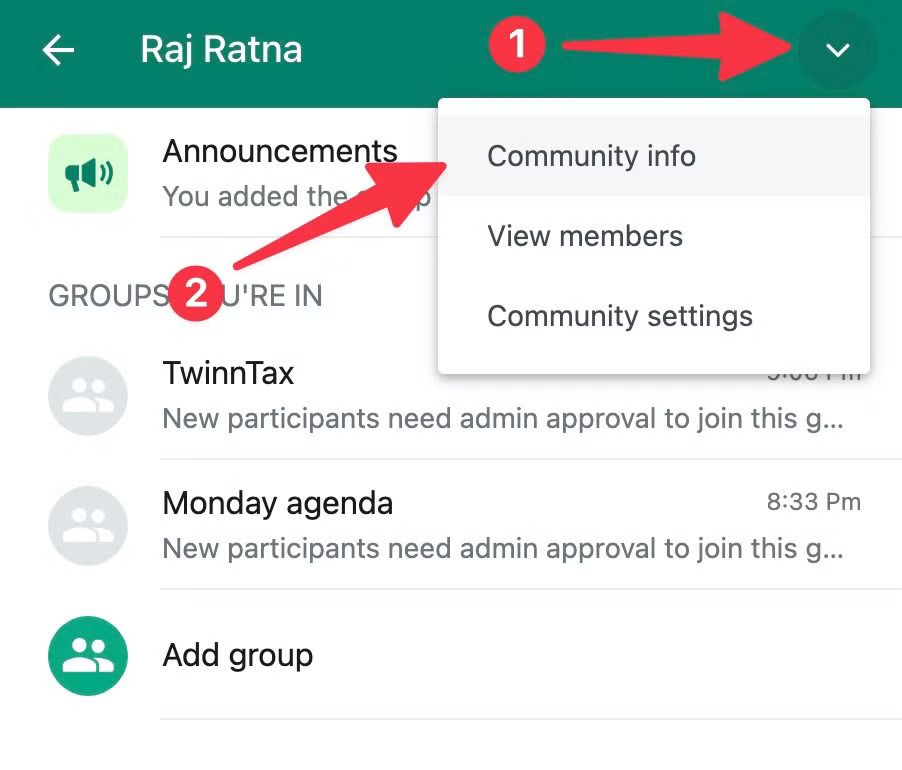
Every WhatsApp Community contains a main announcement group, the main hub for all the updates. The main group can be used to make announcements for everyone. The announcement group, however, can contain up to 5,000 members, which means that the important messages can reach a larger community, preventing the risk of decluttering.
2. Management Capabilities
In a WhatsApp Group, only admins have control over their group settings. Therefore, the admin of the group can either add or remove members. They also can set group descriptions and manage all the prominent permissions.
WhatsApp Community API comes with advanced management tools that allow checking all the linked groups. The admin can send messages across the Community using these advanced tools. Therefore, these advanced tools provide a streamlined channel to provide important messages for all. This helps to ensure that all the messages can be maintained in a cluttered manner for everyday conversations.
3. Privacy and Security
There are some risks to privacy and security for WhatsApp Groups. When it comes to WhatsApp Community vs Group, privacy becomes very questionable. In a group, the members can see the phone numbers of the members. This is a privacy concern in a diverse and larger setting as more people can see it. Although WhatsApp Group provides a straightforward setting, privacy is also an important priority, which is at risk.
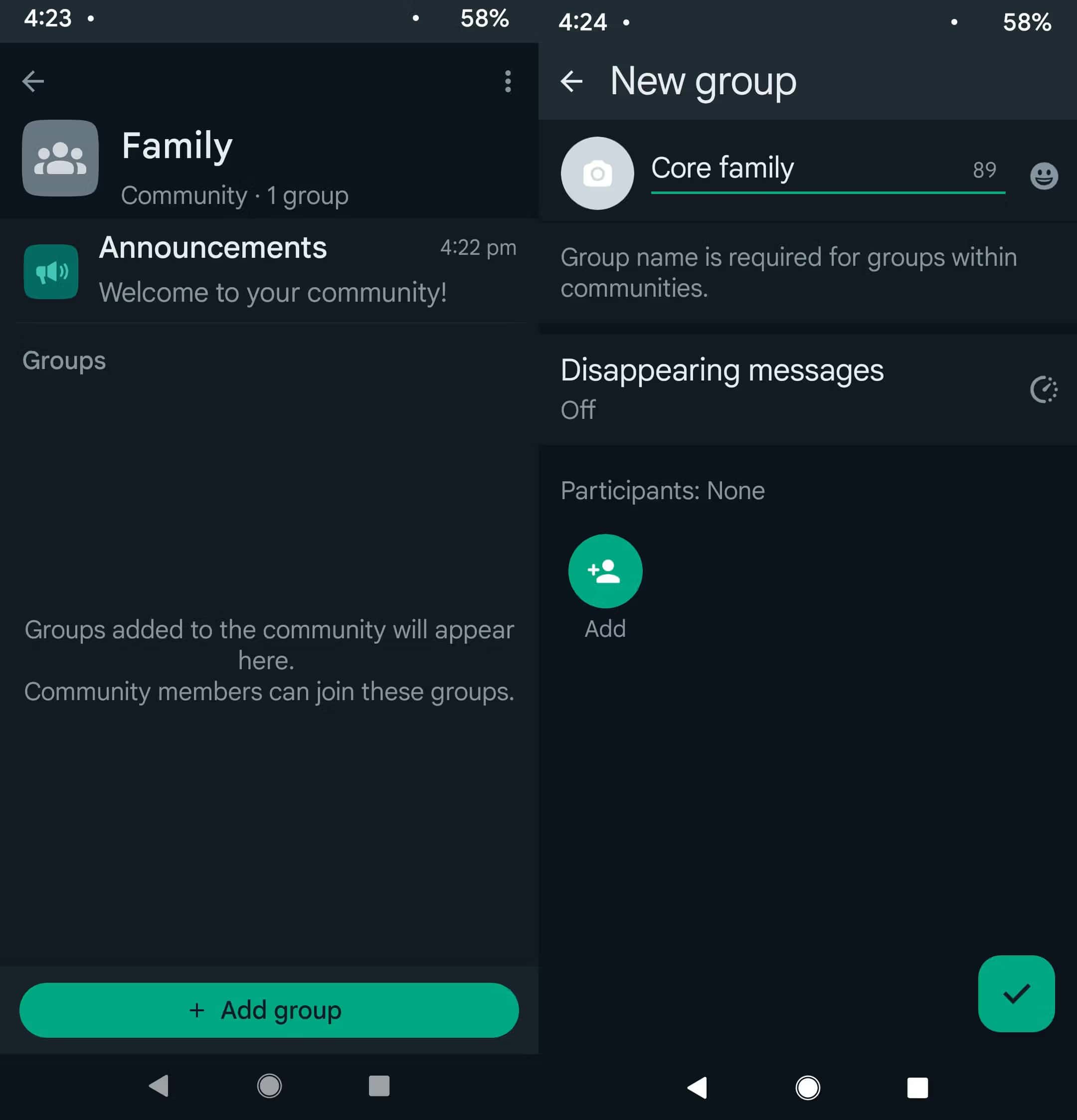
Communities have multiple groups under a single roof. However, WhatsApp takes special measures to maintain the privacy of the group. Members of different groups cannot see each other's phone numbers unless they're a part of the same group. Therefore, regular privacy is maintained regarding sending messages and preventing anyone from sending any unsolicited message.
4. Purpose and Use Cases
Regarding the purpose of WhatsApp Group vs Community, WhatsApp Group takes the front seat. WhatsApp Groups are mostly used for specific discussions and personal use among small teams. It can also be used for small personal conversations.
WhatsApp Communities can be used for community groups to foster multiple conversations. It can help to manage large-scale conversations among all. It offers a central announcement benefit, ensuring critical information reaches all the group's communities. With this, there won't be a requirement to send the same message repeatedly.
Now that you know the difference between WhatsApp group and Community, choose one that caters to all your needs.
Part 4: How to Transfer WhatsApp Community Chats to a New Device Using Wondershare MobileTrans?
WhatsApp Community features are exceptionally great, so you will want to keep using them. However, once you buy a new phone, you will want to transfer WhatsApp Community chats easily to your new device. While some information will be in the backup, there's a high risk of losing data. To avoid this from happening, you must use MobileTrans.
Wondershare MobileTrans is an advanced software that is available for Windows and Mac devices. Whether you want to transfer WhatsApp chats, stickers, or any other component, MobileTrans can play an important role seamlessly. Some of the key features of MobileTrans that make it an ideal choice for WhatsApp Community chat transfer are as follows:
- MobileTrans can transfer community chats with just a few clicks.
- MobileTrans supports various WhatsApp data transfers such as images, chats, videos, and more.
- MobileTrans is an extremely fast, easy-to-use software with advanced algorithms.
- MobileTrans supports both iOS and Android OS devices, allowing cross-platform transfer.
- MobileTrans is available on both computers and phones. You can try it on your mobile devices.
 safe & secure

You must download the software in your system, sign up, and leverage the power of a one-month trial to get the benefits. After installation is completed, you can follow the steps given below to use MobileTrans for WhatsApp Community Chats transfer:
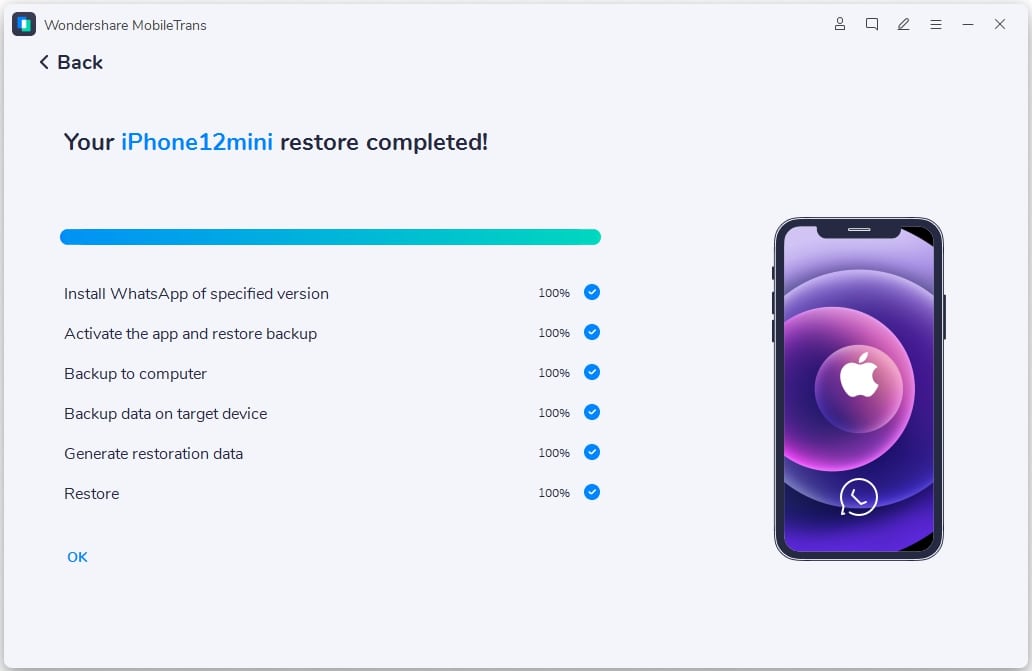
Step 1. Launch MobileTrans & Connect Phones- Open MobileTrans on your PC → Select "App Transfer > WhatsApp".
- Connect both phones to your computer. The system will automatically load WhatsApp data.
- Click "Start" (text messages transfer by default for speed; optional manual selection).

- Do not disconnect devices during transfer.
- Once finished, check WhatsApp on the target device to verify data.
Part 5: Benefits of WhatsApp Communities over Groups
The numerous WhatsApp Community features to cater to enhancing the impact. Especially for larger organizations, WhatsApp Communities offer a wide range of advantages. Some of the key benefits of using WhatsApp Communities over Groups:
- Centralized Management: WhatsApp Communities allows the admin to manage multiple groups under a single roof. Therefore, the admin will benefit from centralized group management for different departments and teams.
- Improved Organization: WhatsApp Communities also provide an advantage for improved organization. Since there is a WhatsApp Community maximum members limit, the admins can work towards keeping the conversations organized while also lowering clutter from the chat list.
- Enhanced Communication: One of the major benefits of WhatsApp Communities is that it helps with enhanced communication. It comes with different announcements and updates to ensure the message reaches everyone. You won't have to send multiple messages to all the groups. Instead, you can complete it with a single message and ensure it reaches everyone.
- Increased Privacy: WhatsApp Community is a more private space than Groups. It maintains privacy regularly, ensuring that members from different groups are updated with the information without having access to each other's contacts. Therefore, WhatsApp Community API doesn't show the number of members from various groups unless they share the same group.
Part 6: Limitations of WhatsApp Communities over Groups
While the WhatsApp community API is great and offers many benefits, it comes with significant challenges. Some of the key limitations of WhatsApp community vs group are as follows:
- Complexity: Managing a Community can be significantly more complex than handling a single group. If you are unfamiliar with the features or structure of how to use WhatsApp Communities. You may have a tough time initially, especially because of the complex WhatsApp community API.
- Not Ideal for Small Groups: WhatsApp Community is not meant for small or intimate conversations. If you prefer intimate conversations, Group may be the option for you. Thus, if you have a small group, you must refrain from using WhatsApp Communities and stick to Group only.
Conclusion
WhatsApp Community vs Group have a lot of differences to consider. These two modes of communication serve different purposes. You may choose one platform depending on what you want to achieve. Each of them caters significantly to streamlining conversations on the online platform.
FAQ
-
Q: What is the difference between WhatsApp group and Community?
A: WhatsApp groups are meant to offer real-time and interactive conversations. On the other hand, Communities come with a structured environment wherein multiple related groups are managed. Communities help with direct communication, but Communities provide the stage for large-scale and organized interactions.
-
Q: Can you change a WhatsApp community to a group?
A: You can change the WhatsApp community to a group via the communities tab. You can create sub-groups under this platform to get the benefits. Make sure that you add the group name and descriptions.
-
Q: Can you make money from the WhatsApp community?
A: No, WhatsApp doesn't allow you to monetize the Community. However, if you want to earn, you will have to indirectly generate revenue by promoting them online or selling the products digitally. You can also offer paid subscriptions and consultations via online channels.











