



 TL;DR:
HyperOS upgrades newer Xiaomi devices with a lighter 10-11 GB storage footprint, fluid animations, and advanced cross-device links, whereas mature MIUI 14 builds remain the more stable option for older or mid-range hardware susceptible to early HyperOS battery drain and occasional crashes.
● Compared to MIUI 14 which consumes up to 14 GB of space and occasionally stutters during heavy 120 Hz usage, HyperOS optimizes performance by releasing inactive apps quicker to preserve RAM, applying 80% smaller updates, and stabilizing gaming frame rates.
● The HyperOS interface abandons MIUI's static widgets and dense text lists in favor of physics-based transitions, cinematic lock screens, and an integrated ecosystem that natively shares clipboards and files across phones, tablets, TVs, and IoT devices.
● Migrating seamlessly from MIUI to HyperOS involves mitigating data corruption and metadata loss; users can utilize MobileTrans for offline, encrypted transfers of over 18 data types, including WhatsApp histories, processing up to 6500 photos per hour without duplication.
Ask AI for a summary
 ChatGPT
 Perplexity
 Gemini
 Claude
 Grok
Grok
The choice of a phone system affects user comfort, speed, and task performance. Many people feel confused when updates suddenly change the look and familiar controls. Moreover, Xiaomi users now face questions while comparing HyperOS vs MIUI for future use. So, this guide builds clarity by explaining changes and everyday behavior clearly. Alongside, you will see strengths and weak spots side by side.
In this article

Part 1. A Quick Look at Xiaomi’s Journey from MIUI to HyperOS
Xiaomi's journey began with MIUI, launched on 16 August 2010, before Xiaomi's phones were officially launched. MIUI powered the first Xiaomi phone, the Mi 1, successfully in 2011. By 2013, MIUI had around 10 million users, and by 2023, it had grown massively. Plus, HyperOS, announced on 17 October 2023, replaced MIUI on new Xiaomi phones.
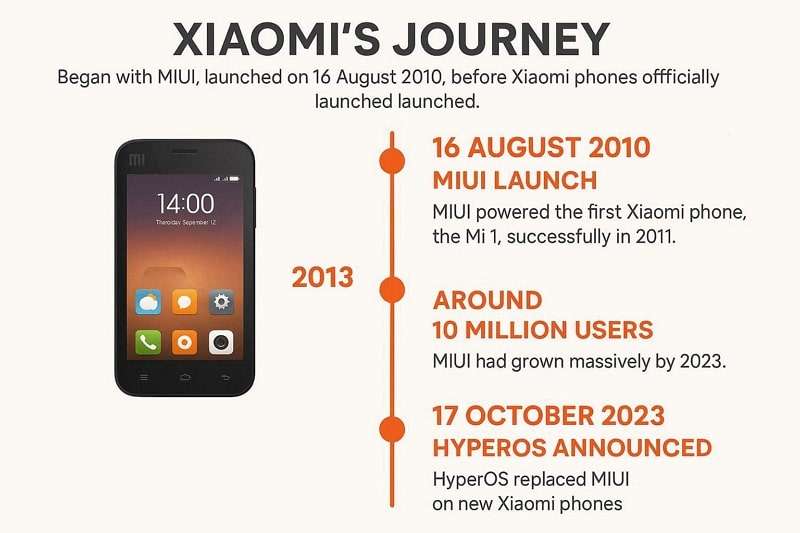
In addition, it debuted globally with the Xiaomi 14 series on 26 October 2023. By late 2025, HyperOS 3 brought Android 16, AI features, and smoother animations. Early MIUI focused steadily on customization and Xiaomi Cloud services. Later MIUI versions optimized the system by adding privacy tools and dual apps. Thus, this evolution clearly highlights the changes and trade-offs between HyperOS and MIUI.
User Interface Comparison – HyperOS vs MIUI
The user interface marks a significant shift between MIUI and HyperOS, affecting daily interaction. Comparing their visuals and customization highlights why Xiaomi moved toward a cleaner system. Below, you will find a key difference between the two through a table:
| Aspect | MIUI 14 | HyperOS 3 |
| Icon Design | Colorful, glossy icons with heavier shadows | Flat, simplified icons with muted, modern tones |
| Lock Screen Style | Static lock screen with basic clock styles | Cinematic lock screen, depth effects, dynamic clock styles |
| Home Screen Layout | Classic grid with limited widget layering | Layered widgets with depth, dynamic placement |
| Control Center UI | Card-style toggles with compact spacing | Large tiles with smooth, one-handed reach zones |
| Settings Page Design | Dense text-heavy lists | Clean grouped sections with a spacious layout |
| System Animations | Standard transitions | Fluid physics-based animations |
| Widget Appearance | Flat widgets with fixed shapes | Rounded, adaptive widgets with live content |
| Visual Consistency | Mixed MIUI design language | Unified minimal design across system apps |
Part 2. System Performance Face-Off: HyperOS vs MIUI
HyperOS vs MIUI shifts the focus to how each handles apps and tasks. Speed tests show fundamental differences in everyday phone use. So, this part will help you compare both of their systems' performance:
- Storage Use: MIUI 14 uses around 12.5 GB of storage, which can feel bulky over time. HyperOS reduces storage to roughly 10-11 GB, freeing space and improving device speed.
- Boot Speed: MIUI boots quickly, but can feel heavy as apps and data accumulate. HyperOS launches faster and maintains smooth transitions even after several days of use.
- Animation Stability: MIUI sometimes shows minor stutters in 120 Hz animations during heavy usage. HyperOS provides smoother animations across apps, maintaining stable visuals.
- RAM Management: MIUI can retain cached apps longer, which may reduce free memory on devices with lower RAM. HyperOS releases inactive apps faster, keeping more memory available for active tasks.
- Benchmark Scores: MIUI performs well in synthetic tests but sometimes lags behind HyperOS. HyperOS matches or beats MIUI in app launch speed and benchmark sequences.
Features and Functionalities – HyperOS vs MIUI
HyperOS expands MIUI features with 80% smaller updates and multi-device links. Users now gain better tools for daily sharing and intelligent controls. Here is a key comparison table between the two to see their features and functionalities:
| Feature Area | MIUI | HyperOS |
| Core Everyday Tools | Includes themes, dual apps, app lock, second space, widgets | Keeps MIUI tools and adds cross-device control features |
| Pre-Installed Apps | Apps use basic layouts with one primary viewing mode | Apps support floating windows and adaptive layout modes |
| Ecosystem Connectivity | Mainly phone-centric with limited sharing | Enables multi-device clipboard and file sharing |
| AI and Smart Features | Basic photo and system suggestions | Adds AI writing, summaries, intelligent search, and system suggestions |
| System Storage Use | Uses around 12–14 GB of system storage | Uses about 10–11 GB of system storage |
| Multitasking Support | Standard split-screen multitasking | Enhanced floating windows and split-screen modes |
| Home Screen Widgets | Static widgets with limited interaction | Interactive and resizable smart widgets |
| Visual Personalization | Heavy theme-based customization | Guided customization with cinematic wallpapers |
| Notification Management | Traditional grouped notifications | Refined notification layout with improved categorization |
| Quick Settings Panel | Compact quick toggles | Large tiles with one-handed friendly reach zones |
Part 3. HyperOS vs MIUI: Strengths and Weaknesses Explained
Every system has clear advantages and some limits affecting different users. Thus, looking at strengths and weaknesses helps match daily needs with the right Xiaomi software:
| Aspect | MIUI Strengths | MIUI Weaknesses | HyperOS Strengths | HyperOS Weaknesses |
| Performance | Stable on older phones with fewer long-term bugs. | Around 12–14 GB may slow down devices over time. | Around 10–11 GB footprint, lighter than MIUI, smoother animations. | Early builds may show battery drain on some mid-range devices. |
| Customization | Deep themes and dual apps suit advanced users well. | Ads and recommendations appear in some system apps. | AI wallpapers and refined styles across Xiaomi ecosystems. | Some MIUI security and system utilities are missing initially. |
| Ecosystem | Reliable phone-based sharing and core Xiaomi services. | Limited cross-device collaboration beyond phones. | b links across phones, tablets, TVs, and IoT devices. | Notification behavior may vary on some mid-range hardware. |
| Stability | Predictable battery life on long-supported models. | Pre-installed apps increase storage usage to 12–14 GB. | OTA updates are generally minor and install faster. | Occasional crashes may appear in early HyperOS builds. |
Which Offers a Better Experience?
The HyperOS vs MIUI choice depends on your phone model and daily needs, clearly. Recent Xiaomi phones favor HyperOS because it delivers a better overall daily experience. Plus, its lighter system footprint and smoother animations feel faster than MIUI. Moreover, reviews and tests indicate speedier app launches and lower storage usage.
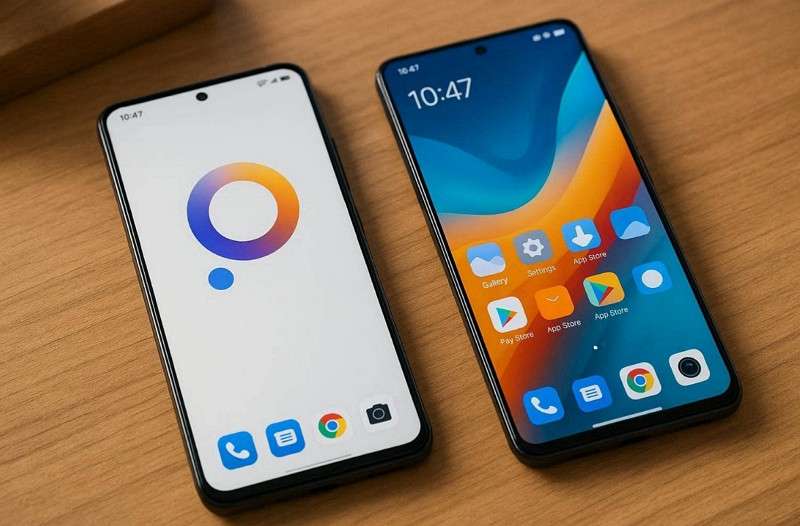
Multi-device users love the HyperOS ecosystem links for watches, tablets, and TVs now. Shared tools and newer AI features reduce the steps required for everyday tasks. Nonetheless, MIUI still feels ber on some older or mid-range devices. Mature MIUI 14 builds show fewer bugs than early HyperOS versions with stable 8+ hour battery life. Thus, choosing depends on whether you value new speed and connections or proven stability.
Pro Tip. Seamless MIUI to HyperOS Migration Made Simple with MobileTrans
Many people are looking for a way to transfer data from a MIUI-supported phone to a HyperOS device. To address this need, consider MobileTrans, which transfers files without missing content. Plus, you can transfer all your media without loss of quality or missing image metadata. Moreover, it uses encryption to prevent unauthorized users from reading the files. Stable performance is possible, with up to 6500 photos transferred per hour.
Key Features
- Broad Compatibility: Supported by 6000+ mobile devices and the newest versions of the systems.
- Offline Migration: Moves data files between phones without Wi-Fi.
- Data Variety: Transfers more than 18 different data types between old and new phones.
- WhatsApp Support: Enables you to migrate WhatsApp data between 2 phones without data loss.
- No Duplication: Prevents duplicate files during the transfer of selected datasets.






Detailed Guide to Migrate the Data from One Device to Another Via MobileTrans
You need to go through the guide below to transfer data to your new Xiaomi device using MobileTrans:
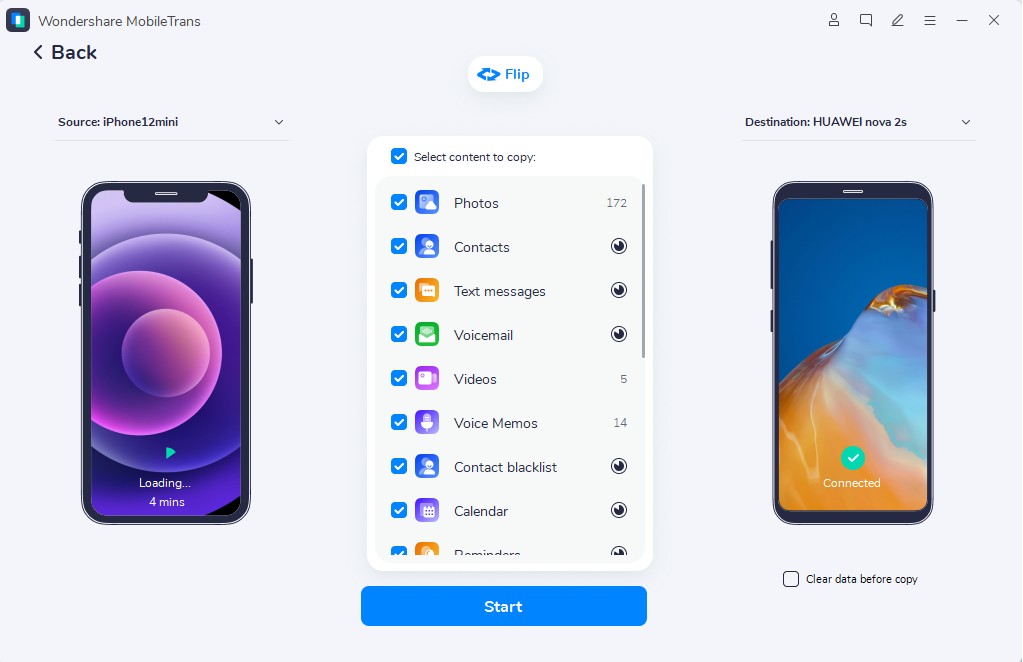
Step 1. Go to Phone to Phone > Link Both Phones > Select Data Types > Click Start.

Step 2. The software initiates data movement while showing ongoing transfer progress.
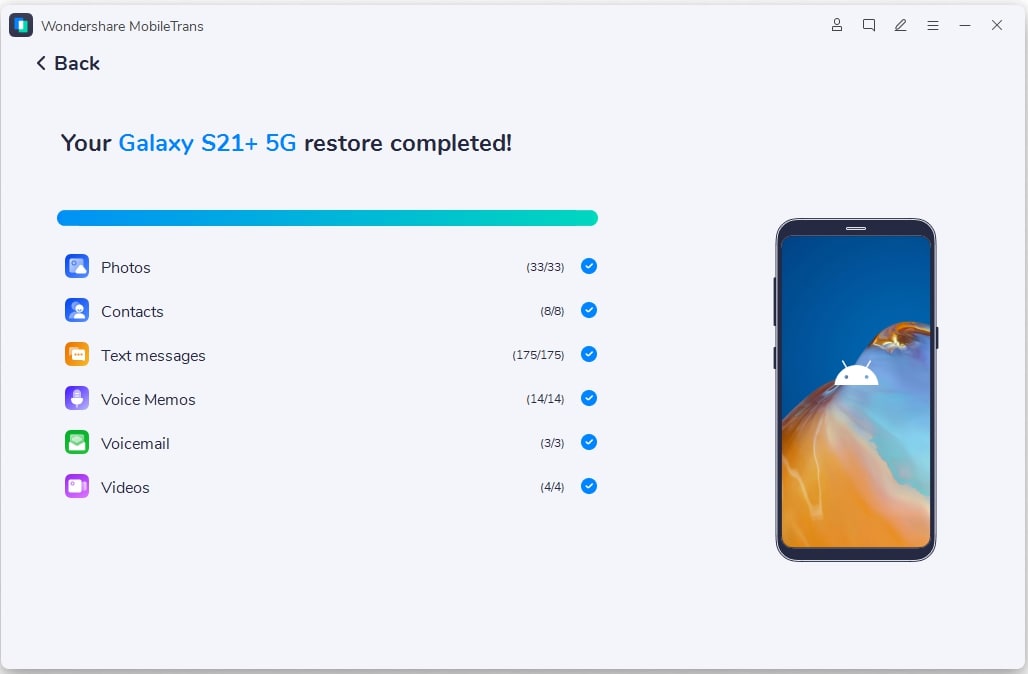
Step 3. When the transfer ends, you will receive a confirmation of completion.
Conclusion
To conclude, the comparison shows how Xiaomi software changes affect speed and usage. On newer devices, smoother design and smarter links make HyperOS feel modern. For older phones, familiar tools and steadier behavior make HyperOS vs MIUI comparisons balanced. Thus, choosing depends on whether you value fresh speed and connections or proven comfort. To move data safely during upgrades, MobileTrans helps transfer files quickly without confusion.
FAQs
-
Does HyperOS change how Xiaomi ecosystem devices connect?
HyperOS enhances device communication by sharing resources smoothly between phones and tablets. Features like notifications, clipboard sharing, and file syncing work faster and more reliably. MIUI supports an ecosystem of links, but HyperOS noticeably improves stability and response timing. -
How can users safely transfer data when switching from MIUI to HyperOS devices?
Using MobileTrans ensures accurate data transfer without corruption or missing personal content. It supports messages, photos, videos, apps, and other essential data types seamlessly. End-to-end encryption keeps transferred files secure throughout the entire migration process. -
Is gaming performance different between HyperOS and MIUI?
HyperOS delivers steadier frame rates by improving memory allocation and background process handling. Game sessions benefit from smoother animations and reduced thermal throttling during extended playtime. MIUI still performs well, but occasional stutters occur during intensive multitasking.










