


 TL;DR:
While the official Oppo Clone Phone app provides basic wireless data migration to new Oppo devices, its instability with large files and lack of cross-cloud support make MobileTrans the recommended alternative for unrestricted Android-to-iOS transfers and batch app migrations.
● The default Oppo app cannot copy system security data such as fingerprints or Wi-Fi passwords and offers highly restricted transfer capabilities when migrating from iOS or older Android versions.
● Native brand alternatives are strictly limited by the destination device; Samsung Smart Switch requires a Galaxy receiver and often fails on app-specific data, while ASUS Phone Clone only targets ASUS models and frequently drops Wi-Fi pairing.
● MobileTrans permits post-setup data transfers without wiping the existing phone and includes direct WhatsApp migration, but users must be aware that the free mobile application is capped at a maximum of 10 files.
Ask AI for a summary
 ChatGPT
 Perplexity
 Gemini
 Claude
 Grok
Grok
The decision to upgrade to a new Oppo is fun until you know that you will suffer a headache because of transferring all your data. With contacts, messages, apps, and media files, the process of transfer can become overwhelming within a short period of time.
The Oppo Clone Phone app is meant to simplify this process, but most users find their limitations during the process. You will have to go out of the default to get a smooth and complete phone-to-phone transfer. This article breaks down what the Oppo Clone Phone app does, where it falls short, and the best alternatives.
In this article
Part 1: What is the Oppo Clone Phone App?
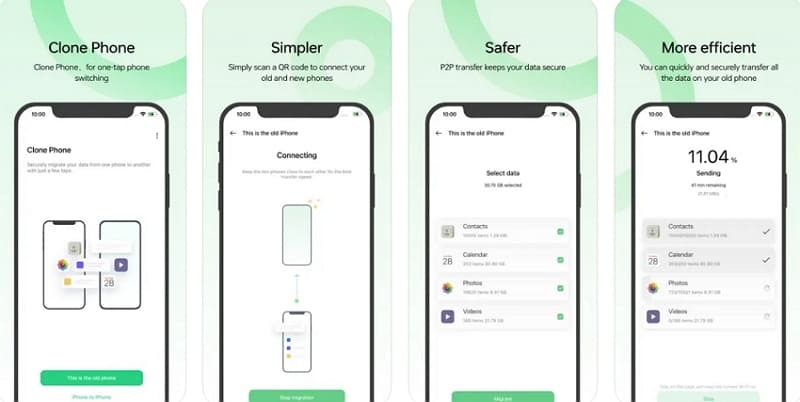
Oppo Clone Phone is a free official migration tool that assists users in moving data from the old phone to the new Oppo smartphone. The application is safe to switch between smartphones because it operates without cables or computers over direct Wi-Fi and QR code pairing.
Its compatibility extends beyond Oppo to receive data from OnePlus, Realme, and other Android phones. Plus, it's even compatible with iPhones, ensuring flexible transitions across devices and operating systems.
Key Features
- Complete Data Transfer: Migrate your contacts and other media smoothly and quickly, so you feel at home with your new Oppo phone.
- Secure and Private: Data is transferred between devices directly with encryption, and sensitive files are not exposed to external servers or data leaks.
- Integrated System App: Pre-installed on newer Oppo phones and downloadable on others, offering quick setup without extra effort.
- App Data and Conversations: Carries over instant messaging apps data and chat histories, minimizing re-login needs and preserving important conversations.
- No Cables/PC Needed: Works wirelessly with Wi-Fi Direct and does not require cables, PCs, or additional accessories.
Part 2: Limitations of the Oppo Clone Phone App
Before fully relying on the Oppo Clone Phone app, it is worth knowing the limitations of the app. The next section will point out some of the major disadvantages that you need to know about before using it:
- Stability and Reliability: Large files can fail to transfer, and users often complain of crashes, restarts, and incomplete migrations.
- iOS or Older Android Restrictions: Data transfer options from iOS or older Android versions are limited, reducing flexibility compared to the latest Android-to-Android migration.
- Limited System Data Copy: Security information such as fingerprints, passwords, and certain Wi-Fi configurations cannot be copied and must be configured manually later.
- No Cross-Cloud Migration: The app only supports local transfers and cannot move files from cloud services like iCloud or Google Drive.
- Customer Frustration: Even on newer phones, transfers may repeatedly fail, with limited recovery options for interrupted migrations.

Part 3: How to Use Oppo Clone Phone App (Step-by-Step Guide)
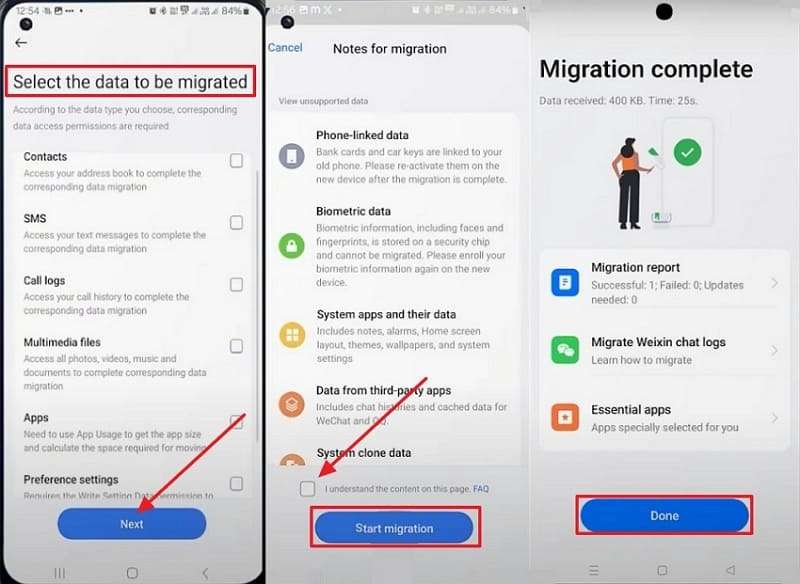
At this point, knowing what the Oppo Clone Phone app can and cannot do, it is time to find out how it works. The instructions below will help you perform a phone-to-phone transfer hassle-free using the app:
Step 1. Select This is the Old Device on old and choose This is the New Device on new Oppo. On the new phone, pick source device > Connect both by scanning the QR Code.
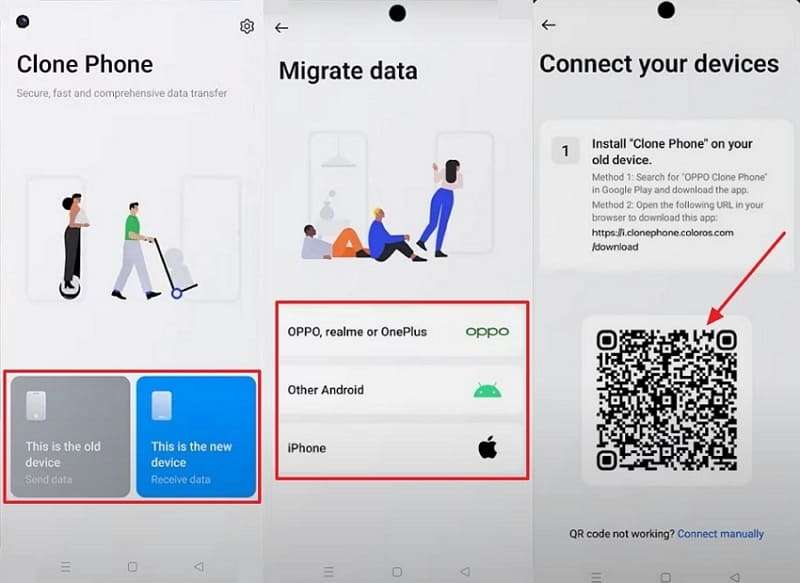
Step 2. On your old device, check boxes under Select the Data to Be Migrated > Press the Start button. Enable the terms and conditions, tap Start Migration, and hit Done on the new Oppo.
Part 4: Top 5 Oppo Clone Phone App Alternatives
As you can see, there are several limitations of using Clone Oppo to Oppo for data migration. To overcome these issues, let's explore the top 5 alternative apps that provide more reliable and flexible phone-to-phone transfers:
1. MobileTrans App – Best Oppo Clone Phone Alternative
Best For: Android and iPhone users who want complete, cross-platform data transfer without restrictions.
For the alternative to the Oppo Clone Phone app, the MobileTrans App stands out, offering extensive cross-platform data migration capabilities for various brands and operating systems. Its standout feature is direct phone-to-phone transfer, including Android to iOS, Android to Android, iOS to Android, and iOS to iOS. The tool lets you transfer data up to 18 types, which include messages, contacts, and other media, minimizing data loss and manual setup.
Unlike most transfer tools, MobileTrans App supports batch app migration and installation, so users don't have to reinstall apps one by one when upgrading devices. You can also transfer data after setup to the existing phone, and the tool will still move it without wiping the existing one. It lets you easily move files between phone and computer, with full support for exporting and importing data.
Key Features
- Ultra-Fast Transfer Speed: You can instantly share data using the MobileTrans App without wasting time, as it offers a faster process than traditional methods.
- Cloud Data Recovery: Directly restore and transfer iCloud backups to a new Android phone, simplifying cloud-to-device migration.
- WhatsApp Transfer: With the help of this Oppo Clone Phone alternative, you can move WhatsApp or WhatsApp Business data seamlessly between an iPhone and an Android.






After understanding the limitations of the Oppo Clone Phone app, you might want to know how to use the MobileTrans app to transfer data. Let's explore the guide to migraine data using the best transferring app:
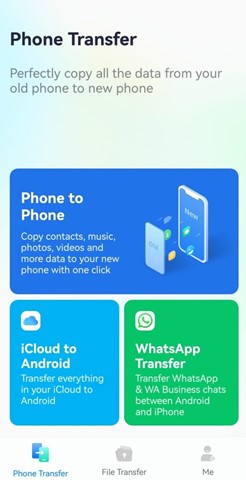
Step 1. Install and open the MobileTrans App on both smartphones > Tap Phone to Phone.
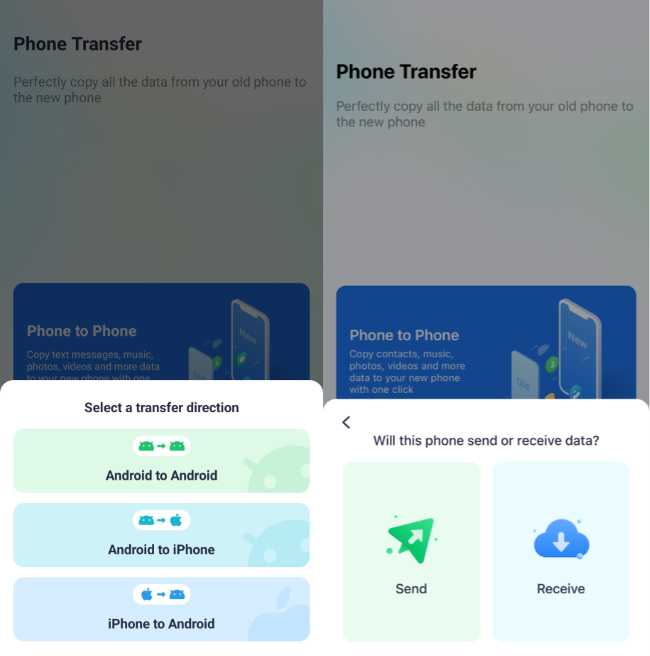
Step 2. Select Android to Android > Send on the old phone and press Receive on the new smartphone.
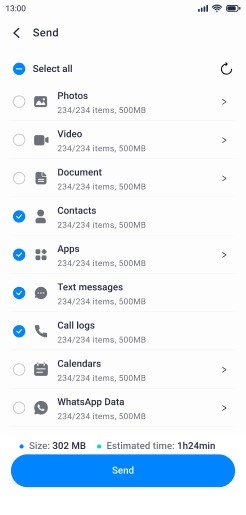
Step 3. On the old phone, select the data and tap Send. A QR code will appear on the new phone > Scan it > and Grant permissions to migrate the data.
Limitation
- The free version only lets users transfer up to 10 files.
Apart from the mobile app, MobileTrans also provides a powerful desktop software for Windows and Mac. This version supports transfers, advanced backup and restore features, and greater stability when moving large files between devices.
2. Zapya (Android | iOS)
Best For: Complete, cross-platform transfers with full data type support.
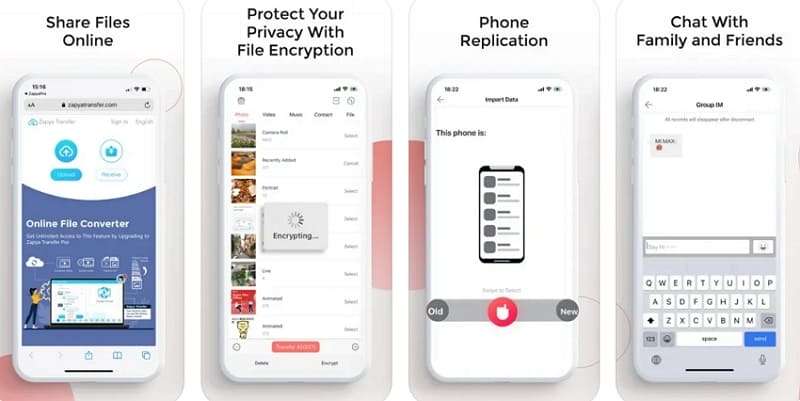
Zapya enables fast sharing of files between devices, supporting any file size and format for Android, iOS, Windows, Mac, and even Chromebooks. This Oppo Clone Phone app alternative offers 4 offline transfer modes: Group Creation, QR Code, Shake to Connect, and Radar Spotting for nearby devices. Its "Phone Replication" function lets users back up and transfer all content from their old device to a new one quickly and securely.
Limitations
- Users report that the mobile app sometimes becomes unresponsive.
- Zapya requests extensive permissions, like location, which raises security risks.
3. Samsung Smart Switch (Android | iOS)
Best For: Users upgrading to a new Galaxy phone with settings and data intact.
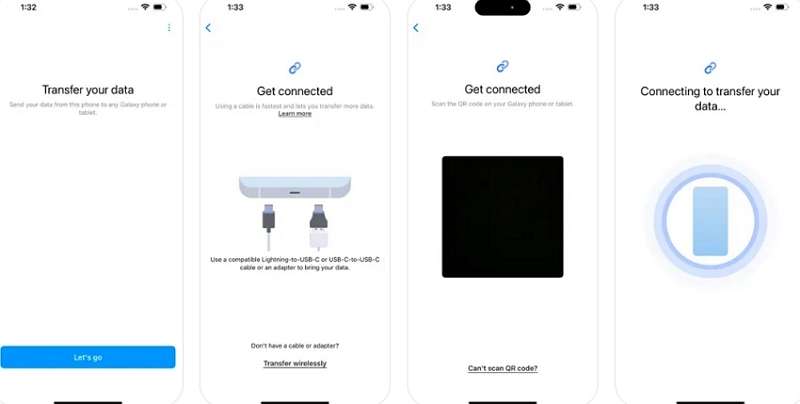
Just like cloning an Oppo phone, Samsung Smart Switch lets users transfer data to a new Galaxy device quickly, supporting both Android and iOS phones. The app lets you migrate via wired, wireless, or cloud-based methods. The app enables migration of DRM-free media files, home screen layouts, and delivers a personalized experience right after setup. Multi-platform support, robust compatibility, and built-in data integrity checks make Samsung Smart Switch essential.
Limitations
- App-specific data often fails to transfer, requiring manual backup or third-party solutions.
- Only Samsung Galaxy phones and tablets can receive the data.
4. ASUS Phone Clone
Best For: ASUS smartphone owners who want a simple, brand-specific transfer tool.
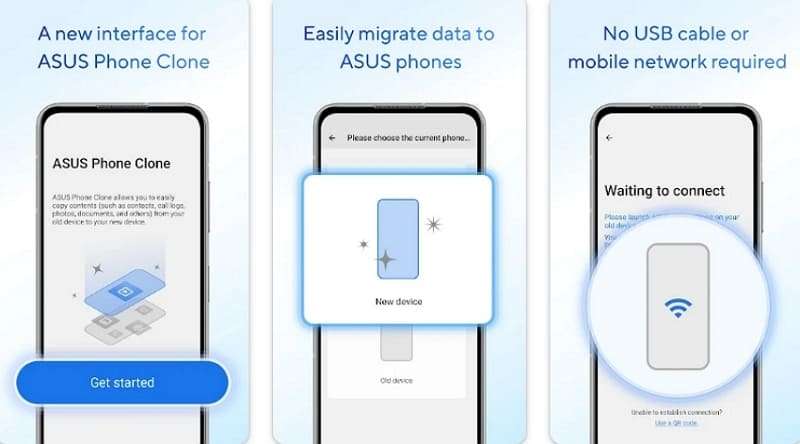
Another transferring app, like clone Oppo to Oppo, this app allows users to wirelessly migrate data from one Android device to a new ASUS phone. If both the old and new phones are ASUS models, users gain the added advantage of transferring application data and system app settings. The app offers multiple pairing methods for flexibility: automatic detection, QR code scanning, and manual Wi-Fi credential entry.
Limitations
- Automatic and manual Wi-Fi pairing methods often fail, causing frustration.
- Files encrypted by other apps, or content locked against copying, will not be transferred.
5. ShareMe
Best For: Xiaomi and other Android users seeking easy, ad-free phone-to-phone transfers.
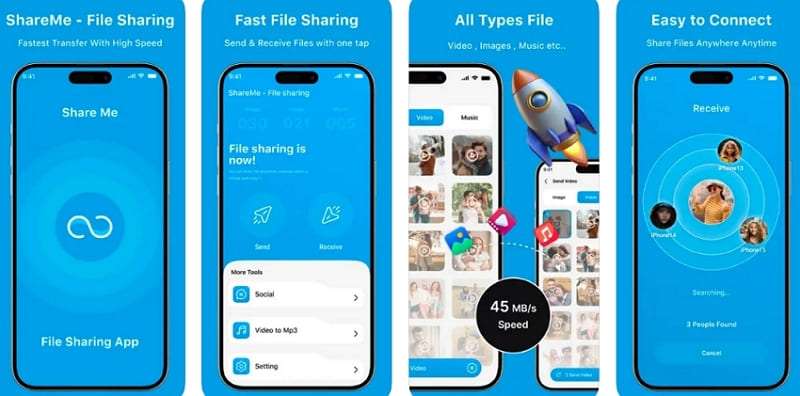
For those looking for an Oppo Clone Phone app alternative, ShareMe offers wireless file sharing for Android devices, supporting fast transfers of data. The app's intuitive and ad-free interface organizes files into categories for easy browsing and selection, streamlining the sharing process. It enables transfer of large files, such as 1GB of data, in under a minute, and supports resuming interrupted transfers with a single tap.
Limitations
- Sometimes ShareMe fails to detect nearby devices, requiring multiple attempts.
- Users cannot change the default folder where incoming files are saved.
Part 5. Why MobileTrans Stands Out as the Best Oppo Clone Phone App Alternative
Now that you've explored the top alternatives, you might be wondering which one is the most suitable for you. The following section highlights 5 reasons why MobileTrans is the best Oppo Clone Phone app alternative:
- Cross-Platform Freedom: MobileTrans lets you switch between all models of Android and iOS devices with ease. Whether you're moving from Oppo to iPhone, Samsung, Xiaomi, or Huawei, it breaks down system barriers that other tools can't.
- Transfer Every Type of Data: From photos, videos, and music to contacts, messages, WhatsApp, app data, and even call logs, MobileTrans covers it all. It goes beyond most brand-specific apps, ensuring nothing important gets left behind.
- No Cables or Wi-Fi Needed: Forget tangled wires and slow connections, MobileTrans works wirelessly via QR code or local hotspot. It's up to 200x faster than Bluetooth and doesn't use your mobile data.
- Privacy You Can Trust: End-to-end encryption keeps your files completely safe in transit. Compared to most free applications that reveal weak passwords of your Wi-Fi, MobileTrans protects your information.
- Simple and Reliable: Select precisely what to transfer, save SMS and call records, or restore information following a crash. Therefore, migration is simple with its intuitive interface and walkthrough instructions, no matter what your level of expertise.
Conclusion
To sum up, although the Oppo Clone Phone app can be useful in performing simple transfers, its constraints frequently drive users to seek more versatile solutions. MobileTrans is the best of the many options because it is faster and compatible with all major platforms. Besides, it is the best choice when you want to have a smooth, reliable, and complete data transfer experience.










