How to Monitor WhatsApp Status Updates of Your Friends
WhatsApp status is a popular way to share daily moments with friends, colleagues, or family. However, these updates disappear after 24 hours, which makes them easy to miss.
This guide shows you how to monitor and save WhatsApp (including WhatsApp Business) status updates for photos, videos, and voice notes, step by step.
Step 1: Add the WhatsApp Number to Monitor
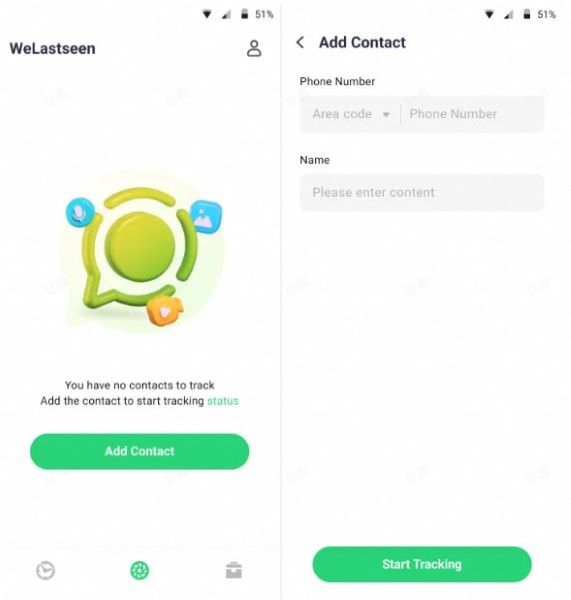
Access the Status Tracker tab from the bottom and tap Add Contact. Select the country code, enter the phone number and the contact’s name, then hit Start Tracking to add it.
Step 2: Verify the Contact as a Friend
Once added, the contact will appear in your monitoring list. Tap Link to connect your WhatsApp account.

Step 3: Link Your WhatsApp Account
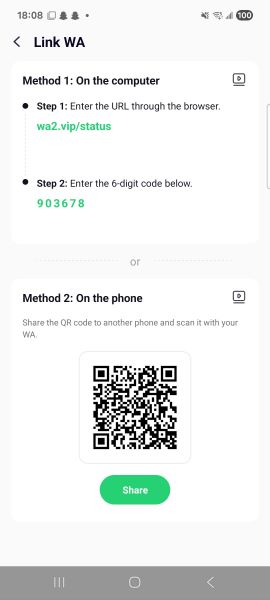
Follow the on-screen instructions to link your WhatsApp account. This ensures that new status updates can be tracked securely.
Step 4: Confirm Successful Linking
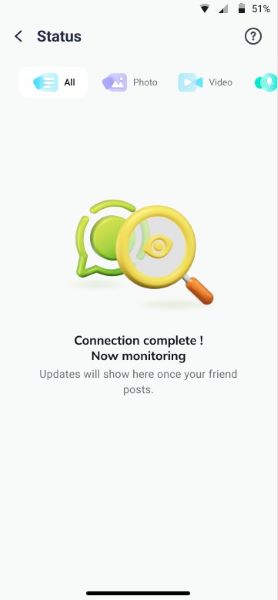
Once the connection is established, you will see your WhatsApp account connected and the monitoring dashboard ready.

Step 5: Open the Monitoring Timeline
Tap on the target contact to view their dynamic status timeline. Only statuses uploaded after the contact has been added to the tracker will appear.
Step 6: Preview Photos, Videos, or Voice Notes
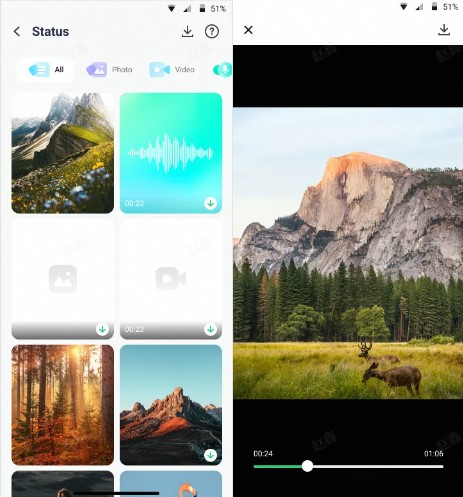
You can preview images, listen to voice notes, and play videos directly on the Status Tracker.
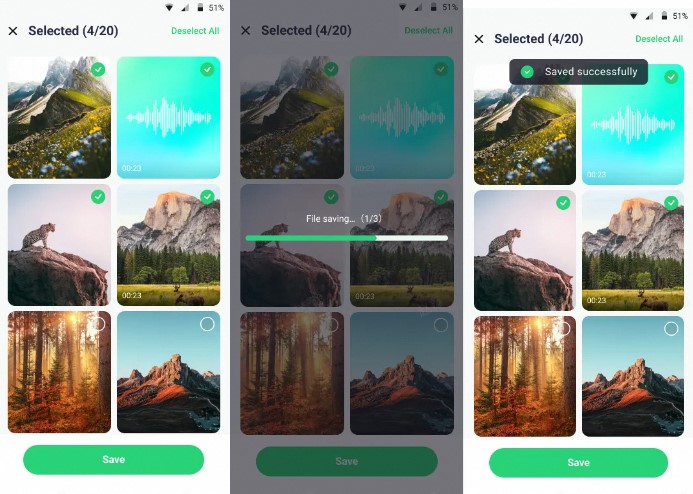
Step 7: Download and Save Files
Tap the Download icon in the top-right corner, select the statuses you want, and export them by pressing the Save button.
Tips & Notes
- Tip 1: Only statuses posted after adding the contact can be viewed.
- Tip 2: Ensure your WhatsApp account stays active and properly linked for continuous monitoring.
- Tip 3: If someone blocks you on WhatsApp, you can’t track his/her Status.