


 TL;DR:
WhatsApp does not provide a feature to directly edit a status after posting, meaning you must permanently delete the original update and upload a new one to correct any errors.
● Swipe up on the active status update before deleting it to review the specific list of contacts who have already viewed the error.
● Contacts using modified application versions like GB WhatsApp will still be able to view your original deleted update, whereas standard WhatsApp users will only see the replacement.
● The WeLastseen WhatsApp Status Tracker app enables Android users to anonymously monitor and securely save contacts' status media locally, bypassing standard deletion and 24-hour expiration limits.
Ask AI for a summary
 ChatGPT
 Perplexity
 Gemini
 Claude
 Grok
Grok
You know that feeling when you have just uploaded a new status update on WhatsApp but then realize you made a mistake? Well, you’ll be glad to know it happens to even the best of us. But the important question is: how do you edit your WhatsApp status update? Is it even possible to edit WhatsApp status after sending it?
This article delves into this topic to reveal the answers to these questions, show you if it’s possible to edit a WhatsApp status and explain how to edit a WhatsApp status after sending.
In this article

Part 1: Is it Possible to Edit WhatsApp Status?
Unfortunately, you can’t edit a WhatsApp status once it has been posted. This is because WhatsApp doesn’t have any feature that allows you to edit or make changes to your status update posts.
The only way to alter WhatsApp status after sending is to delete it and create a new one. Another possible fix to remedy the error is to post another status update that informs your contacts of the error in the previous update and what you intended to post.
Bonus: Track and Save WhatsApp Status Updates with WeLastseen
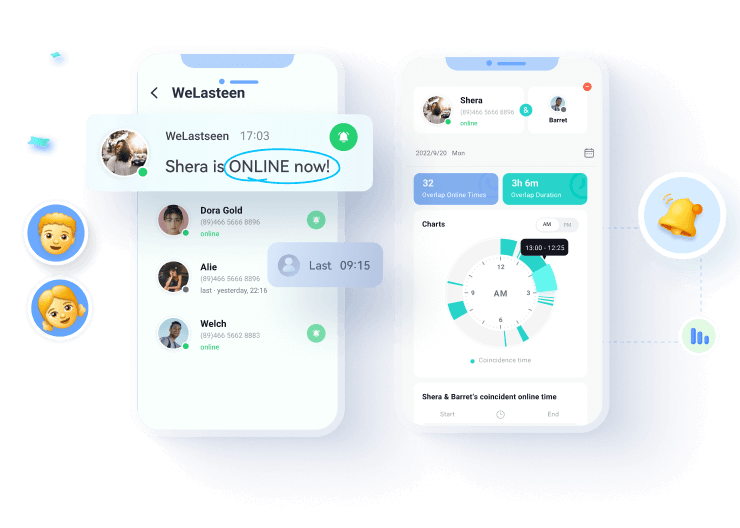
Did you know that WhatsApp statuses disappear after 24 hours? If you’ve ever wished to revisit a friend’s story or save a memorable video before it vanishes, the new Status Tracker feature in WeLastseen has you covered. This smart tool lets you track, view, and save WhatsApp statuses — including photos, videos, and voice notes — even after they’re deleted from WhatsApp.
WeLastseen ensures you never miss important moments shared by friends or colleagues. It works quietly in the background, automatically detecting new statuses and storing them securely in your local gallery for future access.
Key features of WeLastseen Status Tracker
- Track all statuses automatically: Detect and view new WhatsApp status updates in real time.
- Save expired statuses: Keep WhatsApp photos and videos beyond 24 hours — even after deletion.
- View privately: Watch statuses anonymously without leaving a view mark.
- Multi-contact tracking: Follow multiple contacts’ statuses from a single dashboard.
- Secure local storage: All saved files stay encrypted and private on your device.






How to Track and Save WhatsApp Status Updates via WeLastseen
Follow these simple steps to start tracking and saving WhatsApp statuses privately:
Step 1: Download the WeLastseen app
Go to the Google Play Store and search for “WeLastseen WhatsApp Status Tracker.” Tap Install to download the app. You can also visit the official website to scan the QR code and install it securely on your phone.
Step 2: Add contacts to track
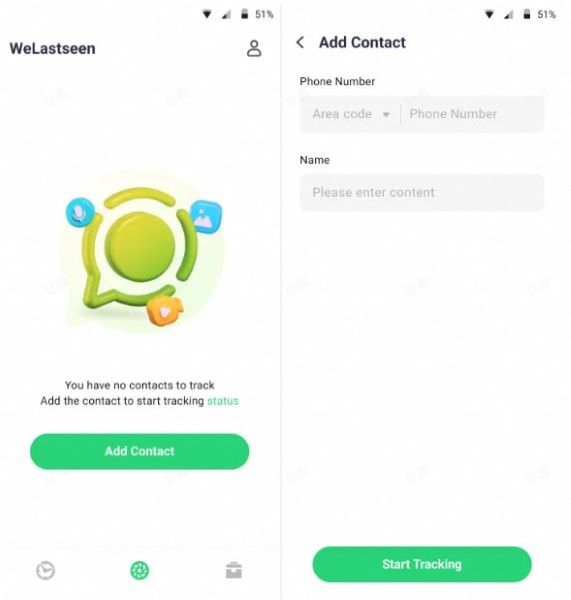
Launch WeLastseen and open the Status Tracker section. Tap Add Contacts and select the WhatsApp users whose statuses you’d like to follow. WeLastseen will start tracking their updates instantly.
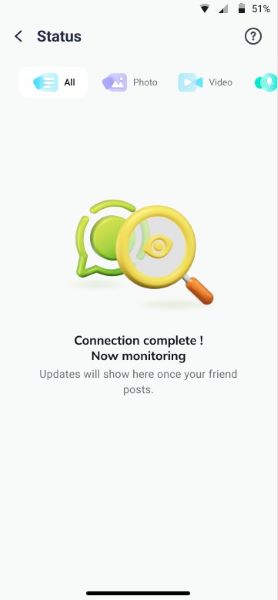
Step 3: View and save statuses
All tracked statuses appear in the My Tracker tab. You can view them privately or tap the Download button to save them to your gallery — even after they disappear from WhatsApp.
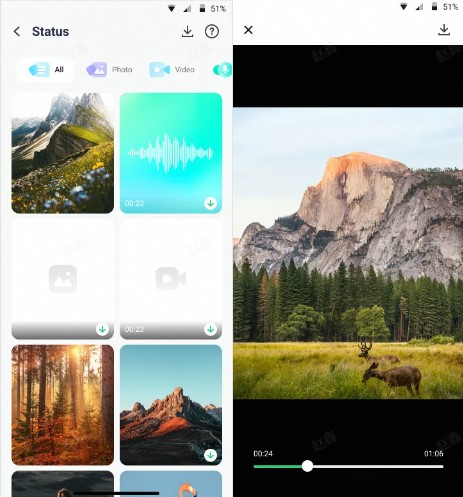
With WeLastseen’s Status Tracker, you can stay up to date on every status update, relive special memories anytime, and manage all WhatsApp stories effortlessly — all while keeping your viewing activity completely private.
Part 3: How to Edit WhatsApp Status After Sending
Many users ask us: Can you teach me how to edit my WhatsApp status?
Unfortunately, you can’t edit a WhatsApp status update after sending it. Once the status update has been posted online, you can’t reverse or make changes but you can delete the status update and create a new one immediately. This way, your contacts wouldn’t see the update with the error and you can avoid miscommunication.
Follow this guide to see how to edit a status on WhatsApp:
- Open WhatsApp and tap on the Status Update icon on the left-bottom of your screen.
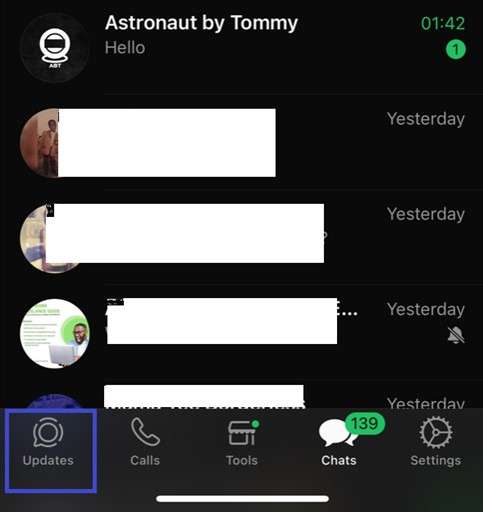
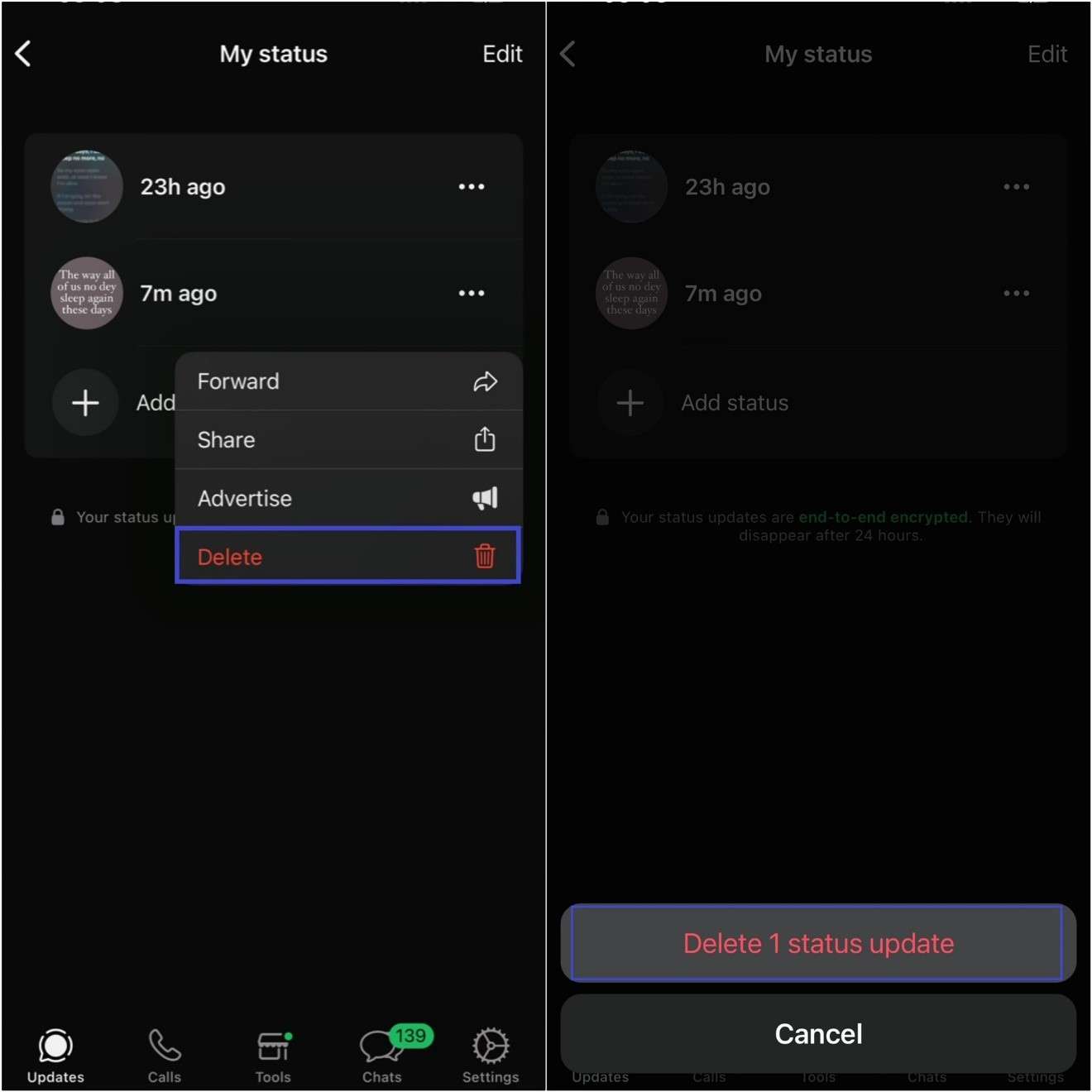
- Tap on My Status to see all the status updates you have uploaded over the last 24 hours.
- Tap on the status update that you want to edit and click on the More icon at the right.
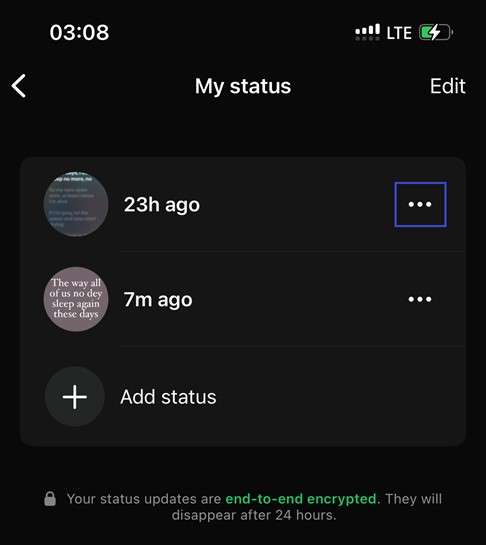
- Tap on Delete and confirm the prompt by clicking “Delete 1 Status Update”. Repeat the steps above if you want to edit multiple status updates.
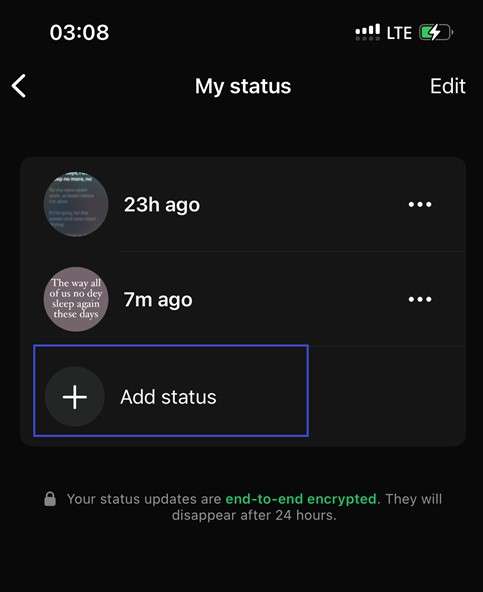
- Next, tap the “Add Status + “icon at the bottom of the My Status screen to upload a new status update.
- Then choose if you want to upload a Video, Photo, or Text. Choose the preferred content to upload and ensure there are no errors this time. Then click on Send.
WhatsApp will replace the former status update with the new one and your contacts will only see the updated status, not the former one. That’s how to edit a WhatsApp status after posting.
Tip: You can check the list of everyone who has viewed your WhatsApp status update before deleting it by swiping it up from the bottom of the screen.
Conclusion
In summary, WhatsApp doesn’t allow users to edit WhatsApp status updates that have already been sent, or at least not yet. So, if you made an error with a WhatsApp update or post, you can’t alter it unless you delete the post and upload a new one. While old viewers may still see the former status on modified WhatsApp versions, new viewers will only see the latest update.
That said, monitor your WhatsApp status viewers regularly to see if anyone is secretly checking your WhatsApp status or spying on your account without you knowing. The best app to monitor WhatsApp status viewers, including hidden viewers, is the WeLastseen WhatsApp Tracker app.
FAQs
Here are answers to common questions about editing WhatsApp status that you might find helpful:
-
Can I edit my WhatsApp status after posting?
You can’t edit your WhatsApp status after posting online because WhatsApp doesn’t have a feature for this. The only way to alter a status update after posting is to delete and recreate another. -
Will my contacts see the deleted WhatsApp Status Update?
You should know that even if you delete a WhatsApp status, contacts using modified WhatsApp versions like GB WhatsApp will still see the former status update. However, regular WhatsApp users will only see the new status update. -
How can I share new status updates on WhatsApp?
Go to WhatsApp - Status Update - New Update and choose the media or text you wish to share. Then click on send to share the new update on your WhatsApp. You can also share new WhatsApp updates via WhatsApp web.